This article may contain affiliate links. Learn more on our Partner Program page.
From the MacBook Neo at €799 to the Mac Studio with M5 Ultra starting at €6,599: Apple currently sells six Mac lines, with the MacBook Pro now available in three tiers and with two display options. The differences often lie not where the name suggests. Some expensive models cut corners in areas where a cheaper model is better equipped.
With the Mac mini (M6 and M5 Pro) and the Mac Studio (M5 Max and M5 Ultra), Apple revamped both of its compact desktop lines in August. At the end of October, the iMac with M6, the MacBook Pro with M6 as the new entry-level model, and the MacBook Pro with PROLED XDR display featuring OLED and touch functionality followed, all three available from November 6th. However, the Mac Pro has disappeared from Apple's current Mac lineup, following Apple's confirmation of its discontinuation.
All prices in this article are from the German Apple Store and are as of October 28, 2026. The starting prices listed are for each model and chip.
Key Facts at a Glance
- The MacBook Air 13″ with M5, starting at €1,399, is the best Mac for most buyers.
- The MacBook Neo, starting at 799 euros, is a fully-fledged entry-level model, but it only has 8 GB of RAM and one fast port.
- The MacBook Pro is available from €2,299 with M6, from €2,899 with M5 Pro and from €3,299 with PROLED XDR display and touch operation.
- The Mac mini with M6, starting at €1,049, is the cheapest way to get a fast desktop Mac if you already have a monitor, keyboard, and mouse.
- The iMac and Mac mini now both use the M6 processor; the iMac comes with a screen, keyboard, and mouse.
The current Mac product range
| Model | Chip | Starting price | Design |
|---|---|---|---|
| MacBook Neo | A18 Pro | 799 € | Laptop, 13 inch |
| MacBook Air 13″ | M5 | 1.399 € | laptop |
| MacBook Air 15″ | M5 | 1.699 € | laptop |
| MacBook Pro 14″ | M6, M5 Pro or M5 Max | 2.299 € | laptop |
| MacBook Pro 14″ with PROLED XDR | M5 Pro or M5 Max | 3.299 € | Laptop with touchscreen |
| MacBook Pro 16″ | M5 Pro or M5 Max | 3.399 € | laptop |
| MacBook Pro 16″ with PROLED XDR | M5 Pro or M5 Max | 3.899 € | Laptop with touchscreen |
| iMac 24″ | M6 | 1.799 € | All-in-One |
| Mac mini | M6 or M5 Pro | 1.049 € | Desktop without a screen |
| Mac Studio | M5 Max or M5 Ultra | 2.999 € | Desktop without a screen |
MacBook Neo: the entry-level model with compromises
The MacBook Neo is the first Mac with an A-series chip. The A18 Pro is the same chip used in the iPhone 16 Pro and features 6 CPU cores, 5 GPU cores, and 8 GB of integrated RAM. The 13-inch display has a resolution of 2408 x 1506 pixels, a brightness of 500 nits, and covers the sRGB color gamut, not the wider P3 color gamut of the more expensive models.
The cost-cutting measures are evident in three areas of everyday use. The keyboard is not backlit, of the two USB-C ports only one supports USB 3.0 speeds, the other USB 2.0, and Thunderbolt is completely absent. An external display with up to 4K resolution at 60 Hz can be connected. The MacBook Neo's specifications state up to 16 hours of video streaming.
| MacBook Neo | Storage | Touch ID | Price |
|---|---|---|---|
| Standard model | 256 GB | no | 799 € |
| Standard model | 512 GB | Yes | 899 € |
The €899 model offers double the storage and Touch ID. Those opting for the Neo should therefore choose the 512GB model. A detailed comparison of the MacBook Air versus the MacBook Neo reveals where the Neo falls short compared to the Air.
MacBook Air: the Mac for most people
The MacBook Air with M5 features a 10-core CPU, up to 10 GPU cores, and comes with 16 GB of RAM and a 512 GB SSD. It's fanless, weighs 1.23 kg in the 13-inch model, and, according to Apple, offers up to 18 hours of video streaming. The N1 chip adds Wi-Fi 7, Bluetooth 6, and Thread, as well as MagSafe, two Thunderbolt 4 ports, and support for two external displays.
| MacBook Air | CPU / GPU | Starting price |
|---|---|---|
| 13 inches | 10 / 8 cores | from €1,399 |
| 13 inches | 10/10 cores | from €1,509 |
| 15 inch | 10/10 cores | from €1,699 |
The 15-inch model starts at €1,699. For that price, you get a larger display (2880 x 1864 pixels), a 10-core GPU, six speakers instead of four, and a larger battery with 66.5 watt-hours instead of 53.8 watt-hours. Whether the larger size is worth it is clarified in the comparison between the 13-inch and 15-inch MacBook Air.
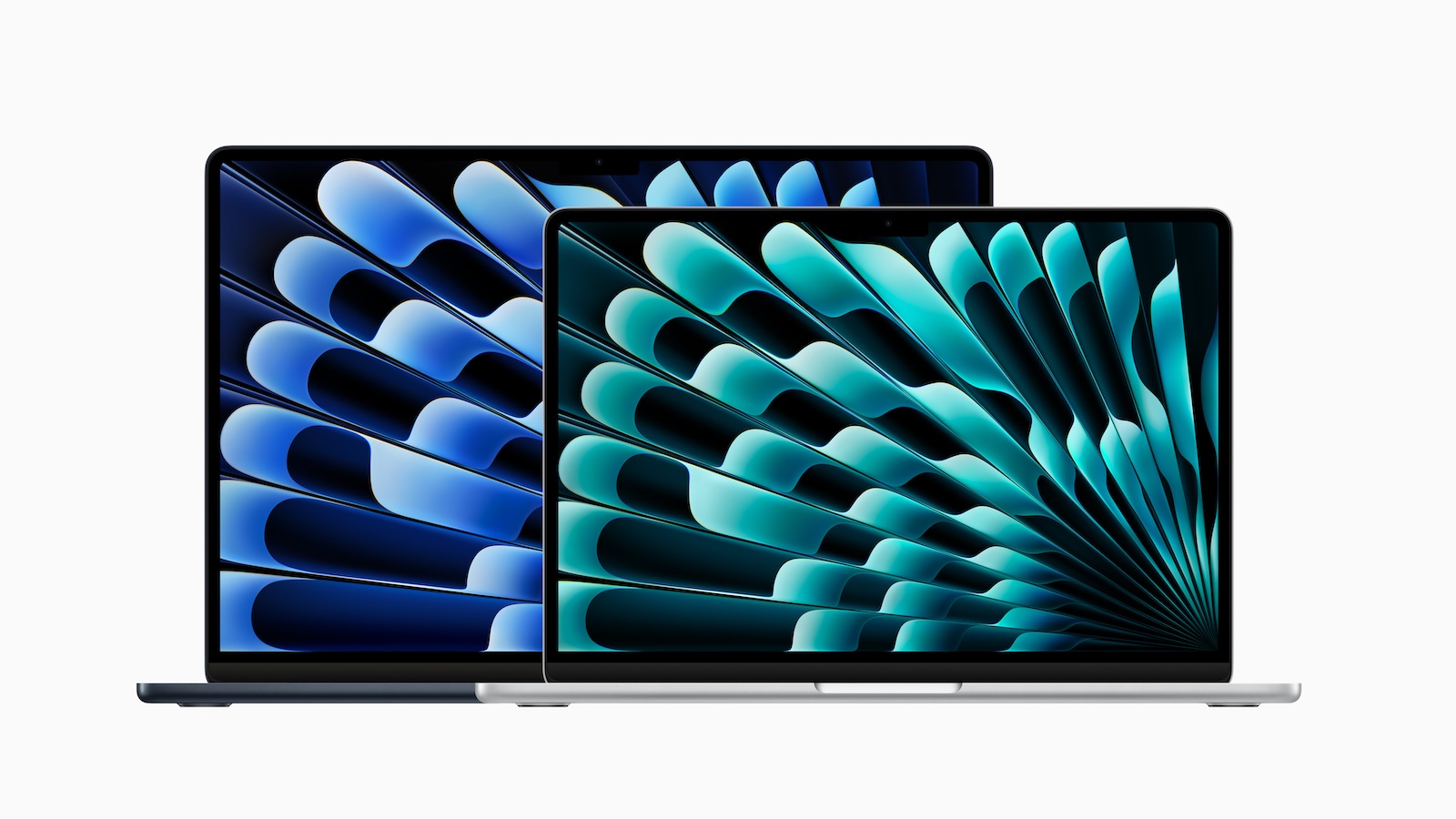
With the 13-inch model, Apple combines storage and graphics: Those who choose 24 GB of RAM or 1 TB SSD automatically get the M5 with a 10-core GPU.
A power adapter is not included in the box in Germany; only the USB-C to MagSafe 3 cable is supplied. The 13-inch model requires at least 30 watts, the 15-inch model 35 watts, and fast charging starts at 70 watts. Which power adapter is compatible with which model can be found in the overview of MacBook power adapter wattages.
MacBook Pro: three levels, two displays
The MacBook Pro comes in three tiers. The entry-level model is the 14-inch M6, followed by the M5 Pro and M5 Max models – available with either the Liquid Retina XDR display with Mini-LED or the new PROLED XDR display. All models feature active cooling, HDMI, an SDXC card slot, ProMotion up to 120 Hz, and the N1 chip with Wi-Fi 7 and Bluetooth 6.
The mini-LED display achieves 1,000 nits of continuous brightness and up to 1,600 nits with HDR content; an optional nanotexture is available to reduce reflections.
With mini-LED
| Size | Chip | RAM | Starting price |
|---|---|---|---|
| 14 inch | M6 | 16 GB | from €2,299 |
| 14 inch | M5 Pro | 24 GB | from €2,899 |
| 14 inch | M5 Max | 36 GB | from €4,799 |
| 16 inch | M5 Pro | 24 GB | from €3,399 |
| 16 inch | M5 Max | 36 GB | from €5,099 |
With PROLED XDR Display
The PROLED XDR display is a tandem OLED with a 10,000,000:1 contrast ratio, up to 2,000 nits peak brightness, and Adobe RGB color space support. It features touchscreen operation and a Dynamic Island display. Chips, ports, and battery life are identical to the Mini-LED models in the M5 Pro and M5 Max, but the chassis is lighter.
| Size | Chip | Price |
|---|---|---|
| 14 inch | M5 Pro | from €3,299 |
| 14 inch | M5 Max | from €5,199 |
| 16 inch | M5 Pro | from €3,899 |
| 16 inch | M5 Max | from €5,599 |
The comparison of PROLED XDR and Mini-LED shows for whom the OLED display is worthwhile compared to Mini-LED.
The 14-inch model with M6 is the special case
The entry-level model differs more significantly from the M5 Pro and M5 Max models than the price difference would suggest. According to the MacBook Pro's specifications, these models have three Thunderbolt 5 ports with speeds up to 120 Gbps and can drive up to three external displays with the M5 Pro and up to four with the M5 Max. The M6 MacBook Pro retains three Thunderbolt 4 ports and two external display support, but, like the more expensive models, it features Wi-Fi 7 and Bluetooth 6.
The situation is somewhat reversed when it comes to RAM. The M6 can be ordered with up to 32 GB, while the M5 Pro starts with 24 GB. Therefore, those who primarily need RAM but neither Thunderbolt 5 nor more than two monitors should configure the entry-level model first.
The smallest model also comes out on top in terms of battery life. According to Apple, the 14-inch model with the M6 and the 16-inch model with the M5 Pro each achieve 24 hours of video streaming, while the 14-inch model with the M5 Pro manages 22 hours. The MacBook Pro M6 vs. M5 comparison shows what the M6 changes compared to its predecessor, and the MacBook Air vs. MacBook Pro comparison shows how the Air and Pro differ in everyday use.
iMac: everything in one device
The iMac has been powered by the M6 processor since the end of October, available as a 10-core model with two Thunderbolt 4 ports and as a 12-core model with four. It features a built-in 24-inch display with 4.5K resolution (4480 × 2520 pixels), 500 nits brightness, and P3 color gamut. A keyboard, mouse, and a 143-watt power supply are included. Wireless connectivity, as with the other new Macs, is provided by the N1 chip with Wi-Fi 7, Bluetooth 6, and Thread.
| iMac | CPU / GPU | Starting price |
|---|---|---|
| 2 connections | 10/10 cores | from €1,799 |
| 4 connections | 12 / 12 cores | from €1,999 |
The four-port model, priced at €1,999, offers more than just two additional Thunderbolt 4 ports. It includes two extra CPU and GPU cores, 2.5 Gb Ethernet, the Magic Keyboard with Touch ID, the option of nanotexture glass, and support for two external displays instead of one. Both models are available in seven colors: blue, purple, pink, orange, yellow, green, and silver. A comparison of the iMac M6 versus the M4 reveals the changes compared to its predecessor.
Mac mini: the most affordable desktop
The Mac mini with M6 processor, measuring 12.7 x 12.7 cm, is the smallest Mac and, at €1,049, the most affordable desktop. The M6 combines a 12-core CPU with a 12-core GPU and a dual Neural Engine. The front panel features two USB-C ports and a headphone jack, while the rear offers HDMI, 2.5 Gigabit Ethernet, and three Thunderbolt 4 ports; the M5 Pro uses Thunderbolt 5 instead.
| Mac mini | CPU / GPU | Starting price |
|---|---|---|
| M6 | 12 / 12 cores | from €1,049 |
| M5 Pro | 15/16 cores | from €1,999 |
With the M6, the storage bandwidth depends on the RAM: 153 GB/s with 16 GB, and 170 GB/s with 24 GB or more. Both versions can drive up to three external displays. The M6 can be ordered with a maximum of 32 GB, while the M5 Pro can be ordered with 64 GB and up to an 8 TB SSD.
Mac Studio: Performance for professionals
The Mac Studio is aimed at users who process large amounts of data or run local AI models. Even the entry-level model with the M5 Max offers 18 CPU cores, 32 GPU cores, and 36 GB of RAM. On the back are four Thunderbolt 5 ports, two USB-A ports, HDMI 2.1, and 10 Gigabit Ethernet; on the front is an SDXC card slot.
| Mac Studio | CPU / GPU | Starting price |
|---|---|---|
| M5 Max | 18 / 32 cores | from €2,999 |
| M5 Ultra | 30 / 64 cores | from €6,599 |
Large storage capacities are tied to the more expensive chip variants. According to the Mac Studio's specifications, 48, 64, or 128 GB are only available with the 40-core GPU of the M5 Max, while 512 GB is only available with the M5 Ultra in its configuration with 36 CPU and 80 GPU cores. The 512 GB option can now be ordered from the Apple Store.
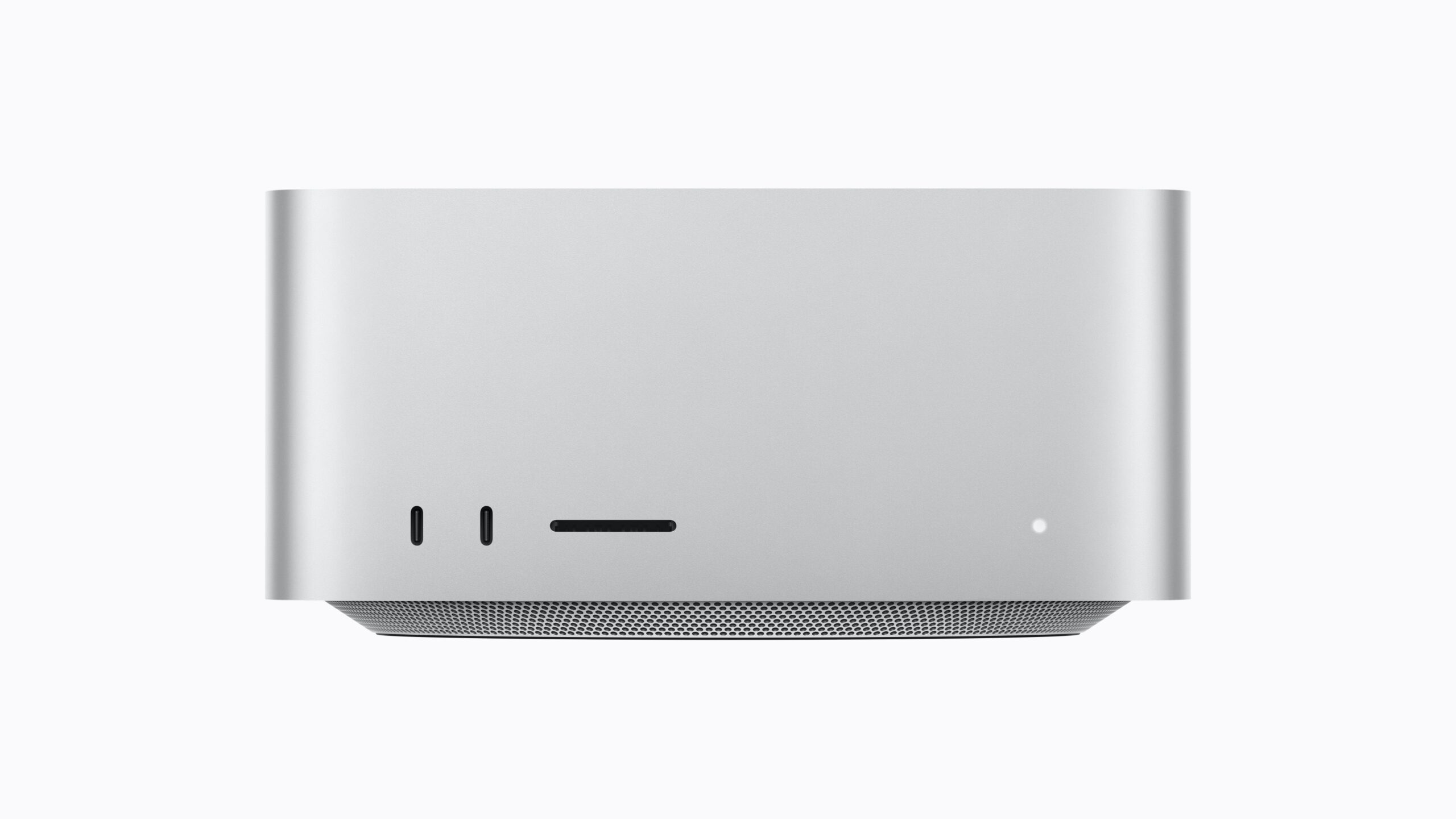
The M5 Max can drive up to five external displays, the M5 Ultra up to eight. The comparison between the Mac mini and the Mac Studio illustrates where the line lies between the two desktop series.
Which Mac is suitable for which use case
For studying, office work, browsing, and photo editing, the standard 13-inch MacBook Air is the best choice. It's the most affordable device with an M5 processor, 16 GB of RAM, a P3 display, a backlit keyboard, and Thunderbolt. Those needing more RAM can order the Air with up to 32 GB. The Apple Silicon RAM guide explains how much RAM is needed for different usage patterns.
The MacBook Neo is the right choice if your budget is under €1,000 and you primarily use the Mac for browsing, office applications, and streaming. The 8 GB of RAM is not upgradeable, which limits its lifespan once applications become more demanding.
The MacBook Pro is worthwhile if you need sustained performance, the XDR display, or the ports. With the 14-inch model, the choice should be deliberate: If you need Thunderbolt 5 or more than two monitors, the M5 Pro is the way to go, starting at €2,899. If the display and battery life are your main priorities, the M6 is a good choice. The PROLED XDR display, starting at €3,299, is particularly worthwhile for photo and video work on the go, where contrast, brightness, and touch responsiveness are crucial.
For most users, the Mac mini with the M6 processor is the most economical solution for desktop use. With the same 12-core M6, it starts at €1,049, while the iMac starts at €1,999 – though the latter includes a monitor, keyboard, and mouse. Since both now use the M6, the deciding factor is primarily whether a monitor is already owned; the iMac vs. Mac mini comparison provides a detailed analysis. The Mac Studio only becomes worthwhile when large projects, multiple monitors, or local AI models with high memory requirements are part of everyday work.
How up-to-date the individual series are
The MacBook Neo, MacBook Air, and MacBook Pro with M5 Pro or M5 Max were released in 2026, while the Mac mini and Mac Studio launched in September. Apple unveiled the iMac, MacBook Pro with M6, and MacBook Pro with ProLED XDR display at the end of October, and they became available on November 6th. Since the iMac with the M6, no current Mac uses an M4 processor. All the new releases from this period are summarized in the overview of Apple's October releases.
Would you choose the M6 with 32GB for the 14" MacBook Pro, or would you prefer the M5 Pro for Thunderbolt 5 and a third monitor? Let us know your calculations in the comments.
Frequently Asked Questions: Mac Buying Guide
The cheapest Mac is the MacBook Neo with a 256 GB SSD for €799. The cheapest desktop is the Mac mini with an M6 processor, 16 GB of RAM, and a 256 GB SSD for €1,049, but this does not include a monitor, keyboard, or mouse.
The MacBook Neo has 8 GB of built-in RAM, which cannot be expanded. This is sufficient for browsing, Office applications, and streaming. Users who employ more demanding applications or plan to keep the device for many years are better off with the MacBook Air, which starts with 16 GB.
The MacBook Air with M5 processor starts at €1,399 and features a Liquid Retina display, two Thunderbolt 4 ports, and support for two external displays. The MacBook Pro with M6 processor starts at €2,299. It offers a Liquid Retina XDR display with up to 120Hz, HDMI, an SDXC card slot, and a third Thunderbolt port.
The M6 model, starting at €2,299, has three Thunderbolt 4 ports and supports two external displays. The M5 Pro model, starting at €2,899, has three Thunderbolt 5 ports and supports up to three external displays. Both models feature Wi-Fi 7 and Bluetooth 6.
No, in Germany, only the charging cable is included with the MacBook Neo, MacBook Air, and MacBook Pro. Apple specifies the minimum power output as 20 watts for the Neo, 30 watts for the 13-inch Air, 35 watts for the 15-inch Air, 60 watts for the 14-inch MacBook Pro with M6, and 70 watts for the 14-inch model with M5 Pro or M5 Max. The 16-inch model requires 94 watts with the M5 Pro and 70 watts with the M5 Max. The iMac comes with a 143-watt power adapter.
The Mac mini with the M6 processor starts at €1,049, but the monitor, keyboard, and mouse must be purchased separately. The iMac also uses the M6 processor, starts at €1,799, and comes with a 24-inch display with 4.5K resolution, a Magic Keyboard, and a Magic Mouse. If you already own a monitor, the Mac mini is the more economical choice.
The MacBook Pro with M6, the MacBook Pro with PROLED XDR display, and the iMac with M6 will be available starting November 6th. The Mac mini and Mac Studio have been available since September 22nd; the Mac Studio with 512 GB of RAM can now also be ordered.