

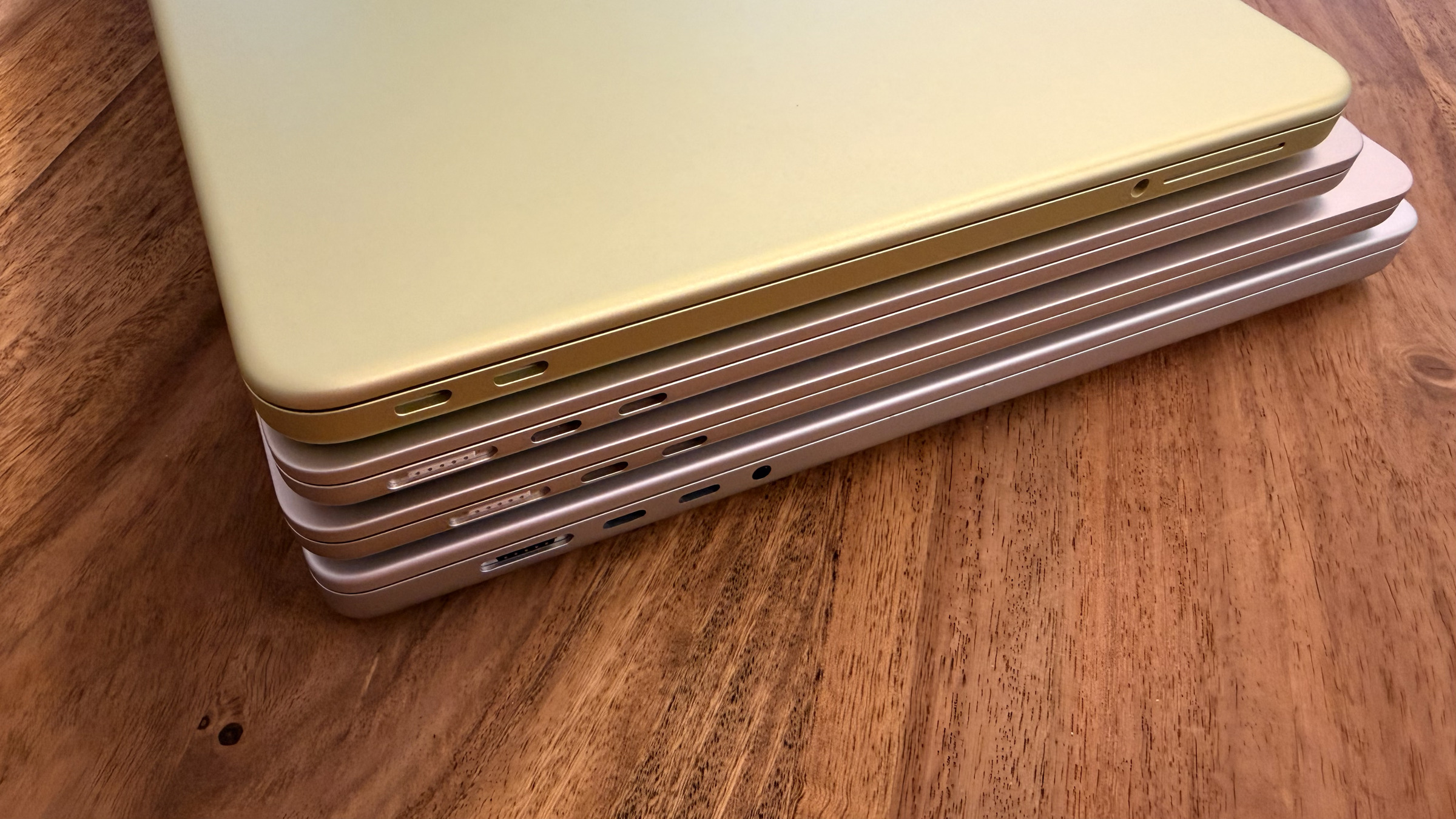
30, 70, or 140 watts? With a MacBook, the power adapter determines how quickly the battery recharges – and in Europe, one is no longer included in the box. If you choose the wrong one, you'll either pay for power the device never uses or wait unnecessarily long for the next charge.
All current MacBooks charge via USB-C using the USB Power Delivery standard. In principle, any USB-C power adapter that meets this standard will charge – from compact travel adapters to 140-watt powerhouses. In practice, however, the wattage makes a significant difference, as only a compatible power adapter will achieve the full charging speed.
The range extends from the entry-level MacBook Neo, which reaches its limit at around 30 watts, to the 16-inch MacBook Pro, which requires 140 watts. Both laptops use the same USB-C ports for power and external monitors – one and the same port handles both functions.
Key Facts at a Glance
- Any USB-C power adapter with USB Power Delivery will charge any current MacBook – the wattage only determines the speed, not the compatibility.
- A more powerful power adapter won't hurt: The MacBook only draws as much power as it can handle.
- A weaker battery charges more slowly and reports this in the battery status as "Slow charging process".„
- In Europe, Apple ships MacBooks without a power adapter; the box only contains the charging cable – this also applies in Switzerland.
- For the MacBook Neo, Apple's minimum specification of 20 watts is the slowest sensible choice, not the most suitable one.
USB-C and USB Power Delivery as the Common Foundation
Since Apple reintroduced MagSafe in its third generation, MacBooks can be charged either magnetically via MagSafe 3 or traditionally via one of the USB-C ports. Both methods utilize the same underlying technology: USB Power Delivery. Therefore, a MacBook cannot be tied to a specific Apple power adapter.
The only thing that matters is the power output. Apple specifies a recommended power adapter for each model, with which the MacBook achieves its full charging speed. A weaker adapter will still charge, just more slowly – macOS will then display the message "Slow Charging" in the battery status.
Conversely, a more powerful power adapter won't cause any harm. In its German support documentation for power adapters, Apple explicitly states that any Mac with USB-C charging can be operated with any USB-C power adapter, even at higher or lower wattage than recommended. Therefore, connecting a 140-watt model to a MacBook Air poses no risk.
This question only arises with laptops anyway. Pure desktop Macs like the Mac mini, Mac Studio, iMac, and Mac Pro have their power supply either permanently installed or as a bonded cable.
MagSafe 3 or USB-C: Two Routes to Power
MagSafe 3 is the magnetic charging connector found on the MacBook Air and MacBook Pro. The connector attaches magnetically, detaches without any damage if the cable is accidentally bumped, and doesn't block any of the USB-C ports. Charging is done via the USB-C to MagSafe 3 cable, which connects to the power adapter on one end and the MacBook on the other.
Those who don't want to use the port can charge the same models just as well via a USB-C port. With the MacBook Neo, there's no choice: The entry-level device forgoes MagSafe and Thunderbolt and has two USB-C ports with different capabilities – one with USB 3 and display output, the other with USB 2. The Neo can be charged via either port.
One detail regarding the cable is worth noting. Standard USB-C charging cables are usually rated for 60 or 100 watts; to charge a 16-inch MacBook Pro via USB-C at the full 140 watts, you need a cable certified for 240 watts, and that's only available from the November 2023 model onwards. A detailed overview of which cable class transmits which power is provided in the USB-C cable compatibility guide for Macs. The included MagSafe 3 cable transmits the full power right out of the box.
Older MagSafe 2 or MagSafe power adapters are not compatible. MagSafe 3 is not compatible with previous generations, even via a converter.
Which Wattage for Which MacBook?
The following overview shows which power adapters Apple recommends for the current models and at what power output fast charging takes effect.
| MacBook Model | Recommended by Apple | Charging Port | Fast charging from |
|---|---|---|---|
| MacBook Neo (A18 Pro) | 20 W (practical charging limit around 30 W) | USB-C | not supported |
| MacBook Air 13″ (M5) | 30 W, 35 W Dual, 67 W or 70 W | MagSafe 3 or USB-C | 67 W |
| MacBook Air 15″ (M5) | 35 W Dual, 67 W or 70 W | MagSafe 3 or USB-C | 70 W |
| MacBook Pro 14″ (M5 / M5 Pro / M5 Max) | 67 W, 70 W or 96 W | MagSafe 3 or USB-C | 96 W |
| MacBook Pro 16″ (M5 Pro / M5 Max) | 140 W | MagSafe 3 or USB-C | 140 W |
In practice, this can be boiled down to a few recommendations. For the MacBook Air, a 70-watt power adapter achieves full charging speed, including fast charging; a 35-watt adapter with two ports is sufficient for everyday use, but charges more slowly.
For the 14-inch MacBook Pro, the 96-watt power adapter is the right choice if you also want fast charging. If you have a 16-inch MacBook Pro on your desk, there's no way around a 140-watt adapter – smaller adapters will charge it, but never at full speed.
For the Air, Apple also offers a dynamic 40-watt power adapter that delivers up to 60 watts to a single device and flexibly distributes the power to one or two ports.
The MacBook Neo and its charging limit
The MacBook Neo is an exception because it doesn't use an M-series chip, but rather the A18 Pro from the iPhone 16 Pro models. This design saves energy and eliminates the need for a Thunderbolt controller – with consequences for charging. Apple only mentions a 20-watt power adapter in its support documentation; the manufacturer doesn't specify an upper limit.
Independent measurements paint a different picture than this minimum specification. ChargerLAB's charging test shows a peak of 18 watts with the included 20-watt power adapter and 30 watts with the compact 35-watt model with two ports; adapters with 96 or 140 watts add no further power. Third-party adapters with 30 watts and above achieved between 28 and 30 watts in the same test series.
Macworld, in its own test, arrives at a lower upper limit of around 24 watts and even measures only 12 watts with a 20-watt power supply. The two sets of results contradict each other in the exact figure, and the conflict remains unresolved. However, the conclusion is the same: above approximately 30 watts, more power provides no additional benefit.
The reverse is crucial. In Macworld's tests, the Neo, starting from 20 percent charge, gains around 15 percent in 30 minutes using Apple's specified 20-watt power adapter, and about 30 percent with a 96-watt adapter – the difference between Apple's minimum specification and a more powerful adapter thus represents a doubling of the charging speed. However, the Neo doesn't support fast charging like the Air and Pro; Apple doesn't list the model as fast-charging capable.
For purchasing a power adapter, this means: A compact 30 or 35-watt USB-C adapter will charge the Neo as quickly as possible, and a 96 or 140-watt model offers no additional benefit. The Neo charges using the same USB-PD standard as an iPhone or iPad, so an existing power adapter can often be reused – except for the small 20-watt model from the iPhone if you need a fast charge.
Unlike the MacBook Air and MacBook Pro, where RAM can be configured as needed, everything is fixed in the Neo: 8 GB of shared RAM, two USB-C ports, no room for expansion. The successor, the MacBook Neo 2, is expected to switch to the A19 Pro chip and 12 GB of RAM, but this is unlikely to change much in terms of charging logic.
Fast Charging: 50 Percent in Half an Hour
Apple supports fast charging on the MacBook Air from 2022 onwards and on the 14-inch and 16-inch MacBook Pro models from 2021 onwards. With the appropriate power adapter and cable, the battery can be charged to 50 percent in about 30 minutes.
Apple lists the specific combinations in its fast-charging instructions. The MacBook Air reaches this speed starting at 70 watts, while the 13.6-inch model requires only 67 watts. The 14-inch MacBook Pro needs at least 96 watts, and the 16-inch model requires the full 140 watts.
A high-performance display can also act as a power supply. A connected MacBook charges quickly via Thunderbolt cable when connected to the Apple Studio Display, eliminating the need for a second power adapter. For displays from other manufacturers, the limit is 85 watts for the Air and 94 watts for the 14-inch Pro.
No power supply included: what else is included in Europe
Perhaps the most significant change concerns the included accessories. In Europe, Apple no longer includes a power adapter with its MacBooks – the box contains only the appropriate charging cable: a USB-C to MagSafe 3 cable for the Air and Pro, and a USB-C charging cable for the Neo. Apple explains that the new MacBook models are shipped without a power adapter in Europe due to European regulations regarding chargers.
These regulations require that devices must also be available without a power adapter. They do not prohibit including one – the decision goes beyond the regulation. In the US, an adapter is still included in the package.
The same practice applies to Switzerland, even though the country is neither in the EU nor the EEA and European charger regulations do not apply there. Apple is therefore bringing the market along voluntarily, not due to a legal obligation.
For the purchase decision, this means: The power adapter is a separate item that needs to be factored in from the start. Those upgrading from an older MacBook can usually continue using their existing Apple power adapter, as long as the wattage is compatible with the new model.
Third-Party and GaN: Smaller, Lighter, Often Cheaper
An Apple power adapter is not required. Apple itself points out that any USB-C power adapter with USB Power Delivery is suitable, provided it meets applicable safety standards. This is precisely where adapters based on gallium nitride (GaN) demonstrate their strength: The technology switches more efficiently than conventional silicon, which is why GaN power adapters are significantly smaller and lighter for the same power output.
Many also come with multiple ports and can charge a MacBook, iPhone, and headphones simultaneously – a noticeable advantage when traveling compared to carrying several individual chargers. The market for USB-C power adapters and compatible charging cables now covers all power levels from 30 to 140 watts.
Three things are important when buying a power adapter: The wattage should at least match Apple's recommendation for your specific model, the adapter must support USB-PD, and if you want to charge multiple devices simultaneously, pay attention to the power distribution. The information on the packaging usually states the total power output, not the output per port – so if a second port is occupied, less power will be available for your MacBook.
Why Apple's minimum specification is the weakest basis for purchase
The support documentation lists a recommended power adapter for each model, and those who strictly adhere to this will buy the wrong adapter in two out of three cases. For the MacBook Neo, the listed 20 watts result in the slowest charging speed the device allows; for the MacBook Air, the 30-watt power adapter is an option on the same list, which excludes fast charging. The list describes what works – not what makes sense.
In practical terms, this means that if you focus on the fast-charging threshold rather than the minimum specification, you'll get 70 watts for the Air, 96 watts for the 14-inch Pro, and a compact 30- or 35-watt adapter for the Neo. This way, in all three cases, you're buying exactly the power the device actually needs.
The second item is an additional cost in Europe. Because the adapter is no longer included in the box, the power supply is now part of the purchase price – regardless of whether the device is bought in Germany, Austria, or Switzerland. Those who already own a powerful USB-C power supply for an iPad or iPhone often already have a suitable solution at home for a MacBook Air or Neo.
The Right Power Adapter – the Key Points at a Glance
Which power adapter is right depends entirely on the model. For the MacBook Neo, a compact USB-C adapter with 30 to 35 watts is the fastest and most practical choice; the device won't accept anything more. For the MacBook Air, a 70-watt power adapter is the ideal solution, for the 14-inch MacBook Pro a 96-watt model, and for the 16-inch Pro, 140 watts is mandatory.
A more powerful power adapter is never a bad thing; a weaker one simply charges more slowly. Third-party adapters using GaN technology are a compact, often cheaper alternative to the original – and since power adapters are no longer included in European models, choosing the right adapter is part of every MacBook purchase anyway. (Image: Apfelpatient)
- Check and selectively restrict iPhone app permissions
- Detecting AirTag Stalking and Protecting Yourself
- iPhone and MacBook while traveling: The security checklist
Frequently Asked Questions: MacBook Power Adapter
Yes. Any USB-C power adapter with USB Power Delivery will charge any current MacBook. However, it takes significantly longer with a standard 20-watt iPhone power adapter, and fast charging is not supported at all by the MacBook Air and Pro models.
No. The MacBook only draws as much power as it can handle. Apple explicitly states in its support documentation that every Mac with USB-C charging can also be operated with a power adapter that has a higher wattage than recommended.
This message appears in the battery status when the connected charging solution is delivering less power than the model expects. The device will still charge, just more slowly. To see the actual wattage, hold down the Option key, open System Information from the Apple menu, and select "Power" on the left.
For full charging speed, including fast charging, a 70-watt model is recommended; 67 watts is sufficient for the 13.6-inch Air. While the 30-watt power adapter is also on Apple's recommendation list, it does not support fast charging.
Up to about 30 watts, yes, but not beyond that. Using the included 20-watt power adapter, the Neo reached a peak of 18 watts in the ChargerLAB test, and 30 watts with a 35-watt adapter with two ports – 96- or 140-watt models don't add any more power. Macworld, in its own test, arrived at a lower upper limit of around 24 watts; the exact figure is therefore unclear, but the recommendation remains the same.
In Macworld's tests, the battery gained about 15 percent in 30 minutes from 20 percent charge using the 20-watt power adapter, and about 30 percent with a 96-watt adapter. However, the Neo still doesn't reach Apple's definition of fast charging – 50 percent in half an hour.
Apple cites European regulations regarding chargers. These regulations require that devices be available without a power adapter, but do not prohibit including one. Besides the EU, the UK and Switzerland are also affected, although neither is bound by the directive. In the US, an adapter is still included in the box.





