


Apfelpatient
  • Home
  • News
  • Rumors
  • Tips & Tricks
  • Reviews
  • Insights
No result
View All Results
  • iPhone 18
  • iPhone 18 Pro
  • iPhone Duo
  • Apple Home
  • Siri AI
  • HomePod
  • HomePod mini
  • HomePod mini 2
  • MacBook Pro
  • Apple TV 4K
  • Apple Watch Series 12
  • Apple Watch Ultra 4
  • AirPods 5
  • iOS 27
  • iPadOS 27
  • macOS
  • MacBook Neo
  • iPhone 17e
  • AirTags
  • iOS 26
  • iPhone 17
  • iPadOS
  • iMac
  • Mac mini
  • Apple TV
  • iPad Pro
  • iPhone Air
  • Apple Vision Pro
  • iPhone 16
  • AirPods 4
  • Apple Watch Ultra
  • MacBook Air
  • iPad
  • AirPods Max
  • AirPods Pro 3
  • Mac Studio
  • Studio Display
  • iPad Air
  • iPad mini
  • watchOS 27
  • Apple CarPlay
  • Apple Pay
  • watchOS 26
  • Home
  • News
  • Rumors
  • Tips & Tricks
  • Reviews
  • Insights
No result
View All Results
Apfelpatient
No result
View All Results
  • iPhone 18
  • iPhone 18 Pro
  • iPhone Duo
  • Apple Home
  • Siri AI
  • HomePod
  • HomePod mini
  • HomePod mini 2
  • MacBook Pro
  • Apple TV 4K
  • Apple Watch Series 12
  • Apple Watch Ultra 4
  • AirPods 5
  • iOS 27
  • iPadOS 27
  • macOS
  • MacBook Neo
  • iPhone 17e
  • AirTags
  • iOS 26
  • iPhone 17
  • iPadOS
  • iMac
  • Mac mini
  • Apple TV
  • iPad Pro
  • iPhone Air
  • Apple Vision Pro
  • iPhone 16
  • AirPods 4
  • Apple Watch Ultra
  • MacBook Air
  • iPad
  • AirPods Max
  • AirPods Pro 3
  • Mac Studio
  • Studio Display
  • iPad Air
  • iPad mini
  • watchOS 27
  • Apple CarPlay
  • Apple Pay
  • watchOS 26

MacBook Pro vs. Studio Display XDR: OLED vs. Mini-LED

Milan Jovicic by Milan Jovicic
November 5, 2026 - 18:56 CET
in Apple Insights, Mac and MacBook News
0
MacBook Pro vs. Studio Display XDR: person using the touchscreen of a MacBook Pro at a desk, with large monitors in the background

Image: Apple

WhatsAppFacebookEmail
Threads

This article may contain affiliate links. Learn more on our Partner Program page.

Make Apfelpatient a preferred source One click – and you'll see us more often on Google

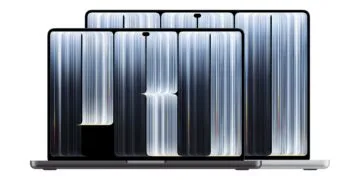
Both promise XDR, 2000 nits, and 120 Hz, but they are built completely differently. One is a tandem OLED display in a notebook, the other a 27-inch monitor with mini-LED technology. And with its stand, the monitor alone costs more than the cheapest MacBook Pro with an OLED display.

With the MacBook Pro with PROLED XDR display, Apple has brought an OLED panel to a Mac for the first time, while the Studio Display XDR has been the top model among its monitors since March. The figures in this comparison come from Apple's German data sheets for the MacBook Pro and the Studio Display XDR, as well as from Apple's technology overview of the monitor. The prices come from the German Apple Store.

Key Facts at a Glance

  • The MacBook Pro uses tandem OLED, while the Studio Display XDR uses mini-LED with 2,304 dimming zones.
  • Apple states a contrast ratio of 10,000,000:1 compared to 1,000,000:1.
  • In terms of HDR brightness, maximum refresh rate and color space, both are on par.
  • The Studio Display XDR offers 27 inches and 5K resolution, while the MacBook Pro offers higher pixel density and touch functionality.
  • They complement each other rather than competing.

A direct comparison of the displays

MacBook Pro PROLED XDRStudio Display XDR
TechnologyTandem OLEDLCD with mini-LED, 2,304 dimming zones
Size14.2 or 16.3 inches27 inches
Resolution (14.2 inches)3024 × 19865120 × 2880
Pixel density254 ppi218 ppi
Contrast10.000.000:11.000.000:1
Permanent brightnessup to 1,000 nitsup to 1,000 nits
Peak Brightness HDR2,000 nits2,000 nits
Refresh rate10 to 120 Hzup to 120 Hz, Adaptive Sync
Color spaceP3 and Adobe RGBP3 and Adobe RGB
TouchYesno
Dynamic IslandYesno
Nanotextured glassoptionaloptional
Starting pricefrom 3,299 euros (14 inch)From €3,499 with stand, from €3,099 with VESA mount adapter

OLED vs. Mini-LED

The biggest difference lies in the technology. With OLED, each pixel is self-illuminating, while in the Studio Display XDR, the 2,304 dimming zones are located behind the LCD. This also explains the tenfold difference in contrast.

Apple is working to combat blooming in the display: According to a technology overview, a classifier analyzes images in real time to reduce blooming. Initial tests of the MacBook Pro show the OLED display as a clear improvement in contrast and black levels compared to the MacBook Pro with Mini-LED, and according to Apple's technical paper, blooming around bright elements is virtually eliminated.

Apple specifies the same values for both displays in terms of sustained brightness and HDR peak brightness. According to Apple, the Studio Display XDR reaches 2,000 nits across 40 percent of its surface area, while the 1,000 nits sustained brightness is maintained down to an ambient temperature of 25 degrees Celsius. Similarly, the MacBook Pro only maintains its 1,000 nits sustained brightness below 25 degrees Celsius, but reaches a peak of 2,000 nits outdoors in SDR mode.

Size versus sharpness

On paper, the MacBook Pro, with 254 ppi, is sharper than the Studio Display XDR with 218 ppi. However, at your desk, you typically sit further away from the 27-inch monitor, and, more importantly, it offers significantly more screen space with its 5120 × 2880 pixels.

In addition, both models feature a tilt- and height-adjustable stand. A 12 MP camera with Center Stage and desktop view, as well as six speakers, are included. However, Touch and Dynamic Island are only available on the MacBook Pro.

Both together use

For notebooks, Apple explicitly mentions single-cable operation: via the Thunderbolt 5 upstream port, the monitor charges a connected MacBook with up to 140 W. Macs with M1, M1 Pro, M1 Max, M1 Ultra, M2, or M3 are limited to 60 Hz on the monitor, whereas this limit does not apply to the MacBook Pro with M5 Pro or M5 Max.

Both offer reference modes for video, film, print, photography, and web. This is important for anyone who works on the same projects on a laptop while traveling and on a monitor in the office.

Which display is worthwhile for whom?

The Studio Display XDR is the right choice for you if you already own a compatible Mac and need more desk space. The MacBook Pro with PROLED XDR is worthwhile if you want the best picture quality on the go or if you actually use the touchscreen.

Ultimately, I see this direct comparison as a comparison of two different workstations: Someone who only wants to buy a monitor will pay more for the Studio Display XDR with stand than the cheapest MacBook Pro with OLED costs, and still won't have a computer. Someone who already owns a MacBook Pro with Mini-LED will get more screen space with the monitor, but won't see a significant improvement in contrast; that only comes with an OLED display. The Mac buying guide shows which computer is a good match.

Would you rather invest in the OLED display in the MacBook Pro or in a large monitor for your desk? Tell us about your workspace in the comments.

Frequently Asked Questions: MacBook Pro vs. Studio Display XDR

Which display has the better contrast?

The MacBook Pro with PROLED XDR display. Apple specifies a contrast ratio of 10,000,000:1 compared to 1,000,000:1 for the Studio Display XDR.

Is the Studio Display XDR brighter than the MacBook Pro?

No. Apple specifies a continuous brightness of up to 1,000 nits for both at temperatures up to 25 degrees Celsius and a peak brightness of 2,000 nits in HDR mode. In SDR mode outdoors, the MacBook Pro reaches a peak brightness of up to 2,000 nits, while the monitor reaches up to 1,000 nits.

Does the Studio Display XDR have a touchscreen?

No. Touchscreen and Dynamic Island are only available on the MacBook Pro with PROLED XDR display.

Which display has the higher pixel density?

The MacBook Pro has 254 ppi, while the Studio Display XDR comes in at 218 ppi. However, the monitor offers significantly more screen area with its 5120 × 2880 pixels.

Can the Studio Display XDR charge a MacBook Pro?

Yes. The monitor delivers up to 140 W via the Thunderbolt 5 upstream port.

Will the Studio Display XDR work on the MacBook Pro with a PROLED XDR display at 120 Hz?

Yes, that applies to the M5 Pro and M5 Max. Macs with M1, M1 Pro, M1 Max, M1 Ultra, M2, or M3, however, remain at 60 Hz.

How does the Studio Display XDR cost compared to the MacBook Pro?

The MacBook Pro with PROLED XDR display starts at €3,299 (14-inch) and €3,899 (16-inch), the Studio Display XDR at €3,499 with stand and €3,099 with VESA mount adapter.

Was this article helpful?
YesNo
Tags: MacMacBookMacBook Pro: News, comparisons and tipsStudio Display XDR
SendShareSend
Share

Our Amazon Storefront

A handpicked selection of products for iPhone, Mac and more – sorted by topic and updated regularly.

Shop Now

This post contains affiliate links (including Amazon). We earn a small commission on qualifying purchases – at no extra cost to you. Learn more on our Partner Program page.

Previous Post

MacBook Pro PROLED XDR: The first reviews

Milan Jovicic

Milan Jovicic

Milan founded Apfelpatient in 2016 and has been responsible for all editorial content since 2018 – news, rumors, how-to guides and product reviews. Here, Apple devices aren't review units kept for two weeks, they're everyday tools: from iPhone to MacBook Pro, MacBook Air and iMac all the way to Apple Vision Pro, at least one device from every product category is in daily use, many of them replaced every year. Every menu path in a guide is checked on the device before it goes live.

Related posts

MacBook Pro PROLED XDR: The first reviews

by Milan Jovicic
November 5, 2026 - 3:53 PM CET
MacBook Pro PROLED XDR review: two open MacBook Pro models in black and silver with Dynamic Island on a white background

MacBook Pro PROLED XDR Review: The display impresses early reviewers, touch functionality remains a secondary consideration. Ratings, battery life, and criticisms at a glance.

Read moreDetails

Apple Home View: Data privacy for camera and voice data

by Milan Jovicic
November 5, 2026 - 00:50 CET
Apple HomeView privacy: HomeView showing smart home controls on a wooden sideboard next to a plant, candle and books

Apple HomeView Privacy: What happens to camera and voice data, what Secure Exclaves can do, and when Apple actually stores audio.

Read moreDetails

Apple Home View vs. Echo Show: Which display is the right one?

by Milan Jovicic
November 5, 2026 - 00:18 CET
Apple HomeView vs Echo Show: Apple's display with a FaceTime call on the left, Amazon's smart display with a music view on the right

Apple HomeView vs. Echo Show: Display, sound, smart home and data privacy compared, and why the Echo Show is clearly ahead in this country.

Read moreDetails

iPhone 20: All the rumors about the anniversary model

by Milan Jovicic
November 4, 2026 - 23:33 CET
iPhone 20 predecessor: iPhone 18 Pro Max lying face down in its white box

iPhone 20: All the rumors about the anniversary model – almost 7 inches, curved glass all around, small cutout and release in September 2027.

Read moreDetails

MacBook Neo: Apple reportedly plans to double production in 2027

by Milan Jovicic
November 4, 2026 - 19:37 CET
MacBook Neo 2027: closed MacBook Neo in Citrus on a dark tabletop in front of a white wall

MacBook Neo: Apple is reportedly planning to produce 16 million units in 2027, twice as many as in 2026. Here's what's behind it and what the Neo 2 can do.

Read moreDetails
Load More

Leave a Reply Cancel reply

Required fields are marked with * marked.

By submitting, you consent to the storage of your comment along with your name, email address and IP address. Details are available in our privacy policy.

Categories

  • Apple Insights
  • Apple Rumors
  • Apple News
  • Apple Tips & Tricks
  • iPhone news, rumors and tips
  • Mac and MacBook News
  • Reviews
Make Apfelpatient a preferred source One click – and you'll see us more often on Google

About APPLE PATIENT

APFELPATIENT brings you the latest Apple news, product updates, guides, reviews and tips across the entire Apple ecosystem — from the iPhone to the Mac to the Apple Vision Pro. From the first rumors to confirmed news: researched responsibly.

Follow Apfelpatient

Facebook Instagram YouTube Threads Threads

Company

  • About Apfelpatient
  • Contact
  • Author Profiles

Community

  • Netiquette
  • Push notifications
  • RSS feed

Legal

  • Legal Notice
  • Privacy Policy
  • Terms of Use
  • Cookie settings
  • Affiliate Program

Resources

  • Sitemap

© 2026 Apfelpatient. All rights reserved.

No result
View All Results
  • Home
  • News
  • Rumors
  • Tips & Tricks
  • Reviews
  • Insights

© 2026 Apfelpatient. All rights reserved. Site map

Change language to Deutsch