





© 2026 Apfelpatient. All rights reserved.

Apple Tips & Tricks
Every new version of iOS, iPadOS, macOS, and watchOS adds features – and hides many of them so well that even long-time Apple users miss them. On top of that come everyday problems: backups failing, AirDrop refusing to work, Wi-Fi passwords disappearing.
This is where step-by-step guides for exactly those moments live: from setting up a new iPhone to transferring data to uncovering hidden features in iOS and macOS. Every guide is verified against the current version – so the steps are correct when you actually need them.
Topics range from basics for newcomers to specialized features for power users: setting up iCloud properly, pairing an Apple Watch with an iPhone, using Focus modes effectively, resetting old devices for resale. When problems come up, the solution isn't just shown – it's also explained why something goes wrong, so the same issue can be solved independently next time.
iPhone 18 Pro: Setting up Pro video storage for ProRes
No Pro Video storage, no ProRes: Here's how to reserve storage for video recordings on the iPhone 18 Pro and allocate it when needed...
Read moreDetailsPreparing your iPhone 18 Pro Max for shipping: Here's how
iPhone 18 Pro Max before shipping: Batteries larger than 20 Wh must be discharged using the "Prepare for Shipping" function. Here's how...
Read moreDetailsPhotographic styles on the iPhone: Using texture and grain
Photographic styles on the iPhone: How to define your style, adjust palette and texture, and use the new options...
Read moreDetailsiPhone 18 Pro: Cinematic mode effects and time-lapse in 4K
iPhone 18 Pro: How to add cinematic effects to regular videos and record cinematic video at 60 fps and time-lapse in...
Read moreDetailsiPhone 18 Pro: White balance, shutter speed & histogram
iPhone 18 Pro: How to use white balance, shutter speed and histogram in the camera app – with all values, levels and practical tips.
Read moreDetailsiPhone 18 Pro: How to use variable aperture
iPhone 18 Pro: How to use the variable aperture from ƒ/1.48 to ƒ/4.0 – with instructions, usage tips and how to access it...
Read moreDetailsiOS 27: Customize Camera App Controls
iOS 27: How to customize the camera app controls – separately for photos and videos, by tap or long press...
Read moreDetailsiOS 27: Enable Impersonation Risk Detection
iOS 27 warns apps about ongoing fraud, but identity theft risk detection is disabled by default. Here's how to turn it on...
Read moreDetailsFree up MacBook storage space: All methods at a glance
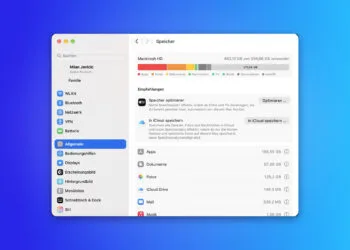
Free up MacBook storage space: Clean up device backups, photos and downloads – and why system data is taboo.
Read moreDetailsAdjusting the AirPods equalizer: Customizing sound in iOS 27
AirPods equalizer in iOS 27: How to adjust bass, mids, and treble, which models support it, and what to do if...
Read moreDetails