
Apfelpatient
  • Home
  • News
  • Rumors
  • Tips & Tricks
  • Reviews
  • Insights
No result
View All Results
  • iPhone 18
  • iPhone 18 Pro
  • iPhone Duo
  • Apple Home
  • Siri AI
  • HomePod
  • HomePod mini
  • HomePod mini 2
  • MacBook Pro
  • Apple TV 4K
  • Apple Watch Series 12
  • Apple Watch Ultra 4
  • AirPods 5
  • iOS 27
  • iPadOS 27
  • macOS
  • MacBook Neo
  • iPhone 17e
  • AirTags
  • iOS 26
  • iPhone 17
  • iPadOS
  • iMac
  • Mac mini
  • Apple TV
  • iPad Pro
  • iPhone Air
  • Apple Vision Pro
  • iPhone 16
  • AirPods 4
  • Apple Watch Ultra
  • MacBook Air
  • iPad
  • AirPods Max
  • AirPods Pro 3
  • Mac Studio
  • Studio Display
  • iPad Air
  • iPad mini
  • watchOS 27
  • Apple CarPlay
  • Apple Pay
  • watchOS 26
  • Home
  • News
  • Rumors
  • Tips & Tricks
  • Reviews
  • Insights
No result
View All Results
Apfelpatient
No result
View All Results
  • iPhone 18
  • iPhone 18 Pro
  • iPhone Duo
  • Apple Home
  • Siri AI
  • HomePod
  • HomePod mini
  • HomePod mini 2
  • MacBook Pro
  • Apple TV 4K
  • Apple Watch Series 12
  • Apple Watch Ultra 4
  • AirPods 5
  • iOS 27
  • iPadOS 27
  • macOS
  • MacBook Neo
  • iPhone 17e
  • AirTags
  • iOS 26
  • iPhone 17
  • iPadOS
  • iMac
  • Mac mini
  • Apple TV
  • iPad Pro
  • iPhone Air
  • Apple Vision Pro
  • iPhone 16
  • AirPods 4
  • Apple Watch Ultra
  • MacBook Air
  • iPad
  • AirPods Max
  • AirPods Pro 3
  • Mac Studio
  • Studio Display
  • iPad Air
  • iPad mini
  • watchOS 27
  • Apple CarPlay
  • Apple Pay
  • watchOS 26

Cleaning the inner display of an iPhone Duo: Here's how to do it right

Milan Jovicic by Milan Jovicic
November 5, 2026 - 2:11 PM CET
in Apple Tips & Tricks, iPhone news, rumors and tips
0
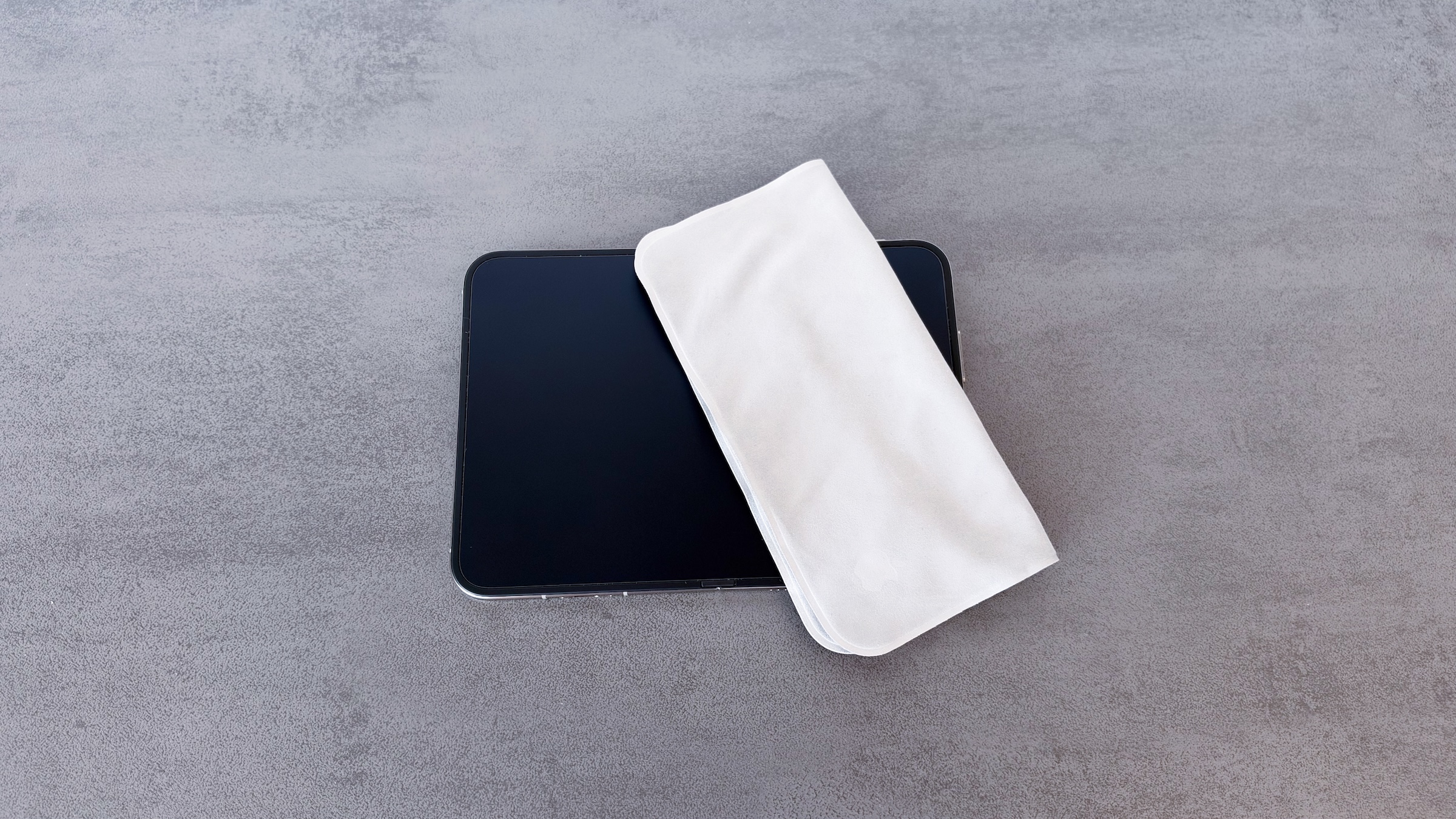
Cleaning the iPhone Duo inner display: open iPhone Duo with a polishing cloth on the dark display

Image: Apfelpatient

WhatsAppFacebookEmail
Threads

This article may contain affiliate links. Learn more on our Partner Program page.

Make Apfelpatient a preferred source One click – and you'll see us more often on Google

The inner display of the iPhone Duo looks more delicate than it actually is in everyday use. A good cloth is all you need, but there are a few things you should avoid. This is how I've been cleaning my Duo since it was released, and here's what Apple says about it.

The inner display of the iPhone Duo has a cover layer made of a polymer with nano-texture. It reduces reflections, setting it apart from the smooth displays of other iPhones. Apple explicitly mentions how to care for it in its cleaning instructions for the iPhone, and details are in the guide to nano-texture displays. I have been using the Duo as my main device since October 23, unfolded about 95 percent of the time.

Key Facts at a Glance

  • For everyday use, a clean Apple polishing cloth or another microfiber cloth for displays is sufficient.
  • Occasionally, Apple allows the cloth to be lightly moistened with 70 percent isopropyl alcohol to remove stubborn stains.
  • You must not remove the top layer yourself; Apple Service will replace it if necessary.
  • Apple estimates the exchange will cost €19 with AppleCare and €55 without.

This is what you need for cleaning

Apple suggests three options for nanotexture: a clean Apple polishing cloth, another microfiber cloth for electronic displays, or a fabric made from a cotton-elastane blend. I'm using the new Apple polishing cloth.

Here's how to proceed:

  1. Disconnect all cables, switch off the Duo, unfold it and place it on a clean surface.
  2. Wipe the display with the clean cloth.
  3. For stubborn stains, only occasionally dampen the cloth lightly with 70% isopropyl alcohol.
  4. If necessary, hand wash the cloth with dish soap and water, rinse thoroughly and let it air dry for at least 24 hours.

I wipe the screen once a day, purely out of habit; I've done that with all my iPhones. I haven't had any streaks so far; one wipe is enough.

Fingerprints are so noticeable

Fingerprints are significantly less noticeable on the inner display than on other iPhone displays, even though I always use Dark Mode. It depends on the angle of the light. In Light Mode, they're practically invisible.

They're most noticeable when the Duo is open on a table and I look at it from the side. Even so, I couldn't get them to show up in a photo for this article. I haven't noticed any dust on the crease or edges, nor any scratches or pressure marks. I mainly see the crease in bright light on a black loading screen; more on that in my first impressions of the iPhone Duo.

You should avoid these mistakes

Apple explicitly warns against removing the top layer of the Duo display, stating that, according to support, it is an integral part of the inner display. In my opinion, a protective film should not be applied to the inner display either.

Apple also lists further limitations for the iPhone:

  • Do not use cleaning agents containing bleach or hydrogen peroxide.
  • no compressed air
  • No moisture in the openings and no immersion in cleaning agents.

For matte surfaces, which Apple also includes the Duo's inner display in, Apple also mentions traces of material transfer, such as from denim. This looks like a scratch, but can be removed in most cases.

How much it costs to replace the top layer

If all else fails, the top layer can be replaced. According to Apple's cost calculator, this is estimated at €19 with AppleCare and €55 without. Damage to the inner display itself is significantly more expensive.

This isn't something you can do at home. Apple's repair manual specifies a special tool, a pressure roller, and compressed air for this.

Not a raw egg, but secured

I don't take any special care when closing the phone and treat the Duo like any other iPhone. When I'm out and about, it's usually in the iPhone Duo Folio; originally, I wanted to use it without a case. But the kickstand is just too handy, especially for standby.
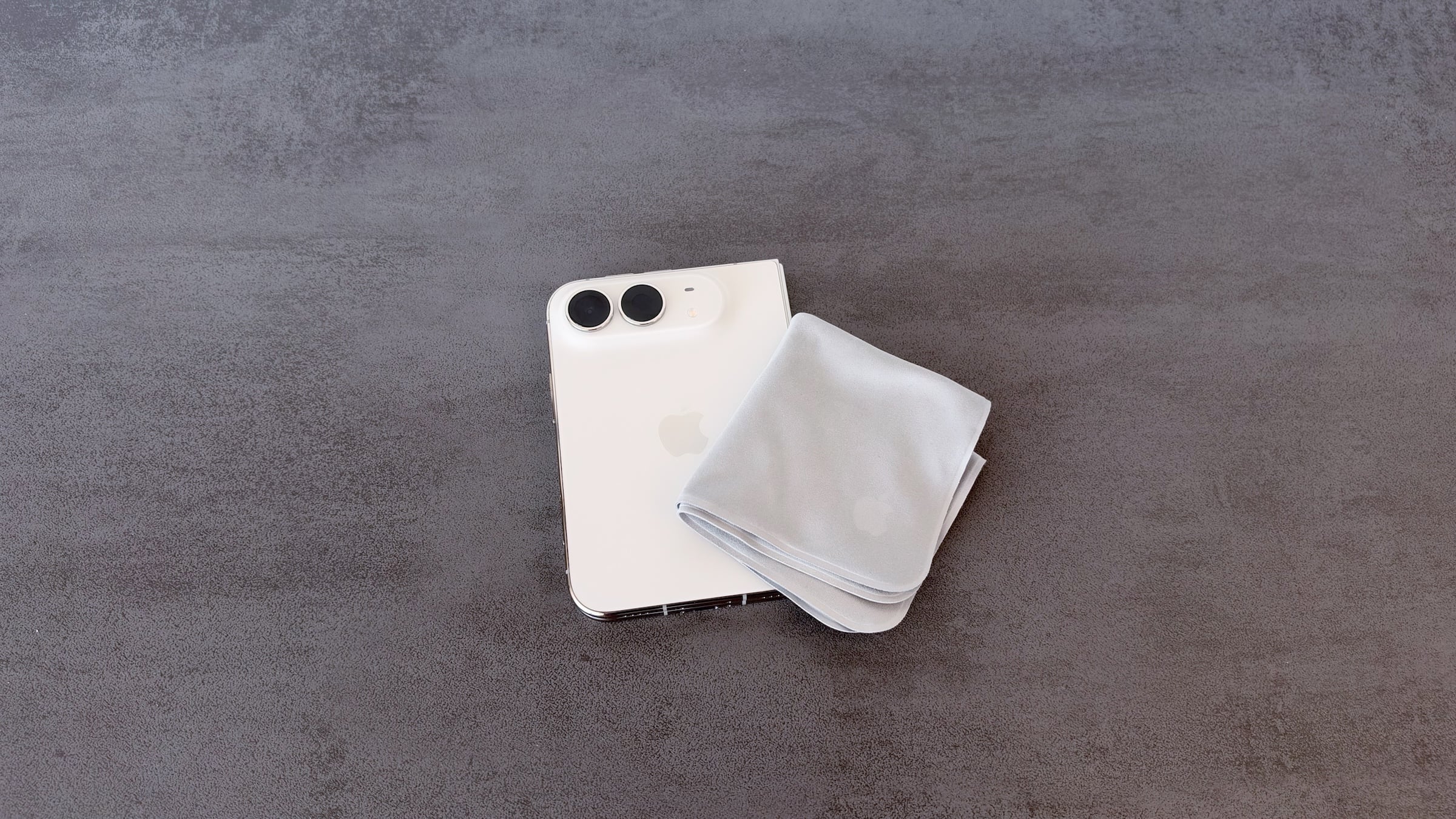
Cleaning the iPhone Duo inner display: closed iPhone Duo seen from the back with a polishing cloth
Image: Apfelpatient

This is my experience after almost two weeks, not a long-term assessment. I haven't noticed any of the cracks in the internal display that Apple describes as a problem affecting a small number of devices. Anyone new to the Duo should simply use it and, for peace of mind, get an AppleCare plan, as it makes a serious issue much less painful.

How often do you use a cleaning cloth on your Duo or iPhone, and what do you use? Let us know in the comments whether you wipe daily or only when absolutely necessary.

Frequently Asked Questions: Cleaning the inner display of an iPhone Duo

What do I use to clean the inner display of the iPhone Duo?

Use a clean Apple polishing cloth, another microfiber cloth for electronic displays, or a cotton-elastane fabric. Disconnect all cables and turn off the Duo beforehand.

Can I use alcohol on the internal display?

Occasionally, yes. For stubborn stains, Apple allows the cloth to be lightly dampened with 70% isopropyl alcohol. Products containing bleach or hydrogen peroxide are not permitted.

May I use compressed air?

No. Apple does not recommend using compressed air to clean the iPhone.

Can I peel off the top layer myself?

No. According to Apple, the top layer is an integral part of the inner display, and Apple warns against removing it.

How much does it cost to replace the top layer?

Apple's cost calculator estimates 19 euros with AppleCare and 55 euros without.

Are scratches on the inner display always genuine damage?

Not necessarily. On matte surfaces, which Apple includes the internal display in, it could be a material transfer that looks like a scratch. In most cases, it can be removed.

How often should I clean the internal display?

Apple doesn't specify a fixed cleaning schedule. I wipe it daily out of habit, and fingerprints are significantly less noticeable on the inner display than on other iPhone displays.
Was this article helpful?
YesNo
Tags: iPhoneiPhone Duo: News, experiences and tips
SendShareSend
Share

Our Amazon Storefront

A handpicked selection of products for iPhone, Mac and more – sorted by topic and updated regularly.

Shop Now

This post contains affiliate links (including Amazon). We earn a small commission on qualifying purchases – at no extra cost to you. Learn more on our Partner Program page.

Previous Post

Apple HomeView: Code hints at AI chatbot apps

Milan Jovicic

Milan Jovicic

Milan founded Apfelpatient in 2016 and has been responsible for all editorial content since 2018 – news, rumors, how-to guides and product reviews. Here, Apple devices aren't review units kept for two weeks, they're everyday tools: from iPhone to MacBook Pro, MacBook Air and iMac all the way to Apple Vision Pro, at least one device from every product category is in daily use, many of them replaced every year. Every menu path in a guide is checked on the device before it goes live.

Related posts

Apple is closing in on Qualcomm in smartphone chips

by Milan Jovicic
November 5, 2026 - 01:55 CET
Smartphone chips: iPhone Duo in a blue Folio next to a dark red Pro series iPhone, both seen from the back on a grey surface

Smartphone chips: The market falls by 21 percent, with Apple closing the gap to Qualcomm to within one point. The forecast is also worsening.

Read moreDetails

Connecting and resetting AirPods: Instructions for all Models

by Milan Jovicic
November 5, 2026 - 01:25 CET
Connect and reset AirPods: AirPods Max in a Smart Case in front of an iPhone in a folio, surrounded by several white AirPods charging cases

Connecting, pairing, and resetting AirPods: Here's how it works for all models. Includes double-tap, troubleshooting, and AirPods 5.

Read moreDetails

iPhone 20: All the rumors about the anniversary model

by Milan Jovicic
November 4, 2026 - 23:33 CET
iPhone 20 predecessor: iPhone 18 Pro Max lying face down in its white box

iPhone 20: All the rumors about the anniversary model – almost 7 inches, curved glass all around, small cutout and release in September 2027.

Read moreDetails

iPhone 20: Leaker rules out display without hole

by Milan Jovicic
November 4, 2026 - 23:08 CET
iPhone 20 display in focus: current iPhone with Apple's protective film as delivered on a gray table

iPhone 20 without a hole in the display? A well-known leaker denies this. What his answer means for the Dynamic Island and what remains unclear.

Read moreDetails

iOS 27.3: Swisscom apparently enables RCS for iPhone

by Milan Jovicic
November 4, 2026 - 19:14 CET
Symbol image for iOS 27.3 RCS Swisscom: dark red iPhone lying face down on a grey stone surface

iOS 27.3 RCS Swisscom: The beta mobile data includes RCS for the first time; a reader has demonstrated its active use. Here's what's known and what's still missing.

Read moreDetails
Load More

Leave a Reply Cancel reply

Required fields are marked with * marked.

By submitting, you consent to the storage of your comment along with your name, email address and IP address. Details are available in our privacy policy.

Categories

  • Apple Insights
  • Apple Rumors
  • Apple News
  • Apple Tips & Tricks
  • iPhone news, rumors and tips
  • Mac and MacBook News
  • Reviews
Make Apfelpatient a preferred source One click – and you'll see us more often on Google

About APPLE PATIENT

APFELPATIENT brings you the latest Apple news, product updates, guides, reviews and tips across the entire Apple ecosystem — from the iPhone to the Mac to the Apple Vision Pro. From the first rumors to confirmed news: researched responsibly.

Follow Apfelpatient

Facebook Instagram YouTube Threads Threads

Company

  • About Apfelpatient
  • Contact
  • Author Profiles

Community

  • Netiquette
  • Push notifications
  • RSS feed

Legal

  • Legal Notice
  • Privacy Policy
  • Terms of Use
  • Cookie settings
  • Affiliate Program

Resources

  • Sitemap

© 2026 Apfelpatient. All rights reserved.

No result
View All Results
  • Home
  • News
  • Rumors
  • Tips & Tricks
  • Reviews
  • Insights

© 2026 Apfelpatient. All rights reserved. Site map

Change language to Deutsch