
This article may contain affiliate links. Learn more on our Partner Program page.
A camera and four microphones in a single device shared by the entire household: With HomeView, data privacy is paramount. Apple promises a lot, but the promises vary. It depends on whether HomeView is currently recognizing a face, forwarding a question to Siri, or analyzing the image from a smart home camera.
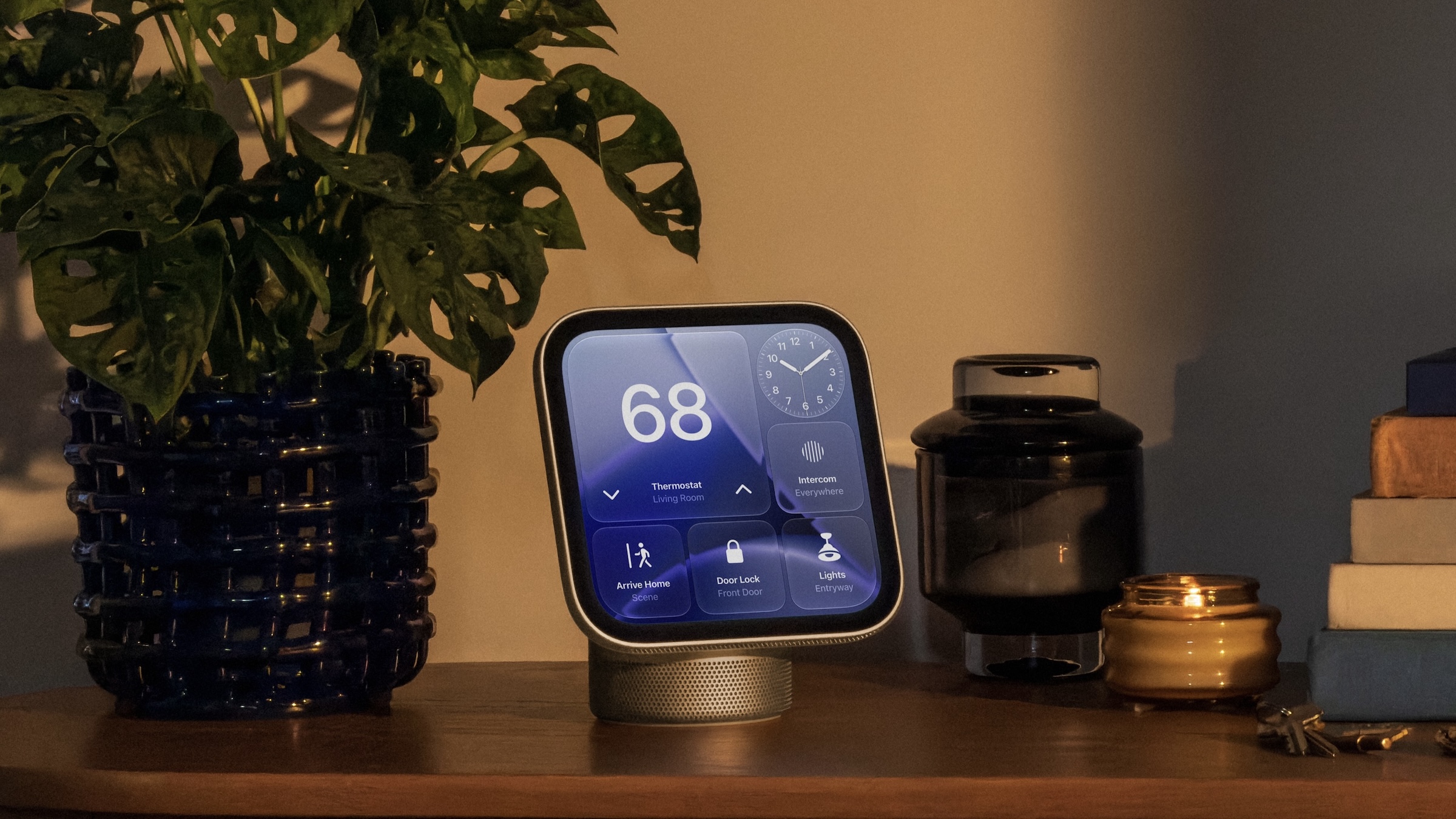
Apple HomeView, which launches in eight countries on November 13 and will not be sold here, brings a 12-megapixel camera and four microphones into the kitchen, hallway, or living room. Apple spreads its privacy commitments across the announcement in the Newsroom, the product page, and the general information on Siri. The overview shows: camera images, voice, and personal content take different paths, and not the same rules apply to each. More articles about the device are collected on the HomeView topic page.
Key Facts at a Glance
- According to Apple, HomeView recognizes face and voice in secure exclaves of the A18, which neither the operating system nor Apple can access.
- Personal content only appears when HomeView recognizes the face and the paired iPhone or iPad is nearby and has recently been unlocked.
- Siri requests can run on the device or via Private Cloud Compute, where, according to Apple, the data is not stored.
- Apple only stores audio with your consent. Data relating to requests is typically retained by the company for up to two years, without any connection to your Apple account.
- Apple's data sheet does not mention a button to turn off the camera and microphones.
Five data paths, five commitments
| Data | How to get there | Apple's commitment |
|---|---|---|
| Camera and microphone for recognition | Secure Exclaves in A18 | No access for HomeView software, apps, users, or Apple |
| Personal content | Display on HomeView, tied to the paired iPhone or iPad | Only if a face is recognized and a recently unlocked device is nearby. |
| Siri requests | Device or Private Cloud Compute | Neither stored in Private Cloud Compute nor accessible to Apple or others |
| Images from compatible cameras | Detection at the control center in the house | End-to-end encryption; content not visible to Apple. |
| FaceTime calls | Cross the network to the other side | End-to-End Encryption |
Secure Exclaves: Camera and microphone in the sealed-off area
According to Apple, Secure Exclaves are protected and isolated execution environments within the A18. Camera and microphone data are processed separately from the rest of the system there; the announcement in the Newsroom defines the boundary as follows:
Neither the HomeView software nor apps, users or Apple can access data processed and analyzed in Secure Exclaves.
The product page provides more details. It states that the exclaves allow HomeView to recognize the user's face and voice without exposing the audio and image data used for this to the operating system. Apple only mentions recognition as the purpose. This doesn't mean that the image and sound never leave the device: A FaceTime image has to be sent to the other party, and a question to Siri has to be answered.
Facial recognition: The iPhone is key
Home View recognizes up to six people and gives each their own home screen with apps and widgets. This requires an Apple account, a compatible iPhone or iPad, and membership in the shared home network within the Home app, as Apple states in the FAQs on the product page. Shared photo albums and music, however, are accessible to everyone in the household, including guests.
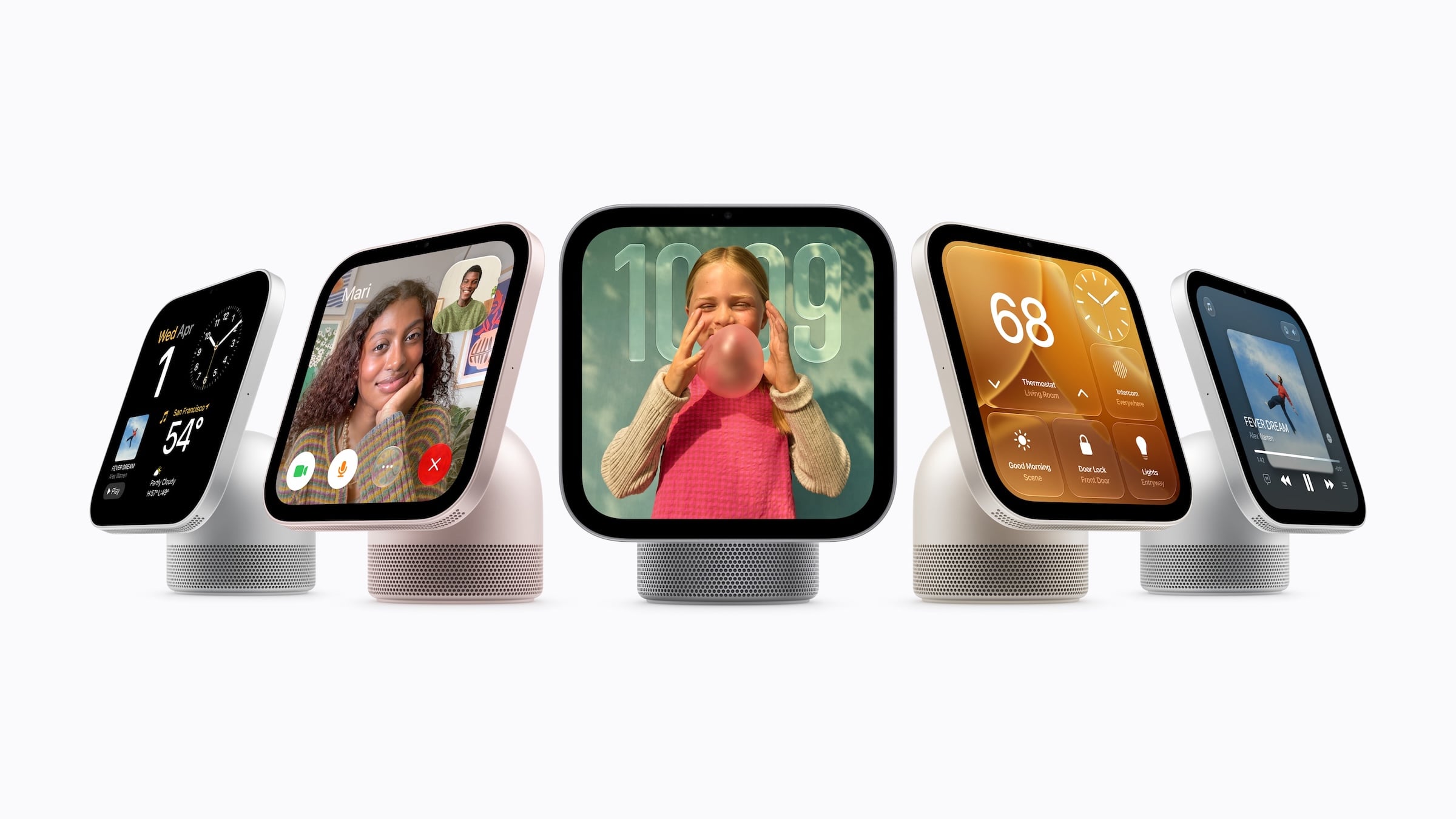
According to Apple, content from apps like Messages and Calendar only appears when three things happen: Home View recognizes the face, the paired iPhone or iPad is nearby, and it was recently unlocked. The product page requires the same Wi-Fi network for this to work. A footnote in the Newsroom notes the exception: If the device is disconnected from Wi-Fi, the content can remain accessible if it was recently on the same network, has an active cellular connection, is in the same location, and was recently unlocked.
The technical specifications don't mention Face ID or a depth sensor; even before the announcement, it was stated that the recognition would work without the sensors of Face ID. John Gruber inquired with Apple. On Daring Fireball, he writes that Apple representatives described the home as a safe place and required a registered personal device on the home Wi-Fi network that had been recently unlocked. Gruber sees an iPhone or iPad as the second factor; according to him, an Apple Watch doesn't count.
If Home View doesn't recognize you, you won't end up with a locked screen. According to Apple, guests and unrecognized users can control smart home accessories, check the weather, set timers, and play music, but they cannot access other people's personal data.
Siri: Device, private cloud compute and two years of query data
Siri requests to Home View can run directly on the device or via Private Cloud Compute. Apple writes the following about the cloud option in its Newsroom:
When processed in Private Cloud Compute, the data is neither stored nor made accessible to Apple or others.
The general information about Siri goes further. It doesn't mention HomeView by name and describes Siri's default behavior, but reserves the right to process audio and transcripts for connected devices like HomePod. Audio data can also be sent to Apple by default, but it is only stored if you agree to „Improve Siri & Apple Intelligence“ or „Improve Siri & Dictation".
The interaction history is stored on the device. Using Siri AI and iCloud, Apple synchronizes Siri app conversations between devices using end-to-end encryption. Apple retains data related to a request, such as its category, whether it was successful, device data, and, if location services are enabled, the approximate location, for up to two years. This data is linked to a random ID that changes several times per hour and is not connected to the Apple account.
Those who agree grant significantly more permission: According to the information on „Improving Siri & Apple Intelligence,“ Apple employees can review audio, and the reviewed portion can remain for longer than two years. The choice you made when setting up your iPhone or iPad also applies to connected devices set up with it and can be changed later in the settings of each device. On iPhone, this setting is located under „Settings“ > „Privacy & Security“ > „Analytics & Improvements“.
Apple also saves Siri search queries and uses them for search, Siri, and related functions. This can be disabled under „Settings“ > „Search“ with „Help Apple improve Search,“ but with either of the two "Improve" options, the data will still be saved for Siri.
There's a discrepancy in Apple's own text. The product page describes Private Cloud Compute as a system running on Apple chips. In its June security blog, Apple announced plans to expand the infrastructure to Google Cloud systems with NVIDIA GPUs for the most demanding tasks of new Apple intelligence services. The post doesn't mention Siri. According to Apple, the basic principles of Private Cloud Compute remain unchanged, including processing without persistent storage and public auditing of the software.
Cameras: Detection at the control center
With a supported iCloud+ subscription and compatible cameras, HomeView continuously and securely identifies people, familiar faces, pets, packages, and vehicles. Apple Home already uses this principle from HomeKit Secure Video: According to Apple's security documentation, the control center in the home decrypts the video images and analyzes them locally for movement and faces. Clips are encrypted and stored in iCloud, and their content is supposed to be inaccessible to both Apple and third parties. Therefore, the security promise of HomeKit Secure Video applies here, not the Secure Exclaves. Summaries and searching within recordings are different: These functions utilize Apple Intelligence and thus require an iPhone or iPad. The AI features of the Home app start with the 2TB plan, which, according to Apple, includes one camera.
The datasheet is missing a power button.
FaceTime has its own promise: According to Apple, calls are end-to-end encrypted. A button to mute the camera and microphones doesn't appear in Apple's specifications. The Echo Show, one of the alternatives to Apple Home View, does have one. However, the option to process voice recordings locally was only available for select models in the US in English; Germany was never included. Amazon removed it entirely at the end of March 2025.
A visible signal could come from the software. The datamining account pdfu found text in HomeView 27.2 relating to a security camera mode, which Apple has not yet confirmed. According to this text, every live stream and every recording should trigger a green light on the display and an audio signal.
Apple's protection ends at the living room door
I find Apple's structure logical: the detection process is isolated, access to personal content depends on the second device, and Siri allows users to refuse to save audio. This targets Apple, apps, and third parties on the network. However, the verifiability varies. Apple promises public software and access for security researchers for Private Cloud Compute, but the announcement makes no comparable provision for Secure Exclaves.
Within the home, the security is intentionally less stringent, because, according to Gruber, Apple considers the home a safe place. If you share your home with others or frequently entertain guests, you should therefore bear in mind that unrecognized individuals can control accessories and shared albums are visible to everyone. This is less of an argument against Home View and more of an argument for a carefully chosen location.
Is Apple's promise of isolated tracking sufficient for you, or would you still insist on a button to turn it off if you have a monitor with a camera in your living room? Let us know in the comments what makes the difference for you.
Frequently Asked Questions: Apple Home View Privacy
According to its Siri guidelines, Apple only saves audio if you agree to „Improve Siri & Apple Intelligence“ or „Improve Siri & Dictation.‚ Data related to a request, such as its category, is retained by Apple for up to two years by default, linked to a randomly generated ID rather than the Apple account. HomeView does not explicitly mention these guidelines.
According to Apple, this does not apply to facial and voice recognition: it runs in secure exclaves of the A18 chip, the data of which neither the HomeView software nor apps, users, nor Apple can access. FaceTime calls are, according to Apple, end-to-end encrypted.
No. Apple's technical specifications do not mention Face ID or a depth sensor. Home View recognizes up to six people by their faces, but personal content only appears if the paired iPhone or iPad is nearby and has recently been unlocked.
According to Apple, guests and unrecognized individuals can control smart home accessories, check the weather, set timers, and play music. Apple states that everyone in the household, including guests, has access to shared photo albums. Personal content such as messages and calendar entries remains hidden from them.
Apple's datasheet doesn't mention one. Amazon's Echo Show has one; it switches off the camera and microphones with a single press.
Siri requests can run on the device or via Private Cloud Compute, Apple's server system for Apple Intelligence. According to Apple, the data is neither stored there nor made accessible to Apple or others. However, Apple does store search queries, such as for an album or world knowledge, and uses them to improve search and Siri.
With a supported iCloud+ subscription and compatible cameras, HomeView, according to Apple, continuously and securely recognizes people, familiar faces, pets, packages, and vehicles. With HomeKit Secure Video, the control center analyzes the images locally, while recorded clips are stored encrypted in iCloud.