

This article may contain affiliate links. Learn more on our Partner Program page.
The price difference between the two chips in the Mac Studio is €3,600. For that price, you get twice as many graphics cores, more than double the memory bandwidth of the entry-level model, and up to 512 GB of RAM, but hardly any improvement in everyday use. Whether it's worth the upgrade depends less on the processor and more on the type of work being done.
The Mac Studio has been available since September 22nd with two chips, in the same enclosure and, according to Apple's specifications, with the same external dimensions. The M5 Max starts at €2,999, the M5 Ultra at €6,599. How both compare to their predecessors is shown in the generational comparison with the M4 Max and M3 Ultra; this focuses on the choice between the two current chips.
This comparison is based on Apple's datasheet, the configurator in the Apple Store, and independent measurements. We did not conduct our own measurements on either device. Anyone still wondering whether a Mac Studio is even necessary can find a comparison in the Mac mini vs. Mac Studio comparison and in the Mac buying guide.
Key Facts at a Glance
- The M5 Max starts at €2,999, the M5 Ultra at €6,599.
- The Ultra has more CPU cores, twice as many GPU cores, and up to 512 GB of RAM instead of 128 GB.
- In tests, the Ultra was clearly ahead in multi-core operation, but it offered little improvement in single-core operation and in gaming benchmarks.
- The Ultra is worthwhile for large local AI models, many 8K tracks, and multi-core loads lasting for hours.
- The M5 Max is sufficient for most creative professionals and developers.
The differences in the datasheet
The M5 Ultra is significantly larger than the M5 Max in both configurations. It doubles the performance of the Neural Engine, video engines, and ProRes engines, while the individual cores remain the same class.
| Feature | Mac Studio M5 Max | Mac Studio M5 Ultra |
|---|---|---|
| Starting price | 2,999 euros | 6,599 euros |
| CPU | 18 cores (6 Super, 12 Performance) | 30 cores (10 Super, 20 Performance), optional 36 cores |
| GPU | 32 cores, optionally 40 cores | 64 cores, optionally 80 cores |
| Neural Engine | 16 cores | 32 cores |
| Memory bandwidth | 460 GB/s, optional 614 GB/s | 1.2 TB/s |
| RAM | 36 GB, optionally 48, 64 or 128 GB | 96 GB, optionally 256 or 512 GB |
| SSD | 512 GB, optionally up to 8 TB | 1 TB, optionally up to 16 TB |
| Video engines | 1 × Decode, 2 × Encode | 2 × Decode, 4 × Encode |
| ProRes engines | 2 | 4 |
| Thunderbolt 5 | 4 rear | 4 in the back, 2 in the front |
| Front also | 2 × USB-C (10 Gbit/s), SDXC | SDXC |
| External Displays | up to 5, or up to 2 in 8K | up to 8, or up to 4 in 8K |
| Weight | 2.7 kg | 3.6 kg |
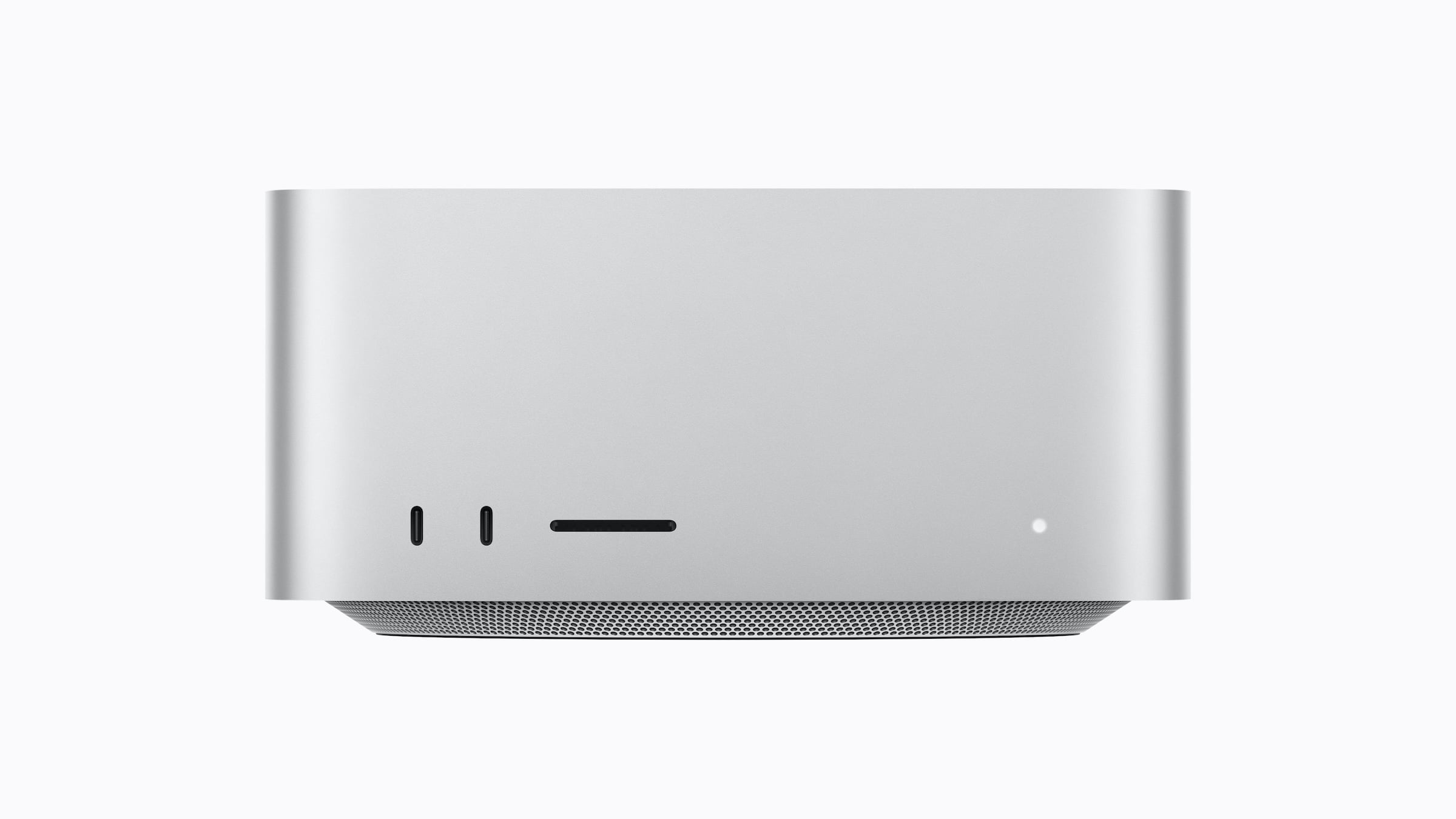
Both models have the same dimensions (19.7 × 19.7 × 9.5 centimeters), 10 Gbit Ethernet, HDMI 2.1, two USB-A ports, WLAN 7 and Bluetooth 6.
The RAM level is decisive
In the configurator, the RAM capacity depends on the chip variant. The M5 Max with a 32-core GPU is only available with 36 GB, while 48, 64, and 128 GB are exclusively available with a 40-core GPU. The M5 Ultra with a 64-core GPU goes up to 256 GB, and the 512 GB option requires the variant with a 36-core CPU and an 80-core GPU.
The RAM cannot be upgraded. Anyone unsure how much RAM their work requires should clarify this before purchasing, as this is precisely where the biggest difference between the two chips lies: the M5 Max cannot exceed 128 GB.
Apple announced the 512GB option for the end of October; it is now selectable in the configurator.
What the tests show
The most direct comparison comes from a test by Macwelt, whose benchmark results are also analyzed by Macworld. The test used the M5 Ultra with 36 CPU and 80 GPU cores and 256 GB of RAM, and the M5 Max with a 40-core GPU. The entry-level version of the Ultra, with 30 CPU and 64 GPU cores, therefore performs below these specifications.
| Measurement | M5 Max | M5 Ultra | Ultra Advantage |
|---|---|---|---|
| Cinebench 2026, CPU | 9,872 points | 16,934 points | approximately 72% |
| Cinebench 2026, GPU | – | – | 49 % |
| Geekbench 7, multi-core | – | – | 47 % |
| Geekbench 7, single core | – | – | practically none |
| Rise of the Tomb Raider, 1080p | 201 | 193 | none |
In multi-core operation, the performance gap is therefore large, but smaller than the price difference. Single-core tasks, which characterize everyday use, run practically the same speed on both chips. Even more graphics cores don't automatically translate into better gaming performance; in the Tomb Raider benchmark, the M5 Max even had a slight edge.
Engadget also sees the Ultra as performing on par with the M5 Max in single-core tests and only about 10 percent ahead in AI tests. Engadget's single-core test is based on the M5 Max in the MacBook Pro. Macworld, in its Geekbench AI test, sees no difference between the two chips except for the single-precision GPU score. Apple does not mention a performance factor compared to the M5 Max in its press release.
When it comes to video, it depends on the task. For playback of 8K ProRes 422 at 30 frames per second, Apple specifies up to 19 streams for the M5 Max and up to 33 for the M5 Ultra, as measured in Final Cut Pro. These are manufacturer specifications, and Macwelt observed in HandBrake that the Ultra only utilized about half of its advertised performance.
Local AI: Memory matters more than cores
With large language models, RAM is often the first hurdle, because the model has to fit completely. Macwelt reports that many models won't even start on an M5 Max with 36 GB. In contrast, the Ultra in the test ran without problems with large models like gpt-oss 120b.
If the model fits in the memory, speed is what matters. The Ultra generated a text of approximately 5,000 words with gpt-oss 120b in 27.9 seconds, while the M5 Max took 49.77 seconds. However, this measurement was taken in a MacBook Pro, not a Mac Studio. Therefore, this is only a guideline and not a direct comparison of devices.
Who should consider the M5 Max?
According to Apple, the M5 Max is suitable for musicians, photographers, software developers, and designers who work with 3D and motion graphics. From Apfelpatient's perspective, this covers the vast majority. It offers 18 cores for video, photo editing, and code; the 4TB SSD performed similarly to the Ultra in Macwelt's tests; and five external displays are sufficient for most workplaces.
The choice within the performance tier is important. Anyone needing more than 36 GB of RAM will have to opt for a 40-core GPU, and this should be factored into the budget.
Who should consider the M5 Ultra?
The Ultra makes sense in four cases:
- Large local AI models: Anything that requires more than 128 GB of RAM runs only here.
- Many 8K tracks: The dual video and ProRes engines are helpful where multiple cameras are running in parallel.
- Hours of multi-core load: For renderers that utilize all cores, the advantage pays off when computing time costs money.
- Many devices on the desk: Six Thunderbolt 5 ports and up to eight displays are only available with the Ultra, see External displays on the Mac.
Why starting in the ultra is rarely the best choice
I only consider the price difference justified if one of these four points specifically applies to one's own work. In Geekbench 7 and Cinebench, more than double the entry-level price is offset by roughly 50 to 70 percent more multi-core performance, and that's only with the larger chip variant, not the entry-level version.
In its launch reviews, Engadget recommends the M5 Max to creative professionals, and Macwelt expects it to be sufficient for most users. If neither of these scenarios applies to you, the money is better spent on the M5 Max with more RAM or an SSD than on the larger chip.
What's currently limiting your Mac's performance: the number of cores or the amount of RAM? Tell us in the comments what bottleneck would drive you to the M5 Ultra, or why the M5 Max is sufficient for you.
Frequently Asked Questions: Mac Studio M5 Max vs. M5 Ultra
The M5 Ultra has 30 or 36 CPU cores instead of 18, 64 or 80 GPU cores instead of 32 or 40, and up to 512 GB of RAM instead of 128 GB. It also offers 1.2 TB/s of memory bandwidth instead of 460 or 614 GB/s.
This is especially true when dealing with many 8K tracks simultaneously, as the Ultra has twice as many video and ProRes engines. Apple specifies up to 33 streams for playback of 8K ProRes 422, but the M5 Max can handle up to 19. Therefore, the M5 Max is sufficient for most projects.
With a 32-core GPU, it's 36 GB. With a 40-core GPU, you can choose between 48, 64, or 128 GB.
No. The version with 30 CPU and 64 GPU cores goes up to 256 GB, the 512 GB version is only available with 36 CPU and 80 GPU cores.
No, according to Apple, this is not possible with shared RAM. Therefore, the correct size should be determined before ordering.
The M5 Max can drive up to five external displays, or two in 8K plus a third at up to 5K. The M5 Ultra can handle up to eight, or up to four in 8K.
No, the M5 Max has two USB-C ports on the front with speeds up to 10 Gbps. The M5 Ultra has two Thunderbolt 5 ports, giving it six instead of four.