This article may contain affiliate links. Learn more on our Partner Program page.
On paper, the new Mac Studio looks almost identical to the old one: same dimensions, same weight, and even the same number of graphics cores in its top configuration. The improvements lie elsewhere – in the memory bandwidth, a redesigned CPU, and a previously unavailable upgrade option.
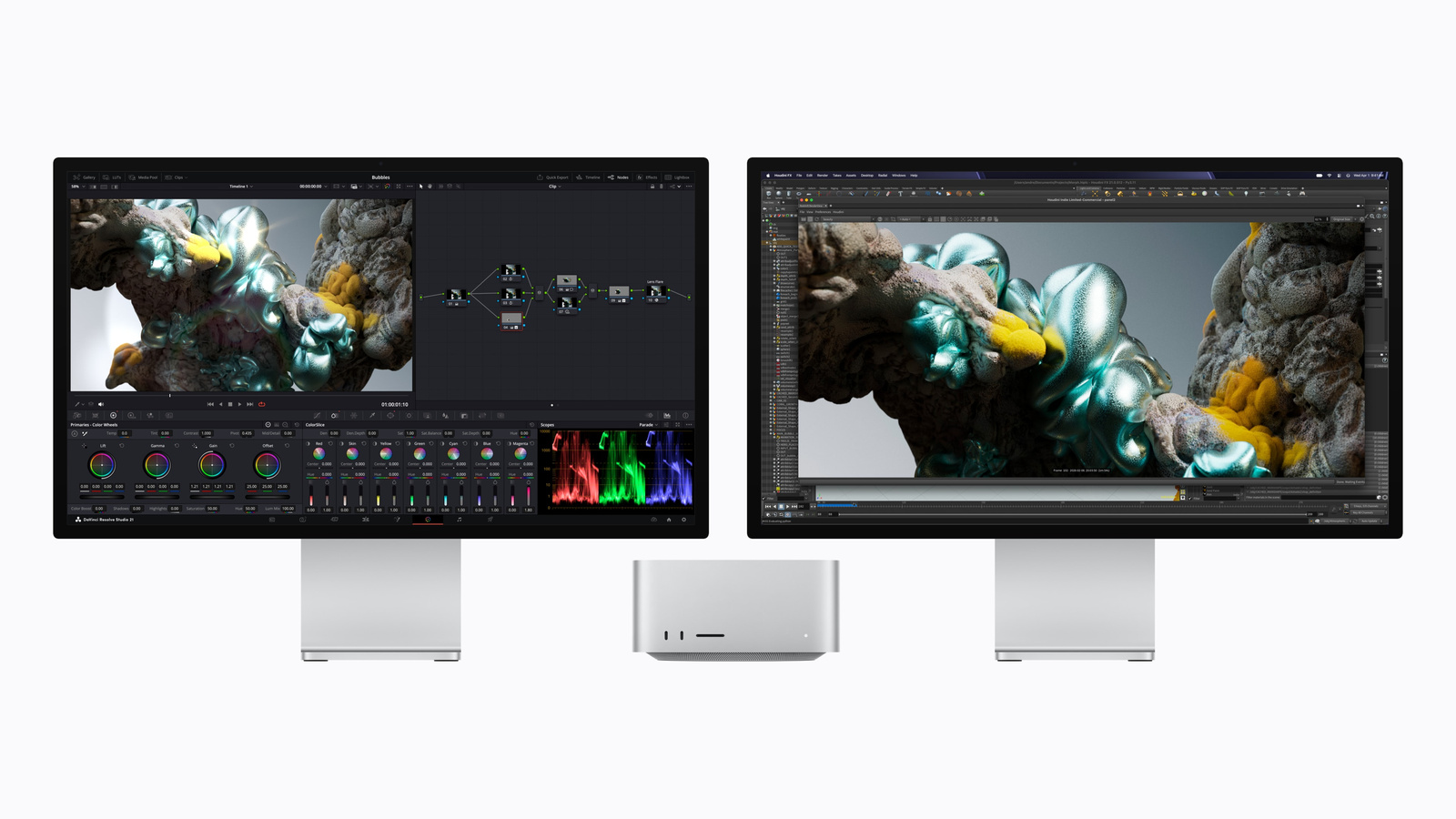
The Mac Studio launched in March 2025 with the M4 Max and M3 Ultra processors; since August 2026, the M5 Max and M5 Ultra have been housed in the same enclosure. For professionals who depreciate such a device over several years, the question of upgrading is different than for entry-level models – here, the key factor is whether specific workflows are accelerated. This comparison contrasts both generations with their respective configurations, based on the technical specifications of the new Mac Studio and the datasheet for the 2025 model.
Key Facts at a Glance
- Both new chips forgo efficiency cores and rely on super and performance cores.
- The number of graphics cores remains unchanged at 40 or 80 in the fully configured version.
- The storage bandwidth increases significantly: from 819 GB/s to 1.2 TB/s on the Ultra model.
- The 512GB tier is returning, but is tied to the full configuration.
- The M5 Max costs the same as its predecessor, the Ultra 300 euros more.
The M5 Max versus the M4 Max
The CPU has undergone a fundamental redesign. The M4 Max had 14 cores, divided into ten performance cores and four efficiency cores. The M5 Max has 18 cores – six super cores and twelve performance cores, without any efficiency cores. Four more cores, but above all, a different configuration.
The graphic reveals a surprising result: The base configuration remains at 32 cores, while the full configuration reaches 40. The core count itself remains unchanged. The real improvement lies in the addition of Neural Accelerators to each core – this is where the actual increase is found, not in the number of cores.
The memory bandwidth increases from 410 to 460 GB/s in the base configuration and from 546 to 614 GB/s in the fully expanded configuration. There are no changes to the RAM: 36 GB base, up to 128 GB in the larger configuration.
| Feature | Mac Studio M4 Max | Mac Studio M5 Max |
|---|---|---|
| CPU | 14 cores (10 performance, 4 efficiency) | 18 cores (6 Super, 12 Performance) |
| CPU optional | 16 cores | 18 kernels |
| GPU | 32 cores | 32 cores, with Neural Accelerators |
| GPU optional | 40 cores | 40 cores |
| Neural Engine | 16 cores | 16 cores |
| Memory bandwidth | 410 GB/s, optionally 546 GB/s | 460 GB/s, optional 614 GB/s |
| RAM | 36 GB, up to 128 GB | 36 GB, up to 128 GB |
The M5 Ultra versus the M3 Ultra
This is where the bigger leap lies, simply because there are two chip generations between the two – Apple never built an M4 Ultra.
The CPU grows from 28 to 30 cores in its base configuration, and from 32 to 36 in its fully configured version. Here too, the efficiency cores are eliminated: The M3 Ultra had 20 performance cores and eight efficiency cores, while the M5 Ultra uses ten super cores and 20 performance cores. The graphics unit increases from 60 to 64 cores in its base configuration, but remains at 80 in its fully configured version.
The most significant difference is the memory bandwidth: 819 GB/s becomes 1.2 TB/s, an increase of around 50 percent. For applications that hold large amounts of data in RAM, this is the value that counts.
| Feature | Mac Studio M3 Ultra | Mac Studio M5 Ultra |
|---|---|---|
| CPU | 28 cores (20 performance, 8 efficiency) | 30 cores (10 Super, 20 Performance) |
| CPU optional | 32 cores | 36 cores |
| GPU | 60 cores | 64 cores, with Neural Accelerators |
| GPU optional | 80 cores | 80 cores |
| Neural Engine | 32 cores | 32 cores |
| Memory bandwidth | 819 GB/s | 1.2 TB/s |
| RAM | 96 GB, optional 256 GB | 96 GB, optionally 256 or 512 GB |
The 512 GB option is back – with one condition
This row in the table has a history. The Mac Studio with M3 Ultra was initially configurable with up to 512 GB of RAM. In March 2026, this option disappeared from the configurator, and in May, the last remaining upgrade level was also removed. Therefore, the datasheet for the 2025 model now only lists a single option: 256 GB.
The 512 GB option is back with the M5 Ultra. However, it's not available in every configuration: both the 256 GB and 512 GB versions require the fully enabled 36 CPU and 80 GPU cores. Those who choose the base model will have 96 GB – just like its predecessor.
The same pattern applies to the M5 Max: Memory levels above 36 GB are only available with the 40-core graphics card.
Network and radio
The Ethernet connection remains unchanged at 10 Gbit/s as the standard. However, the wireless capabilities have been upgraded: the previous M4 Max generation came with WLAN 6E and Bluetooth 5.3, while the new generation uses the company's own N1 chip with WLAN 7, Bluetooth 6, and Thread.
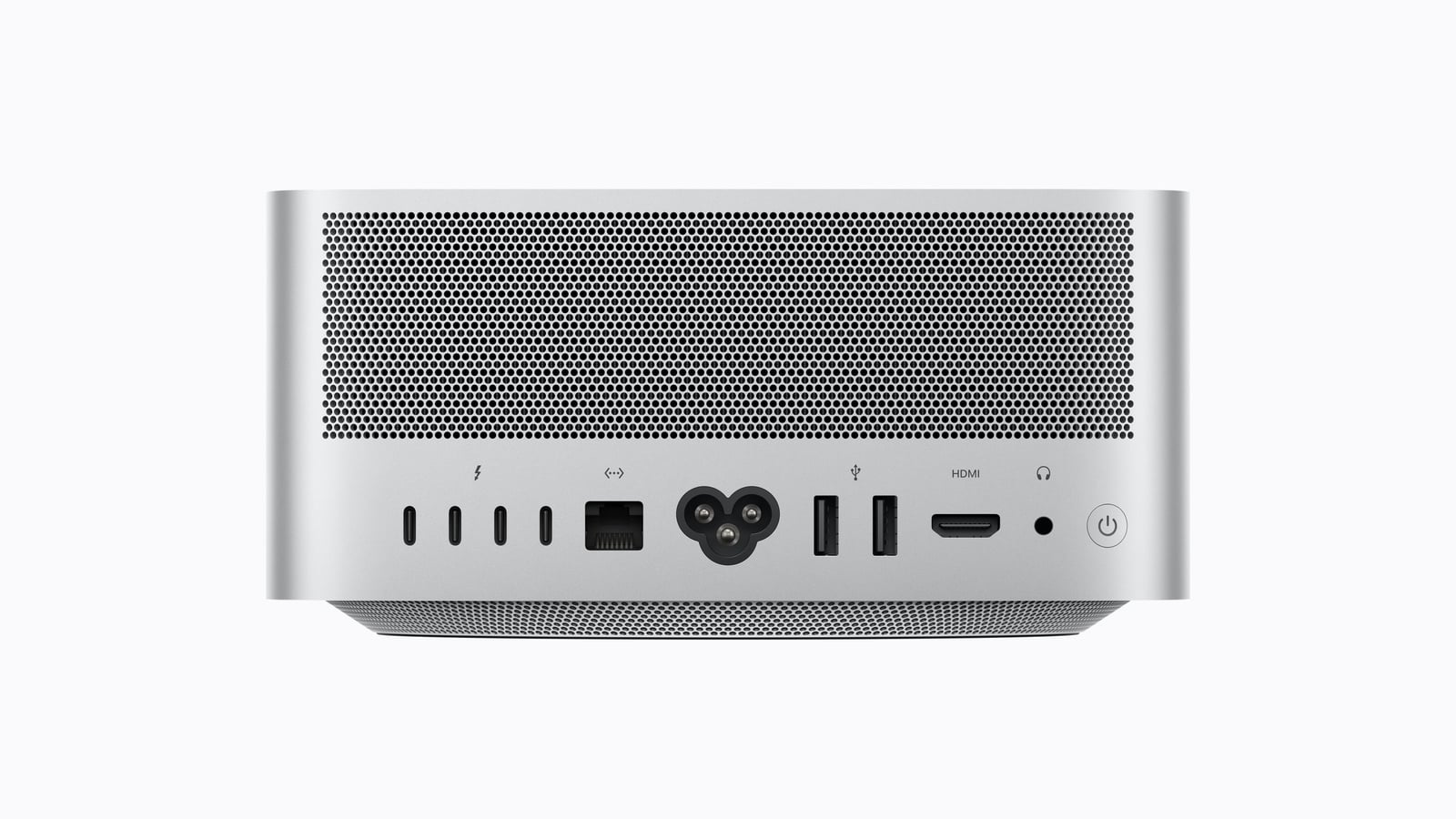
The ports remain unchanged – four Thunderbolt 5 ports on the back, two USB-A ports, HDMI 2.1, and a headphone jack. The unique configuration on the front also remains: the Max model has two front USB-C ports with 10 Gbps, while the Ultra features full-fledged Thunderbolt 5 ports.
What has remained the same
The case remains unchanged: 19.7 × 19.7 × 9.5 centimeters, approximately 2.7 kilograms for the Max and 3.6 kilograms for the Ultra, with a maximum power consumption of 480 watts. The Neural Engine also retains its core count: 16 for the Max and 32 for the Ultra – unlike the Mac mini, where the M6 processor receives a doubled number of cores.
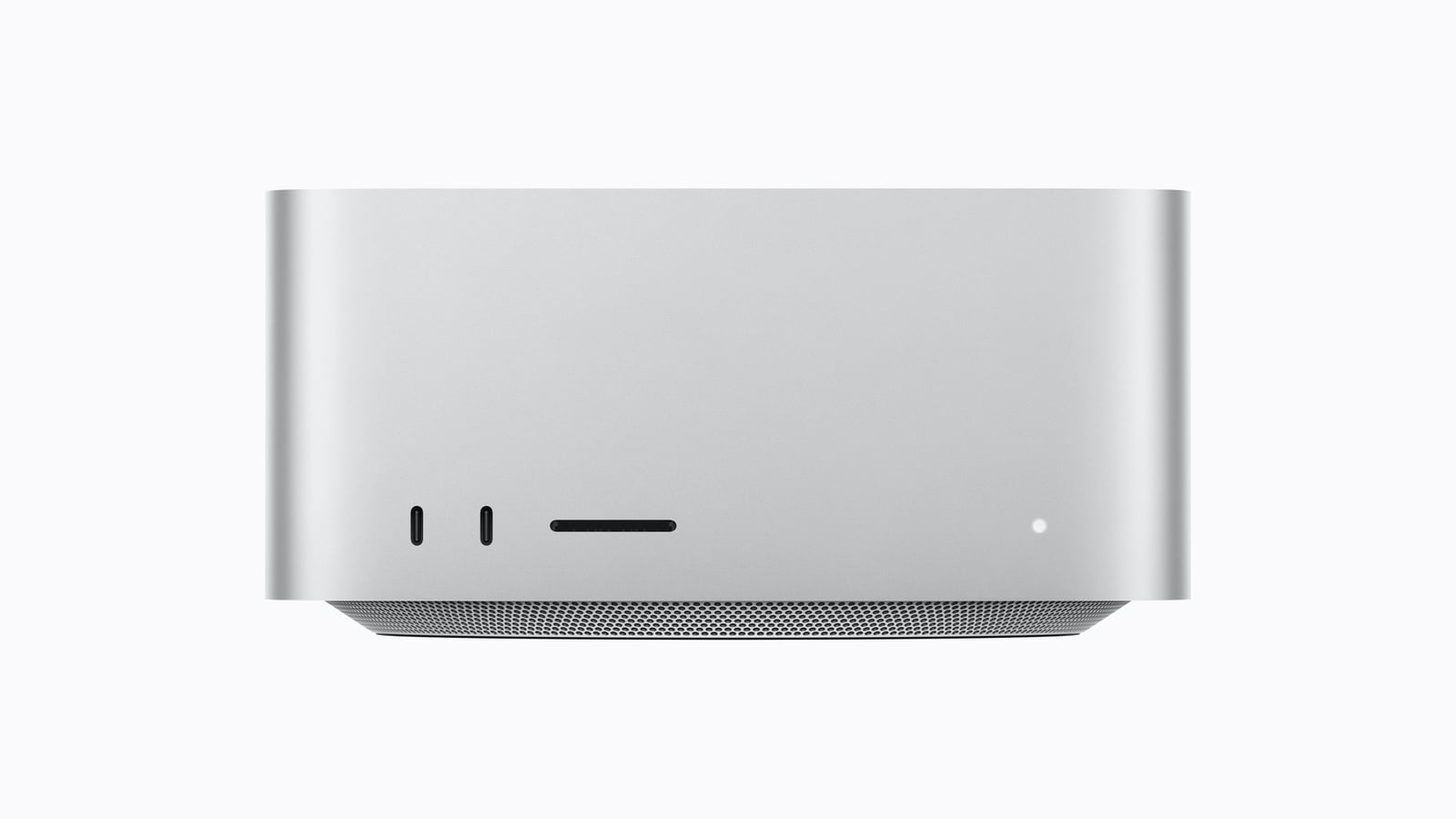
Display support remains at five screens for the Max and eight for the Ultra. The new feature is that 4K resolution can now be driven at up to 165 Hz instead of 144 Hz.
How much the change costs
The Mac Studio with M5 Max starts at €2,999, exactly the same price as the previous M4 Max version. So, in this price range, there's no premium for the new generation – a rarity in a year where Apple has raised Mac prices several times.
The Ultra model is a different story: it costs €6,599 compared to the previous €6,299, which is €300 more. However, it does include the storage option that was no longer available on the previous model.
| Model | Last | New |
|---|---|---|
| Mac Studio Max | 2,999 euros | 2,999 euros |
| Mac Studio Ultra | 6,299 euros | 6,599 euros |
The previous models have already disappeared from the Apple Store. Anyone hoping for a clearance sale will only find the old Mac Studio at retailers or as a refurbished unit.
For whom the switch makes sense
Users with an M4 Max who primarily edit, render, or develop videos will gain four additional CPU cores and roughly twelve percent more memory bandwidth – a solid improvement, but not groundbreaking. Graphics performance doesn't increase simply through the number of cores, but rather through their capabilities, which is particularly noticeable in AI-powered workflows.
With the Ultra, the calculation is clearer. Skipping two generations, 50 percent more bandwidth, and the return of larger storage capacities result in a different device. Those who currently find 96 GB the limit had no alternative with the previous model – but now they do.
In practical terms, this means that if your work is in the classic areas of video, 3D, and code, you can skip a generation. However, if large models are loaded entirely into RAM, then this leap is exactly what this user group has been waiting for – but in that case, there's no way around the most expensive upgrade.
Mac Studio M5 Max and M5 Ultra – the most important features at a glance
This generational shift isn't reflected in the core specifications. The graphics unit remains exactly the same width in its fully configured configuration, the Neural Engine unchanged, and the chassis identical. The improvements lie in the memory bandwidth, the Neural Accelerators, and a memory option that was unavailable for a year. For traditional creative work, this is a standard update; for local AI models, it's a significant leap forward.
Is the basic 96GB version sufficient for you – or do you need the upgraded version, which won't be available until the end of October? Let us know in the comments what your work really depends on.
- Mac mini M6 vs. M4: All the differences in detail
- iPhone 20: All the rumors about the anniversary model
- Apfelpatient Weekly #20: Apple leaks itself
Frequently Asked Questions: Mac Studio M5 Max and M5 Ultra
There are four additional CPU cores and around twelve percent more memory bandwidth. For classic video, 3D, and development work, this is a solid, but not essential, upgrade. The difference is more significant for AI-supported workflows.
In the base configuration, yes, the number increases from 60 to 64. In the fully configured version, it remains at 80 cores. The increase comes from the Neural Accelerators in each core and the higher memory bandwidth of 1.2 TB/s.
Yes, with the M5 Ultra. However, this version requires the full configuration with 36 CPU and 80 GPU cores and will only be delivered from the end of October.
Apple skipped this development stage. The M3 Ultra was directly followed by the M5 Ultra, which is why the jump between the two generations is greater than with the Max model.
No. The M5 Max and M5 Ultra consist exclusively of super and performance cores. The M4 Max had ten performance cores and four efficiency cores, while the M3 Ultra had twenty performance cores and eight efficiency cores.
Ethernet remains at 10 Gbps. New features include Wi-Fi 7, Bluetooth 6, and Thread via the N1 chip. The ports themselves are unchanged, including the notable exception that only the Ultra model offers Thunderbolt on the front.
Not so with the Max – it starts at €2,999, as before. The Ultra costs €6,599 instead of €6,299, which is €300 more.