This article may contain affiliate links. Learn more on our Partner Program page.
After almost two years, Apple is replacing the Mac mini – and distributing the new features unevenly. Some improvements are bigger than the key specifications suggest, while others appear smaller when you look at the configuration. And in one aspect, the predecessor even performs better.
The Mac mini launched in October 2024 with the M4 and M4 Pro processors, and since August 2026, the M6 and M5 Pro have been housed in the same enclosure. Current Mac mini owners are therefore faced with the question of whether upgrading is worthwhile – and the answer varies depending on the original model and use case. This comparison presents both generations with their respective chip options, based on the technical specifications of the new Mac mini and the datasheet for the 2024 model.
Key Facts at a Glance
- The M6 brings two additional CPU and GPU cores as well as a doubled Neural Engine.
- The advertised 170 GB/s memory bandwidth is only achieved by the M6 with 24 GB of RAM; with 16 GB it is 153 GB/s.
- The M5 Pro forgoes efficiency cores and instead relies on super and performance cores.
- Network and wireless connectivity have improved significantly: 2.5 Gb Ethernet as standard, Wi-Fi 7, Bluetooth 6
- When switching from the M4 Pro to the M6, Thunderbolt 5 and storage bandwidth are lost.
- With the same specifications as before, the price increases by 320 euros because the base SSD starts at 256 GB again.
The M6 versus the M4
The base is growing at both ends: ten CPU cores become twelve, and ten GPU cores also become twelve. The more interesting aspect is the distribution. The M4 used four performance cores and six efficiency cores. The M6 adds two so-called super cores to these ten cores, which are responsible for tasks that would otherwise run on a single core.
The second major difference lies in the Neural Engine: Instead of one 16-core unit, there are now two of them in the chip, which can be addressed in parallel. In addition, there are Neural Accelerators in each GPU core – these were not present in the Mac mini before.
| Feature | Mac mini M4 | Mac mini M6 |
|---|---|---|
| CPU | 10 cores (4 performance, 6 efficiency) | 12 cores (2 Super, 4 Performance, 6 Efficiency) |
| GPU | 10 cores | 12 cores, with Neural Accelerators |
| Neural Engine | 16 cores | Dual 16 cores |
| Memory bandwidth | 120 GB/s | 153 GB/s, from 24 GB 170 GB/s |
| RAM | 16 GB, up to 32 GB | 16 GB, up to 32 GB |
| SSD | from 256 GB to 2 TB | from 256 GB to 2 TB |
| Rear connections | 3 × Thunderbolt 4 | 3 × Thunderbolt 4 |
Apple itself claims that the M6 offers up to 40 percent more CPU performance, up to twice the graphics speed, and up to four times the AI performance. These figures are based on an M4 with 32 GB of RAM and a 2 TB SSD.
A detail hidden in the configuration
The 170 GB/s memory bandwidth that Apple advertises doesn't apply to all configurations. The specifications only list this value for models with 24 GB of RAM or more. The base model with 16 GB achieves 153 GB/s.
That's still significantly more than the M4's 120 GB/s, but it shifts the equation: those who hesitate to pay extra for more RAM are not only sacrificing capacity, but also bandwidth. Especially with local language models, bandwidth is often the limiting factor, not pure processing power.
Upgrading to 24 GB costs €220. This brings the cheapest configuration that actually achieves 170 GB/s to €1,269 – the same price as the model with 16 GB and double the storage. Those wanting both, i.e., 24 GB and a 512 GB SSD, will pay €1,489.
The M5 Pro versus the M4 Pro
The redesign here is more fundamental. The M4 Pro had twelve CPU cores, divided into eight performance cores and four efficiency cores. The M5 Pro has 15 cores – five super cores and ten performance cores, without any efficiency cores. The graphics unit remains at 16 cores, but now features Neural Accelerators.
The memory bandwidth increases from 273 to 307 GB/s. The RAM remains unchanged: 24 GB base, configurable up to 64 GB. The SSD storage options up to 8 TB also remain.
| Feature | Mac mini M4 Pro | Mac mini M5 Pro |
|---|---|---|
| CPU | 12 cores (8 performance, 4 efficiency) | 15 cores (5 Super, 10 Performance) |
| CPU optional | 14 cores | 18 kernels |
| GPU | 16 cores | 16 cores, with Neural Accelerators |
| GPU optional | 20 cores | 20 cores |
| Memory bandwidth | 273 GB/s | 307 GB/s |
| RAM | 24 GB, up to 64 GB | 24 GB, up to 64 GB |
The increase in core performance is clear, while the gains in storage and bandwidth are rather moderate. For those who already own an M4 Pro and don't specifically use it for AI tasks, this isn't a compelling argument.
Networks and wireless: the underestimated leap
Aside from the chips, the most noticeable change lies in the hardware. The 2024 Mac mini came standard with Gigabit Ethernet, Wi-Fi 6E, and Bluetooth 5.3. The new generation uses Mac's own N1 chip and includes Wi-Fi 7, Bluetooth 6, and Thread. Ethernet now starts at 2.5 Gbps instead of 1 Gbps, but the 10 Gbps option remains.
For anyone who uses the Mac mini as a permanently running computer on the network, this is the most practical difference of the entire generation – and it doesn't appear in any performance specifications.
Where the predecessor is better
One point deserves attention because it contradicts expectations. The base M4 had Thunderbolt 4, while the Pro version had Thunderbolt 5. This division remains – the M6 has Thunderbolt 4, and the M5 Pro has Thunderbolt 5.
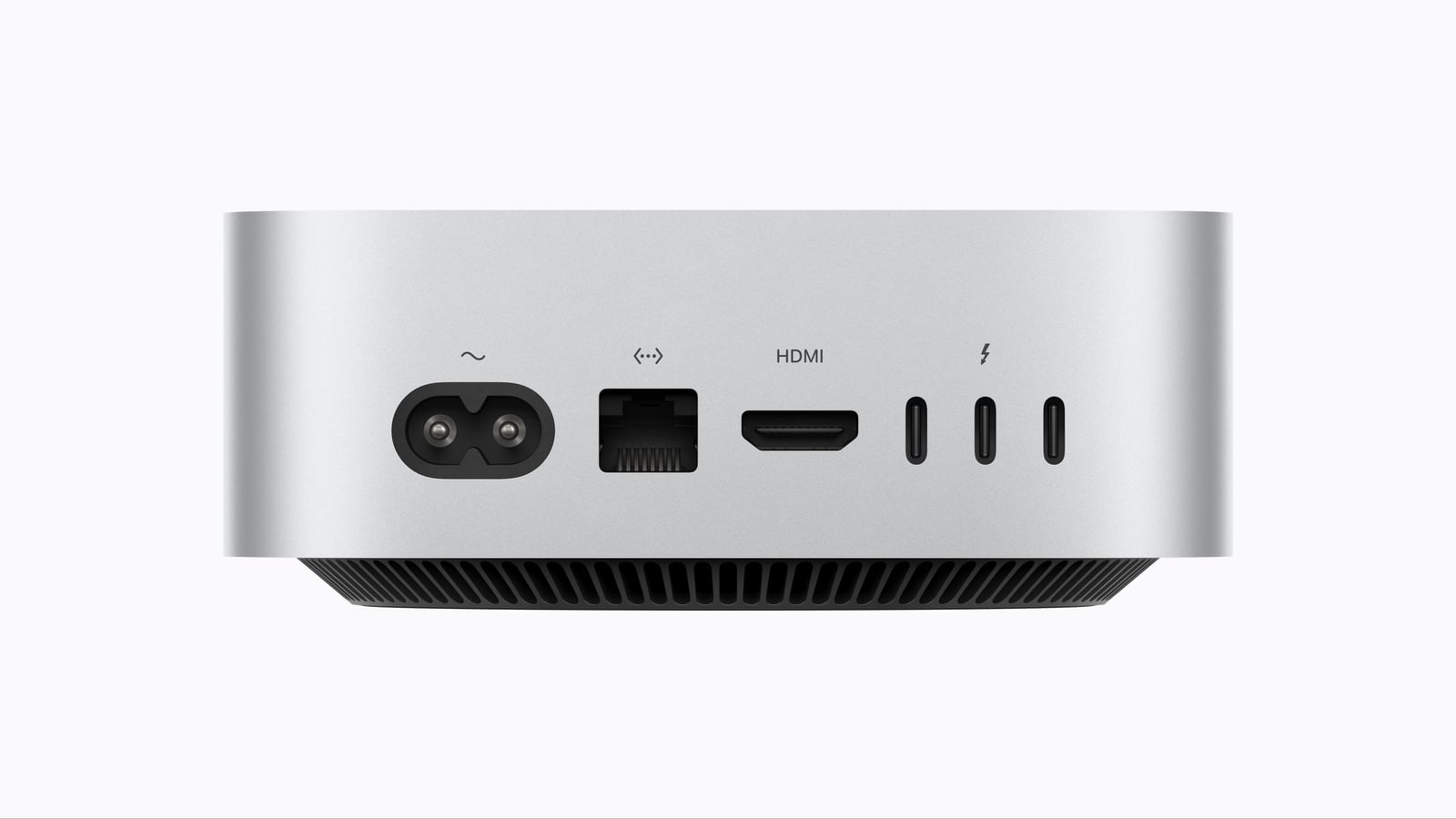
So, anyone upgrading from a Mac mini M4 Pro to a Mac mini M6 because the chip has a newer generation number will experience three significant drawbacks: Thunderbolt 5 with 120 Gbps is replaced by Thunderbolt 4 with 40 Gbps, the storage bandwidth drops from 273 to 153 or 170 GB/s, and the maximum RAM falls from 64 to 32 GB. The higher number in the chip name does not necessarily mean a faster device.
What remains unchanged
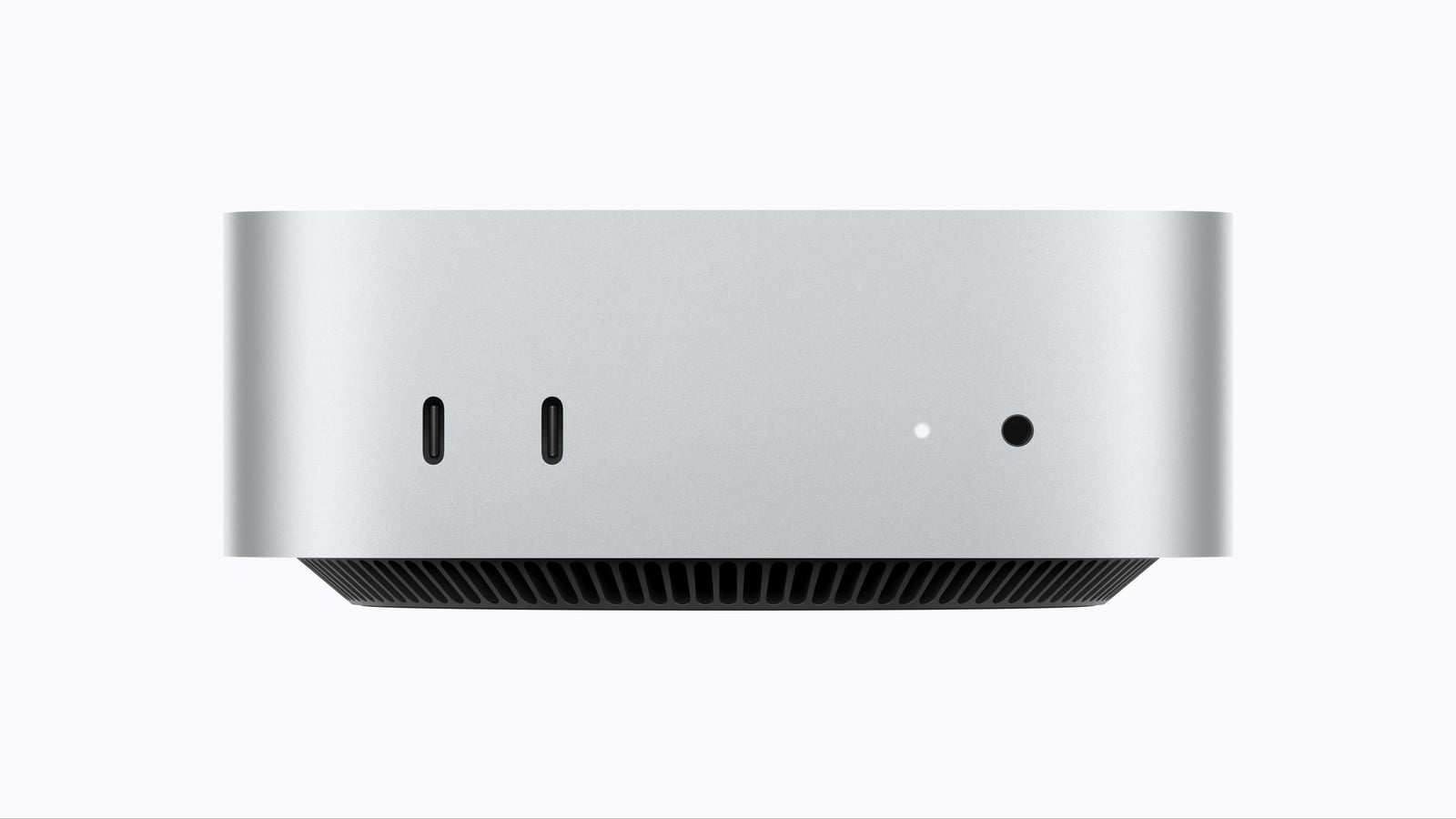
The casing remains unchanged: 12.7 × 12.7 × 5.0 centimeters, 0.67 kilograms for the base model and 0.73 kilograms for the Pro version – exactly the same values as in 2024. The maximum power consumption of 155 watts and the front-facing ports with two USB-C ports and a headphone jack are also identical.
Display support remains limited to a maximum of three external monitors. New features include support for 4K resolution at 165 Hz and variable refresh rates.
How much the change costs
On paper, the price increase remains manageable. Before the replacement, the Mac mini with the M4 processor was last priced at €949, and the version with the M4 Pro at €1,899. The new generation starts at €1,049 and €1,999 respectively – each an increase of €100.
This comparison has one major flaw, however, and that lies in the storage capacity. The €949 price was for a model with a 512 GB SSD, as Apple discontinued the 256 GB version without a replacement in May 2026. The new entry-level model, priced at €1,049, again only comes with 256 GB, and doubling that to 512 GB costs an additional €220.
So, anyone wanting the same specifications as before – 16 GB of RAM, 512 GB SSD – will pay €1,269 instead of €949. That's €320 more, or roughly a third, not the €100 difference suggested by the entry-level prices.
| Configuration | Last (M4) | New (M6) |
|---|---|---|
| 16 GB RAM, 256 GB SSD | no longer offered | 1,049 euros |
| 16 GB RAM, 512 GB SSD | 949 euros | 1,269 euros |
| 24 GB, 512 GB SSD | – | 1,489 euros |
| Pro version, 24 GB, 512 GB SSD | 1,899 euros | 1,999 euros |
This effect is absent in the Pro version, as it starts with 512 GB in both generations. There, the 100 euros truly represent the full difference.
For whom the switch makes sense
In practical terms, this means that if you're coming from a Mac mini M4 and running local AI models, the M6 is a clear upgrade – four times the AI performance, twice the Neural Engine, and more bandwidth aren't just marketing hype, but precisely the key factors that make such models stand out. However, you'll need at least 24 GB of RAM; otherwise, the bandwidth will remain at 153 GB/s.
For office work, photos, and streaming, however, there's no need to rush. An M4 will remain fast enough for years to come, and the more exciting innovation in this case would be the faster network rather than the chip. The price increase of €320 for the same specifications also makes it worthwhile to wait.
Upgrading from the M4 Pro to the M5 Pro is only worthwhile for AI tasks or if the 18-core option is needed. Anyone switching should stay within the Pro series – jumping from the M4 Pro to the M6 would be a step backward.
Mac mini M6 and M5 Pro – the most important features at a glance
The generational shift brings more to the base model than the core specifications suggest: a doubled Neural Engine, Neural Accelerators in the GPU, and a noticeably more modern network. In the Pro class, however, the improvements are more modest, as there are no changes to the RAM. And the chip name is no longer a reliable indicator this generation – bandwidth, memory capacity, and Thunderbolt version are the key factors.
Are you upgrading from your current Mac mini – or would you rather wait until the Pro series also undergoes another generational leap? Let us know in the comments what's the deciding factor for you.
- iPhone 20: All the rumors about the anniversary model
- Apfelpatient Weekly #20: Apple leaks itself
- iPhone 18 Pro: All the rumors at a glance
Frequently Asked Questions: Mac mini M6 vs. M4
For local AI models, yes – four times the AI performance, double the Neural Engine, and higher bandwidth make a real difference there. For office work, photos, and streaming, the M4 will remain sufficiently fast for years to come.
The starting price increases from €949 to €1,049, but the €949 price was for a model with a 512 GB SSD. The new base model only has 256 GB. With the same specifications, the price is €1,269 instead of €949, which is €320 more.
Apple only quotes this figure for configurations with 24 GB of RAM or more. The base model with 16 GB achieves 153 GB/s. Upgrading to 24 GB costs an additional 220 euros.
Not across the board. The M4 Pro offers more storage bandwidth, Thunderbolt 5 instead of Thunderbolt 4, and up to 64 GB of RAM. The higher generation number doesn't necessarily mean a faster device.
Correct. Its 15-core CPU consists of five super cores and ten performance cores. The M4 Pro had twelve cores: eight performance cores plus four efficiency cores.
Nothing has changed with the ports themselves – three Thunderbolt ports on the back, two USB-C ports on the front, HDMI, Ethernet. The only new feature is that Ethernet now starts at 2.5 Gbps as standard, instead of 1 Gbps.
No, the maximum number of external displays remains three. New features include 4K resolution at 165 Hz and support for variable refresh rates.