This article may contain affiliate links. Learn more on our Partner Program page.
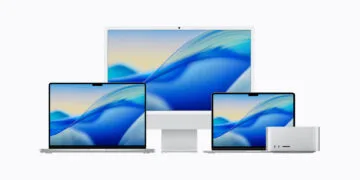
macOS 27 looks on the new MacBook Pro just like on any other Mac. Only when you touch it do individual controls change, and windows can be rearranged with a swipe. The first reports from the media event in Los Angeles show how far Apple is going with this – and where touch controls are currently only replacing clicks.
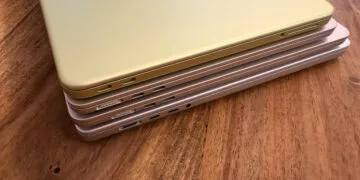
Apple unveiled the MacBook Pro with a PROLED XDR display on Wednesday, the first Mac with a touchscreen. The display specifications, weight, and prices of both sizes have been fully disclosed since then. Apple's press release in the Newsroom only provides a basic overview of how macOS 27 can be used with a finger in everyday situations.
More is revealed by the impressions of journalists who were able to try out the device at the "Pro and tell" event, including Engadget and CNBC. Why Apple is bringing touch to the Mac at all after years of rejecting it has been explained by Apple CEO John Ternus.
Key Facts at a Glance
- macOS translates touches into clicks, allowing many apps to be operated instantly with a finger.
- The buttons for closing, minimizing, and maximizing windows become slightly larger under the finger.
- Windows can be enlarged to full size with a double tap and moved into position with a swipe gesture.
- Logic Pro, Final Cut Pro, and Pixelmator Pro will be the first to receive their own touch features; third-party programs like Microsoft Office and DaVinci Resolve will follow later in the year.
- According to an initial hands-on report, the display does not support the Apple Pencil.
What Apple confirms about touch operation
According to Apple, the touch sensor is integrated directly into the display panel and not placed as an additional layer on top, which is intended to minimize latency. Operation is via swiping for scrolling, two fingers for zooming, and dragging and dropping, for example, of slides between presentations. A double tap expands a window to full screen size, while a quick swipe moves it into a tile position.
To ensure existing programs function without modification, macOS automatically translates every touch into a click. For custom touch controls, Apple has expanded the gesture interfaces for developers. Developers of iPhone and iPad apps can also test their touch behavior directly on the MacBook Pro display.
The keyboard and trackpad remain unchanged. Apple explicitly describes Touch as a supplement to the familiar keyboard shortcuts and trackpad gestures.
First impressions from the media event
The most noticeable change is in the three colored buttons in the top left corner of each window. They become slightly larger when touched, making them easier to tap. Beyond that, Engadget's impression is that macOS makes few concessions to touch input. CNBC also describes only a few visible changes and emphasizes that the device can be used entirely without touch.
Larger user interfaces are also expected to come to third-party apps. According to CNBC, Apple says that developers like Microsoft and Adobe can and will adapt their programs accordingly.
Tom's Guide mentions one limitation after testing: drawing is done with the finger; the MacBook Pro does not support the Apple Pencil.
Described in advance, implemented more cautiously
Before the presentation, Bloomberg's Mark Gurman described a macOS that would adapt its controls based on whether a finger or trackpad was last used, and open a menu around the finger when a button is tapped. Initial reports from Los Angeles describe a minor change: The interface remains familiar, with individual elements responding to touch.
Touch functionality had been in preparation for some time. Code for touch gestures appeared in Photos, Notes, Safari, and the Overview in the third beta of macOS 27.2.
Professional apps will get touch features first
Beyond simple clicks, the updates will primarily go beyond Apple's own professional apps from Apple Creator Studio. According to Apple, the updates will be released in the App Store in November, at no extra cost to existing subscribers. The announced third-party apps are expected to follow later this year, according to Apple's footnote.
| App | What's added via touch | Available |
|---|---|---|
| Logic Pro | Play software instruments on a multi-voice on-screen keyboard, tap chord and drum pads | November |
| Final Cut Pro | Mark areas, place clips directly, zoom into the edit with two fingers | November |
| Pixelmator Pro | Draw, paint and select directly on the work surface | November |
| Word, Excel, PowerPoint, Outlook, Notion, Canva, Zoom, Lightroom, DaVinci Resolve, Blender, Cinema 4D, ZBrush, Shapr3D, djay Pro | Touch support announced | later this year |
A Mac with touch, not a touch-only Mac
I believe this restraint is the right approach. Those who continue to use the MacBook Pro with the keyboard and trackpad will hardly notice the touch controls, and those who use the screen will at least find the most important window buttons in a finger-friendly size.
Until the adapted apps are released, touch input in Office, Lightroom, or DaVinci Resolve primarily replaces the mouse click. I expect that only with these updates will it become clear whether touch on the MacBook Pro is more than just a convenience feature. If you mainly draw with the stylus, the iPad Pro remains the obvious alternative to the MacBook Pro.
Is touch control sufficient for you, primarily replacing clicks, or does it only become interesting with adapted apps like Logic Pro or DaVinci Resolve? Tell us in the comments which app you would try using your finger first.