This article may contain affiliate links. Learn more on our Partner Program page.
Same case, same price, two more cores: Apple has replaced the chip and almost all of the wireless technology in the iMac. On paper, this seems like a small step, but in reality, each model moves up a configuration level. However, for owners of an M4, the benefits are different than for new buyers.
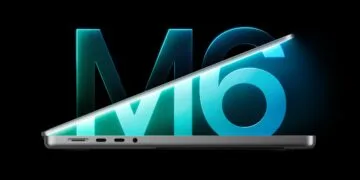
Apple unveiled the iMac with the M6 processor on October 27th via press release. Pre-orders in Germany began on October 28th at 6:10 PM, and it was available in stores on November 6th. Since then, Apple's German website has only listed the two M6 models; the M4 is no longer available there.
Since the switch to Apple silicon, the iMac has gone through the M1, M3, and M4 generations and is now skipping the M5. Prices in Germany remain at 1,799 and 1,999 euros, which means the same money now buys two more cores than the predecessor. This comparison is based on the technical specifications of the iMac M6 as well as Apple's support data sheets for the iMac M4 with two ports and four ports. All prices, dates, and configuration options are collected in the iMac M6 overview.
Key Facts at a Glance
- Both models will receive two additional CPU and two additional GPU cores: 10/10 instead of 8/8 in the entry-level model, and 12/12 instead of 10/10 in the model with four ports.
- Prices in Germany remain at 1,799 and 1,999 euros, and the surcharges for RAM and SSD are also identical.
- New features include WLAN 7, Bluetooth 6, Thread, 2.5 Gbit Ethernet instead of Gigabit Ethernet and up to 170 GB/s memory bandwidth instead of 120 GB/s.
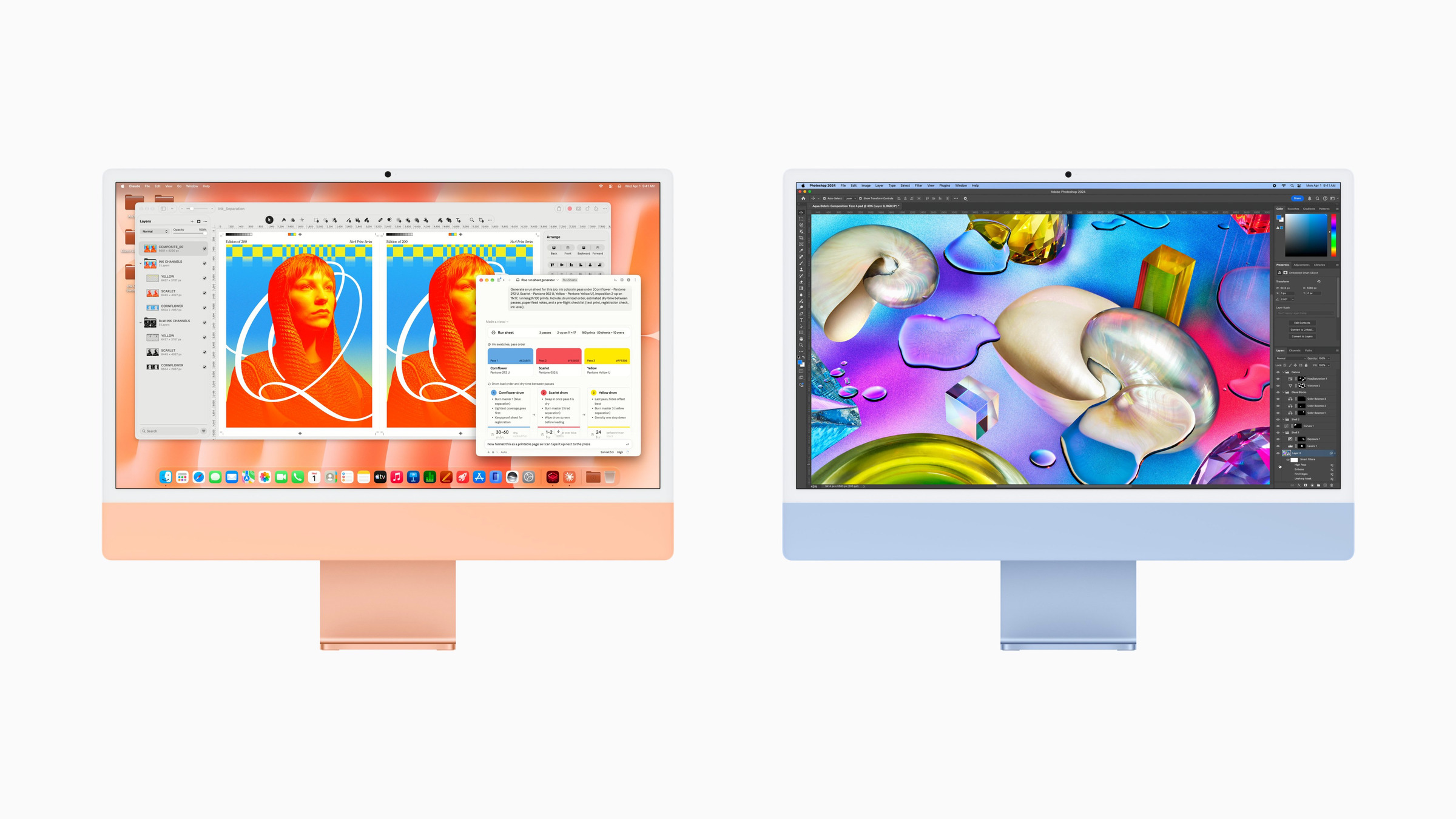
- The display, camera, speakers, casing, weight and the seven colors remain the same.
- Upgrading from the M4 is only worthwhile in isolated cases; for new buyers, the M6 is the clear choice at the same price.
All differences at a glance
Apple sells the iMac, as with its predecessor, in two versions, differing in the number of Thunderbolt ports. The table shows the old and new models of the same version side by side.
| M4, 2 connectors | M6, 2 connectors | M4, 4 connectors | M6, 4 connections | |
|---|---|---|---|---|
| CPU | 8 cores (4 performance, 4 efficiency) | 10 cores (2 Super, 3 Performance, 5 Efficiency) | 10 cores (4 performance, 6 efficiency) | 12 cores (2 Super, 4 Performance, 6 Efficiency) |
| GPU | 8 cores | 10 cores with Neural Accelerators | 10 cores | 12 cores with Neural Accelerators |
| Neural Engine | 16 cores | Dual 16 cores | 16 cores | Dual 16 cores |
| Memory bandwidth | 120 GB/s | up to 170 GB/s | 120 GB/s | up to 170 GB/s |
| RAM | 16 GB, optional 24 GB | 16 GB, optional 24 GB | 16 GB, optionally 24 or 32 GB | 16 GB, optionally 24 or 32 GB |
| SSD | 256 GB to 1 TB | 256 GB to 1 TB | 256 GB to 2 TB | 256 GB to 2 TB |
| Connections | 2 × Thunderbolt / USB 4 | 2 × Thunderbolt / USB 4 | 4 × Thunderbolt 4 | 4 × Thunderbolt 4 |
| Ethernet | Gigabit, optional | 2.5 Gbit, optional | Gigabit series | 2.5 Gbit, series |
| Wireless | WLAN 6E, Bluetooth 5.3 | WLAN 7, Bluetooth 6, Thread | WLAN 6E, Bluetooth 5.3 | WLAN 7, Bluetooth 6, Thread |
| External Displays | 1 | 1 | up to 2 | up to 2 |
| Touch ID | optional | optional | Series | Series |
| Price DE | €1,799 (last price) | 1.799 € | €1,999 (last price) | 1.999 € |
Chip: Super-cores and a dual Neural Engine
The M6 CPU divides its core type into three categories. In the entry-level model, four performance cores and four efficiency cores are combined into two supercores, three performance cores, and five efficiency cores. The model with four ports has two supercores, four performance cores, and six efficiency cores instead of four performance cores and six efficiency cores. Apple claims it's the fastest CPU in the world in terms of single-threaded performance.
The GPU also gains two cores and now features Neural Accelerators in each core. In addition, it boasts a dual 16-core Neural Engine, which Apple claims delivers up to twice the AI computing power of the previous generation.
In its press release, Apple lists four performance figures compared to the M4 and, in some cases, to the M1:
| Application | M6 versus M4 | M6 versus M1 |
|---|---|---|
| Microsoft Excel | up to 1.5 times faster | up to 2.5 times faster |
| Photo editing in Affinity (graphics) | up to 2 times faster | up to 3.3 times faster |
| Prompt processing in LM Studio | up to 5 times faster | up to 12 times faster |
| Games with ray tracing | up to 2 times faster | – |
According to Apple's footnote, the reference point for all M4 scores is the most powerful M4 model with a 10-core CPU, 10-core GPU, 32 GB of RAM, and a 2 TB SSD. Therefore, the comparison is between the two top-of-the-line configurations, not the entry-level models. Regarding the AI score, Apple explicitly measures the processing of input in LM Studio, not the speed at which a speech model writes its response.
Storage: same tiers, more bandwidth
The RAM and SSD configurations remain unchanged. Both generations start with 16 GB and 256 GB, the entry-level model tops out at 24 GB and 1 TB, and the quad-bay model at 32 GB and 2 TB. According to Apple, the SSD reads and writes up to twice as fast as the top-of-the-line M4 model.
Memory bandwidth increases from 120 to up to 170 GB/s, a rise of over 40 percent. On the Mac mini with the same chip, this value depends on the memory size: with 16 GB, it's 153 GB/s, and with 24 GB and above, it's 170 GB/s, as detailed in the Apple Silicon memory guide. Apple only specifies the maximum value for the iMac.
The prices for upgrades remain unchanged. A 512 GB SSD and 24 GB of RAM each cost an extra €220. The model with four ports, 24 GB of RAM, and 512 GB of RAM thus comes to €2,439, exactly the same price as the similarly equipped M4.
Network, ports and displays
Apple's own N1 chip now handles wireless communication, featuring Wi-Fi 7, Bluetooth 6, and Thread. The M4 used Wi-Fi 6E and Bluetooth 5.3. Thread is the wireless technology used by many Matter devices in smart homes to communicate.
The iMac's wired connection upgrades from Gigabit to 2.5 Gigabit Ethernet. It comes standard on the four-port model, while on the entry-level model it costs an extra 30 euros in Germany and Austria. According to Apple, this results in wired connections up to 2.5 times faster than its predecessor.
The Thunderbolt ports remain unchanged: two Thunderbolt/USB 4 ports in the entry-level model, four Thunderbolt 4 ports in the larger model. The number of external displays also remains at one or two.
The M6 datasheet also lists 4K at 165 Hz, and the model with four ports additionally supports 5K at 120 Hz and 4K at 240 Hz, as well as the operation of two displays via a single Thunderbolt port. The M4 support datasheet only mentions 6K at 60 Hz, and 8K at 60 Hz for the larger model. The limits for other Macs are shown in the overview of how many external displays a Mac supports.
What remains the same with the iMac
Externally, there is no difference. Width (54.7 cm), height (46.1 cm), and weight (4.42 kg or 4.44 kg) are identical, as is the 24-inch display with 4.5K resolution, 500 nits, and P3 color gamut. Nano-texture glass remains available only for the model with four ports.
Apple has retained the camera, speakers, and microphones: a 12 MP Center Stage camera with desktop view, six speakers with force-compensated woofers, and three microphones. As before, the box contains the Magic Keyboard, Magic Mouse, and a 143-watt power adapter; Touch ID is only included as standard on the larger model.
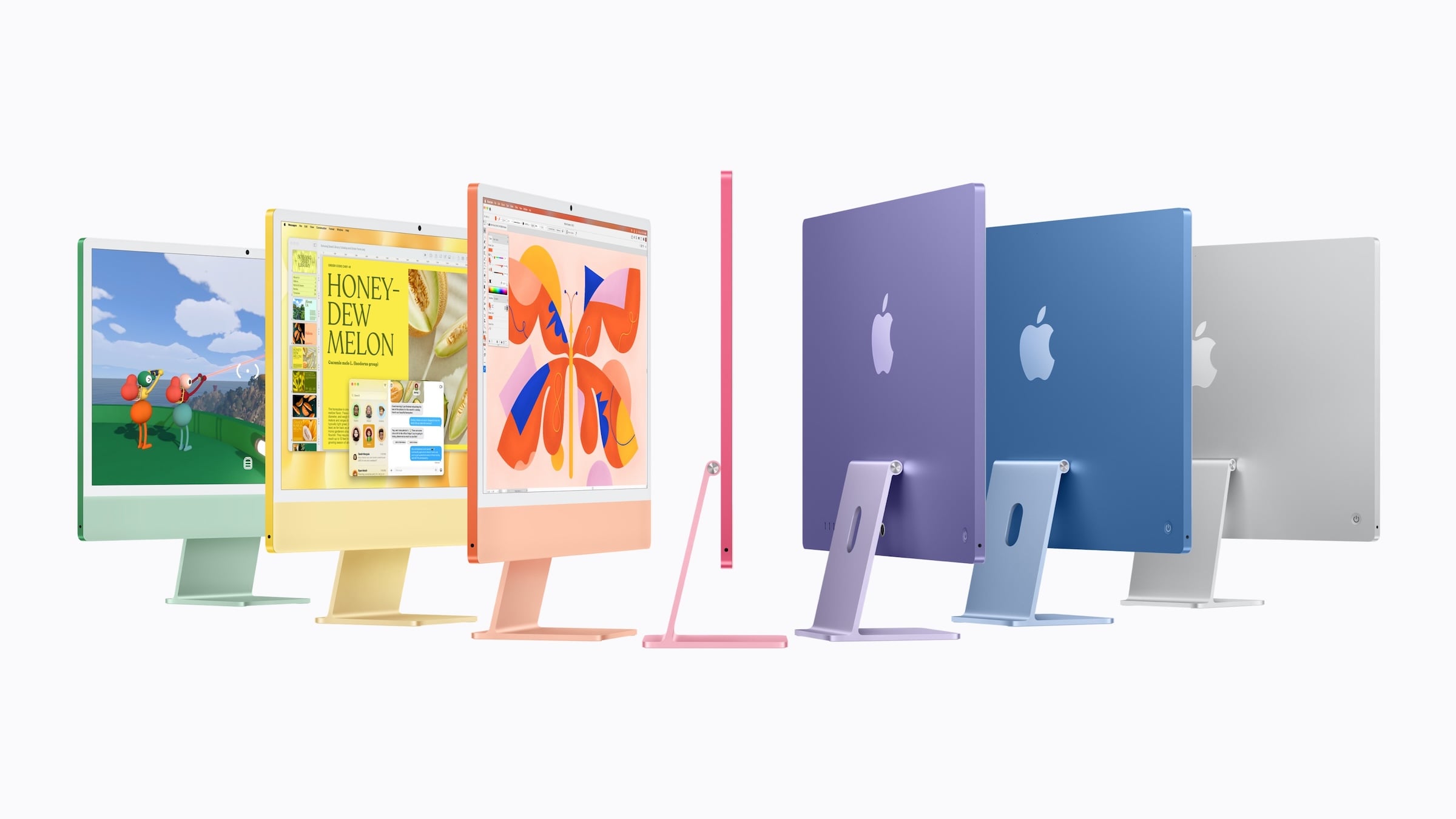
The color palette remains the same: blue, violet, pink, orange, yellow, green, and silver. The M6 ships with macOS 27, which includes Siri AI. However, this is also true for the M4, which also receives macOS 27 – so Siri AI isn't a distinguishing feature. Furthermore, German is not yet among the supported languages for Siri AI.
Prices in Germany, Austria and Switzerland
The iMac M6 costs the same in Germany and Austria, while in Switzerland it costs less (in Swiss francs). The price listed for the M4 is the last price valid in Germany.
| Model | DE | AT | CH | Education DE | M4 last (DE) |
|---|---|---|---|---|---|
| 2 ports, 16 GB, 256 GB | 1.799 € | 1.799 € | 1,499 CHF | 1.739 € | 1.799 € |
| 4 ports, 16 GB, 256 GB | 1.999 € | 1.999 € | 1,699 CHF | 1.879 € | 1.999 € |
From the M4 to the M6: For whom the switch is worthwhile
Anyone who owns an iMac M4 has, in my opinion, little reason to upgrade after two years. The display, casing, camera, and features are the same, and the M4 is still more than sufficient for office work, photos, and video calls. Furthermore, the performance increase that Apple claims refers to the most powerful M4 model and to special cases like ray tracing and local language models.
I see three compelling reasons to choose the M6: Those who regularly run AI models directly on the device will benefit most from the dual Neural Engine and higher bandwidth. Users with a home network featuring 2.5 Gbps connections or a Wi-Fi 7 router will finally find a suitable counterpart in the M6. And those wanting to connect a monitor with a high refresh rate will find the relevant specifications in the M6's datasheet.
The situation is quite different for owners of an iMac with an M1 or Intel processor. Compared to the M1, Apple claims up to 2.5 times faster performance in Excel and up to 3.3 times better graphics performance; compared to the most popular Intel iMac, it even claims up to 18 times better performance. For new buyers, the question is moot anyway: the M6 costs the same from Apple as the M4 did recently. Therefore, buying an M4 from remaining stock at a retailer is only worthwhile if it's offered at a significantly lower price.
Those who already own a monitor can also get the same M6 in the Mac mini, the cheapest desktop Mac in the current range, which already made the switch from M4 to M6 in August.
Do you have an iMac M4 on your desk – and is there still something about the M6, like 2.5 Gb Ethernet or the faster AI on the device, that would make you switch? Let us know in the comments what it is.
Frequently Asked Questions: iMac M6 vs. M4
The iMac M6 has two more CPU and GPU cores each (10/10 instead of 8/8 in the entry-level model, 12/12 instead of 10/10 with four ports), a dual 16-core Neural Engine, up to 170 GB/s of memory bandwidth instead of 120 GB/s, Wi-Fi 7, Bluetooth 6, and 2.5 Gb Ethernet. The case, display, camera, and colors are the same.
No. In Germany, the iMac M6 costs €1,799 with two ports and €1,999 with four ports, exactly the same price as the M4. The surcharges for RAM and SSD have also remained the same.
For most M4 owners, this isn't necessary, as the display, casing, and features are identical. The upgrade is primarily worthwhile for those using local AI models, a home network with 2.5 Gbps or Wi-Fi 7, and monitors with a high refresh rate.
The model with a 10-core CPU drives one external monitor at up to 6K at 60 Hz or 4K at 165 Hz. The model with a 12-core CPU supports two monitors at up to 6K or one monitor at up to 8K at 60 Hz, 5K at 120 Hz, or 4K at 240 Hz.
Yes. The iMac M6 uses Apple's N1 chip with Wi-Fi 7, Bluetooth 6, and Thread. The iMac M4 still used Wi-Fi 6E and Bluetooth 5.3.
Both models start with 16 GB. The two-port model can be expanded to 24 GB, and the four-port model to 24 or 32 GB. This corresponds to the options of the iMac M4.
The iMac M6 can be pre-ordered in Germany starting October 28th at 6:10 PM. It will be delivered starting November 6th, and will also be available in Apple Stores from then on.