

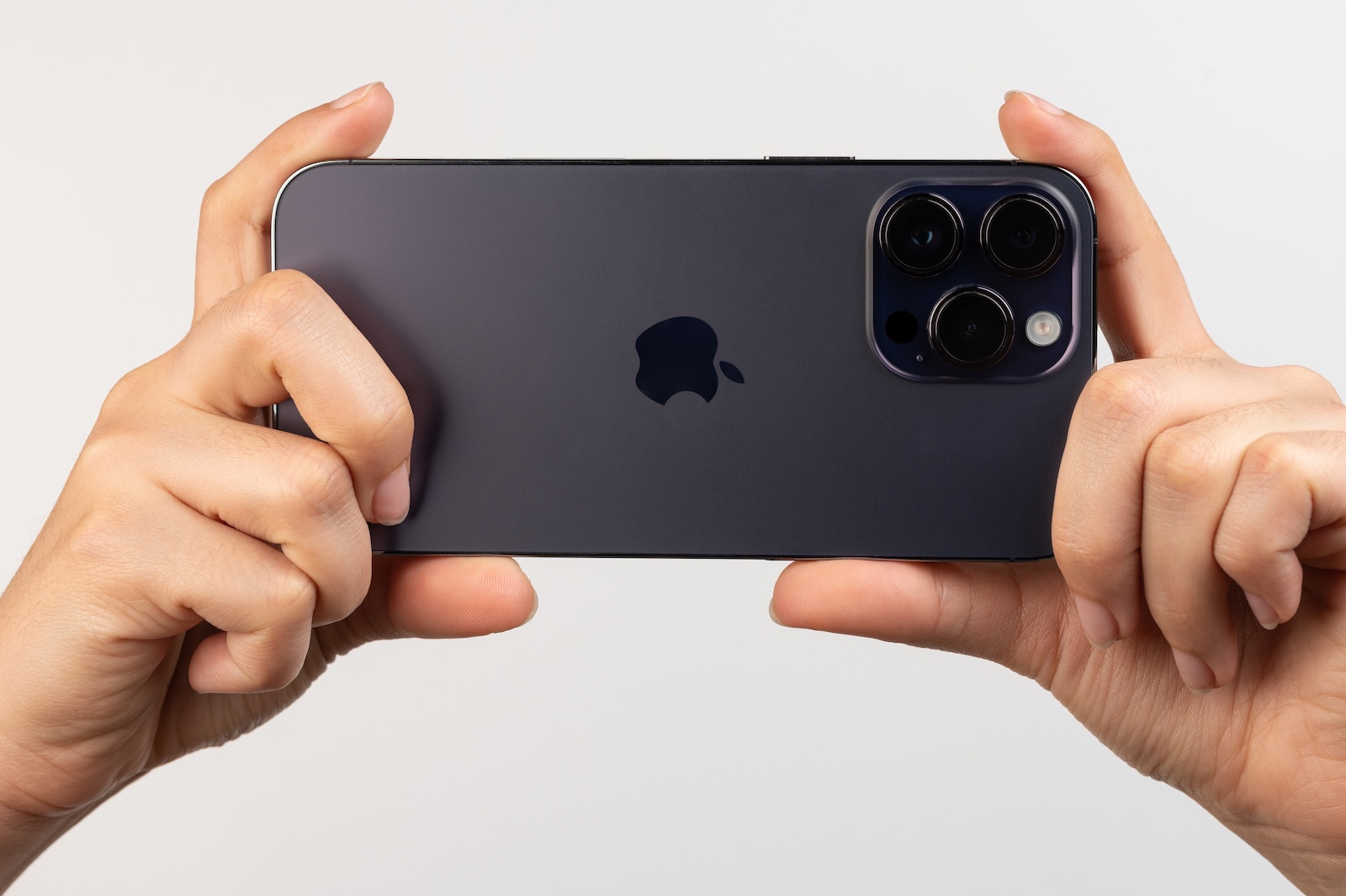
iOS 26 introduces a handy feature that automatically detects when the iPhone camera is dirty. A subtle notification in the Camera app then recommends cleaning the lens to improve image quality. With this, Apple is adopting an idea that has long been standard on Android devices.
Cameras are sensitive components, and even the smallest fingerprints or dust particles can impair image sharpness. Until now, it was solely the user's responsibility to remember to clean them. With iOS 26, this process is automated: The system analyzes the incoming light and detects when something interferes with the clarity of the image. This ensures that images and videos remain in the best possible quality.
How the new camera notification works
Whenever the Camera app is active, iOS 26 monitors image information. If reduced clarity is detected, this indicates a dirty lens. In this case, the system displays a discreet notification advising that it needs cleaning. Apple calls this feature "Lens Cleaning Tips." The analysis runs in the background and requires no additional app or manual control. It's integrated directly into iOS and works in real time, so alerts appear immediately as soon as the problem is detected.
Activation of the function
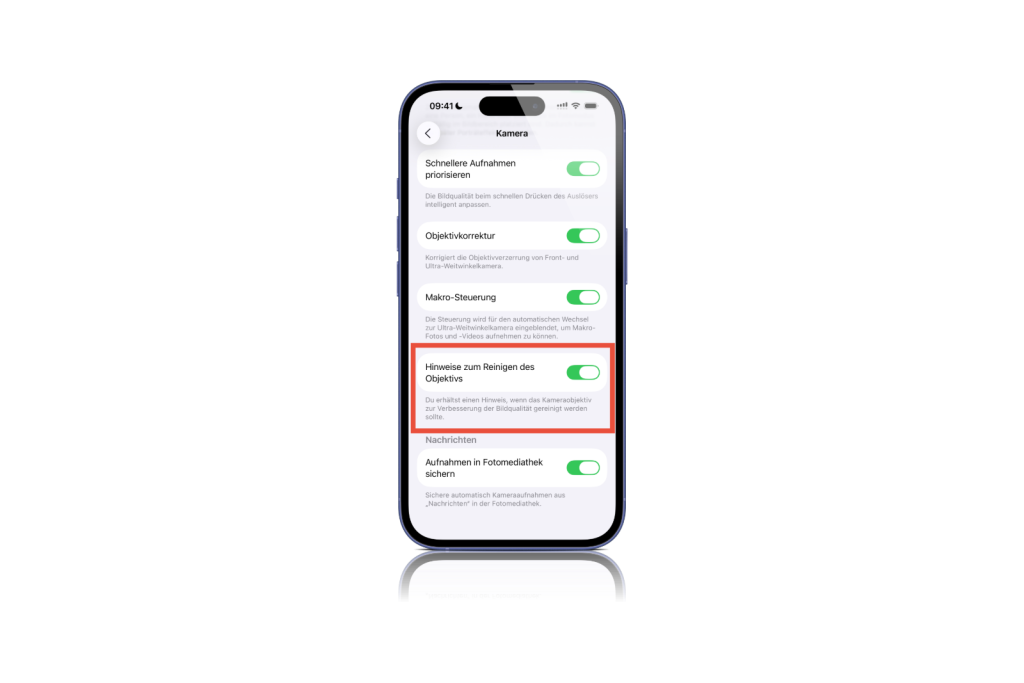
To use the lens cleaning tips, you must first have iOS 26 installed. This version is currently still in beta. It's not yet known which iPhone models actually support the feature. Currently, it's possible that the feature is only available on newer models. However, you can quickly check availability:
- Open Settings on iPhone
- Scroll down and select camera
- Activate the switch for “Note on cleaning the lens”
Once activated, iOS 26 monitors every shot and displays alerts directly in the camera app when cleaning is recommended.
More camera innovations in iOS 26
In addition to the smart cleaning notification, iOS 26 also brings a visual overhaul to the Camera app. The user interface has been redesigned and now features a minimalist navigation bar. This change is intended to simplify operation and speed up access to important functions. Apple is expected to officially release iOS 26 in September. Those who install the beta version can try out the new camera features now.
iOS 26 makes camera maintenance easier
With iOS 26, Apple is expanding its camera features with a practical feature that can be very useful in everyday life. Automatic detection of a dirty lens ensures better photo and video quality without the need to constantly check manually. Together with the redesigned Camera app, this update demonstrates Apple's consistent commitment to improving user experience. The best products for you: Our Amazon Storefront offers a wide selection of accessories, including those for HomeKit. (Image: Shutterstock / PixieMe)
- iPhone Files app: 6 tips for more order and efficiency
- How to back up your photo library in macOS Sequoia
- iPhone & Co.: How to deactivate the advanced visual search
- Extend iPhone battery life: These 7 tips help immediately
- Using iPhone Live Text – The best tips for on the go
- Make the most of iPhone screen time – 7 effective tips
- Optimize iPhone battery health: 7 tips to save battery life
- Extend iPhone battery life: These 7 tips help immediately
- Using iPhone Accessibility Features: 7 Features at a Glance
- Apple Intelligence: From which iPhone is it available?
- iPhone & Co.: How to deactivate the advanced visual search
- Extend iPhone battery life: These 7 tips help immediately
- Editing iPhone RAW photos – 8 simple pro tips
- iPhone & Co.: How to deactivate the advanced visual search
- Extend iPhone battery life: These 7 tips help immediately
- Apple Music in iOS 26: Music Pins make access easier
- Setting up iPhone widgets: These 6 tricks you need to know
- Set up Apple Pay on your iPhone – quickly and securely
- Why an iPhone? These advantages are convincing in the long term
- Secure your iPhone properly: 5 important functions at a glance
- Save iPhone battery: When is power saving mode worth it?
- Use Apple Wallet safely, conveniently, and efficiently – 7 tips
- LG or Samsung Smart TV? How to disable tracking
iOS 26 automatically detects dirty camera lenses
iOS 26 introduces automatic detection of dirty camera lenses. The iPhone warns if image quality is affected by dirt or fingerprints and recommends cleaning.
As soon as the camera app is active, iOS 26 analyzes the incoming light. If the system detects reduced clarity, a notification appears in the app.
Apple hasn't yet officially confirmed which models support the feature. The "Lens Cleaning Tips" menu item in the camera settings will show whether your device is compatible.
In the iPhone settings, open the "Camera" option and turn on the "Lens Cleaning Tips" switch. iOS 26 is required.
iOS 26 is currently in beta, with the official release expected in September.
In addition to lens detection, there is a redesigned camera app with a minimalist navigation bar for easier operation.
No. The analysis runs locally on the device and works without an internet connection.
Apple hasn't provided any details yet. The focus is currently on the rear camera.
The feature runs in the background and is energy-efficient. No noticeable impact on battery life is expected.
No. Automatic dirt detection is exclusive to iOS 26 and will not be backported to older versions.





