

With iOS 26, Apple is introducing several new features that significantly simplify using Apple Music. The new Music Pins feature, in particular, significantly improves access to frequently listened content. Those who regularly search for the same songs or playlists will no longer have to scroll through their entire library.
Apple Music is one of the most used music streaming services on the iPhone. However, in large media libraries, finding your favorite tracks can quickly become tedious – especially if you listen to them regularly. iOS 26 aims to remedy this. The new pinning feature for songs, playlists, albums, and artists ensures that personal favorites immediately appear at the top of the Music app. It's easy to use, and the idea behind it is pragmatic. This feature offers noticeable benefits in everyday life, especially for users with established music routines.
Music Pins in iOS 26: What's new
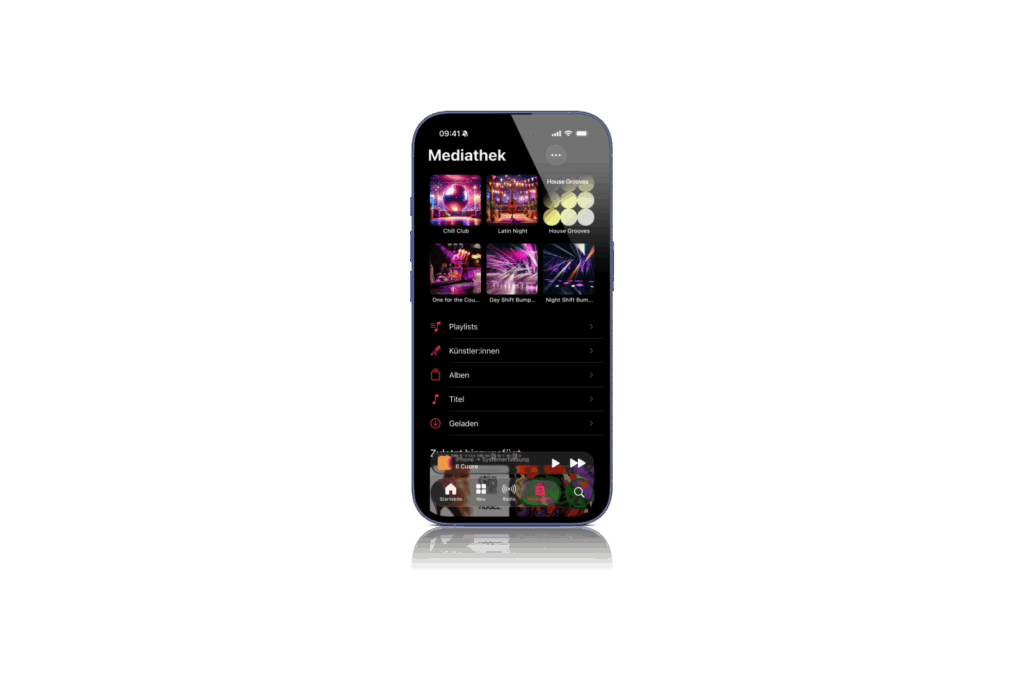
In the Music app in iOS 26, individual items can be pinned directly at the top of the Library tab. These include songs, albums, playlists, and artists. Once pinned, an item appears at the top of the tab and is immediately accessible with just a tap. There's no restriction to specific categories—anything you listen to regularly can be pinned.
How pinning works
Pinning is done by long-pressing the desired item. The new "Pin" option is available in the context menu that opens. Once selected, the item appears permanently at the top of the media library. Multiple pieces of content can be pinned simultaneously. Whether it's your current favorite song, your workout playlist, or a frequently listened-to artist—the feature isn't limited to specific types.
Remove pins again
Removing pinned content works the same way. A long press on the pinned item is enough to reopen the context menu. There, you can unpin it using the "Unpin" option. The item will then disappear from the top of the library, but will remain in the collection.
Offline playback of pinned content
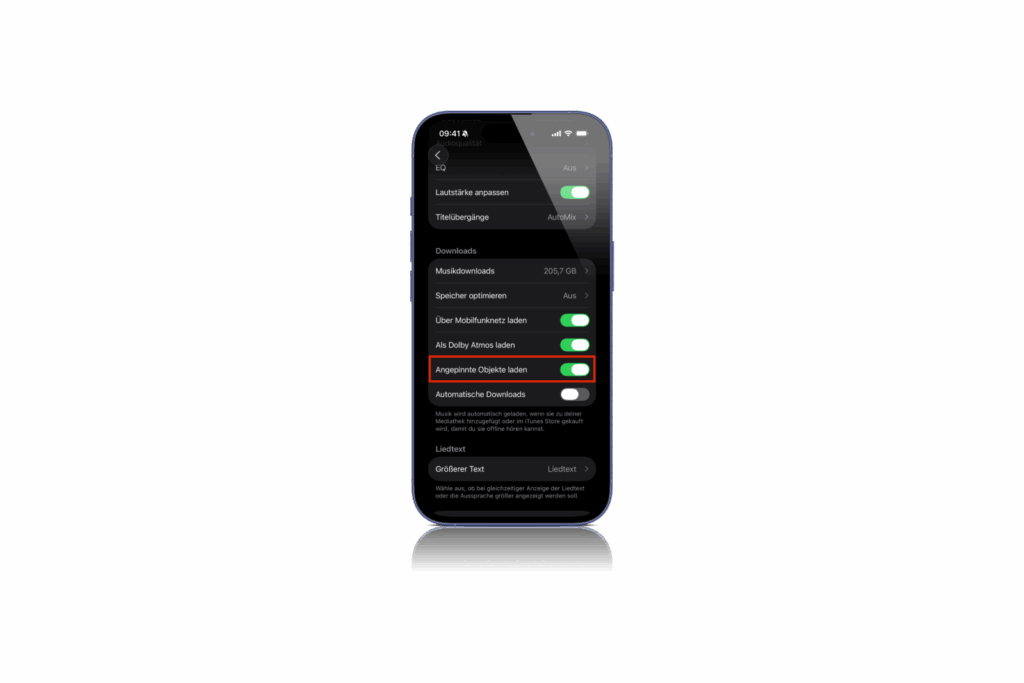
When you first use Music Pins, iOS 26 will ask if you want to automatically download pinned content for offline playback. This option can be enabled or skipped as needed. If you want to change this feature later, you can find it under Settings > Apps > Music. There, you can turn the "Download Pins" option on or off at any time. Automatic offline saving is especially useful for users with limited data or poor network coverage. This way, your favorite content remains accessible on the go.
More new features in Apple Music on iOS 26
In addition to Music Pins, Apple is introducing two other new features for the Music app in iOS 26:
- AutoMix ensures smooth transitions between songs. This feature is particularly useful for users who want to listen to longer sessions or playlists without harsh transitions—for example, during sports or at parties.
- Song lyrics can now not only be displayed, but also translated and provided with pronunciation assistance. This makes foreign-language music more accessible and is a plus for anyone who enjoys listening across language barriers.
iOS 26 brings more convenience to the Music app
Music Pins in iOS 26 make Apple Music more flexible and user-friendly. The feature is simple yet effective in everyday life. Those who regularly access the same content benefit from shorter paths and more direct access. The option for offline use rounds out the feature. Together with AutoMix and the new lyrics translation, iOS 26 demonstrates that Apple is also deliberately implementing small improvements to continuously optimize the user experience. The best products for you: Our Amazon Storefront offers a wide selection of accessories, including those for HomeKit. (Image: Shutterstock / DANIEL CONSTANTE)
- Apple makes it clear: Music is art, not an advertising medium
- iOS 26: All Apple Music innovations at a glance
- Apple Music: 10 Years of Innovation and Music History
- Apple Music gets a DJ feeling with AutoMix feature
- Apple Music: New Replay All Time Playlist now available
Finally a tip: Music Pins in iOS 26 are here
Music Pins are a new feature in iOS 26 that allows you to pin songs, albums, artists, or playlists in Apple Music directly to the top of your library.
In iOS 26, long-press a song, album, or playlist in Apple Music. The "Pin" option appears in the context menu.
A long press on the pinned item in Apple Music opens the menu. There, simply select the "Unpin" option.
There is currently no official limit. In iOS 26, you can pin multiple pieces of content to Apple Music at once.
When you enter the first PIN, iOS 26 will ask if you want to automatically make the content available offline. This setting can be adjusted later.
In iOS 26, the Download Pins option can be turned on or off at any time under Settings > Apps > Music.
In addition to music pins, iOS 26 also offers AutoMix for smooth transitions and translations of song lyrics including pronunciation assistance.
iOS 26 is currently in beta. The final version is expected to be released this fall.





