This article may contain affiliate links. Learn more on our Partner Program page.
Six systems, one release date: iOS 27, iPadOS 27, macOS 27 Golden Gate, watchOS 27, tvOS 27, and visionOS 27 are now available for download. However, the biggest promise of the announcement won't reach German iPhone users – and more features are being removed from the Apple Watch this time around than in previous years.
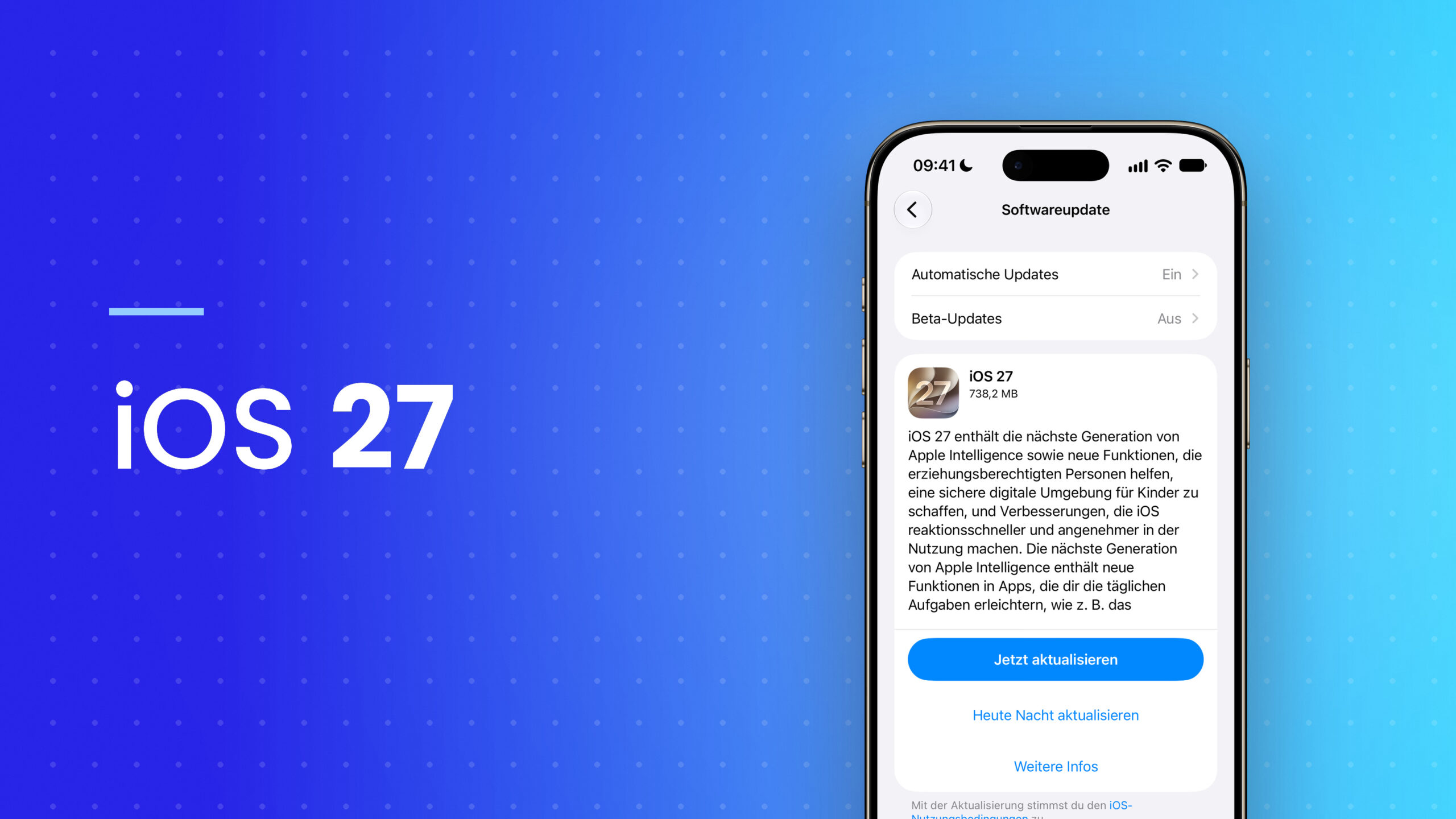
Apple confirmed the release date at its September 9th keynote and has been rolling out the new system versions as free updates since today. This move has been in preparation since the release candidate from the keynote evening, which, for major generations, is usually the final version released. The size of the update this time depends less on the device itself and more on where it is used.
Key Facts at a Glance
- The updates have been available for iPhone, iPad, Mac, Apple Watch, Apple TV and Apple Vision Pro since September 14th.
- Siri AI launches as an English-language beta, but not in the EU on iPhone, iPad and Apple Watch – Mac and Vision Pro are excluded.
- Apple Intelligence remains unaffected and continues to speak German.
- No iPhone models are unsupported, but five Apple Watch models and two Apple TV models are.
- Two announced features are missing at launch and will only be added in a later update.
Six systems, one appointment – and these devices will receive the update
Apple is releasing the entire series on the same day. Support for the iPhone remains unchanged: Every device currently running iOS 26 will also receive iOS 27. On the Mac, however, the cutoff is final – macOS 27 Golden Gate runs exclusively on Apple Silicon computers.
| System | Supported devices |
|---|---|
| iOS 27 | iPhone 11, iPhone SE (2nd generation) and all newer models up to iPhone Duo and iPhone 18 Pro Max |
| iPadOS 27 | iPad Pro (4th generation and later, M1 and later), iPad Air (4th generation and later), iPad (9th generation and later), iPad mini (6th generation and later) |
| macOS 27 | MacBook Neo, MacBook Air and MacBook Pro with Apple chip from 2020, iMac from 2021, Mac mini from 2020, Mac Studio from 2022, Mac Pro (2023) |
| watchOS 27 | Apple Watch SE 3, Series 9, 10, 11 and 12, Ultra 2, Ultra 3 and Ultra 4 – paired with an iPhone 11 or later running iOS 27 |
| visionOS 27 | Apple Vision Pro |
| tvOS 27 | Apple TV 4K (2nd generation and newer) |
| HomePod software 27 | HomePod (1st and 2nd generation), HomePod mini |
On the day of the release, Apple's servers are heavily loaded, so downloads often get stuck or the iPhone reports an error during preparation. The most common problems installing an update, and what to do about them, have remained the same for years.
Apple does not provide a preview page for tvOS 27 or the HomePod software. Nevertheless, both are released on the same day as the rest of the series, just as in previous years: The public beta was released in July along with the other operating systems, including new AirPods firmware.
What arrives on every supported device
Most of the update isn't dependent on the model year. Liquid Glass gets more even light refraction and better contrast, app icons are sharper, and a new slider allows for stepless adjustment of the interface from ultra-clear to fully colored. On Macs, the update includes uniform toolbars, sidebars extending to the window edge, and redesigned menu bar icons.
Regarding speed, Apple cites specific figures: App launches are up to 30 percent faster, new photos load into the library up to 70 percent faster, and AirDrop transfers are up to 80 percent faster.
On the iPad, a different value counts: Transferring files to an external drive should be up to five times faster.
In addition, there are improvements across all systems: smoother switching between Wi-Fi and cellular data, a new ranking system in Mail search, shared iCloud albums in full resolution with access for Android and Windows users via iCloud.com, automatically generated subtitles for every video with translation, and an equalizer for AirPods. The Cycle Tracking app on iPhone and Apple Watch will now indicate patterns that suggest perimenopause – according to Apple, exclusively for people aged 40 and older.
Child safety as a separate focus
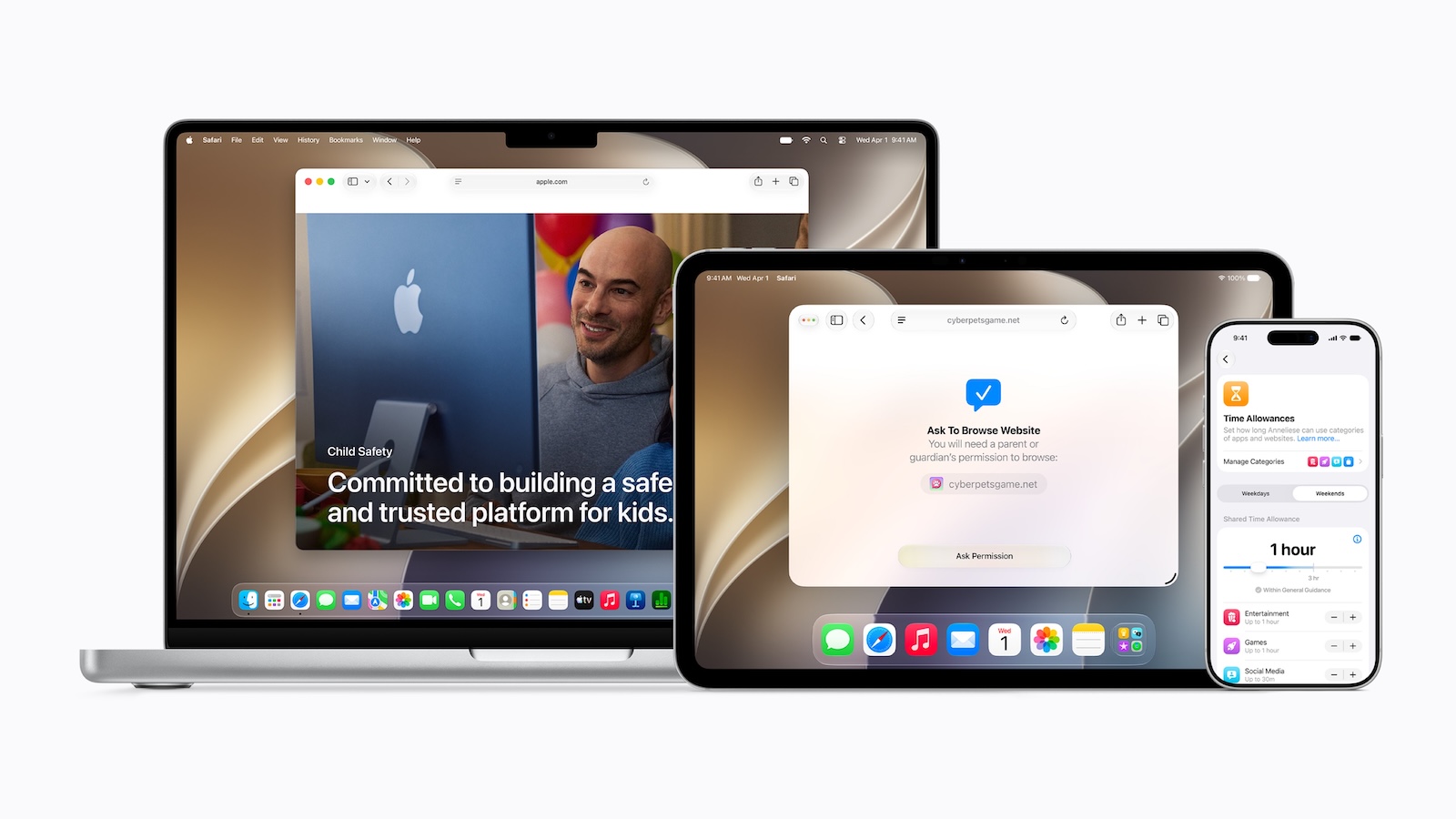
The second largest section of the update is parental controls, which Apple announced back in June. Using the system assistant, parents can specify which system apps a child is allowed to use and later expand the selection via a purchase request. A new feature is the browsing request: children must request permission to access an unknown website; parents see the request in their messages and make the decision there.
The requirements are rather strict: The browsing request works in Safari and other WebKit browsers under iOS 27, iPadOS 27, and macOS 27, and only after Screen Time has been updated. Once Screen Time is active, watchOS only displays approved pages. Approving new contacts via Messages is supported on iPhone, iPad, and Mac.
Usage times can now be assigned separately for each category – entertainment, games, and social media – and schedules can be set for individual days of the week. Communication security will also be enhanced to protect against bloody and violent content in shared images and videos, not just nudity.
Apple Intelligence in the apps: from iPhone 15 Pro
Everything Apple lists under Apple Intelligence requires significantly newer hardware. Supported devices include all iPhone 16 models and newer, iPhone 15 Pro and 15 Pro Max, iPad mini (A17 Pro), iPads from M1 onwards, MacBook Neo, Macs from M1 onwards, Apple Vision Pro from M2 onwards, Apple Watch Series 9 and newer, Ultra 2 and newer, and the Apple Watch SE 3, with a paired iPhone within range.
In the Photos app, Spatial Reorientation realigns the image after the fact, the Expand function enlarges a subject beyond its original boundaries, and the revamped Clean Up removes larger objects. Image Playground creates images in virtually any style, including photorealistic. Safari automatically groups tabs by topic, and Notify Me monitors a page for price changes or new stock. Shortcuts are created on demand from a description.
Two features from this set are missing at launch, as we reported before the release: The Passwords app is supposed to automatically replace compromised login credentials, and Messages is supposed to offer suggestions based on the conversation context. Both are noted on Apple's website as being coming with a future software update – the suggestions also indicate that they will start in English. The same applies to Call Context, which displays relevant information from email or calendar during calls with a business.
Daily limits apply to server-side features. Apple mentions Siri AI, the photo tools, Image Playground, and the cloud models in Shortcuts, adding that extended access will be subject to a fee in the future – a point that was already hinted at when the iCloud+ tiered pricing was announced.
Siri AI is launching – but not on the iPhone in the EU
The core of the announcement won't reach German iPhones at launch. Siri AI will initially not be available on iOS, iPadOS, and watchOS in the EU, and related features will also be unavailable there. macOS 27 and visionOS 27 are exempt from this restriction: Siri AI will run on Macs and Apple Vision Pro. We've explained the reasons behind this in our article on DMA and Siri AI.
Siri AI is not mentioned on the German iOS 27 page – neither the Siri app, nor the Siri mode in the camera, nor voice customization. The German macOS page, however, lists Siri AI first, complete with its own app, visual intelligence on the Mac, and customizable voice.
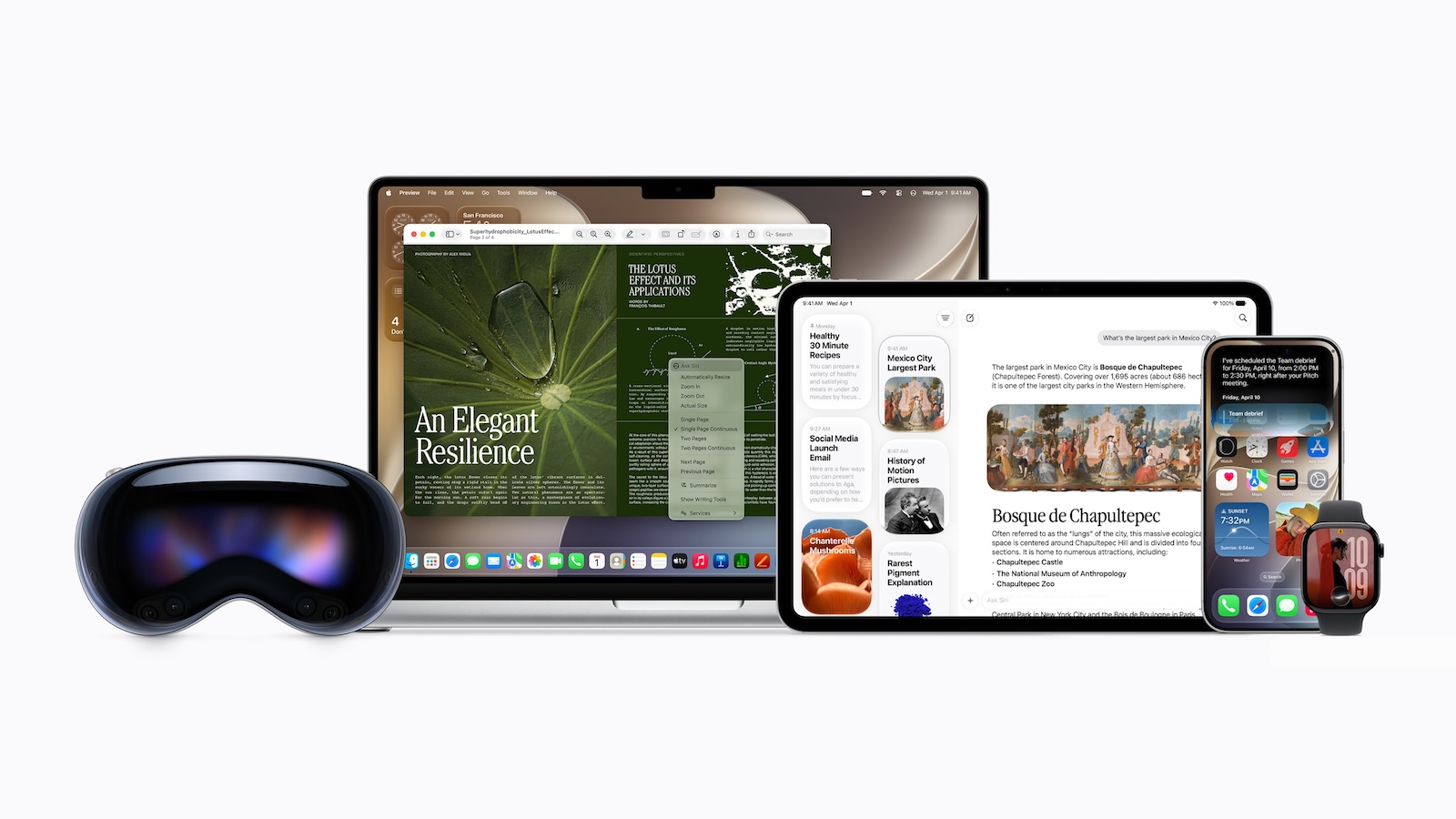
Even where Siri AI is running, it's launching with limitations: as a beta, initially only in English. French, Japanese, Korean, Portuguese, and Spanish will follow in October; Apple hasn't announced a date for German. Users under 13 are excluded. Our overview of Siri AI in iOS 27 details the features that are included.
The ability to adjust the tempo and expression of the voice is also tied to the hardware: Apple lists iPhone 18 Pro and 18 Pro Max, iPhone Duo, iPhone 17 Pro and 17 Pro Max as well as iPhone Air, plus iPads from M4 and Macs from M3 with at least 12 GB of shared RAM and the Apple Vision Pro with M5.
Not relying on Siri AI, but also regionally limited: iPhone Handoff, which connects two iPhones under the same phone number. The feature launches with T-Mobile in the US and Telekom in Germany – Austria and Switzerland are not included. Details can be found in our article on iPhone Handoff.
The second EU loophole is in the camera
Less noticed, but just as significant: Apple Reference Images, which are meant to verify the authenticity of a photo using signed sensor data, cannot be taken in the EU at launch. However, reference images can be developed and viewed with iOS 27, iPadOS 27, and macOS 27. In China, the feature is completely removed for regulatory reasons. This affects precisely the two new Pro models, whose cameras Apple highlighted in its keynote. Apple will also add support for the SynthID identification standard in a later update.
Anyone who wants to track which other functions are missing in this country can find a complete overview of EU functional gaps.
Apple TV and HomePod: Fine-tuning instead of Siri AI
The update for the living room is the smallest. On Apple TV, tvOS 27 brings a redesigned Podcasts app, smart downloads, faster app launches, a quicker loading Control Center, smoother animations, faster AirPlay connectivity, and larger text sizes in the accessibility settings. Apple never released a complete list of features – the known points come from a slide in the keynote and from the developer documentation.
Siri AI isn't available here, regardless of location: Apple TV and HomePod are not included in Apple's list of systems on which the new assistant is running in beta. Only iOS, iPadOS, macOS, watchOS, and visionOS are mentioned.
At the same time, tvOS 27 marks the end of support for the first-generation Apple TV HD and Apple TV 4K. For the HD version, this brings to a close a series of eleven tvOS generations spanning ten years – no other Apple device has ever received major updates for so long.
Updating your speakers is more than just a formality for the new Home app features. Grouping similar activity notifications, having camera footage described before viewing, and searching for a clip using natural language all require a Home Hub running the latest operating system—a second-generation HomePod, a HomePod mini, or an Apple TV 4K, along with a compatible iCloud+ subscription. If your Home Hub isn't updated, you won't see these features, even with a compatible iPhone.
Five Apple Watch models are no longer supported.
While no iPhone devices are being dropped, Apple is significantly raising the bar for Apple Watch support. watchOS 26 still ran on the Series 6 and the Apple Watch SE (2nd generation). The list for watchOS 27 starts with the Series 9 and the SE 3. This excludes the Series 6, Series 7, Series 8, the SE (2nd generation), and the first Apple Watch Ultra – five models at once, including the SE 2, a device Apple continued to sell new until fall 2025.
The Apple Watch will receive a dynamic app grid, a tap gesture for opening widgets in the Smart Stack, new suggestions in the Smart Stack, and a redesigned "Find My" app with a map view. It will also include more accurate algorithms for runs and walks on the treadmill.
What Mac, iPad and Vision Pro also get
On the Mac, there's support for ultrawide 5K displays at 120Hz, a saved display layout, swipe-down refresh in Safari, Mail, Podcasts, and Calendar, as well as calendar entries that can be created and edited by description. The iPad gets photo slideshows with customizable transitions and faster syncing in Messages.
The Apple Vision Pro receives rounded windows, the new Thórsmörk environment, a revised overview for 3D models with annotations, a new stay control for gaze-based operation, and up to three times faster Wi-Fi connectivity after setup.
Why the update is smaller than announced in this country
If you add up what's actually available in Germany, Austria, and Switzerland, what remains is a very solid maintenance update: improved speed, a more readable design, significantly enhanced parental controls, and a number of useful little extras. What's missing is precisely what Apple is advertising the update with. In the EU, you won't get a Siri app, a Siri mode in the camera, or Siri text on your iPhone – and anyone wanting to try out the new assistant needs a Mac or an Apple Vision Pro and has to switch their device to English.
What's remarkable is Apple's openness about this: The German product page simply doesn't advertise a feature that's featured prominently in the US. The EU restriction doesn't apply in Switzerland, but iPhone Handoff is missing there – so the price varies depending on the feature. And because two other features are only coming later anyway, iOS 27 won't be fully functional in any market at launch.
The rest will come in stages
The next milestone is iOS 27.1. According to Apple, the iPhone Duo will ship with this version, and the company has announced October 16th as the pre-order date and October 23rd as the sales launch for the foldable model – thus narrowing down the timeframe for the first point update quite precisely. What to expect is detailed in our article on the release date of iOS 27.1. How much of the June announcement was actually delivered can be seen in the eight developer betas leading up to the release candidate.
Until then, the question remains whether Apple and the EU Commission will budge. Will you install it immediately, or wait to see if Siri AI is rolled out in your country later? Let us know your plan in the comments.