

apple patient
  • Home
  • News
  • Rumors
  • Tips & Tricks
  • Reviews
  • Insights
No Result
View All Result
  • iPhone 18
  • iOS 27
  • iPadOS 27
  • macOS
  • MacBook Neo
  • iPhone 17e
  • AirTags
  • iOS 26
  • iPhone 17
  • MacBook Pro
  • iPadOS
  • iMac
  • Mac mini
  • HomePod
  • Apple TV
  • iPad Pro
  • iPhone Air
  • Apple Vision Pro
  • iPhone 16
  • AirPods 4
  • Apple Watch Ultra
  • HomePod Mini
  • MacBook Air
  • iPad
  • AirPods Max
  • AirPods Pro 3
  • Apple Watch Series 3
  • Mac Studio
  • Studio Display
  • iPad Air
  • iPad mini
  • watchOS 27
  • Apple CarPlay
  • Apple Pay
  • watchOS 26
  • Home
  • News
  • Rumors
  • Tips & Tricks
  • Reviews
  • Insights
No Result
View All Result
apple patient
No Result
View All Result
  • iPhone 18
  • iOS 27
  • iPadOS 27
  • macOS
  • MacBook Neo
  • iPhone 17e
  • AirTags
  • iOS 26
  • iPhone 17
  • MacBook Pro
  • iPadOS
  • iMac
  • Mac mini
  • HomePod
  • Apple TV
  • iPad Pro
  • iPhone Air
  • Apple Vision Pro
  • iPhone 16
  • AirPods 4
  • Apple Watch Ultra
  • HomePod Mini
  • MacBook Air
  • iPad
  • AirPods Max
  • AirPods Pro 3
  • Apple Watch Series 3
  • Mac Studio
  • Studio Display
  • iPad Air
  • iPad mini
  • watchOS 27
  • Apple CarPlay
  • Apple Pay
  • watchOS 26

Apple Vision Pro: Important tips to combat dizziness

Milan Jovicic by Milan Jovicic
July 9, 2024 - 16:06 CEST
in Apple Tips & Tricks
0
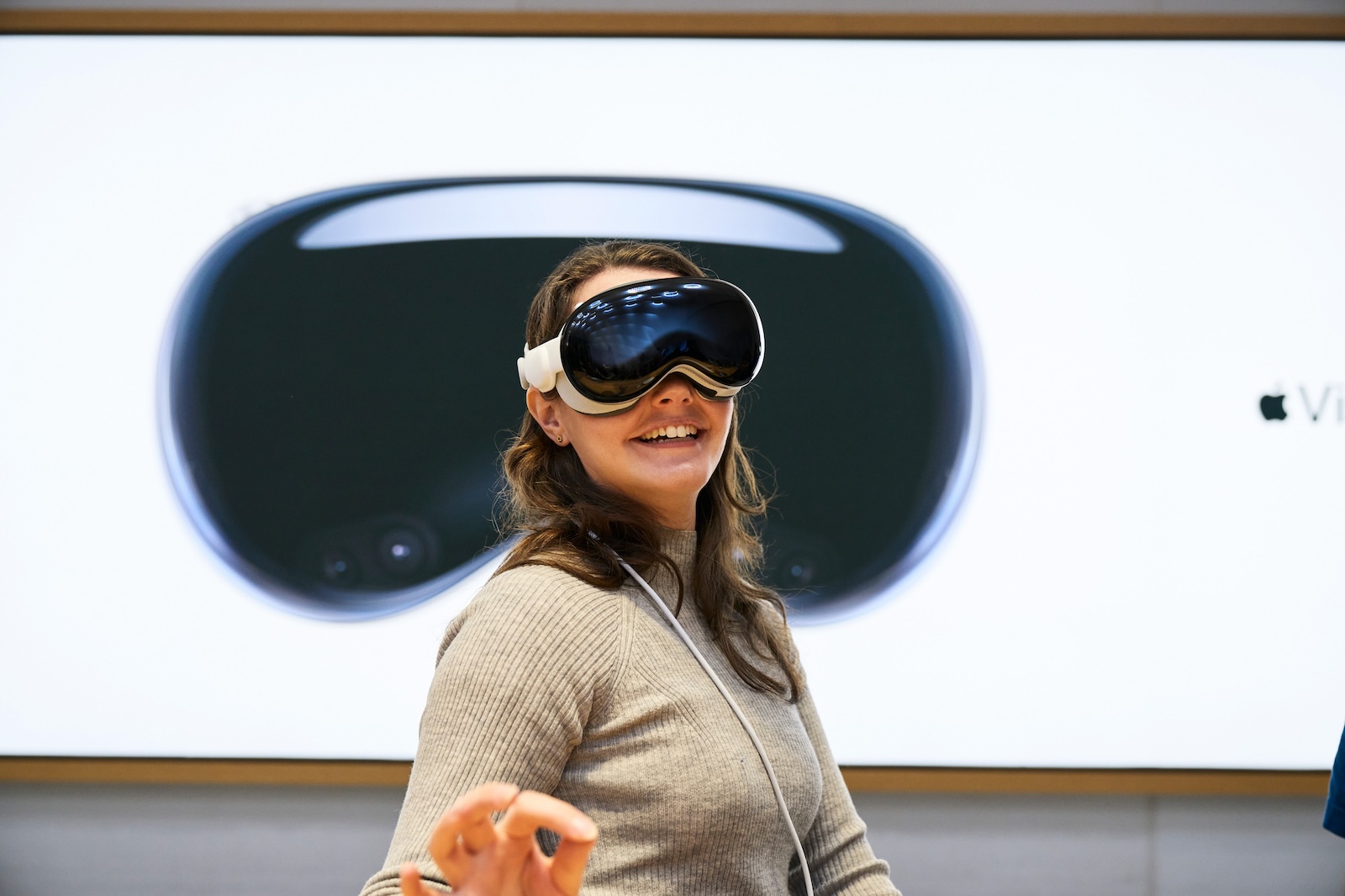
Apple Vision Pro dizziness

Image: Apple

WhatsAppFacebookEmail
Threads

The launch of the Vision Pro has caused a stir in the tech world. With its impressive technology and wide range of applications, the headset is seen as a game-changer in the world of augmented reality. But as with any new technology, there are challenges. One of them is the potential for dizziness. Below you'll find out how to avoid dizziness when wearing the Vision Pro.

Apple has updated its support documentation to provide tips and tricks for minimizing dizziness. These are especially important if you're sensitive to movement. With the right measures, you can use the Vision Pro safely and comfortably.

Pay attention to the movement symbol

Apple Vision Pro apps that have a high level of motion are marked with a special warning icon. This icon serves as an indicator that the app may cause dizziness. If you are new to using the headset or are sensitive to motion, you should start by using apps and media that do not have this icon.

Reduce motion settings

There is a special option to reduce motion in the Vision Pro settings. To do this, simply go to:

  • Settings
  • accessibility features
  • Movement
  • reduce movement

This setting helps to minimize excessive movements and thus reduce the risk of dizziness.

window arrangement and size

One of Apple's most important recommendations is to carefully arrange the windows in the virtual space. Make sure that the windows are not too far apart to avoid excessive head turning. In addition, you should reduce the size of the app windows. Small, centralized windows ensure that your field of vision is not overwhelmed and help prevent dizziness.

use of the digital crown

The Apple Vision Pro's Digital Crown allows you to increase the amount of the real world you see. By turning the crown, you can reduce the virtual part and see more of your actual surroundings. This helps maintain the balance between the virtual and real world and can reduce dizziness.

Be careful with certain apps and media

Apps that require frequent head and neck movements should be avoided, especially if you are sensitive to movement. Spatial videos recorded by other users may also contain strong movements. Be careful when selecting and using such content.

After using the headset

After using Vision Pro, Apple recommends that you ensure you can regain your bearings in your surroundings before engaging in activities that require balance, coordination, or spatial awareness. Also, avoid driving immediately after using the headset until you have fully recovered from any dizziness.

Avoid dizziness: How to use the Apple Vision Pro safely

The Vision Pro offers an impressive new way to interact with digital content, but it's important to listen to your body and take steps to avoid dizziness. By following Apple's tips and settings, you can ensure a comfortable and safe experience. Try the headset in-store before purchasing to make sure it's right for you, and enjoy the innovative technology the Apple Vision Pro has to offer. Looking for new accessories? Then check out our Amazon Storefront – there you'll find numerous products from leading manufacturers, including products for HomeKit and others! (Image: Apple)

  • Apple Vision Pro: Move and adjust app windows
  • Apple Vision Pro not responding? Restart instructions
  • Apple Vision Pro: Setting up and using guest users
  • Apple Vision Pro: Adjust volume – here's how
  • Apple Vision Pro: Reorient the view - here's how
  • Apple Vision Pro: How screen sharing works
  • Apple Vision Pro: How to create screenshots and videos
  • Apple Vision Pro: Connecting Bluetooth accessories – here's how
  • Apple Vision Pro: Charge the battery and check the status
  • Apple Vision Pro: Set up and use Optic ID securely
  • Apple Vision Pro: The most important gestures and controls

Make Apfelpatient a preferred source One click – and you'll see us more often on Google
Was this article helpful?
YesNo
Tags: Apple Vision ProApple Vision Pro Tips and TricksApple VR/ARvisionOS
SendShareSend
Share

Our Amazon Storefront

A handpicked selection of products for iPhone, Mac and more – sorted by topic and updated regularly.

Shop Now

This post contains affiliate links (including Amazon). We earn a small commission on qualifying purchases – at no extra cost to you. Learn more on our Partner Program page.

Previous Post

Apple Vision Pro: Move and adjust app windows

Next Post

Apple Vision Pro: Create immersive photos and videos

Milan Jovicic

Milan Jovicic

Milan founded Apfelpatient in 2016 and has been responsible for all editorial content since 2018 — news, rumors, guides, and product reviews. Apple devices here are not test units on loan for two weeks but everyday tools: from the iPhone through MacBook Pro, MacBook Air, and iMac to the Apple Vision Pro, at least one device from nearly every product category is in daily use, many of them replaced annually. Every menu path in a guide is verified on the device before it is published.

Customers crowding an iPhone launch day at the Apple Store on Fifth Avenue in New York, where the iPhone Ultra market launch is said to begin first

iPhone Ultra: Report expects staggered market launch

August 13, 2026 - 3:43 PM CEST
Symbolic image for Siri AI news: illustrated speech bubble with newspaper lines on a golden gradient

Siri AI: Apple will pay publishers for breaking news

August 13, 2026 - 03:07 CEST
Customers crowding an Apple Store as the US smartphone market lost five percent in sales during the second quarter

US smartphone market shrinks, iPhone 18 expected to be more expensive

August 12, 2026 - 23:47 CEST

About APFELPATIENT

APFELPATIENT brings you the latest Apple news, product updates, guides, reviews and tips across the entire Apple ecosystem — from the iPhone to the Mac to the Apple Vision Pro. From the first rumors to confirmed news: researched responsibly.

Follow Apfelpatient

Facebook Instagram YouTube Threads Threads

Company

  • About Apfelpatient
  • Contact
  • Author Profiles

Community

  • Netiquette
  • Push Notifications
  • RSS feed

Legal

  • Legal Notice
  • Privacy Policy
  • Terms of Use
  • Cookie Settings
  • Affiliate Program

Resources

  • Sitemap

© 2026 Apfelpatient. All rights reserved.

No Result
View All Result
  • Home
  • News
  • Rumors
  • Tips & Tricks
  • Reviews
  • Insights

© 2026 Apfelpatient. All rights reserved. Page Directory

Change language to Deutsch



