This article may contain affiliate links. Learn more on our Partner Program page.
Two weeks after switching from the Pro Max, my list of disadvantages has sorted itself differently than expected. I got over losing Face ID and the Action button faster than I thought. What slows me down is something I hadn't expected: the checkout.
The iPhone Duo has been my main device since October 23; before that, it was the Pro Max line for years. After the first few days with the iPhone Duo, the focus was on the hinge, the crease and the move from the 17 Pro Max. Now it's about what I miss, and about what I only thought I would miss. I've had the iPhone 18 Pro Max as a second device since September, so I'll also show what I still reach for it for. The technical specs are in the iPhone Duo overview, and more articles are on the iPhone Duo topic page. I bought both devices myself.
Key Facts at a Glance
- Touch ID is hardly an issue in everyday use because I always hold the Duo the same way. Each of the three registered fingers is recognized reliably.
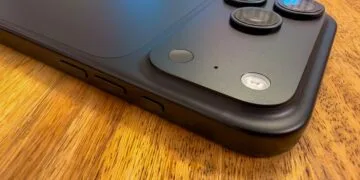
- Of all things, Touch ID slows me down when paying: after the double-click for Apple Pay, my finger has to go back on the button, and that doesn't always work on the first try.
- I take photos more and more often, and FaceTime calls almost always, with the 18 Pro Max. On the Duo, I miss the telephoto camera for that, and the inner camera is too weak.
- My MagSafe wallets are useless on the Duo because they stick out at the bottom.
- In most cases, I would advise a Pro Max user without a second device against switching. Anyone who mainly wants the large display for work gets a game changer.
Touch ID: Unremarkable in Everyday Use, Not at the Checkout
After years with Face ID, Touch ID felt unfamiliar at first. These days I barely notice it most of the time, with one exception I'll get to in a moment. I only recently realized why it otherwise works so smoothly: I always hold the Duo the same way in every position, so the button is always in the same place.
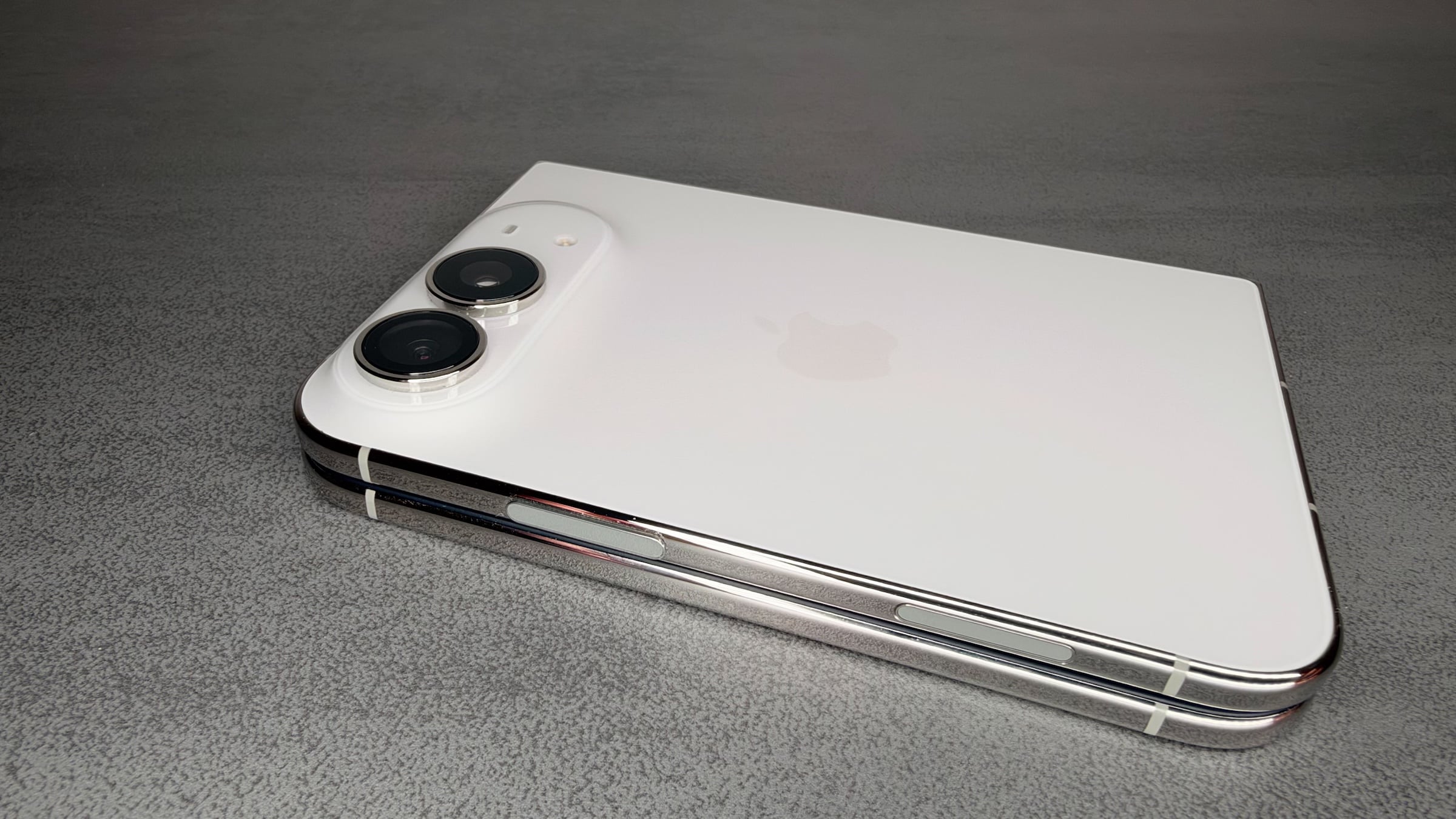
When it's folded, I almost always hold it in my right hand, so my right thumb takes over. Unfolded in landscape, the button is always on the right for me, because to me the cameras belong on that side. In portrait, I hold it with the cameras at the top, so the button sits at the top left and my left index finger takes over. That applies when streaming, gaming and writing.
I've registered three fingers: thumb and index finger on the right, index finger on the left. No matter which one I use and how the device is positioned, the input has been recognized immediately so far. Banking apps, the password manager and all other apps that would otherwise use Face ID unlock without any issues. Anyone who constantly holds the Duo differently will have a harder time and should register three to four fingers. If pressing the button takes too long for you, you can set it so that resting your finger unlocks it directly.
Volume isn't an issue for me either, ever since I adjusted how the volume buttons behave when rotating the device.
Paying with Apple Pay
With Face ID, paying was one smooth motion: double-click, face recognized, iPhone to the terminal, done. On the Duo, I trigger the double-click with my thumb, and then Apple Pay wants my finger again for confirmation. At first, I held the iPhone to the terminal and nothing happened until I remembered the confirmation.
These days, I simply leave my thumb on the button after the double-click. That speeds things up, but for roughly every second or third payment, the system doesn't recognize the input this way. Then I have to lift my thumb and place it again, and only then does it work. Because I pay with Apple Pay whenever I can, this is the only point where Touch ID really slows me down.
That's why I'd like a mix of both: Face ID for the folded device, so paying is quick again, and Touch ID for the inner display. I think it's unlikely that Face ID will replace Touch ID entirely, because the sensor would have to work both folded and unfolded. Apple is said to be testing prototypes with Face ID already. I don't want to rule it out, but I'm not counting on it either. It would be nice, and I'll be following the next reports on it closely.
I Forgot About the Action Button Faster Than Expected
On my Pro Max models, the Action button was set to Shazam and nothing else. On the Duo, I now launch Shazam via a control on the Lock Screen that sits at the bottom right above the camera. It felt strange at first, but I've gotten used to it.
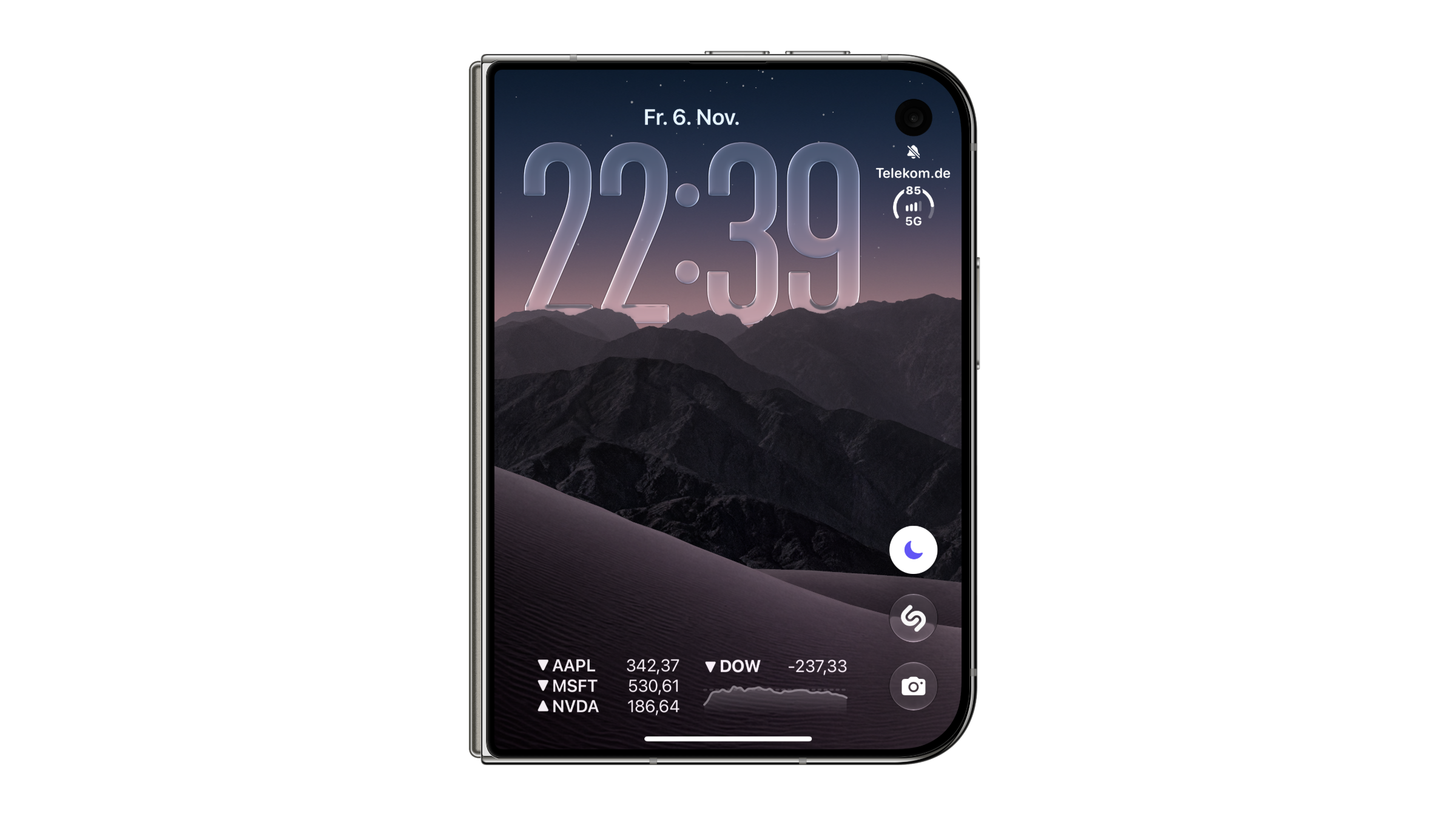
I hardly use Camera Control on the 18 Pro Max. I would have found it more sensible if Apple had dropped Camera Control on the Duo instead of the Action button, or if it could take over the Action button's function. According to a leak, that's exactly what will happen with the iPhone 20, where the Action button is said to be merged into Camera Control.
Camera and FaceTime: This Is Where I Reach for the 18 Pro Max
For taking photos, I now reach for the 18 Pro Max more often. I'm used to shooting with the Pro Max, and it has more to offer, especially the optical zoom. I like to use it now and then, and that's where the Duo falls short. And I'm not even the type who gets the most out of a camera.
| Camera | iPhone Duo | iPhone 18 Pro Max |
|---|---|---|
| Main camera | 48 MP, 26 mm, ƒ/1.6 | 48 MP, 24 mm, variable aperture ƒ/1.48 to ƒ/4.0 |
| Zoom | 2x from the main camera | 4x telephoto with 48 MP, up to 8x optical quality |
| Front camera | outside 12 MP, inside under-display camera with ƒ/1.8 | 18 MP |
I notice the difference more clearly with FaceTime. The outer display is too small for video calls, and the camera behind the inner display delivers images that are too poor. That's why I almost always use the 18 Pro Max for FaceTime, unless I make the call on the iPad Pro right away.
Folded: Outer Display and One-Handed Use
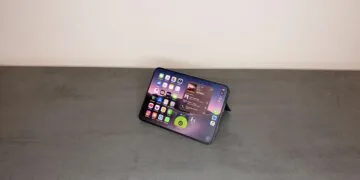
I don't miss anything from the Pro Max on the outer display. I use the large display around 95 percent of the time anyway, and the outer display only for a quick glance at new messages or in bed at night. Always-On is available there too.
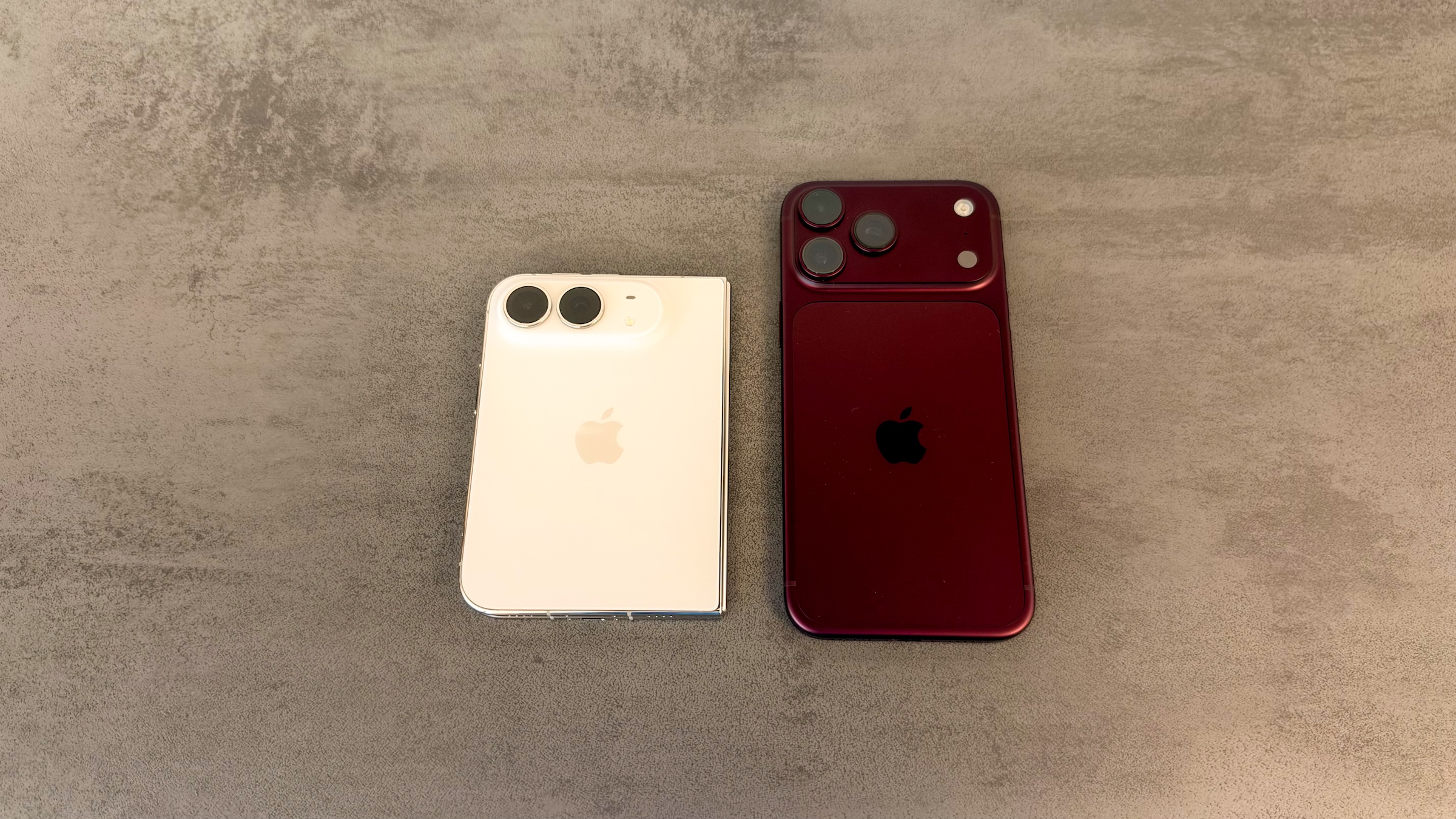
When folded, I can use the Duo with one hand without any problems. I'm left-handed but do most things with my right hand, and it sits comfortably there, with every part of the display within reach. When I pick up the Pro Max afterward, it suddenly looks strikingly narrow and tall.
As a test, I held the Duo in my left hand for a while. It sits comfortably there too and works perfectly. If you hold it in your left hand, you should also register your left middle finger for Touch ID to stay flexible.
MagSafe Accessories: Wallets No, Charging Stations Yes
When it comes to accessories, the MagSafe wallets are what's affected for me. When a wallet snaps into the optimal spot, it sticks out at the bottom because of the shorter design, which makes all my wallets useless on the Duo. It will be interesting to see how accessory makers respond to the new format.
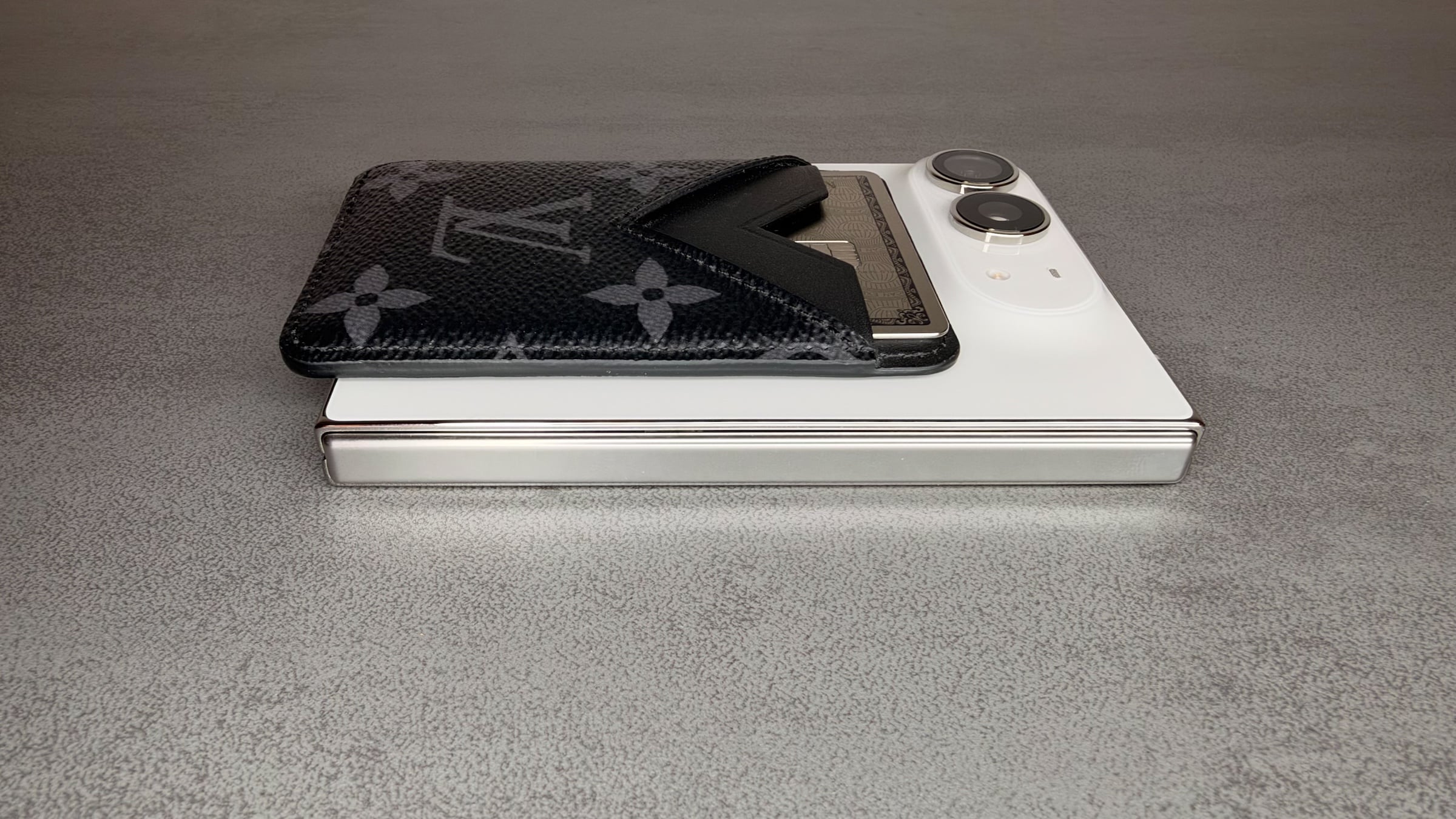
My Nomad charging stations, on the other hand, keep working as usual. On the Base One Max, the Duo lies flat and charges like any other iPhone. The Base One Max is no longer available to buy; Nomad has switched to the upright Stand One Max, which lets you use StandBy. The folded Duo holds there without any problems too, as the magnets are strong enough.
The 18 Pro Max Is My Device for Betas
The 18 Pro Max has a fixed role for me: it runs the betas I report on. I also use it for texting and calls, because each of the two devices has its own number. I only carry both with me every day in certain cases.
When I switched from the 17 Pro Max to the Duo, the eSIM with my number moved over via Quick Start. During setup, the system asks whether you want to bring your number along, and the transfer is quick. I'm with Telekom and do it this way every time I switch devices; for me, it's almost easier than fiddling with the SIM tray and pin. Moving it over during Quick Start is just one of several ways to set up an eSIM on the iPhone.
Who Should Switch From the Pro Max
I missed Face ID and the Action button at first, but got over it faster than I expected. That's thanks to the inner display: two apps in Split View, a completely redesigned Home Screen and, above all, long texts for which I no longer switch to the iPad Pro or MacBook. For the first time in years, an iPhone is really fun again, because the form factor and the possibilities are new.
Still, I would usually advise a Pro Max user without a second device against switching. You buy an iPhone for several years, and if you make full use of the camera, the Duo is the wrong choice. On the other hand, anyone who mainly wants the large display to work more productively and has been carrying an iPad around for that gets a game changer and only needs to take one device along.
I don't usually recommend insurance. With the Duo, though, I would consider AppleCare, because it's simply too expensive to go without, as the repair costs for the iPhone Duo show.
Would you give up Face ID and the telephoto camera for the large display, or is slower paying with Apple Pay already a deal-breaker for you? Tell us in the comments which disadvantage weighs heaviest for you.