This article may contain affiliate links. Learn more on our Partner Program page.
This fall, Apple is launching a series of new features with iOS 26, iPadOS 26, macOS Tahoe 26, watchOS 26, visionOS 26, and tvOS 26, designed to help you as a parent better support your children and teens in their digital lives. The goal is to ensure children see age-appropriate content from the start and give you more control over your family's security and privacy. These new features have a profound impact on existing features like Screen Time, Family Sharing, and App Store security.
Apple has been working for years to make its products safer for families. With this new update, Apple takes another step to make it easier for you to manage child accounts, automating protections, and protecting data privacy. It's especially important that children and teens are protected right from the start when setting up their device—whether it's an iPhone, iPad, or another Apple device.
Simplified management of children's accounts
Apple has long supported so-called child accounts. These must be linked to a parent or guardian account in a Family Sharing group and are mandatory for children under 13, but are optional for children up to 18 years old. What's new is that you can now customize the setup process more flexibly. If you decide to complete setup later, secure default settings will automatically remain enabled. This feature is already available with iOS 18.4, iPadOS 18.4, and macOS Sequoia 15.4.
- Important: If your child is under 13, you'll be prompted to link the account to your family group. After that, you'll have access to all parental control features—with age-appropriate presets by default.
Share age group anonymously with apps
Apple is introducing a new feature that lets you anonymously share your child's age group with apps. Developers don't receive birth dates, just information like "under 13" or "13-16." You decide whether this age group is always shared, never shared, or shared with every request—and you can adjust this decision at any time in the settings. Children can't change this sharing option without your permission.
- For you, this means: Your child receives appropriate content without unnecessarily disclosing private data. App developers can offer appropriate content using the new "Specified Age Group" API.
Protective measures now also automatically active for young people
Apple now enables protection measures by default for teens between 13 and 17 years of age – even if their account isn't set up as a child account. This primarily affects web filters, communication security, and advanced age ratings in the App Store. This closes the security gap between child and adult accounts.
More detailed age ratings in the App Store
Apple will be making greater distinctions between the ages for which apps are intended. In addition to the general age rating, there are now additional categories: 13+, 16+, and 18+. This helps you better assess whether an app is suitable for your child. These ratings are deeply integrated into all Apple operating systems and work with existing tools like Screen Time or "Purchase with Permission."
Communication security expanded
A key new feature is that your child now has to ask for your permission if they want to communicate with an unknown number. Approval is granted directly in the Messages app, with a tap. Later, developers can integrate the same feature into their apps using the new PermissionKit framework—for example, if a child wants to add someone to an app.
More transparency in the App Store and flexible exceptions
Apple will now more clearly indicate on app pages whether apps contain user-generated content, advertising, or integrated parental controls. If you've set content restrictions, apps that exceed these limits will automatically disappear from your child's visible App Store—whether in the "Today" view, categories, or editorial recommendations. If your child still wants to download a specific app, you can allow specific exceptions by activating the "Ask to Buy" feature—and revoke this decision at any time. This also works via the Screen Time settings.
Improved protection for media content
Communications Security now detects nudity in FaceTime video calls and automatically blurs such content. The same applies to images in shared photo albums. Your child will be warned about potentially problematic content and can request help—a protection that is automatically activated if the appropriate settings are set.
- iOS 26: When will the new update for the iPhone be released?
- iOS 26 & Co.: These Apple devices will receive updates
- iOS 26 explained: Why iOS 18 will not be followed by iOS 19
Data protection remains a central component
Apple makes it clear: Even with all these new options, data protection remains its top priority. No advertising for children under 13, no personalized advertising for older children, no hidden tracking by app developers. You control what data your child can share—such as location—and can change everything at any time.
Existing tools will be retained and supplemented
Apple combines the new features with proven tools:
- Age ratings and content filters for apps
- “Buy with permission” for in-app purchases
- “Find My” to locate devices and family members
- Communication security for images containing nudity
- “Made for Kids” apps with particularly strict data protection rules
- Restrictions on Apple advertising
- Ban on advertising tracking for children
- Decision options for data access requests
- Security alerts for problematic third-party apps
Developers receive new tools
To help developers better support you, Apple is providing new frameworks:
- ScreenTime framework for integrating screen time features
- Tools to control device settings, activities, and time limits
- SensitiveContentAnalysis for detecting and pixelating sensitive images
- Media Ratings for the integration of age ratings for films and series
Child safety: More protection and control with the next Apple updates
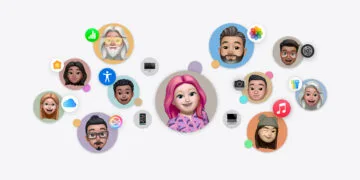
Starting in fall 2025, Apple will offer new parental control features with iOS 26, iPadOS 26, macOS Tahoe 26, watchOS 26, visionOS 26, and tvOS 26 – free and built-in. You can set up child accounts more easily, share age groups anonymously with apps, enable protections for teens, and better utilize age ratings. Communication security will be enhanced, while data protection remains central. Everything is integrated, without complicated settings. The new tools complement existing features like Screen Time and "Ask to Buy." You have full control – Apple doesn't collect sensitive data. Ideal for families who want security and control. (Image: Apple)
- Apple shows new design with Liquid Glass on all devices
- Apple Intelligence: New AI features in focus
- AirPods Update: Control Studio Sound and Camera via Stick
- visionOS 26 at a glance: All new features and improvements
- watchOS 26 – All new features at a glance
- macOS 26 in detail: New design, AI and more
- iPadOS 26: New design, AI features, more control
- iOS 26 introduced: Apple brings major innovations to the iPhone
- Apple presents new developer tools for modern apps
- tvOS 26 significantly improves Apple TV – all information about the update