

This article may contain affiliate links. Learn more on our Partner Program page.
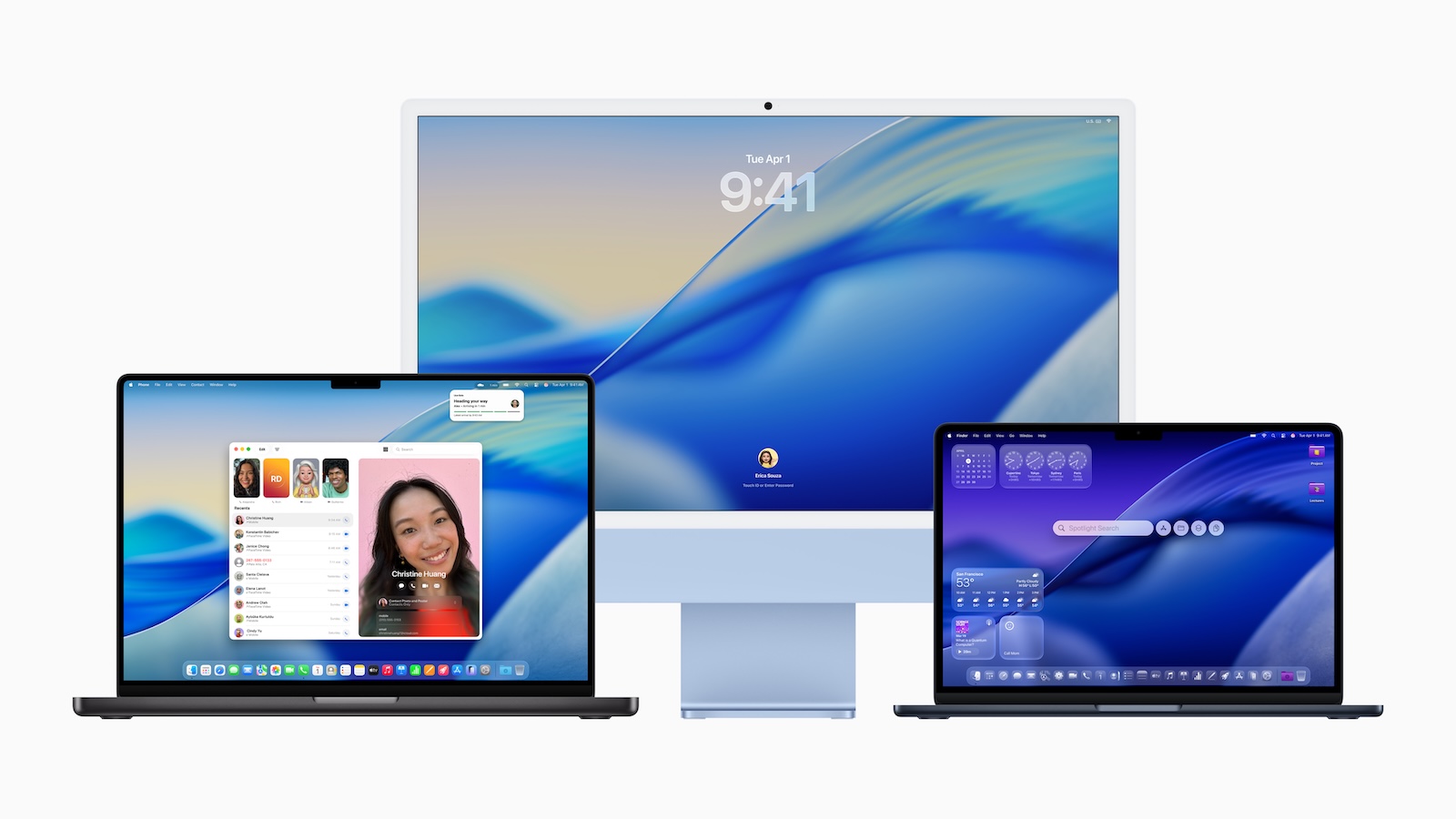
Apple is releasing a major system update for the Mac with macOS 26, the official successor to macOS Sequoia. The new version is called macOS Tahoe and delivers redesigned design elements, more customization, better integration with iPhone, and significantly expanded features powered by Apple Intelligence. Spotlight is getting its biggest update since its launch, and macOS 26 also brings significant improvements for gaming fans.
macOS 26 is aimed at anyone who wants to use their Mac more efficiently, more personally, and more intelligently. Whether you're on the go a lot, use your Mac every day, or simply value a modern system – this update brings innovations in almost every area. With Tahoe, Apple is pursuing a clear course: better connectivity to iPhone, more automation, and a Mac experience that's more adaptable to your everyday life.
New design and more personalization
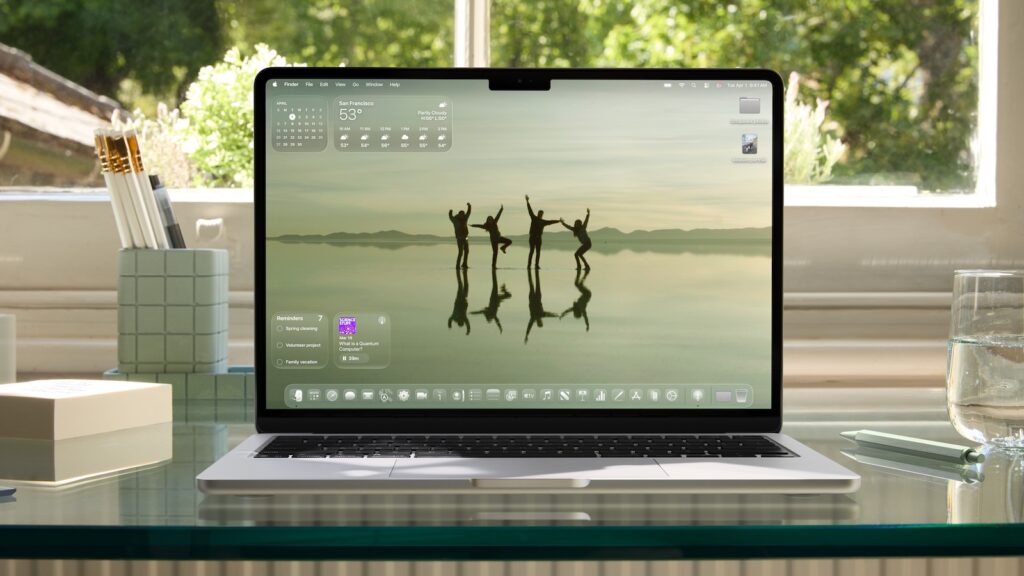
macOS 26 introduces a new design based on a material called Liquid Glass. This reacts to the environment, appears translucent, and adds more depth to the screen. Menu bars are now completely transparent, and toolbars and sidebars have been visually simplified. App icons are available in light and dark versions, as well as with new color accents. Folders can now be customized with colors and icons or emojis. Widgets and the Control Center can also be customized. Overall, the system is more customizable than before, without changing the familiar macOS layout.
Better continuity with iPhone features
The iPhone Phone app is coming to your Mac. It lets you answer calls, access voicemails, and search contacts directly on your Mac. There are two new features: Call Screening, which automatically asks unknown numbers why they're calling, and On-Hold Assist, which keeps your phone on hold while you continue working on your Mac. Your Mac now also displays live activity from your iPhone—like flight information, sports scores, or an in-progress Uber ride. These appear in the menu bar. Clicking on them opens the app via iPhone mirroring (iPhone mirroring is not available in the EU).

Spotlight becomes the central work tool
Spotlight is getting its biggest update since its launch. Search results are clearly and intelligently sorted. There are new filters for file types, cloud content, and messages. A particularly useful feature: You can perform hundreds of actions directly from Spotlight—write emails, create notes, start podcasts, launch shortcuts, or use features in the currently open app. Also new are quick access buttons that let you launch specific actions directly, as well as browser views for browsing apps, files, and the clipboard. Spotlight learns from your habits and suggests personalized actions.
Apple Intelligence brings smart features
Apple Intelligence becomes more comprehensive with macOS 26. Most importantly, all AI functions run locally or via private cloud compute, which ensures data protection.
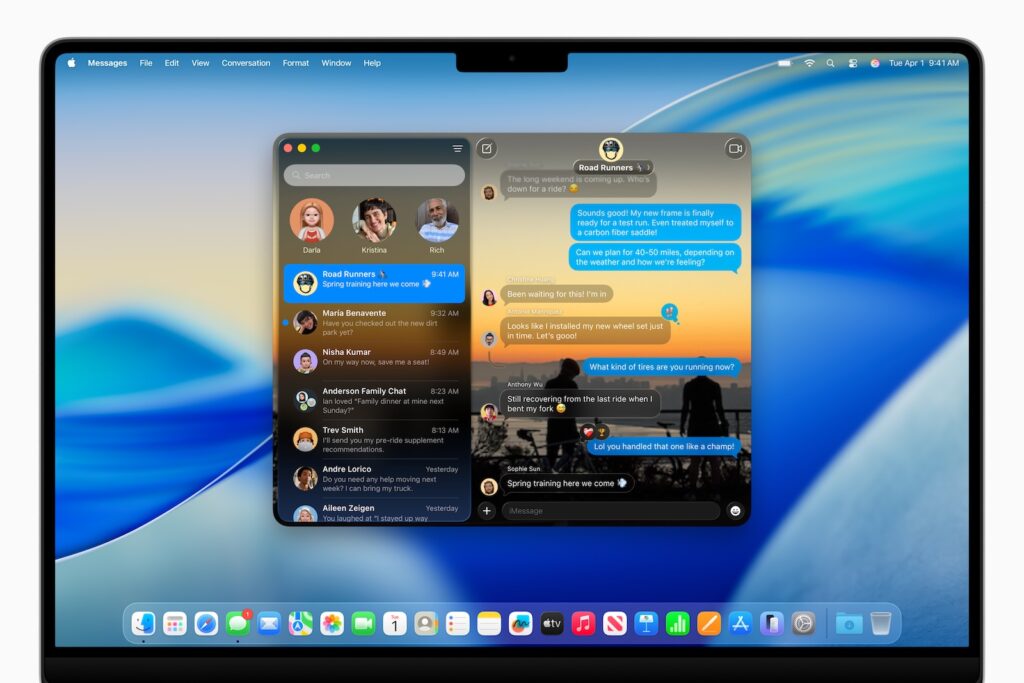
- Live Translation is integrated directly into Messages, FaceTime, and the Phone app. Text and speech are translated in real time, although the language selection varies by app.
- With Genmoji, you can create emojis based on descriptions or your own customizations. Image Playground lets you generate your own images—even in styles like oil paintings or vector drawings.
- Shortcuts benefit from intelligent actions. For example, you can automatically summarize text, analyze audio files, create images, or use external tools like ChatGPT. Shortcuts can also be automated, for example, at set times or when you save a file.
Productivity features and reminders
macOS 26 analyzes content such as emails, web pages, or notes and automatically identifies tasks or appointments from which reminders can be created. Reminders are automatically grouped by topic. The goal is a structured overview without you having to organize everything manually.
Gaming on the Mac becomes more professional
The new Apple Games app brings your games together in one place. You can discover new titles, access saved games, and interact with friends. The Game Overlay lets you change settings or chat while playing without leaving the game. A new power saving mode extends battery life while gaming. Metal 4 brings modern graphics technologies like MetalFX frame interpolation and denoising. This ensures smoother frame rates and improved visuals—especially on M3 and M4 Macs with ray tracing support. New titles like Crimson Desert, InZOI, Cyberpunk 2077, Lies of P: Overture, and HITMAN World of Assassination have been announced for macOS.
Further innovations in the system
- According to Apple, Safari 26 is 50% faster than Chrome on frequently visited sites and offers up to four hours more battery life when streaming
- The News app now has backgrounds, polls, group tip displays, and an improved search function
- Journal is now available on Mac. You can keep multiple journals, sync them, and add maps or photos.
- The Photos app has been redesigned, with pinned collections, new filter options, and customizable tile size
- FaceTime now has a redesigned home page with contact posters, floating controls, and direct access to features like live translation
- The notes app supports Markdown import/export and can record and transcribe phone calls
- New accessibility features such as screen magnifier via Continuity Camera, system-wide reading mode, Braille access and motion cues to combat motion sickness
- With the updated Passwords app, you can track and manage changes to saved logins
Availability and compatibility
macOS 26 is currently available as a developer version. A public beta will be released in July. The official release will be a free update in fall 2025. Apple Intelligence requires certain devices, including Macs with M1 or later. Supported languages for AI features include English, French, German, Spanish, and Japanese. More languages will follow by the end of the year.
macOS 26: More than just a new design
macOS 26 brings not only a visual update , but also functional improvements. Apple focuses on the seamless connection between Mac and iPhone, automation through AI, and a customizable system that thinks along with you. Spotlight becomes the center of work, Apple Intelligence expands capabilities, and gamers also benefit from new tools and titles. For anyone who wants to use their Mac more productively in everyday life, macOS Tahoe is a worthwhile upgrade. (Image: Apple)
- Apple Intelligence: New AI features in focus
- AirPods Update: Control Studio Sound and Camera via Stick
- visionOS 26 at a glance: All new features and improvements
- watchOS 26 – All new features at a glance
- iPadOS 26: New design, AI features, more control
- iOS 26 introduced: Apple brings major innovations to the iPhone
- Apple presents new developer tools for modern apps
- tvOS 26 significantly improves Apple TV – all information about the update
- Apple shows new design with Liquid Glass on all devices





