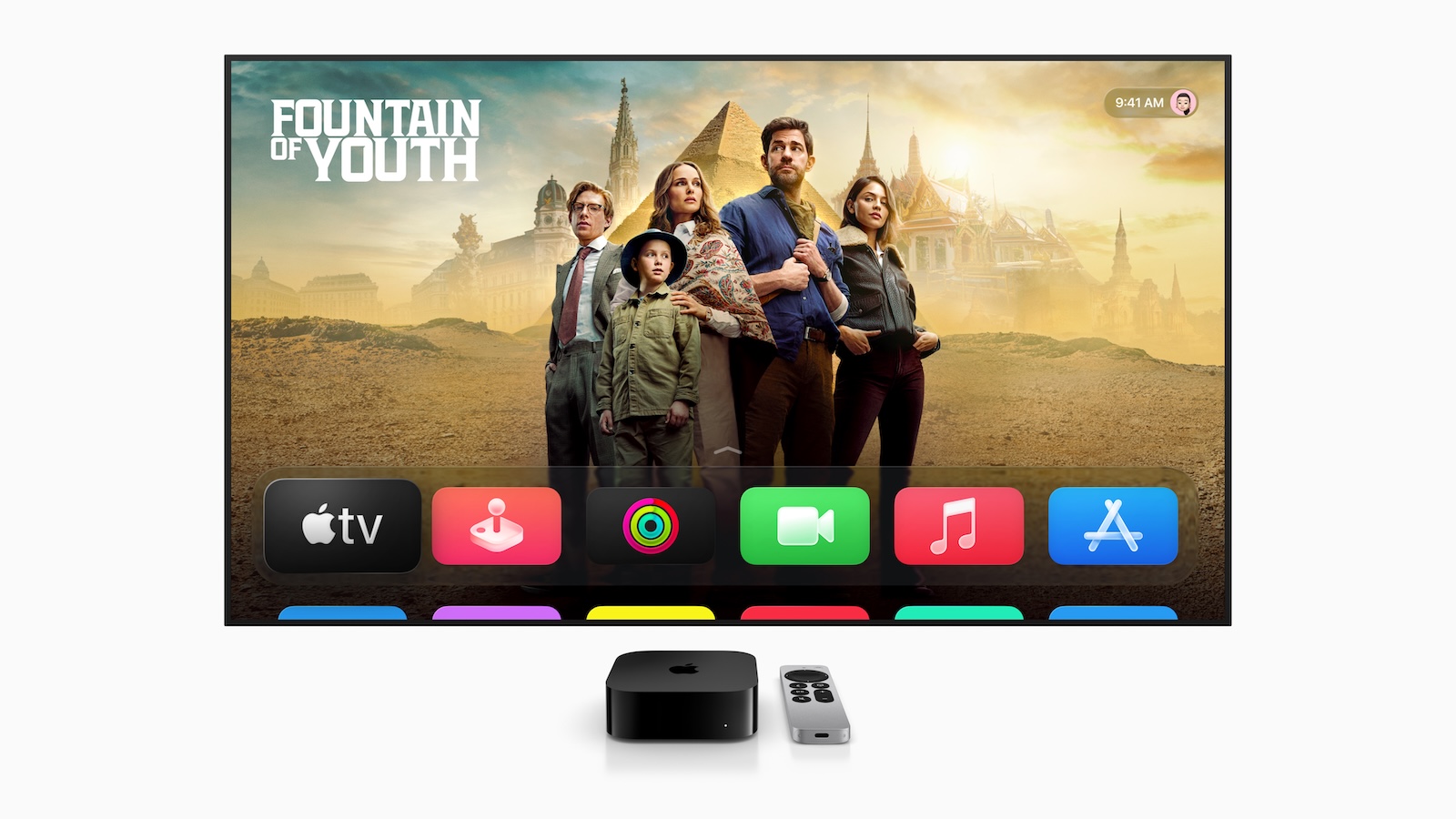
Apple has introduced tvOS 26. The update brings a redesigned design, new features for Apple Music Sing, improvements to FaceTime, and many other updates. tvOS 26 not only makes the Apple TV more visually modern, but also more practical in everyday use. It's aimed at anyone who likes to keep their entertainment system up to date and values a smooth, personalized user experience.
With tvOS 26, Apple TV gets a new design called Liquid Glass, which puts even more emphasis on content. At the same time, there are many new features that simplify access to series, movies, music, and contacts. Developers also benefit from new app integration options. The update runs on Apple TV 4K and later, the second generation, and will be officially rolled out this fall. A developer beta is available now, with a public beta following next month.
New design with Liquid Glass
tvOS 26 brings a redesigned design using a new material called Liquid Glass. It reflects the surroundings in real time, creating a more vibrant look. Content stays front and center while navigating—whether you're rewinding, adjusting the audio, or setting a sleep timer. The Control Center has also been updated, with a new "Movie Night" scene that focuses on the current program.
More overview in the Apple TV app
The Apple TV app has been visually redesigned. Series and movies are now presented in cinematic posters. This makes browsing easier and navigation more intuitive. At the same time, more content is displayed simultaneously. Users can now set their own profile to load automatically when they turn on their Apple TV. This takes you directly to their personal recommendations, playlists, and watchlists.
Easier sign-in with Apple Account
tvOS 26 features a new developer API that lets you set up apps directly through your Apple account. This means fewer password entries and faster access to your favorite apps, shows, and movies, especially when setting up a new Apple TV.
Apple Music Sing with iPhone as a microphone
The karaoke feature "Sing in Apple Music" is getting an update with tvOS 26. Starting now, you can use your iPhone as a microphone, creating a truly live singing experience. Additionally, each participant can add songs to the queue and react with emojis on the TV screen. New features include lyrics translations and pronunciation assistance, allowing you to sing along to songs in foreign languages. Translations from English to Chinese, Japanese, and Spanish, as well as romanizations for languages like Hindi, Cantonese, and Korean, are supported.
FaceTime becomes more personal and accessible
FaceTime on Apple TV now displays contact posters, including the caller's photo and name. This makes the user interface more personal. Live captions are now available in additional languages, including German, French, Spanish, Korean, Japanese, and Mandarin. FaceTime audio and traditional phone calls appear directly on the screen when you're signed in with your Apple account. Calls can then also be answered using HomePod or iPhone.
New screensavers from India
tvOS 26 brings new aerial photography from India to your screen, including landscapes from Goa and Kerala. You can now choose which types of screensavers to show or hide, such as cityscapes, Earth views, landscapes, or underwater shots.
Set permanent AirPlay speakers
Another new feature allows you to permanently set an AirPlay-enabled speaker as the default output for Apple TV. This is especially useful if you have a fixed home theater setup.
Availability
The developer beta of tvOS 26 is available now through the Apple Developer Program. A public beta will be released next month through the Apple Beta Software Program. The final update will be released this fall and is free. It runs on second-generation Apple TV 4K and later. The new Apple Music Sing features require an iPhone 11 or later with an Apple TV 4K (3rd generation) and the latest software.
tvOS 26 brings noticeable improvements to everyday life
tvOS 26 is a well-thought-out update that enhances design, usability, and functionality. It not only brings a more modern look, but also improves access to personal content and meaningfully expands Apple Music and FaceTime. If you use your Apple TV regularly, the update is definitely worth it. (Image: Apple)
- Apple Intelligence: New AI features in focus
- AirPods Update: Control Studio Sound and Camera via Stick
- visionOS 26 at a glance: All new features and improvements
- watchOS 26 – All new features at a glance
- macOS 26 in detail: New design, AI and more
- iPadOS 26: New design, AI features, more control
- iOS 26 introduced: Apple brings major innovations to the iPhone
- Apple presents new developer tools for modern apps
- Apple shows new design with Liquid Glass on all devices