

Apple has introduced a comprehensive suite of new tools and technologies specifically designed for developers. The goal is to make building apps across all Apple platforms easier, more efficient, and more modern. The focus is on local AI capabilities, new design capabilities, an optimized developer experience, and powerful tools for gaming, accessibility, and child safety.
If you're developing apps for iPhone, iPad, Mac, or other Apple devices, Apple's new features give you everything you need to build modern, powerful, and secure applications. Apple remains true to its well-known approach: The systems and tools are powerful, protect user privacy, and provide consistent, high-quality user experiences.
Apple Intelligence and Foundation Models Framework
With Apple Intelligence, Apple is introducing a new framework that makes large language models available directly on the device. This allows you to integrate AI-powered features into your app without user data leaving the device. Apple offers free inference capabilities that work completely offline. The Foundation Models framework supports Swift and allows you to use the models with just three lines of code. Features such as tool calls, guided generation, and more are directly integrated. One example: The app Day One uses the framework to provide smart, privacy-preserving features.
Xcode 26 with integrated AI support
Xcode 26 brings large language models directly into your development environment. You can use them to write code, test it, document it, debug it, and even perform design iterations. ChatGPT is built into Xcode and can be used without an account. If you prefer, you can use your own model or connect to an existing account to query more. Additionally, there are new coding tools that suggest context-sensitive actions directly in your code. Navigation, localization, and voice control have also been redesigned. You can now dictate Swift code and operate Xcode entirely by voice.
New software design with Liquid Glass
All Apple platforms are getting a new design that puts more emphasis on content. It's based on the "Liquid Glass" material, which combines the look of glass with fluid motion. It's being used system-wide—from buttons to sliders to navigation bars. With SwiftUI, you can apply the new design directly to your app. The design feels modern yet instantly familiar.
Icon Composer App
Apple is also introducing a new tool: the Icon Composer app. This lets you design attractive app icons with layers, transparency effects, reflections, and color previews. The goal is to create a consistent visual identity across all platforms.
App intents with visual intelligence
App intents allow you to deeply integrate your app into the system—for example, with Siri, widgets, or Spotlight. Visual intelligence is new: Your app can provide visual search results that allow users to jump directly into the app. Etsy already uses this to make products discoverable using image information.
Swift 6.2: More performance and compatibility
Swift 6.2 brings improvements in performance, concurrency, and compatibility with other languages such as C++, Java, and JavaScript. Support for WebAssembly is new. You can now also run modules or files on the main actor by default, without additional annotations.
Containerization framework for Mac
A new framework allows you to create, download, or run Linux container images directly on your Mac. It's based on an optimized open-source framework for Apple Silicon and ensures secure isolation between containers.
Game Porting Toolkit 3 and Metal 4 for game developers
With the Game Porting Toolkit 3, you can bring games to macOS more efficiently. The toolkit offers new options for profiling and optimization. You get a customizable performance HUD for analyzing your graphics code. Mac Remote Developer Tools make it possible to develop games for Mac from a Windows PC. Metal 4 is specifically designed for Apple Silicon and supports advanced graphics and machine learning techniques. You can run inference networks directly in the shader, for example, for realistic lighting or materials. MetalFX frame interpolation and denoising improve frame rates and enable real-time ray tracing.
New gaming features in Game Center
Players can now access Game Center features directly in-game, such as scores, friends, and chat. Challenges transform single-player games into multiplayer experiences where users can challenge each other. Developers can easily enable this via Game Center leaderboards. There are also managed background resources: You decide whether Apple or you host the content. 200 GB of hosting is included in the Apple Developer Program.
Tools to protect children
Apple is expanding its parental control features. A new API lets you provide age-appropriate content without requesting birth dates. Age information is only shared with parental consent. Apple also offers tools for analyzing sensitive content and parental controls.
Accessibility in the App Store and App Store Connect
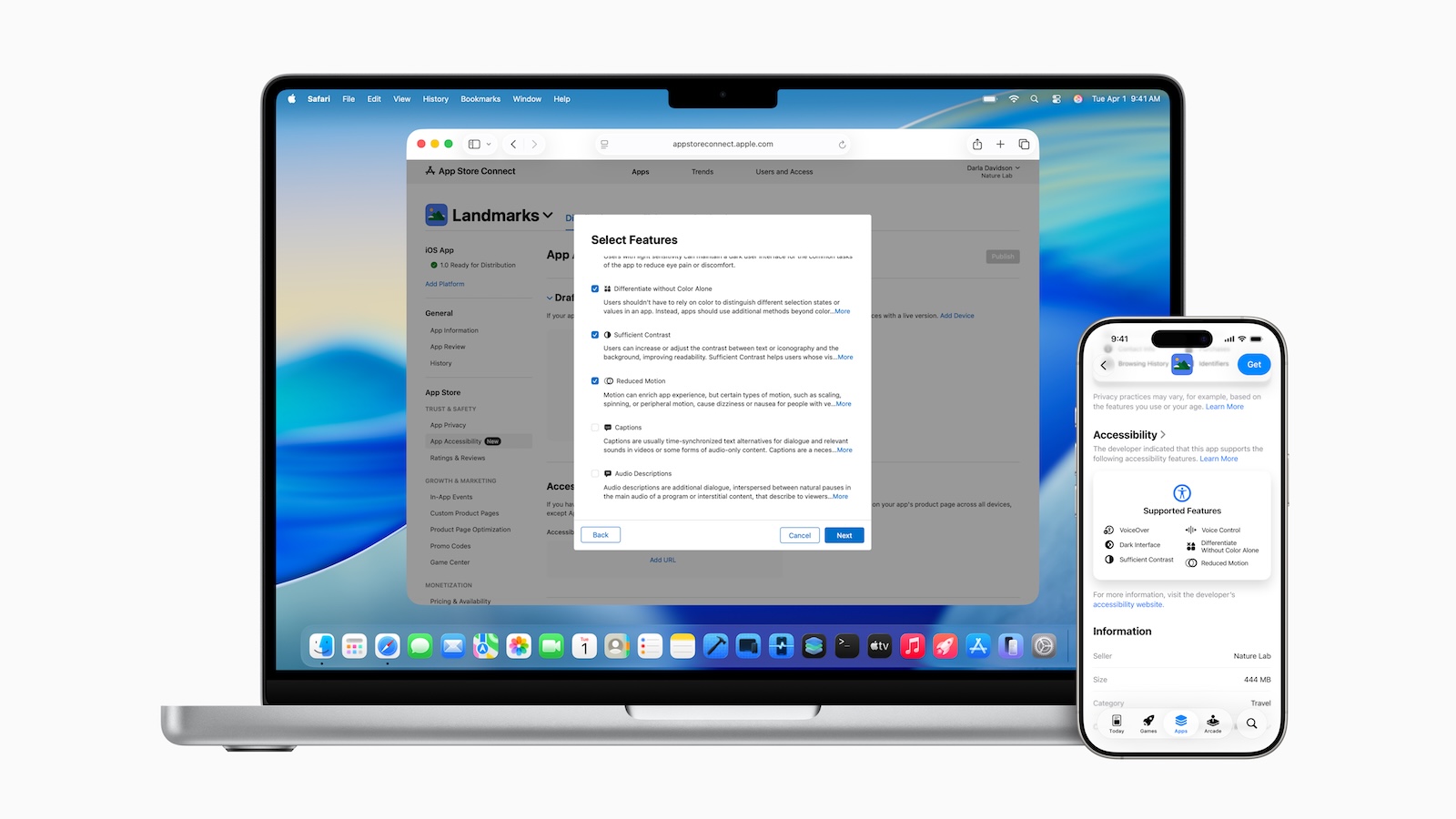
New information in the App Store shows users in advance which accessibility features your app supports—e.g., VoiceOver, larger fonts, or voice control. In App Store Connect, you can now manage this information and even link to your own information page. The App Store Connect app has also been enhanced: You can view TestFlight screenshots and crash feedback directly, and you'll receive push notifications when testers provide feedback.
Availability
All new tools and features are available now through the Apple Developer Program at developer.apple.com. A public beta will be released next month through the Apple Beta Software Program. Apple Intelligence requires compatible devices—e.g., iPhone 16, iPhone 15 Pro, iPad mini (A17 Pro), Macs with M1 or later—and a supported language setting (English, French, German, Spanish, and others). Additional languages, such as Turkish and Vietnamese, will follow by the end of the year. Not all features are available in all regions.
Apple combines innovation with developer friendliness
With these new developments, Apple provides developers with powerful, versatile, and well-integrated tools . Whether AI, design, gaming, privacy, or accessibility—all areas are well-thought-out and practical. You can get started right away, test everything, and rely on an ecosystem that is continuously evolving. (Image: Apple)
- Apple Intelligence: New AI features in focus
- AirPods Update: Control Studio Sound and Camera via Stick
- visionOS 26 at a glance: All new features and improvements
- watchOS 26 – All new features at a glance
- macOS 26 in detail: New design, AI and more
- iPadOS 26: New design, AI features, more control
- iOS 26 introduced: Apple brings major innovations to the iPhone
- tvOS 26 significantly improves Apple TV – all information about the update
- Apple shows new design with Liquid Glass on all devices





