iOS 26 installs on every iPhone from the iPhone 11 onwards. However, the most noticeable features of the update only run on a subset of these devices: Live translation, visual intelligence, and image generation require Apple Intelligence, which starts with the iPhone 15 Pro. Other new features draw the line somewhere else entirely – the depth effect on the lock screen works from the iPhone 12 onwards.
Apple ties the features of iOS 26 to two different prerequisites. The larger part depends on Apple Intelligence and therefore on an iPhone 15 Pro or newer; the requirements are listed in the support document on availability and system requirements. The smaller part depends on individual hardware features and dates back further.
Whether your device will receive the update is clarified in the overview of compatible Apple devices. This section addresses the question: which new feature requires which model? The complete feature set for each generation is detailed in the iOS 26 announcement, and the iOS 27 reference explains how the current generation defines the boundaries.
Key Facts at a Glance
- iOS 26 runs on iPhone 11 and later, but the AI features only work on iPhone 15 Pro and later.
- Live translation, visual intelligence, Genmoji, Image Playground, smart shortcuts, reminder suggestions, and shipment tracking in Wallet all depend on Apple Intelligence.
- The depth effect on the lock screen does not require Apple Intelligence and works from iPhone 12 onwards.
- Live translation supports German from the start, but the calendar import via visual intelligence only supports English.
- New styles in Image Playground run over ChatGPT and leave the device.
Which function does which iPhone require?
| Feature | Expires | Basis |
|---|---|---|
| Live translation in messages, phone and FaceTime | iPhone 15 Pro | Apple Intelligence |
| Visual intelligence for screen content | iPhone 15 Pro | Apple Intelligence |
| Smart actions in shortcuts | iPhone 15 Pro | Apple Intelligence |
| Suggestions and categories in memories | iPhone 15 Pro | Apple Intelligence |
| Shipment tracking in Wallet | iPhone 15 Pro | Apple Intelligence |
| Genmoji and Image Playground | iPhone 15 Pro | Apple Intelligence |
| Survey suggestions in news | iPhone 15 Pro | Apple Intelligence |
| Surveys and chat backgrounds in messages | iPhone 11 | all supported devices |
| Depth effect on the lock screen | iPhone 12 | Neural Engine |
| Liquid Glass, Apple Games, CarPlay innovations | iPhone 11 | all supported devices |
Users with a device that has Apple Intelligence must activate the features once. The Apple Intelligence setup guide explains how this works and what storage space and language packs are required.
Visual intelligence: Search directly from the screenshot
Apple has extended its visual intelligence to screen content. Using the same keyboard shortcut that takes a screenshot, you can select an object in the image and search for it – via Google and apps like eBay, Poshmark, or Etsy that have integrated the feature. You can also ask ChatGPT questions about anything displayed on the screen, provided a connection to ChatGPT is established.
Apple mentions one limitation in the footnote of its announcement about the new Apple Intelligence features: Importing an appointment from a poster or flyer into the calendar is only available in English. On a German-set iPhone, search, summary, and translation remain available – the calendar function, which appears in almost every description of the feature, is missing.
The detailed operation is shown in the guide to visual intelligence for screen content.
Live translation in messages, FaceTime and phone
Live translation works system-wide. In messages, the typed text is translated into the recipient's language as you type, and incoming messages are translated in the opposite direction. In FaceTime, translated subtitles appear while the original voice remains audible, and during phone calls, the translation is read aloud.
German is one of the default languages for all three methods – however, in Phone and FaceTime, only for one-on-one calls. The step-by-step guide to live translation shows where the function is located in the respective apps.
Depth effect on the lock screen
In addition to the Liquid Glass design, iOS 26 introduces 3D scenes: An ordinary photo gains depth, and when the iPhone is tilted, the subject moves relative to the background. The time adjusts to the available space in the image.
The calculation is performed using the Neural Engine and not Apple Intelligence. This makes it the only one of the mentioned new features that also applies to devices without AI capabilities – starting with the iPhone 12. It can be used on the lock screen, in the Photos widget, and directly in the Photos app.
Shortcuts access the models
The Shortcuts app has gained actions that directly access Apple devices – either on the device itself or via Private Cloud Compute. This allows users to summarize text, create images, or extract information from a PDF and write it into a table, without having to build the shortcut around external services.
This is especially useful for recurring tasks: checking an audio transcript against typed notes, summarizing a document by content, sorting a list. For other changes to the app, see the overview of new features in the Shortcuts app.
Memories sort themselves out
The Reminders app recognizes tasks in emails, websites, or notes and suggests them as entries. Longer lists are also automatically sorted into categories, such as shopping, travel, or work.
Both features run via Apple Intelligence and remain unavailable on older models; manual list management continues to function unchanged on those models. How the suggestions perform in everyday use is discussed in the article about smarter reminders.
Shipment tracking in Wallet
Wallet reads and summarizes shipment details from confirmation emails sent by merchants and delivery services. It doesn't matter whether the merchant uses an Apple interface or whether payment was made with Apple Pay – the confirmation email in the inbox is sufficient.
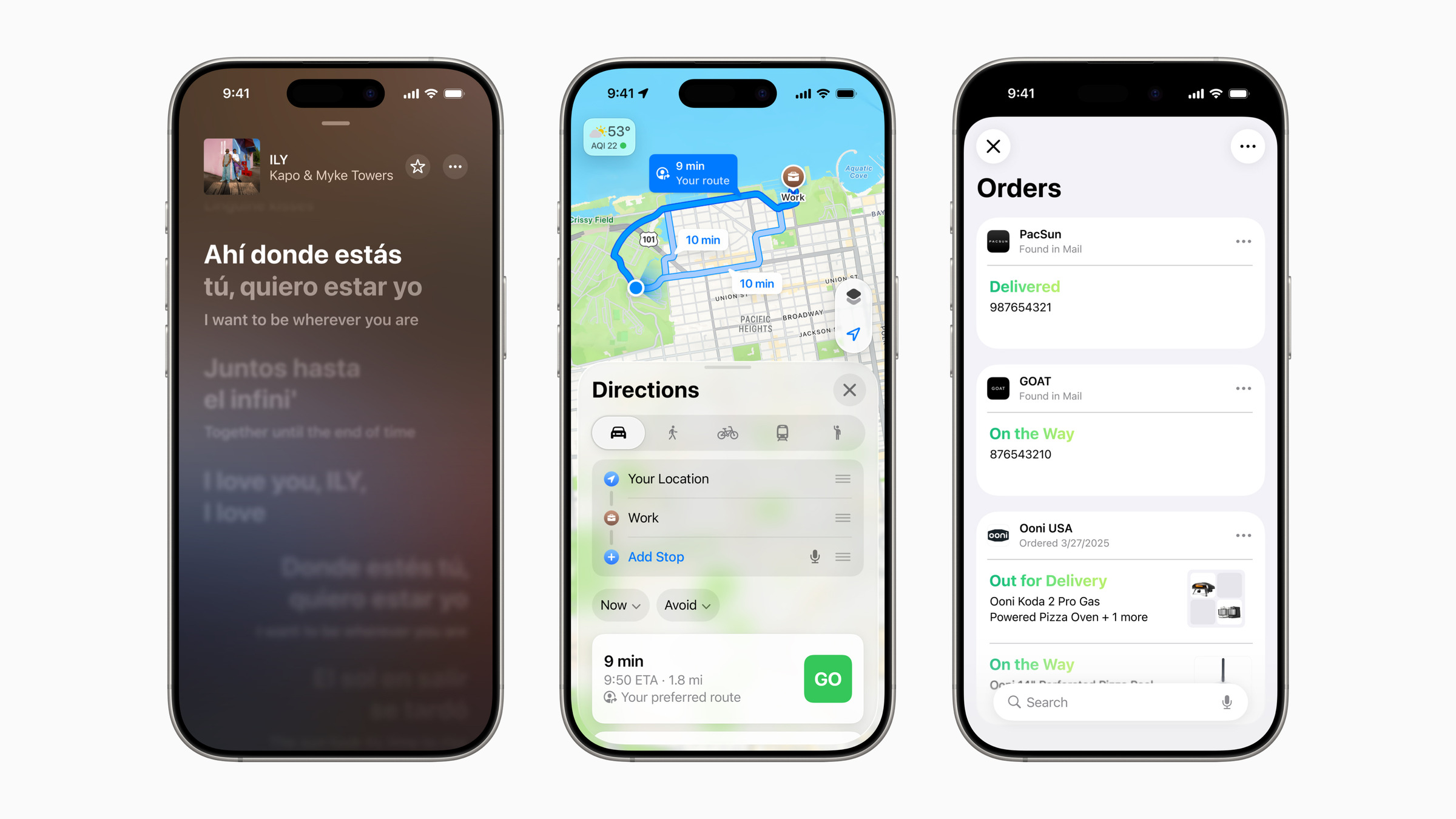
This means that orders that previously didn't appear in the app will now also be visible. The remaining changes in this generation are listed in the overview for the Wallet app.
Genmoji and Image Playground
Genmoji lets you mix and match multiple emojis and add descriptions. For pictures of friends or family, you can adjust facial expressions and features like hairstyles to match their current appearance. The Image Playground adds styles like watercolor or oil painting, plus the option to choose a free style by describing the image.
These styles, however, don't run on the iPhone itself, but rather on ChatGPT: Apple sends the description or photo to OpenAI, which then generates the image. Those who prefer that image data doesn't leave the device should stick with Apple's own styles – these run locally.
Surveys and background information in news
The Messages app lets you create polls and set chat backgrounds. Both work on any iPhone that gets iOS 26.
Apple Intelligence only adds a few extra features: the automatic suggestion to start a poll when a decision seems imminent in a group chat, and the ability to use your own background from Image Playground. Further AI features of the app are described in the article about Apple Intelligence in the Messages app.
Where the device limitations really become noticeable in everyday life
The dividing line isn't between a beautiful and a boring iPhone, but between two types of use. Those who primarily use the device for writing, making calls, and taking photos will hardly notice the difference: design, lock screen, Wallet passes, Apple Games, and the new features in CarPlay all work on every supported model. The difference becomes noticeable where voice comes into play – in-conversation translation, summaries, and searching for screen content.
The most honest point here is that the most useful everyday feature is live translation, and it's also the only one that offers a compelling reason to switch devices. Genmoji and image styles are nice, but they don't justify a four-figure purchase. And calendar import, which appears on every feature list, is irrelevant in this country anyway.
Which of these features did you miss most on your device – or did you realize after the update that you didn't miss any of them? Let us know in the comments where your dividing line was.
Frequently Asked Questions: iOS 26 on older iPhones
Yes. iOS 26 runs on all iPhones from the iPhone 11 onwards, as well as on the 2nd generation iPhone SE and newer. The update itself is free; compatibility has nothing to do with Apple Intelligence.
The iPhone 15 Pro and 15 Pro Max, as well as all models from the iPhone 16 series onwards, are supported. All older devices lack sufficient hardware for these models – even the iPhone 15 and 15 Plus are excluded, although they belong to the same generation as the two Pro models.
This feature requires Apple Intelligence. If it's not visible on a supported device, it usually needs to be activated in the settings first; after that, the iPhone downloads the models, which can take a while depending on the connection.
Apple states that the locally stored models use approximately 7 GB. On a 128 GB device, this is a noticeable amount, which can be freed up by disabling Apple Intelligence.
Mostly yes. Live translation, Genmoji, and Image Playground support German. Apple mentions one exception: adding an appointment to the calendar using visual intelligence – this only works in English.
Yes. Spatial scenes run via the Neural Engine, not Apple Intelligence. An iPhone 12 or newer is required, as well as a photo with a clearly recognizable subject; existing wallpapers cannot be changed afterward, the image must be selected anew.
It depends on how often language barriers occur in everyday life. Live translation in phone calls and messages is the only feature with real weight; image generation and emoji creation don't replace a compelling reason to buy. Those who are planning to switch anyway will notice it – those who are satisfied won't miss much.