

© 2026 Apfelpatient. All rights reserved.

Apple Tips & Tricks
Every new version of iOS, iPadOS, macOS, and watchOS adds features – and hides many of them so well that even long-time Apple users miss them. On top of that come everyday problems: backups failing, AirDrop refusing to work, Wi-Fi passwords disappearing.
This is where step-by-step guides for exactly those moments live: from setting up a new iPhone to transferring data to uncovering hidden features in iOS and macOS. Every guide is verified against the current version – so the steps are correct when you actually need them.
Topics range from basics for newcomers to specialized features for power users: setting up iCloud properly, pairing an Apple Watch with an iPhone, using Focus modes effectively, resetting old devices for resale. When problems come up, the solution isn't just shown – it's also explained why something goes wrong, so the same issue can be solved independently next time.
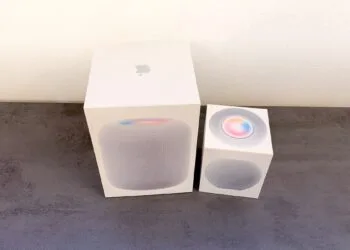
Setting up HomePod: Here's how to do it with iPhone and the Home app
Setting up HomePod with iPhone and Home app: All steps, requirements and what helps if the configuration screen is missing.
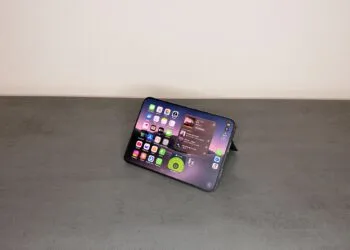
Read moreDetailsSetting Up iPhone Widgets: 6 Tricks for iOS 27
Setting up iPhone widgets in iOS 27: how to stack widgets, change their size, make icons clear and use shortcuts.
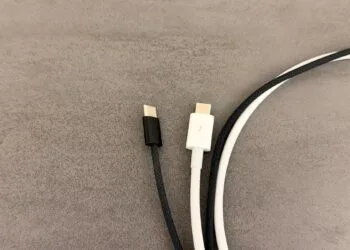
Read moreDetailsUSB-C cables for Mac: Which one does your model need?
Which USB-C cable does your Mac need? Thunderbolt 5, Thunderbolt 4 and USB 3 at a glance – with all current Macs, charging...
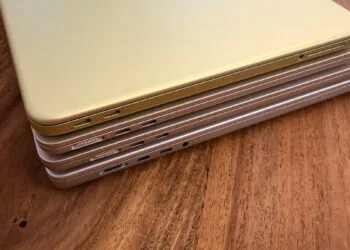
Read moreDetailsMacBook power adapter: What wattage does your model need?
Which power adapter does your MacBook need? Wattage ratings for Neo, Air, and Pro, including M6 and PROLED XDR, fast charging, and more...
Read moreDetailsApple Silicon: How Much RAM Do You Really Need?
How much RAM your Apple Silicon Mac really needs: from 16 GB to 512 GB, with all levels from M6 to M5...
Read moreDetailsHow many external displays does your Mac support?
How many external displays your Mac supports: all limits from M1 to M6, MacBook Neo and iMac M6 including...
Read moreDetailsiPhone Duo: How to pair and use Apple Pencil
Apple Pencil on the iPhone Duo: Which stylus fits, how to pair via cable, and why you have to...
Read moreDetailsHomePod: How to turn Sound Glow on and off again
How to turn on Sound Glow on HomePod: which models support it, where to find the switch and how to turn the glow off.
Read moreDetailsHomePod plays music on its own: How to stop ghost touches
HomePod playing music on its own? Here's how to stop ghost touches: with the new lock in iOS 27.2 or a longer hold duration.
Read moreDetailsiPhone Duo: Use the camera preview on the outer display
With Duo Preview, iPhone Duo shows a live preview on the outer display while you take photos. Here's how to turn the feature on.
Read moreDetails