This article may contain affiliate links. Learn more on our Partner Program page.
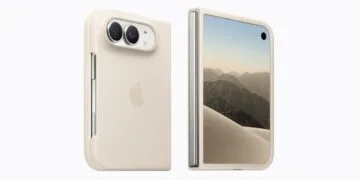
With iPhone Duo, the person behind the camera isn't the only one who sees the shot. When unfolded, the outer display can show a live preview – so the person being photographed can see themselves and adjust their pose before you take the picture.
iPhone Duo has two displays, and the Camera app uses both. While you shoot on the inner display, the outer display of the foldable iPhone on the back shows what the camera is currently seeing. In its announcement of iPhone Duo, Apple describes the feature as a way for the people being photographed to check their pose and framing. In the Camera app, it's called Duo Preview and sits in its own menu for the outer display. I tested the steps on my own Duo.
Key Facts at a Glance
- Duo Preview shows a mirrored live preview of the camera image on the outer display
- The setting is in the Camera app behind the button in the top left, in the "Outer Display" menu
- The preview works for both photos and videos and has to be selected again after the Camera app restarts
- Alongside Duo Preview, you can choose "Kid Cue" with animations for children or "Off"
- The feature requires the Duo to be unfolded and photos to be taken on the inner display
How to turn on the preview
- Unfold iPhone Duo and open the Camera app.
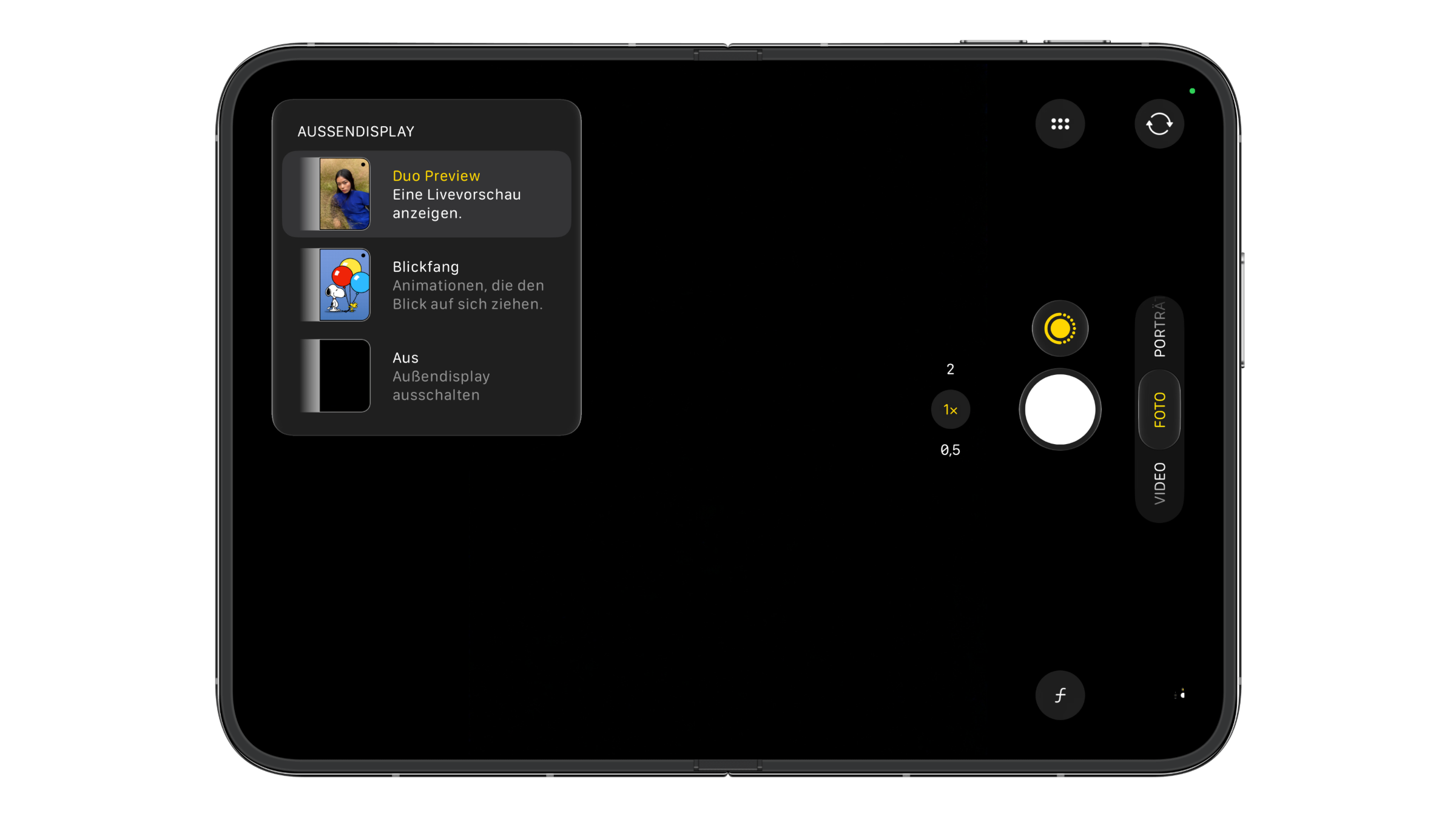
- Tap the button with the window icon in the top left. The "Outer Display" menu opens.
- Select "Duo Preview". Below it, you'll see the note "Show a live preview."
- Point the rear cameras at the person you want to photograph.
- Take the picture as usual with the shutter button or a volume button.
The selection stays in place as long as the Camera app keeps running in the background. If the app is closed and restarted, you have to select Duo Preview again. Which other controls the Camera app shows can be customized individually in iOS 27.
What the person being photographed sees
Only the camera image appears on the outer display, with no controls. The preview is mirrored, so for the person in front of the camera it works like a mirror. It runs in photo mode as well as when recording video. This makes it easier to adjust your posture or check whether someone is cut off at the edge.
Apple mentions a second use case: selfies with the rear cameras. Instead of the front camera, the higher-resolution cameras on the back are used, and your own image appears on the outer display.
Kid Cue and Off: the other two options
The same menu offers two more settings. According to Apple, "Kid Cue" plays animations featuring Peanuts characters on the outer display so that children look at the camera. The preview in the menu shows Snoopy with balloons.
"Off" turns off the outer display during the shot. This is useful when the person in front of the camera shouldn't be distracted.
When Duo Preview is worth it
I find the preview most helpful for portraits of other people. Instead of asking to see the photo and posing a second time, the person being photographed sees it before the shot. For group photos, it's easy to check at a glance whether everyone is in the frame.
For self-portraits, the feature is the more interesting new addition. On previous iPhones, a selfie with the main camera was only possible without seeing the image or with an Apple Watch as a remote shutter. On the Duo, the setting in the Camera app is all it takes. More tips for the outer display, such as shifting the left edge when using a case, are collected on the iPhone Duo topic page.
Do you use the preview more for photos of other people or for selfies with the main camera? Let us know in the comments what you use the outer display for when taking photos.
Frequently asked questions: iPhone Duo camera preview
An option in the Camera app that shows a live preview on the outer display while you take photos. The person being photographed sees the image mirrored, like in a mirror.
In the Camera app with the Duo unfolded, behind the button in the top left. This opens the "Outer Display" menu with the Duo Preview option.
Yes. The preview on the outer display runs in photo mode as well as when recording video.
Only after the Camera app restarts. As long as the app keeps running in the background, the selection stays in place.
It plays animations on the outer display so that children look at the camera. According to Apple, the characters come from Peanuts.
Yes, in the same menu with the "Off" option. The outer display then stays dark during the shot.
Yes. According to Apple, you can take selfies with the rear cameras, and the preview appears on the outer display.