This article may contain affiliate links. Learn more on our Partner Program page.
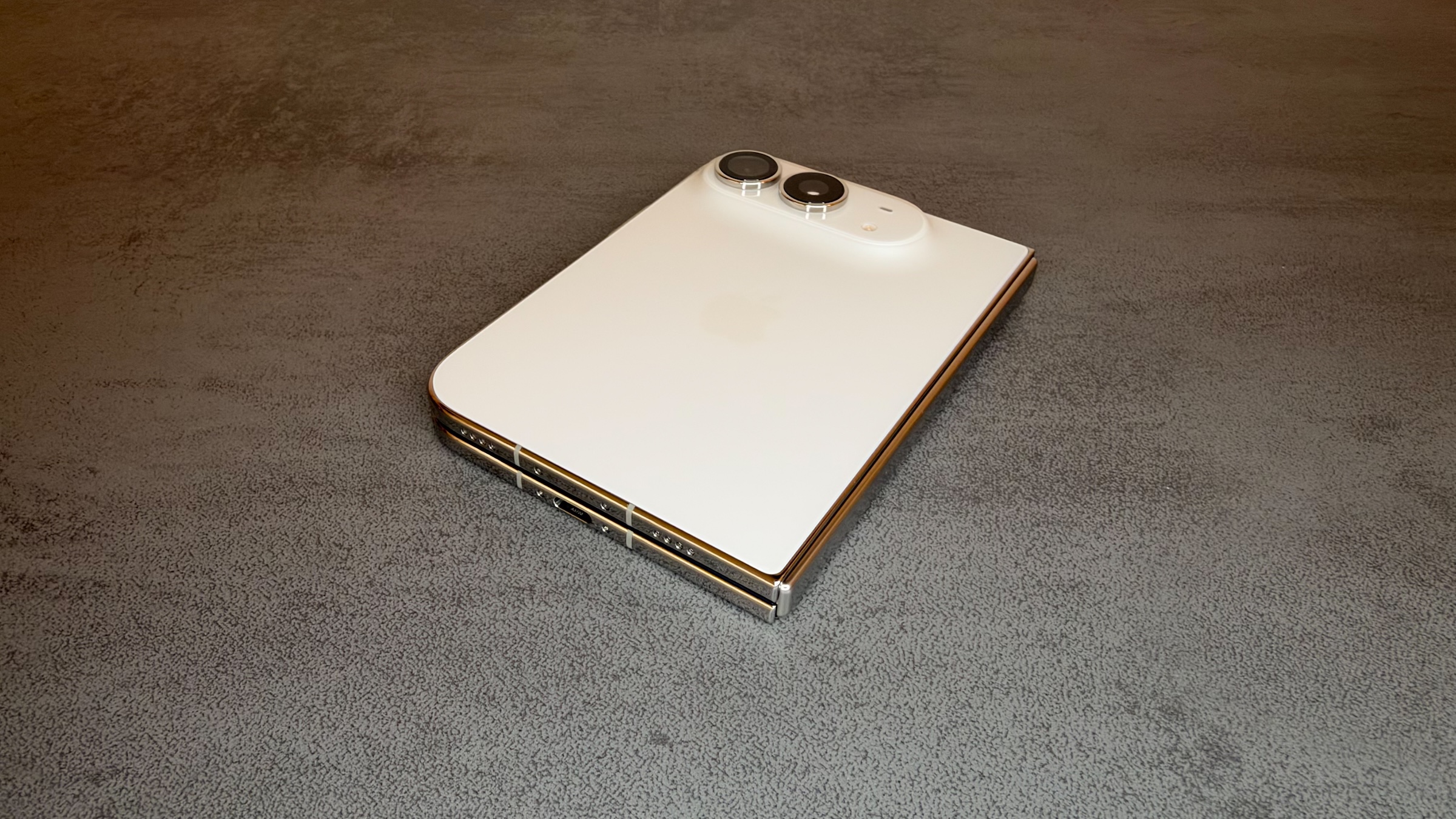
To coincide with the launch, Apple also released the repair manual for the iPhone Duo. It reveals for the first time the device's internal construction: two batteries behind two different covers, a hinge without its own replacement part, and a top layer that can be replaced using special tools. However, the corresponding replacement parts are not yet available.
Apple released the repair manual for the iPhone Duo on October 23, the day of its launch. It's part of the Self Service Repair program, through which Apple has been offering original parts, tools, and instructions for DIY repairs in Germany since December 2022. Parts for the iPhone 18 Pro and the new Macs were the last additions to the program on October 20; the Duo was still missing.
The manual includes 22 repair instructions, as well as troubleshooting chapters, a parts list, and a tool list. Even at the German support address, it is only available in English; only the general introductory chapter is translated. Specifications, prices, and release dates are available in the overview for the iPhone Duo, and all articles about the device can be found on the iPhone Duo topic page.
Key Facts at a Glance
- Apple's repair manual for the iPhone Duo contains 22 guides, from the battery to the internal display.
- The Duo has two separate batteries: one is located behind the rear glass, the other behind the external display.
- The hinge is not a separate spare part; in case of defects, Apple replaces the entire internal display unit.
- The top layer of the inner display is listed as a separate part, but replacing it requires a special tool set.
- The duo is not yet listed in the Self Service Repair Store for Germany, Austria and Switzerland.
Two batteries, two ways into the device
The dual-battery system distributes its components across both halves, and this becomes apparent during repairs. Battery 1 is located on the side of the rear glass, along with the logic board, camera, FaceTime camera, and Taptic Engine. Battery 2 is on the opposite side and is only accessible after removing the outer display; it also houses the speaker, front camera, the circuit board for the ports, and the USB-C port.
Both batteries can be ordered separately and have their own instructions. They are removed electrically: A 9-volt battery is connected to the adhesive tab for 90 seconds, after which the adhesive releases. After installation, Apple recommends running the repair assistant on the device.
At Apple, a battery replacement for the Duo costs 269 euros without AppleCare, while for the iPhone 18 Pro it costs 149 euros.
The hinge is not available separately
The parts list does not include a hinge. For problems with it - the device doesn't close completely, makes noises, feels loose or bent - the manual, after a few visual inspections, only recommends one solution: replacing the entire internal display assembly. According to Apple, there is no diagnostic tool or software solution for hinge problems.
Replacing the internal display assembly requires removing almost all other components and then installing them in the new unit. Afterward, a system configuration is necessary. This also applies to the housing, which Apple offers in different regional variations. Tips for the iPhone Duo hinge can help with any problems you may have beforehand.
The top layer is a separate part
Apple had already confirmed before launch that the cover layer over the foldable display could be peeled off and replaced. The manual now lists it as a separate spare part with its own instructions.
The replacement process isn't entirely straightforward, however. The old layer is lifted at one corner using a sticky note and peeled off in one smooth motion; any adhesive residue is removed with ethanol. For the new layer, a set consisting of a holder, base plate, roller, and squeegee is required. It is aligned with the camera cutout using adjustment knobs and a micrometer scale to achieve the precise position.
At Apple, replacing the top layer costs 55 euros without AppleCare, and 19 euros with AppleCare.
What else is in the manual
The troubleshooting manual provides some details beyond the repair itself. The Apple Pencil only works on the Duo in the USB-C version, requires iOS 27.2 or later, and is supported on both the inner and outer displays.
The back glass, internal display unit, USB-C port, and buttons are available in both colors: star white and night sky. The logic board can be ordered separately according to storage size, from 256 GB to 2 TB.
| Component | Access |
|---|---|
| Battery 1, logic board, camera, FaceTime camera, Taptic Engine | via the rear glass |
| Battery 2, external front camera, connection board, USB-C | via the external display |
| Top layer | directly on the unfolded inner display |
| Hinge | only with the complete interior display unit |
Not a device for your first DIY repair
I see the manual primarily as an inventory of just how complex the Duo is internally. Heated display pouch, 9-volt battery, presses for both batteries, and a holder with a micrometer scale for the top layer: this isn't something you'd build yourself for a single repair at home. Self-repair is most worthwhile for the top layer, because it wears out over time and can be replaced without opening the device.
Without replacement parts, the manual remains just reading material for now. In the self-service repair store for Germany, Austria, and Switzerland, the iPhone list currently extends to the iPhone 18 Pro Max. Parts and the manual arrived together for the iPhone 18 Pro, while for the Duo, the manual arrived first. Anyone with a damaged Duo will have to take their device to Apple or an authorized service partner until then; the inner display replacement costs €1,149 without AppleCare.
Would you replace the top layer of your Duo yourself once the parts are available in the store, or would you rather have Apple do it for €55? Let us know in the comments if you'd feel confident tackling the assembly with a stand and micrometer.