This article may contain affiliate links. Learn more on our Partner Program page.
At the launch of the iPhone Duo, Apple is offering two dedicated collections of adapted apps and games in the App Store, with daily updates. These include German media libraries, note-taking apps, fitness trainers, and games that incorporate folding the phone into the gameplay. Here's which apps are already using the foldable display, how to identify them, and what's happening with the rest.
The iPhone Duo has been available in stores since Friday, October 23rd, including in Germany, Austria, and Switzerland. With an outer display and an inner display roughly 50 percent larger, much depends on whether an app utilizes both surfaces and the various viewing angles. A day before the launch, Apple announced nearly 60 optimized apps in a newsroom announcement, many of them from the US market.
For users in the German-speaking region, the App Store is the better source. At launch, its editorial team put together the collections "Perfect Apps for iPhone Duo" and "Perfect Games for iPhone Duo". Technical specifications, prices, and dates are in the iPhone Duo overview, and all articles about the device are on the iPhone Duo topic page.
Key Facts at a Glance
- As of October 24th, Apple's collections in the German App Store include 37 apps and 20 games, including ARD Sounds, ARTE Mediathek, AutoScout24 and the Berlin Philharmonic.
- Many large apps like WhatsApp, Instagram, or Notion are already running in modified versions, often without any mention in the release notes.
- On the Duo, you can identify adapted apps by the statement "Designed for: iPhone Duo" on the product page.
- Non-adapted apps still run, depending on their stage of development, with black borders or optimized for only one display.
- Starting in April 2027, Apple will require screenshots for the iPhone Duo for every new submission.
Which apps support the iPhone Duo?
There is no complete list. Any app newly submitted using the developer tools for the Duo can utilize both displays, and according to Apple, further updates will follow throughout the year.
Apple's own collections offer the quickest overview. They are growing rapidly: On the day of release, the app selection included 20 titles, and a day later, 37.
The following selection comes from Apple's collection. It shows apps whose developers or Apple itself describe what makes the app different on the Duo.
| App | What she does on the duo |
|---|---|
| Netflix | Watch clips on the external display, continue watching on the internal display when the clips are unfolded |
| Amazon Prime Video | When the lid is half-folded, the video plays at the top, while the cast and bonus content appear at the bottom |
| ARTE Media Library | Videos on the large internal display |
| Things 3 | Sidebar for lists, layout adapts to any posture and split view |
| MindNode | Capture ideas on the external display; unfolded mind map and outline side by side |
| FotMob | When expanded, the list is on the left, and the selected game, team, or player is on the right |
| SmartGym | In book mode, training plan on the left and exercise on the right, set up for HIIT |
| Slopes | Compact surface when folded, full-screen maps when unfolded |
| Around Us | Unfolded map and location description side by side, placed horizontally as a picture frame |
| Deck-Man | Open, select album and insert cassette, close to play |
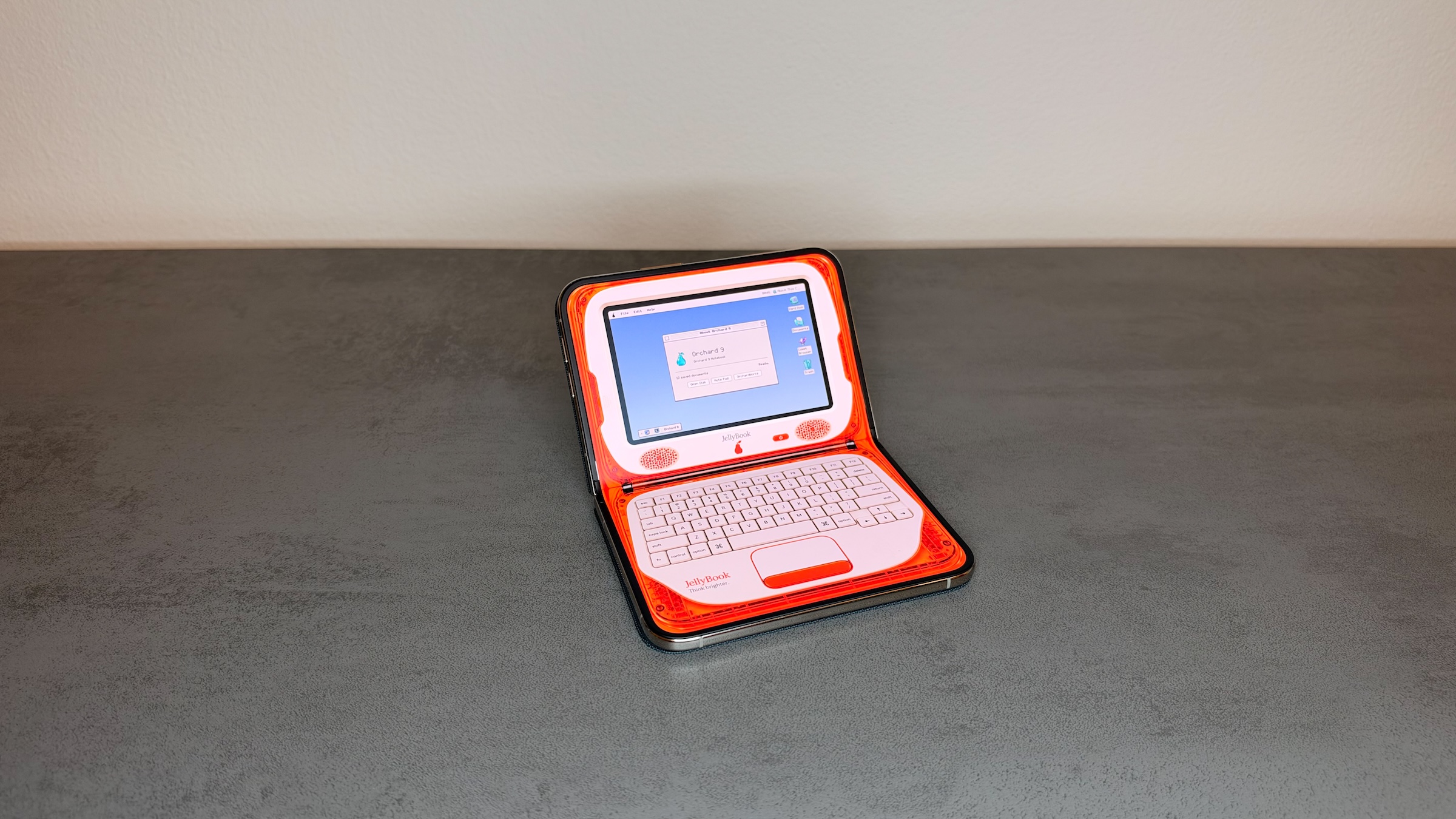
| Tiny Computers | Half-opened, the screen is on top, the keyboard of a retro computer is on the bottom |
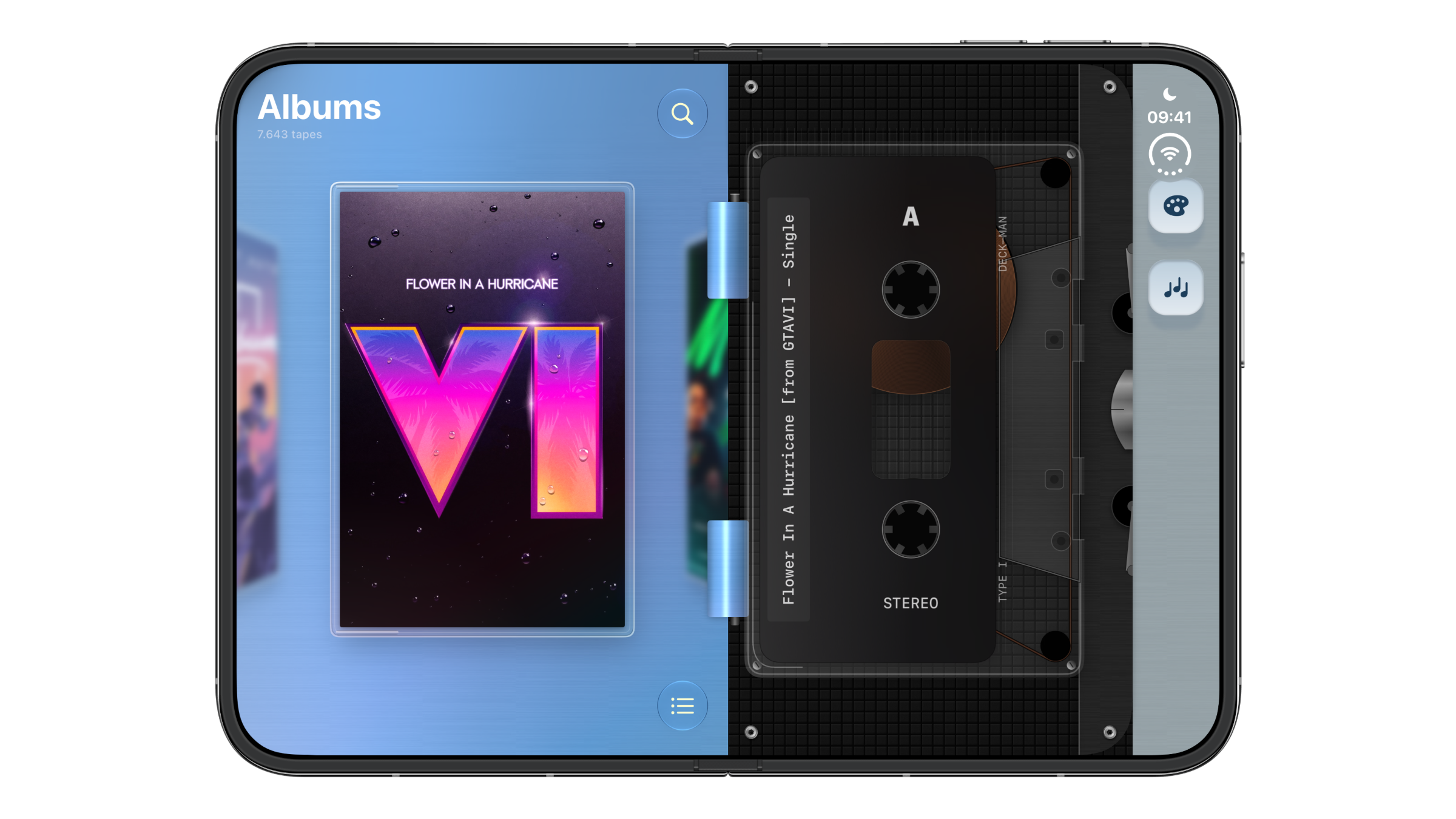
Deck-Man is the cassette app that was known as Duo-Man before its release. It costs €5.99 and is only available in English.
These games use the iPhone Duo
What's striking about the games is how often the act of folding itself becomes a game mechanic. Apple's game collection includes 20 titles, among them these:
| Game | What it does on the Duo |
|---|---|
| Toastie | Closing the lid closes the sandwich toaster; opening it shows how far the sandwich has progressed |
| Marbles Unhinged | Two marbles on two displays, controlled by tilting |
| Battlefleet Duo | Half-opened: own fleet below, enemy waters above |
| Asphalt Legends | Racing on the in-car display, split-view support |
| Phoenix 2 | Folded as usual, unfolded horizontally with additional information, vertically like on the iPad |
| Sneaky Sasquatch | Open for longer sessions, close for on-the-go play (Apple Arcade) |

Apple has announced other major titles: Zenless Zone Zero will be updated for the Duo in November, and the role-playing game UnGodly will be released in November.
Also adapted outside of Apple's selection
Apple's collections only show a fraction of the available apps. On my Duo, for example, WhatsApp, Instagram, and Notion are already running with the necessary adjustments, even though they aren't listed and their release notes don't mention the Duo. Apple itself doesn't mention it either: For Pages, Keynote, and Numbers, the release notes for the October 22nd update only mention the new AI assistant, but the three apps are still adjusted.
How can you identify apps for the iPhone Duo?
Apple identifies adapted apps on their product page. On my Duo, the information bar under the app name shows "Developed for" with the entry "iPhone Duo." This information doesn't appear on other devices, nor in the App Store via a browser. Therefore, if you want to check whether an app is adapted, it's best to look directly on your Duo.
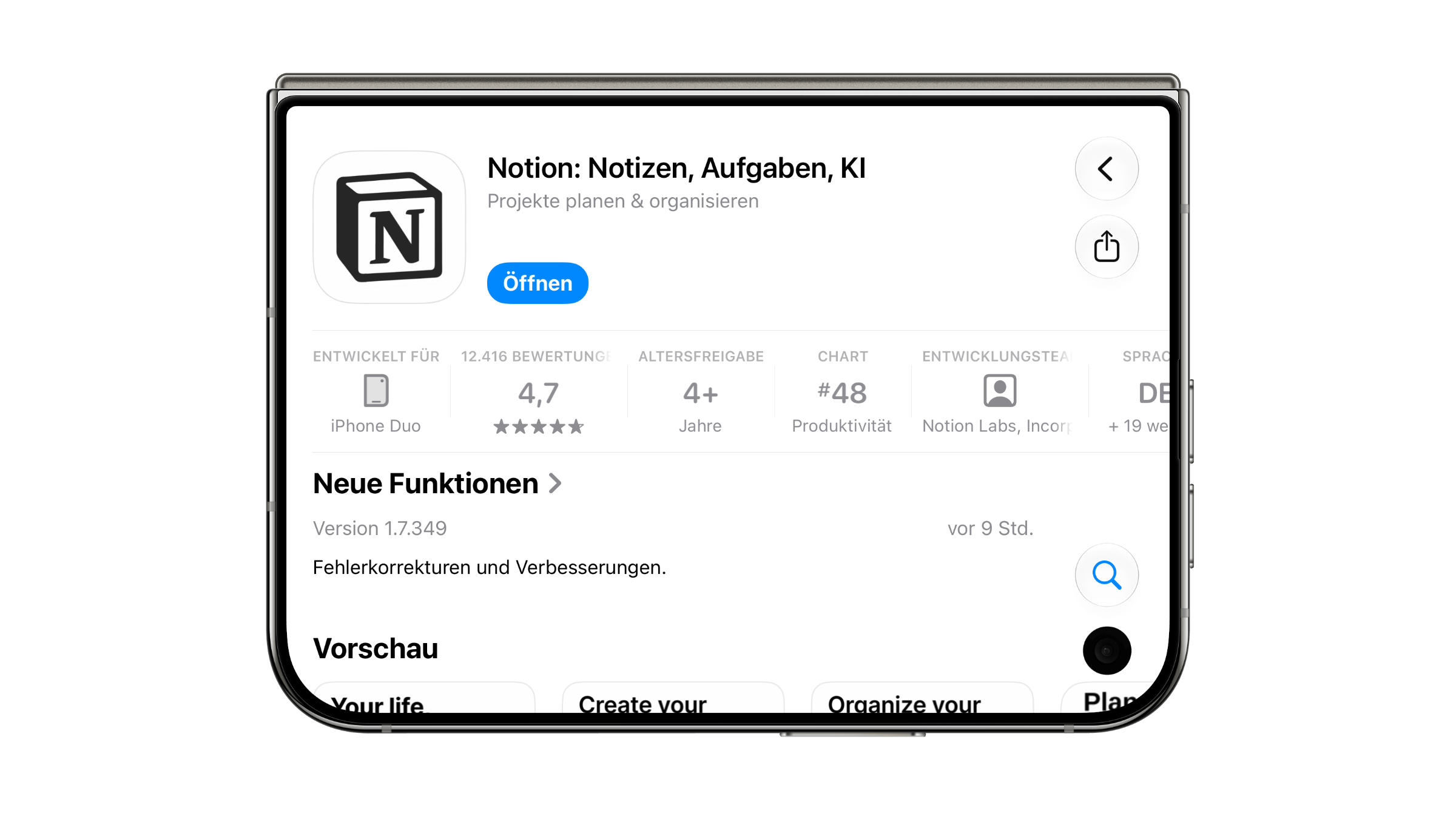
According to Apple's instructions to developers, the designation depends on screenshots being submitted for the Duo feature. An app may therefore be adapted before the designation appears. The release notes are only partially helpful: most developers in Apple's repositories explicitly mention the Duo feature there, while major apps like WhatsApp or Instagram do not, even though they are adapted. The most reliable test is on the device itself – open the app and expand the Duo.
The third route is Apple's collections. They appear on the start page of the "Apps" and "Games" tabs under the title "Apps and Games for iPhone Duo".
What happens to apps that are not adapted?
They still run. How well depends on which tools the app was last built with. In its initial reviews of the iPhone Duo, 9to5Mac distinguishes three levels: older versions of the app appear with black borders, apps running iOS 27 fill almost the entire display, and only apps running iOS 27.1 fully utilize both displays. Telegram, Gmail, LinkedIn, and the Kindle app hadn't yet been updated during the testing period. Telegram has since updated.
Apple cites a reason that simplifies the developers' work: Both displays have the same aspect ratio, and apps built from Apple's standard components automatically adapt to each display, according to the announcement. Apps with custom interfaces and games, in particular, require significant manual adjustments.
This situation isn't entirely new. When the iPhone 5 arrived in September 2012 with a larger display, older apps initially ran centered with black borders. From May 1, 2013, new apps and updates had to support the 4-inch display, a good seven months after its launch. With the iPhone X from November 2017, it took around five months until Apple mandated that new apps support the display, starting in April 2018.
Will there be more apps for the iPhone Duo?
Yes, and Apple has already set a deadline for this. Starting in April 2027, all newly submitted apps and games must include screenshots for the iPhone Duo, as Apple announced at the beginning of October when submissions for the Duo began. This is initially a requirement for the product page, not an explicit obligation to adapt the app itself. This will take about five months after the sales launch, similar to the iPhone X.
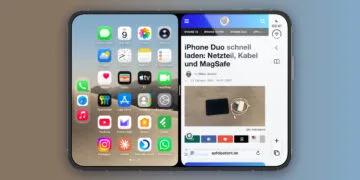
Several providers have officially announced updates. Microsoft Word and Outlook are expected to follow in the coming weeks, with formatting tools appearing alongside the document and the inbox next to the open message. Separately, Split View on the iPhone Duo displays two apps side-by-side on the unfolded inner display.
German apps instead of US services
Apple's launch announcement cited numerous examples from the US market, ranging from baseball and ride-hailing services to New York Times recipes. The selection in the German App Store paints a different picture: ARD Sounds, the ARTE Mediathek, AutoScout24, and concerts by the Berlin Philharmonic are listed alongside Netflix and YouTube. For Duo buyers in German-speaking countries, this is the more practically relevant list.
The situation at launch, after my first day with the Duo, is significantly better than the reviews suggested. Large providers are usually silent in their release notes, while smaller developers describe precisely what makes their app different when expanded, collapsed, or partially opened. Apple's collections are therefore a good starting point, but not a reliable indicator of what already works on the Duo.
I expect the gaps to shrink by spring, because the screenshot requirement will apply to every new submission starting in April. Until then, apps with custom interfaces will likely still run with borders or only partially optimized.
iPhone Duo Apps – the most important features at a glance
At launch, there are far more apps adapted for the iPhone Duo than Apple's lists and release notes indicate, and more are added daily. Apple's collections in the German App Store offer the quickest overview; the "Developed for: iPhone Duo" label on the product page, and, if in doubt, unfolding the device, will show whether an app actually utilizes the foldable display. Non-adapted apps will continue to run, at worst with black borders.
Which app still launches with black borders on your Duo, even though you use it every day? Let us know in the comments which update you're most eagerly awaiting.