

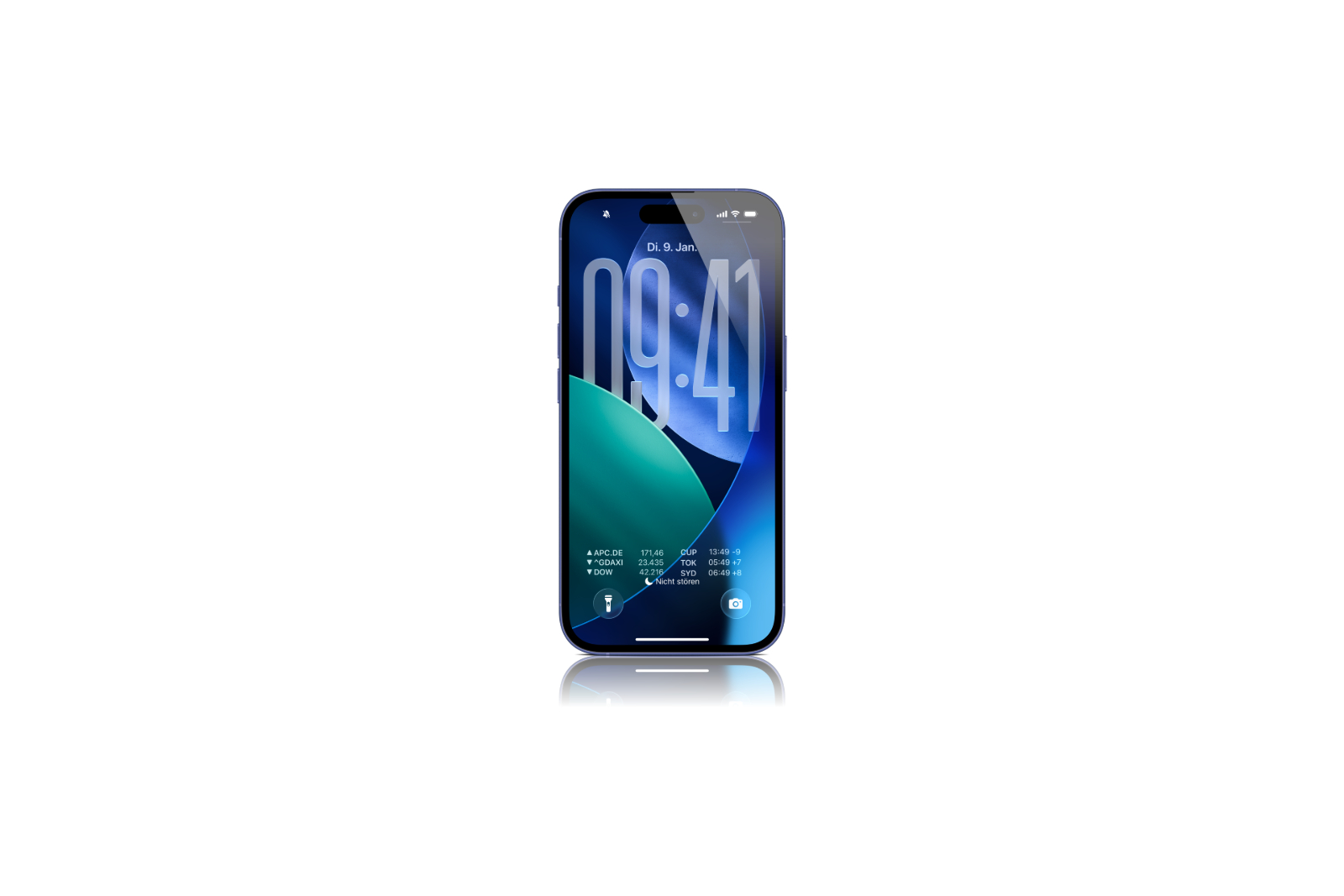
With iOS 26, Apple has made several adjustments to the lock screen. The update is primarily aimed at users who like to customize their iPhone or want to access certain functions more quickly. Many details from the developer beta show how Apple is improving usability while introducing new visual elements. iOS 26 is still in the testing phase, but the features that are emerging are already quite concrete.
An iPhone's lock screen is more than just a display for the time and notifications. With iOS 26, Apple is introducing five new features that make both a visual and functional difference. Some features are aimed at all iPhones from the iPhone 12 onward, while others require a newer model. Users of an iPhone 15 Pro or newer will especially benefit from additional effects.
Widgets can be moved – up or down
In previous versions of iOS, the widget bar on the lock screen was fixed directly below the clock. In iOS 26, this bar can be moved in customize mode. You can drag it down so that it appears directly above the two quick actions—if you have them enabled. This new placement is especially useful if you use your iPhone with one hand. The widgets are then easier to reach.
Time scalable with drag handle
Another detail concerns the display of the time. In iOS 26, you can enlarge it in adjust mode. There's a new handle in the lower right corner of the selection frame. The numbers can be adjusted so that they take up about half the display height. If widgets are enabled on the lock screen, they are automatically moved down. Furthermore, the system now also takes the depth effect into account in photos: If you crop the photo with two fingers, the position of the time automatically adjusts to the subject of the image.
Faster photo selection in adjustment mode
Those who frequently change their lock screen wallpaper will benefit from a modified photo function in Customize mode. A thumbnail of the currently selected photo is now displayed. When tapped, two options appear: You can either select "Show photo in library" to find the current photo in your library, or tap "Choose photo" as before to choose a new image. This shortens the path to the right wallpaper.
Spatial scenes for more depth
The iPhone 15 Pro and newer models can take 3D photos, which are particularly well displayed on Apple Vision Pro. iOS 26 expands this technology and now also allows 2D images to be displayed as 3D scenes directly on the iPhone. The images react to the device's movements, creating a sense of depth. The feature is based on machine learning rather than Apple Intelligence, meaning it's available starting with the iPhone 12. The 3D representation is subtle but visible, especially in landscapes or portraits.
Animated album covers in full screen
Apple is introducing a new visual feature for music fans with iOS 26. Animated album art can be displayed on the lock screen for certain songs. Tapping the artwork in the music player enlarges it and begins to move. This feature was previously only available in the Apple Music app itself, not on the lock screen. Not every album art is animated yet, but the selection is growing. Apple is also making the technology available to third parties, so apps like Spotify and YouTube Music could soon benefit from it as well.
- iOS 26: Create your own ringtones – without GarageBand
- iOS 26 design change: Reduce transparency easily
iOS 26 focuses on more customization and convenience
iOS 26 brings several targeted improvements to the lock screen without changing the basic design. You get more freedom in placing widgets, can adjust the time, select photos more quickly, and get new visual effects depending on the device. Users of a current iPhone also benefit from spatial scenes and animated album covers. While changes are still possible until the official release, one thing is already certain: iOS 26 makes the lock screen more flexible, modern, and functional. The best products for you: Our Amazon Storefront offers a wide selection of accessories, including those for HomeKit. (Image: Apfelpatient)
- iOS 26 & Co.: These Apple devices will receive updates
- iOS 26 Update: What's changing in the Reminders app
- iOS 26: These new iPhone features are coming this fall
- CarPlay on iOS 26: All new features in detail
- iOS 26: These new features await you in Apple Notes
- iOS 26 explained: Why iOS 18 will not be followed by iOS 19
- iOS 26: These features are only available on new iPhones
- iOS 26: Apple Maps becomes more personal and intelligent





