This article may contain affiliate links. Learn more on our Partner Program page.
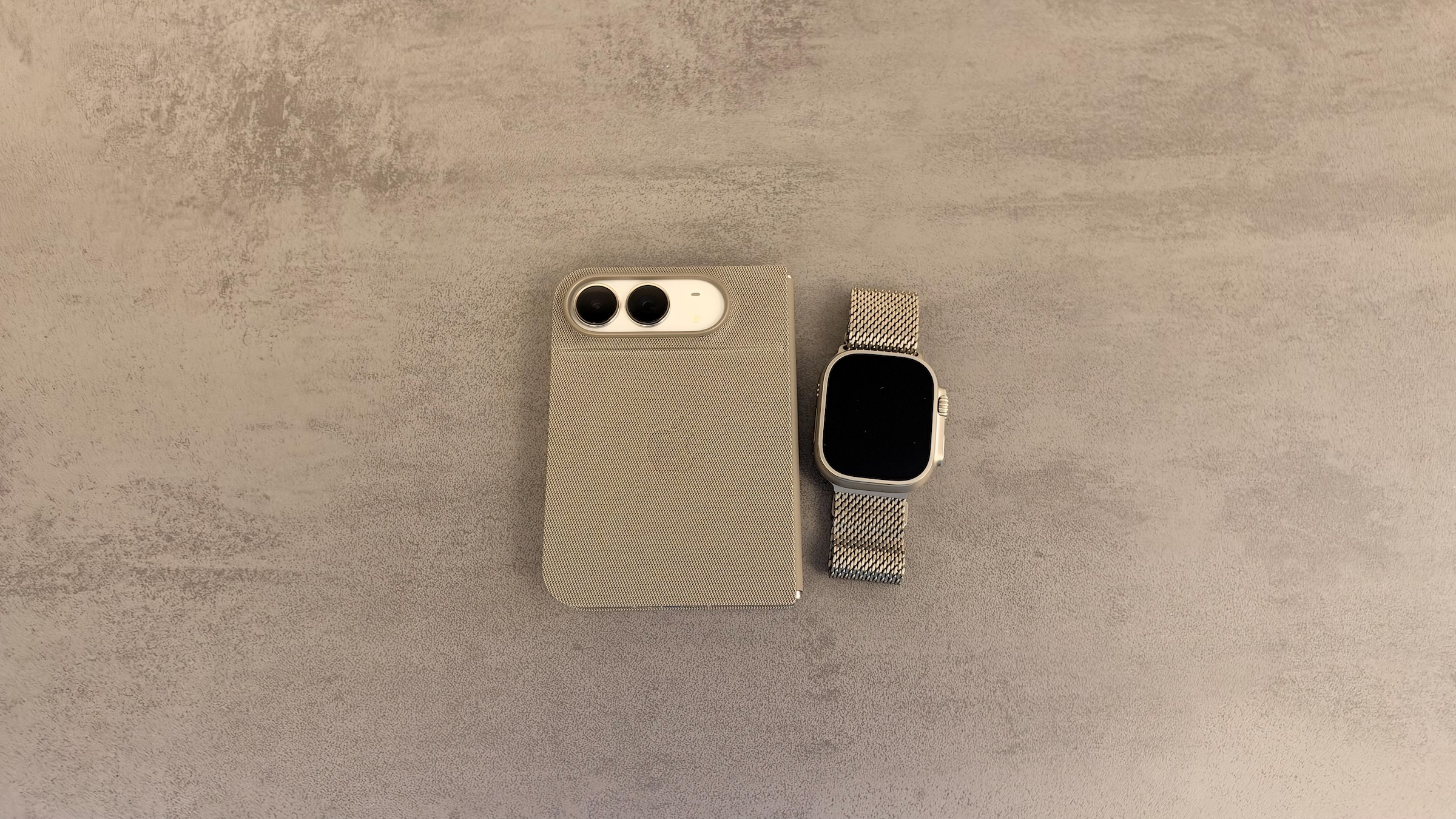
The iPhone Duo has no Face ID – you unlock it with your fingerprint in the side button. If you wear an Apple Watch, you can skip even that step: the watch takes care of unlocking, whether the device is folded or unfolded. Setting it up takes about a minute.
On the iPhone Duo, Touch ID sits in the side button; there is no Face ID. In its announcement introducing the iPhone Duo, Apple explicitly names the Apple Watch as a second way to unlock it. The setting is called "Unlock with Nearby Devices" and is found in the passcode settings.
On iPhones with Face ID, the same setting has existed since iOS 14.5, originally as an aid for people wearing face masks; Apple describes it in a dedicated support document on unlocking with Apple Watch. If you unlock with your fingerprint anyway, you can also open the Lock Screen directly by resting your finger on the Duo. All of the device's specifications are in the iPhone Duo overview.
Key Facts at a Glance
- The setting is located under Settings → Touch ID & Passcode → "Unlock with Nearby Devices".
- The Apple Watch must be protected with a passcode, unlocked and worn on your wrist.
- Unlocking works on the outer display when folded just as it does on the inner display when unfolded.
- Touch ID is still required for Apple Pay and passwords.
- In addition to the Apple Watch, an Apple Vision Pro can also be added as an unlocking device.
Requirements
The iPhone Duo and the Apple Watch must be paired with each other. In Settings, iOS lists the conditions directly below the switch: the devices must be protected with a passcode, unlocked and worn. So if the watch is lying on your nightstand, the feature won't work.
Apple does not provide a list of supported Apple Watch models for the iPhone Duo. In my case, the feature works with an Apple Watch Ultra 4.
Set Up Unlocking with Apple Watch
- Open the Settings app.
- Tap Touch ID & Passcode and enter your passcode.
- Scroll to the Unlock with Nearby Devices section.
- Turn on the switch next to your Apple Watch.
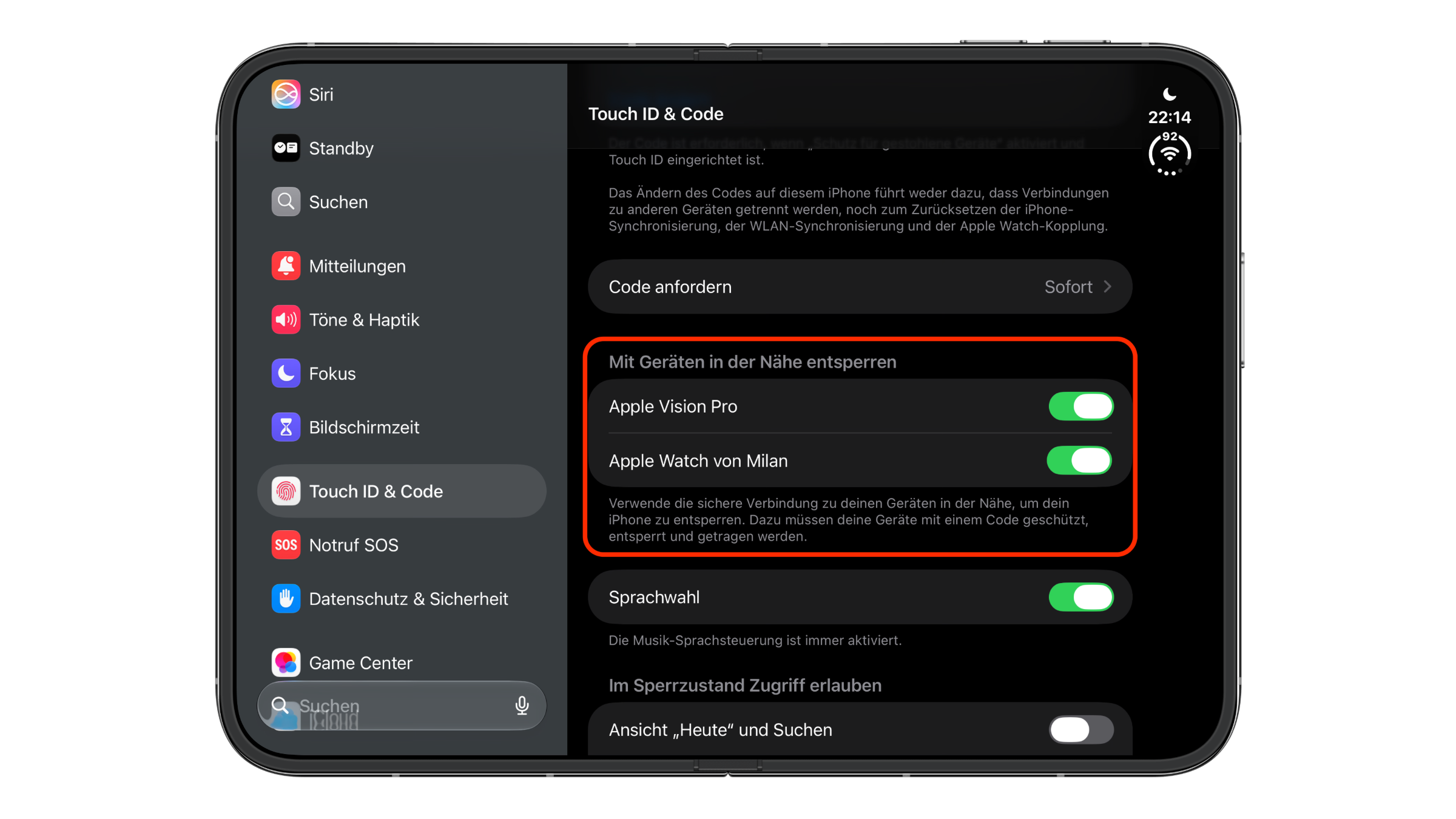
In my case, the same list also shows the Apple Vision Pro alongside the watch, and it can be turned on there as an unlocking device as well. Unlocking iPhone with Apple Vision Pro works on the same principle: the headset must be worn and unlocked.
How Unlocking Works in Everyday Use
The iPhone Duo wakes as usual – by raising it, tapping the screen or unfolding it. Instead of the fingerprint, the Apple Watch then does the check. This works on the outer display when folded just as it does on the inner display when unfolded.
The watch vibrates briefly as soon as it has unlocked the iPhone. When you glance at your wrist, the notice "Unlocked with this Apple Watch" appears along with the device name.
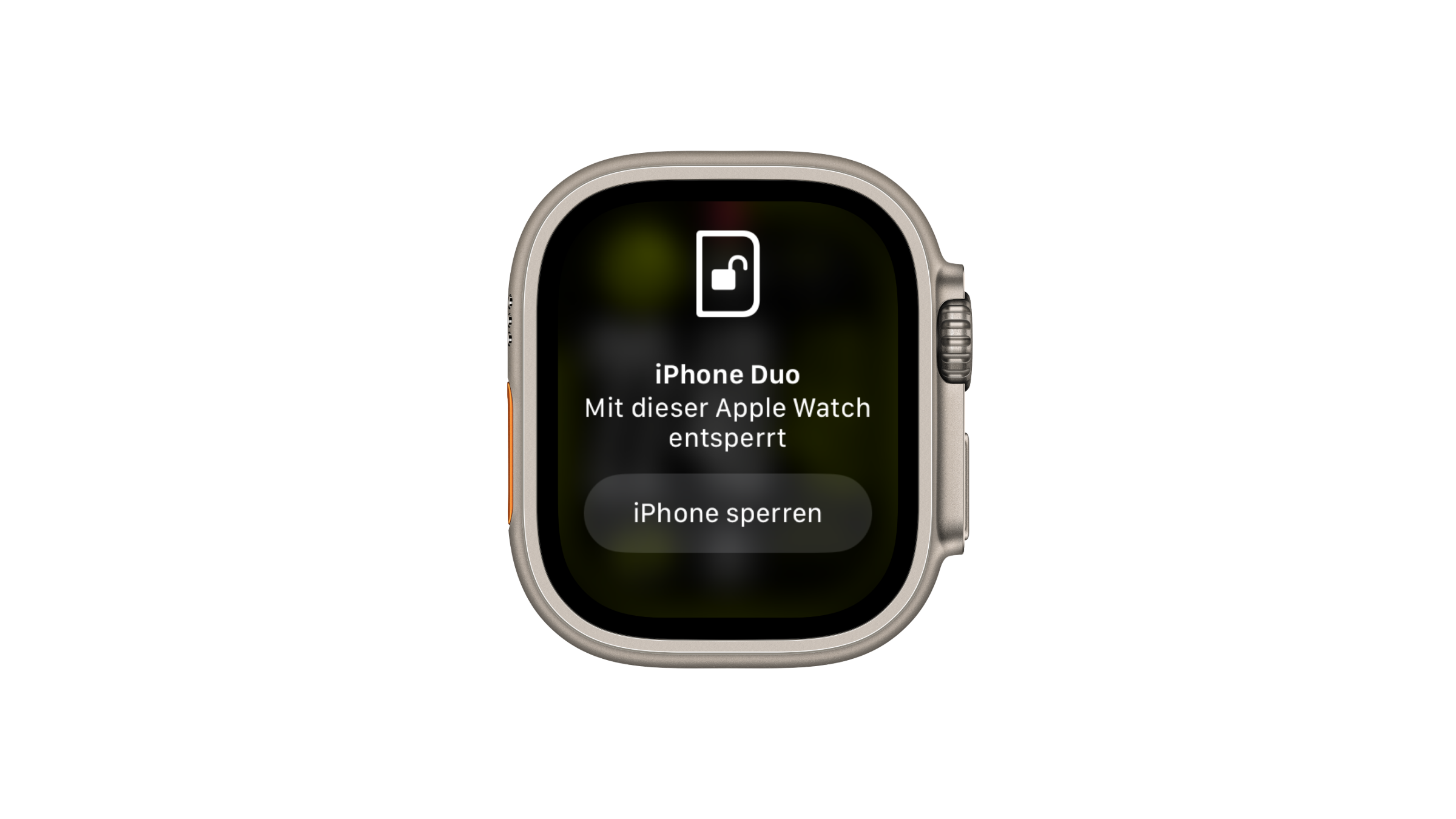
Below it is the Lock iPhone button. If the unlock happened by accident, for example because someone else unfolded the Duo nearby, tapping it locks the device again immediately.
What the Apple Watch Doesn't Authorize
| Action | Possible with Apple Watch? |
|---|---|
| Unlock iPhone Duo, folded | Yes |
| Unlock iPhone Duo, unfolded | Yes |
| Apple Pay on iPhone | No, Touch ID or passcode required |
| Passwords and saved login details | No, Touch ID or passcode required |
So the watch only replaces the way to the Home Screen. For payments and passwords, the fingerprint remains a requirement, which makes sense for security reasons: the feature only checks whether your own watch is nearby, not who is holding the iPhone.
Who Benefits from Using the Watch as a Key
On the Duo, unlocking with the watch carries more weight than on an iPhone with Face ID. Without facial recognition, it is – alongside the Apple Vision Pro – the only way to unlock the device without using your finger or a passcode. If you already wear an Apple Watch, you should turn it on.
The limit lies in the proximity check itself: the watch does not recognize who is holding the iPhone. If you often leave your Duo open on your desk while others are within reach, you will see the notice on your watch immediately – but it is up to you to decide whether to tap "Lock iPhone".
Unlock iPhone Duo with Apple Watch – The Key Points at a Glance
Under Settings → Touch ID & Passcode → "Unlock with Nearby Devices", you can add the Apple Watch as a key for the iPhone Duo. The watch must be worn, unlocked and protected with a passcode. It unlocks the device folded or unfolded, signals every unlock with a vibration and offers a button to lock it again immediately. Apple Pay and passwords still require Touch ID.
Do you prefer to unlock your iPhone Duo with your fingerprint, or do you leave it to your Apple Watch? Tell us in the comments which method has won out in your everyday use – and why.
Frequently Asked Questions: Unlock iPhone Duo with Apple Watch
Yes. Apple explicitly names the Apple Watch as a second way to unlock it alongside Touch ID.
Under Settings → Touch ID & Passcode → "Unlock with Nearby Devices". Turn on the switch next to your Apple Watch there.
Yes, the watch unlocks the device on the outer display when folded just as it does when unfolded.
The watch must be protected with a passcode, unlocked and worn on your wrist. If any of these conditions is not met, the feature won't work.
No. For Apple Pay and passwords, the iPhone Duo still requires Touch ID or the passcode.
After every unlock, the "Lock iPhone" button appears on the Apple Watch. Tapping it locks the device immediately.
Yes, the Vision Pro appears in the same "Unlock with Nearby Devices" section and can be turned on there.