

apple patient
  • Home
  • News
  • Rumors
  • Tips & Tricks
  • Reviews
  • Insights
No Result
View All Result
  • iPhone 18
  • iOS 27
  • iPadOS 27
  • macOS
  • MacBook Neo
  • iPhone 17e
  • AirTags
  • iOS 26
  • iPhone 17
  • MacBook Pro
  • iPadOS
  • iMac
  • Mac mini
  • HomePod
  • Apple TV
  • iPad Pro
  • iPhone Air
  • Apple Vision Pro
  • iPhone 16
  • AirPods 4
  • Apple Watch Ultra
  • HomePod Mini
  • MacBook Air
  • iPad
  • AirPods Max
  • AirPods Pro 3
  • Apple Watch Series 3
  • Mac Studio
  • Studio Display
  • iPad Air
  • iPad mini
  • watchOS 27
  • Apple CarPlay
  • Apple Pay
  • watchOS 26
  • Home
  • News
  • Rumors
  • Tips & Tricks
  • Reviews
  • Insights
No Result
View All Result
apple patient
No Result
View All Result

Apple Vision Pro and Optical Inserts: What you need to know

Milan Jovicic by Milan Jovicic
July 15, 2024 - 18:51 CEST
in Apple Tips & Tricks
0
Apple Vision Pro Optical Inserts

Image: Apple

WhatsAppFacebookEmail
Threads

The Apple Vision Pro is a technical marvel that delights many glasses wearers. However, if you want to use the Vision Pro with visual aids, you have to consider a few important aspects, especially the correct adjustment of the light seal after purchasing optical inserts. In this article, you will learn everything you need to know about why you should take these adjustments seriously and how you can avoid both technical problems and restrictions on comfort.

The introduction of Apple Vision Pro has revolutionized the way we experience virtual reality. However, for those who wear glasses, using this advanced technology presents a particular challenge. Properly adjusting the light seal, especially after purchasing Optical Inserts, is crucial to ensuring the best experience. However, this can mean additional cost and effort if you do not follow Apple's recommendations.

The Importance of Light Sealing

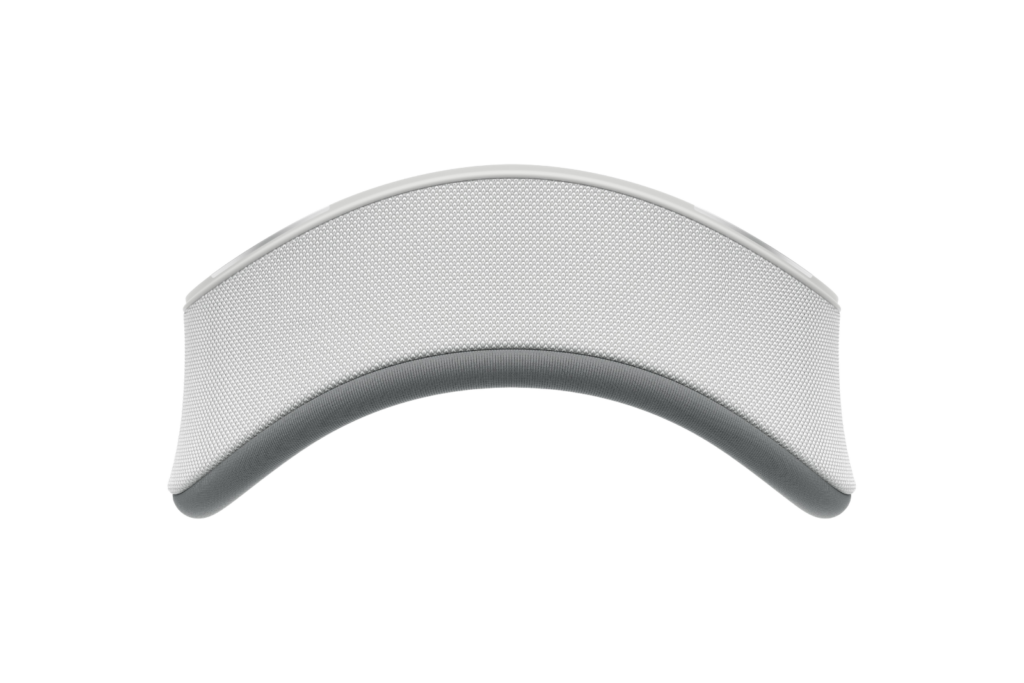
The light seal, also known as the light seal, plays a crucial role in the optimal functioning of the Apple Vision Pro. It ensures that no light penetrates the headset, which could significantly affect the immersive experience. But what happens if you buy optical inserts later?
Apple Vision Pro Light Seal
Image: Apple

Adjustment after purchasing Optical Inserts

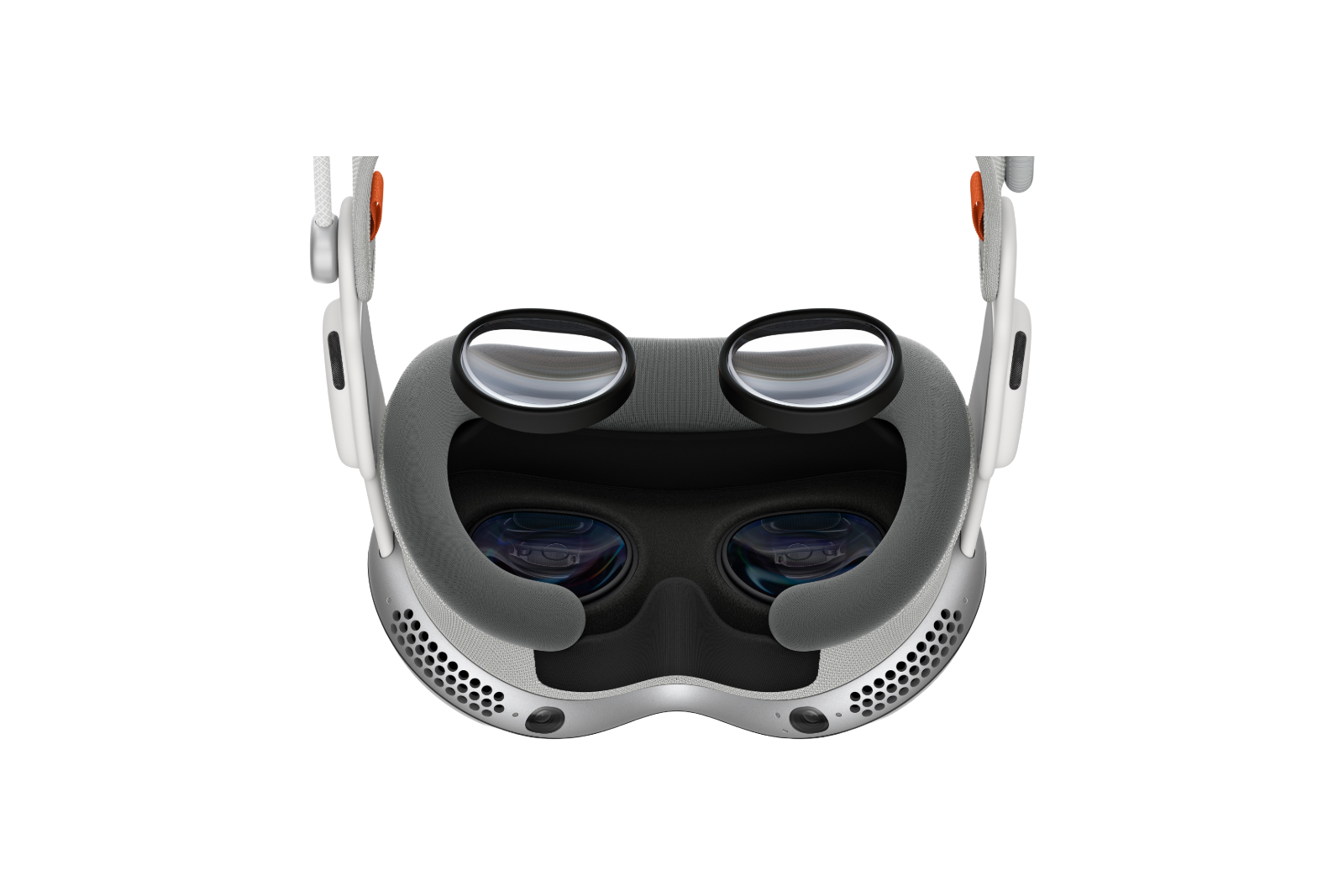
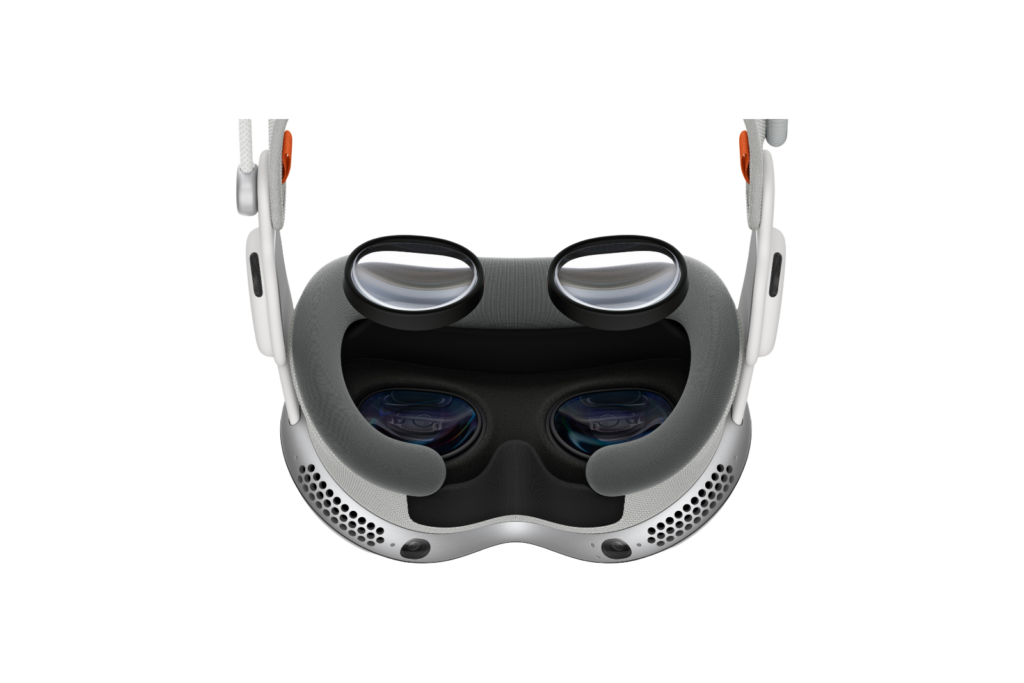
Apple recommends ordering the optical inserts, which are produced by Zeiss in China, when you purchase the Vision Pro. The reason for this is simple: the light seal may need to be adjusted to fit the new inserts. This is done through a special measuring process using a Face ID-enabled device, such as an iPhone or iPad. After this measurement, you will find out whether you need a different size of light seal.

cost factor

Ordering the optical inserts later can be expensive. The prescription lenses already cost 169 euros, and you have to add another 219 euros for a new light seal. This means that you will have to spend a total of 388 euros if you do not take the adjustments into account from the start.

Technical problems and comfort restrictions

Without the correct light seal, various problems can occur. The display could be too close to the eyes, which can cause error messages and even headaches. These problems can be avoided by ordering the appropriate inserts and the light seal together.
Apple Vision Pro Optical Inserts
Image: Apple

Additional equipment in the package

For the price of 219 euros, you not only get the new light seal but also two new cushions designed to increase comfort. These cushions are available in two versions: standard and thicker. The thicker version can create more distance, but reduces immersion a little.

Apple Vision Pro and glasses: The essential adjustment of the light seal

For eyeglass wearers who want to use the Apple Vision Pro, properly adjusting the light seal after purchasing optical inserts is essential. It's not just a matter of comfort, but also functionality and an optimal experience. Therefore, it's advisable to order the inserts at the same time as the Vision Pro and follow Apple's recommendations to avoid additional costs and technical issues. This way, you can ensure you get the most out of your Apple Vision Pro and enjoy an uninterrupted, immersive experience. Need useful tips for your Apple Vision Pro? Here you'll discover everything you need to know about your new Apple device – enjoy reading! Looking for new accessories? Visit our Amazon Storefront – there you'll find a wide variety of products from leading manufacturers, including products for HomeKit and more! (Image: Apple)

  • Tim Cook and the Apple Vision Pro: A daily companion
  • Apple Vision Pro: Siri functions in detail
  • Apple Vision Pro: EyeSight Features and Benefits
  • Care and Cleaning of your Apple Vision Pro: Tips & Tricks
  • Apple Vision Pro: How to find the best 3D movies
  • Cloud gaming and streaming with Apple Vision Pro
  • Apple Vision Pro: How to use the virtual keyboard

Make Apfelpatient a preferred source One click – and you'll see us more often on Google
Was this article helpful?
YesNo
Tags: Apple Vision ProApple Vision Pro Tips and Tricks
SendShareSend
Share

Our Amazon Storefront

A handpicked selection of products for iPhone, Mac and more – sorted by topic and updated regularly.

Shop Now

This post contains affiliate links (including Amazon). We earn a small commission on qualifying purchases – at no extra cost to you. Learn more on our Partner Program page.

Previous Post

Apple Intelligence: Drivers for new iPhone and iPad upgrades

Next Post

Apple launches public beta of iOS 18 & Co. – participate now!

Milan Jovicic

Milan Jovicic

Milan founded Apfelpatient in 2016 and has been responsible for all editorial content since 2018 — news, rumors, guides, and product reviews. Apple devices here are not test units on loan for two weeks but everyday tools: from the iPhone through MacBook Pro, MacBook Air, and iMac to the Apple Vision Pro, at least one device from nearly every product category is in daily use, many of them replaced annually. Every menu path in a guide is verified on the device before it is published.

Drawn outline of the folded iPhone Ultra with square corners on the hinge side and rounded corners opposite, matching the leaked iPhone Ultra screen protectors

iPhone Ultra: Screen protectors reveal the camera position

August 12, 2026 - 3:58 PM CEST
Glass panel set into the aluminium frame on the back of an iPhone 17 Pro Max in Cosmic Orange, whereas the iPhone 20 glass design is said to wrap the glass around the edges

iPhone 20: Glass design is not supposed to be scrapped after all

August 12, 2026 - 2:50 PM CEST
Jennifer Bailey on stage at an Apple event in front of a projected Apple Card, the Apple Pay chief is leaving the company in October

Apple Pay: Jennifer Bailey is leaving Apple in October

August 12, 2026 - 2:31 PM CEST

About APFELPATIENT

APFELPATIENT brings you the latest Apple news, product updates, guides, reviews and tips across the entire Apple ecosystem — from the iPhone to the Mac to the Apple Vision Pro. From the first rumors to confirmed news: researched responsibly.

Follow Apfelpatient

Facebook Instagram YouTube Threads Threads

Company

  • About Apfelpatient
  • Contact
  • Author Profiles

Community

  • Netiquette
  • Push Notifications
  • RSS feed

Legal

  • Legal Notice
  • Privacy Policy
  • Terms of Use
  • Cookie Settings
  • Affiliate Program

Resources

  • Sitemap

© 2026 Apfelpatient. All rights reserved.

No Result
View All Result
  • Home
  • News
  • Rumors
  • Tips & Tricks
  • Reviews
  • Insights

© 2026 Apfelpatient. All rights reserved. Page Directory

Change language to Deutsch



