This article may contain affiliate links. Learn more on our Partner Program page.
Since December, the screen edges on Macs have been brightening the face when the room is dark. The final version of iOS 27 now includes the same effect for iPhones – linked to a device identifier that points to the foldable model. However, the feature isn't fully implemented: one of the two sliders isn't yet working.
Late-night video calls rarely fail due to the camera, but rather due to poor lighting in the room. Apple has developed a solution for this on the Mac that requires no additional accessories: Since macOS 26.2, a bright frame transforms the display into a virtual ring light, adjustable in width and color. A discovery in the iOS 27 release candidate suggests that the same technology will make its way to the iPhone – initially, however, only to a single model.
Key Facts at a Glance
- The Edge Light effect is present in the code of the iOS 27 release candidate, tied to a device type that suggests the iPhone Duo.
- According to the findings, the color temperature setting has not yet been fully implemented.
- Apple itself refers to the effect in German as "Kantenlicht" (edge light).
- On a Mac, the function requires an Apple chip and macOS Tahoe 26.2; automatic activation additionally requires a model from 2024 onwards.
- The iPhone Duo will be released on October 23rd and will ship with iOS 27.1, not the version in which the find is located.
What's in the code of the final iOS version
The tip was discovered by user pdfu, who has been scouring the pre-release versions of iOS 27 for weeks. According to his post on X, the effect in the final test version is tied to a device type that refers to the foldable iPhone. The color temperature setting is not yet fully implemented there. He also published a screenshot from the simulator showing the effect on an iPhone screen.
Regarding the reliability of the source: It is a single user with no connection to the supply chain, but their findings can be verified against shipped code. Two days before the keynote, they noticed text snippets for an iPhone with Touch ID and Ultra Wideband – a combination that didn't exist before. Apple subsequently introduced the duo with Touch ID integrated into the side button. The finding itself is therefore reliable; what Apple does with it remains to be seen.
This is how edge lighting works on the Mac
Anyone looking for the function in the German system settings will not find it under its English name: Apple lists it in its Support document for edge lighting It is consistently referred to by this name. It is accessed via the "Video" menu in the menu bar, which appears during an ongoing video call.
Two controls determine the result. The first adjusts the width of the illuminated frame and thus the amount of light emitted; the second adjusts the color temperature between warmer and cooler tones. As the mouse cursor approaches the edge, the system dims the effect to ensure the controls remain visible.
| Requirement | Requirement on Mac |
|---|---|
| Processor | Mac with Apple chip |
| Operating system | macOS Tahoe 26.2 or later |
| Automatic switching on | Mac models from 2024 onwards |
| Camera | integrated camera, integration camera or external camera |
Why the identifier points to the foldable model
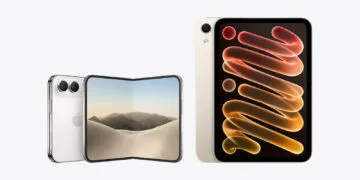
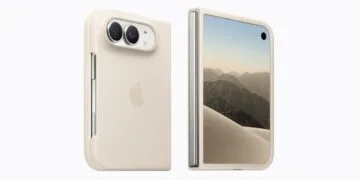
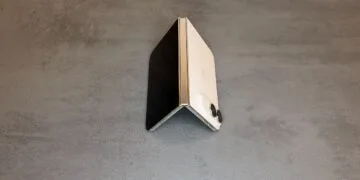
The iPhone Duo offers the perfect surface area for this effect. When unfolded, the inner display measures 7.6 inches, the outer one 5.4 inches – and the front-facing camera for video calls is located inside, beneath the display. A camera behind the screen receives less light than one in a notch, and a bright frame around a 7.6-inch surface provides significantly more light than the narrow bezel of a typical iPhone display.
Our expectation: The connection to the foldable model will last longer than it appears to be a purely software-based effect. The effect relies on the screen area – according to Apple, the brightness is controlled by the width of the illuminated frame, meaning more light means more of the screen area is covered. On a standard iPhone display, this would either leave little fill light or little space for the person on the other end. It's fitting, then, that the feature hasn't even made it to the iPad yet: Apple's manual for iPad video conferencing features lists Portrait mode, Studio Light, Follow mode, and Reactions – but Edge Lighting isn't mentioned.
Whatever the schedule allows
iOS 27 will be released on September 14th, with the iPhone Duo following on October 23rd and shipping with iOS 27.1 pre-installed. The issue, therefore, lies in a version of the code that isn't actually used on the device in question. There are roughly ten months between the Mac launch in December and the Duo's release – plenty of time to implement the missing setting.
Whether the feature will be available at launch in this country depends on the version pre-installed on the device. Apple does not specify any regional restrictions for the Mac: the support document only lists the chip, the system version, and a camera as requirements.
A ring light is only as good as its surface area
On a Mac, the effect is minimal because the display already emits light, and the additional frame only covers a portion of the surface. On the iPhone, the situation is reversed: the camera is closer to the face, the distance to the light source is smaller, and when unfolded, there's more illuminated area available than on any other iPhone. For poorly lit video calls on the go, this is the more interesting use case – provided the battery holds up, because a large, brightly lit display isn't exactly an energy-efficient light source.
In practical terms, this means that if you make a lot of FaceTime calls in the evenings, you'll get the feature immediately on your Mac, but not until autumn at the earliest on your iPhone, and then only with the most expensive model. A faster solution is to use a device that doesn't require a new phone – for example, by fully utilizing the capabilities of the center-stage front camera and sitting with your face towards the brightest light source in the room.
Would you use your iPhone display as a lamp for video calls in a dark room – or is the battery drain not worth it to you? Tell us in the comments how you make calls in low light.