

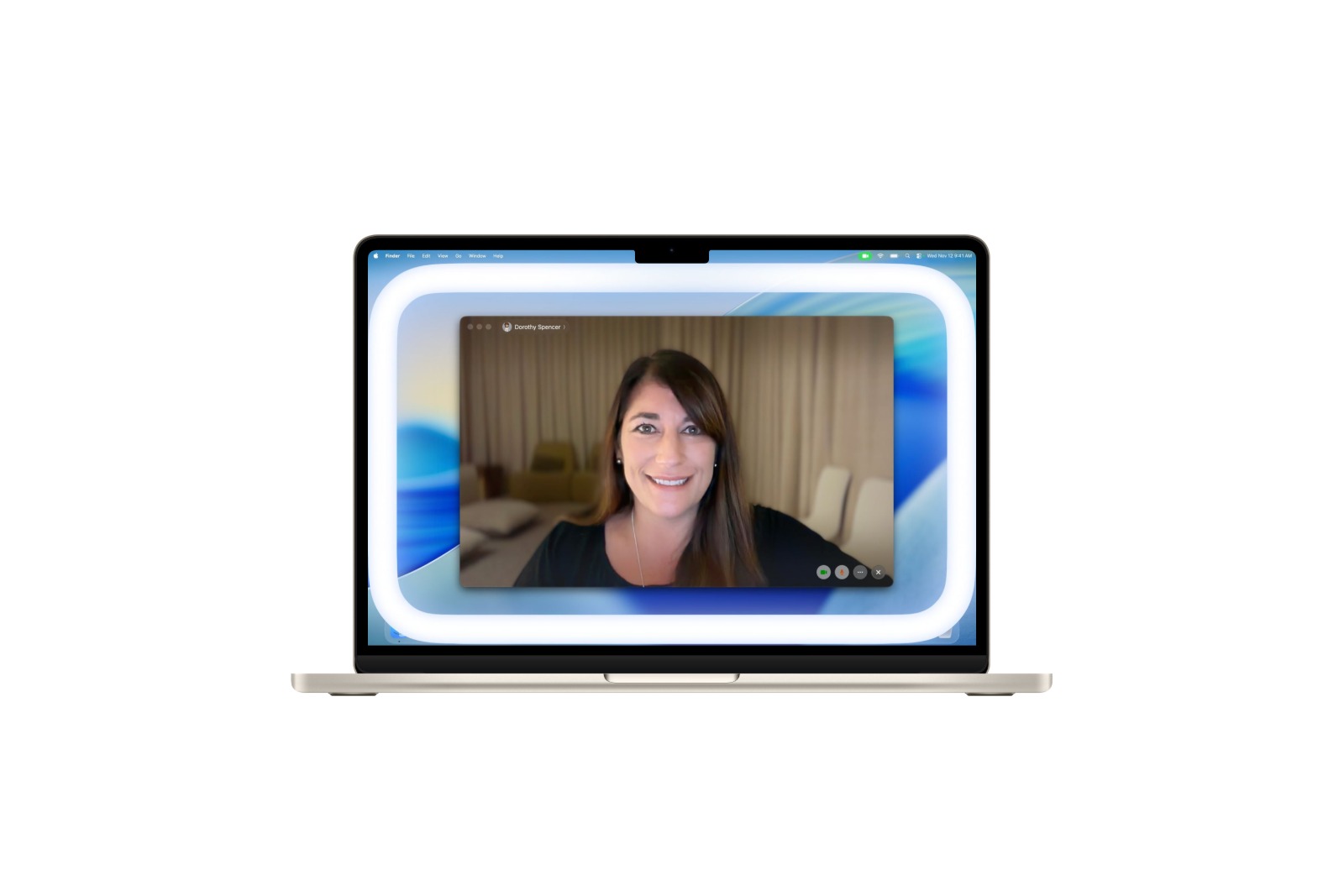
With macOS 26.2, Apple introduces a new feature designed to visibly and noticeably improve video calls. The second beta version brings Edge Light, a lighting technology that uses the display itself as a light source, creating a kind of integrated ring light. The result is a clearer and better-lit video image – without any additional accessories.
Video conferencing has long been a part of everyday life, both professionally and personally. Good lighting is often the crucial factor for appearing natural and clear on screen. macOS 26.2 addresses precisely this issue, expanding existing camera features like Portrait mode, Studio Light, and backgrounds with a new way to enhance your image. Edge Light utilizes the technology already present in the Mac and automates many processes via the Apple Neural Engine.
Edge Light on macOS 26.2
The Edge Light feature projects a bright border around the edges of the Mac display, creating a light source that illuminates the face more evenly. It works on the same principle as a ring light, but functions entirely through the display itself. No additional device is required. Especially in dark rooms, this feature compensates for the lack of brightness and highlights details more clearly without making the image appear unnatural.
Control via the Apple Neural Engine
The true intelligence behind Edge Light comes from Apple's Neural Engine. It recognizes faces, positions them within the video image, and analyzes their size and location. This allows the lighting to be precisely directed. The feature also reacts to ambient light. On Macs from 2024 onward, Edge Light can be activated automatically as soon as the room light decreases. The system also dims the lighting as soon as content on the screen is in the foreground and the mouse pointer is detected. This ensures that the Mac remains fully functional.
Adjustable color temperature
A slider allows for flexible adjustment of the light color. The range extends from warm to cool tones, enabling the image to be adapted to the respective situation. This keeps the video image more natural and prevents it from appearing artificially overexposed.
Integration with video conferencing apps
In macOS 26.2, Edge Light can be found in the video conferencing settings. The option is located alongside familiar effects such as backgrounds, portrait mode, studio light, and voice isolation. The feature works with both the built-in camera and externally connected webcams. A Mac with Apple Silicon is required.
Availability of macOS 26.2
Edge Light is already available to developers in the second beta of macOS Tahoe 26.2. The final release of macOS 26.2 is planned for December. Once the update is released, Edge Light will be available for all compatible Apple Silicon Macs.
macOS 26.2 strengthens the Mac as a video conferencing tool
macOS 26.2 significantly enhances the Mac's video conferencing capabilities. For the first time, Edge Light provides integrated display lighting that requires no accessories and delivers professional results. By combining intelligent facial recognition, automatic adjustment, and flexible color temperature, the image becomes clearer and more consistent in virtually any environment. This update makes the Mac an even better tool for all kinds of video calls. Find the best products for you: Our Amazon storefront offers a wide selection of accessories, including those compatible with HomeKit. (Image: Apple)
- iOS 26.2: Apple Games receives three important improvements
- iOS 26.2 adds an important toggle for chats to CarPlay.
- iOS 26.2 Beta 2 released: Apple starts new testing phase
- GPT-5.1: OpenAI makes ChatGPT warmer and smarter
- Apple study: DMA does not lead to lower App Store prices
- Apple officially kicks off Christmas 2025 with new decorations
- Apple Arcade brings new gaming highlights in December 2025
- Google confirms: Apple was right about AI
- Apple and AI: From laggard to strategic winner
- Introducing Nomad Tracking Card Pro: Design meets function
- Apple unveils the iPhone Pocket by Issey Miyake
- Apple Car Key: Why the digital car key is stalling
- Apple TV will remain ad-free – Eddy Cue confirms strategy
- tvOS 26.2: Two changes make Apple TV 4K more versatile
- WhatsApp is testing a new security feature for vulnerable accounts
- Apple TV celebrates four Grammy nominations for 2026
- iOS 26.1: Apple Music AutoMix now works with AirPlay
- Apple impresses on Forbes' Veterans List in 2025
- Meta announces WhatsApp usernames: This is the plan
- Apple Robotics: Analysts see next revenue stream
- iOS 26.2 adds offline lyrics to Apple Music.
- Apple criticizes EU: Data protection and regulations are in conflict
- iOS 26.2 brings Apple Music integration to WhatsApp Status
- iOS 26.2: Apple removes important feature in the EU
- Nintendo introduces a new Store app with a brilliant additional feature





