






© 2026 Apfelpatient. All rights reserved.

Apple Tips & Tricks
Every new version of iOS, iPadOS, macOS, and watchOS adds features – and hides many of them so well that even long-time Apple users miss them. On top of that come everyday problems: backups failing, AirDrop refusing to work, Wi-Fi passwords disappearing.
This is where step-by-step guides for exactly those moments live: from setting up a new iPhone to transferring data to uncovering hidden features in iOS and macOS. Every guide is verified against the current version – so the steps are correct when you actually need them.
Topics range from basics for newcomers to specialized features for power users: setting up iCloud properly, pairing an Apple Watch with an iPhone, using Focus modes effectively, resetting old devices for resale. When problems come up, the solution isn't just shown – it's also explained why something goes wrong, so the same issue can be solved independently next time.
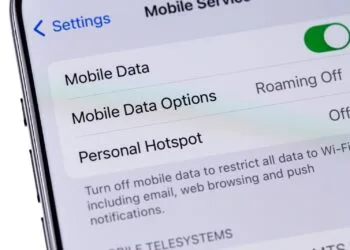
Use iPhone hotspot effectively – 5 useful tips
Staying online on the go with your iPhone hotspot? These 5 tips show you how to keep your connection, battery life, and data usage under control...
Read moreDetailsiOS 26 warns of dirty camera – this is how it works
iOS 26 automatically detects dirty camera lenses and discreetly warns, keeping iPhone photos clear and crisp.
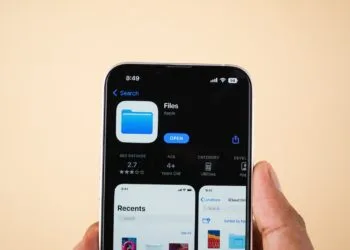
Read moreDetailsiPhone Files app: 6 tips for more order and efficiency
Attention iPhone users: The Files app can do more than you think – so you can organize documents efficiently and never lose track.
Read moreDetailsUsing iPhone Live Text – The best tips for on the go
Quickly recognize, copy, translate, or search text with iPhone Live Text – 6 professional tips that will really help you in your everyday life...
Read moreDetailsShare only specific photos with apps like Facebook – here's how
Since iOS 17, Apple users have been able to control which apps have access to photos. Learn how to better protect your personal data.
Read moreDetailsMake the most of iPhone screen time – 7 effective tips
Use your iPhone smarter: With these 7 tips, you can control app time, reduce distractions, and find your digital balance again.
Read moreDetailsOptimize iPhone battery health: 7 tips to save battery life
Learn how to protect your iPhone battery. These 7 tips will help you optimize battery life in the long term.
Read moreDetailsUsing iPhone Accessibility Features: 7 Features at a Glance
Activate iPhone accessibility features and use them cleverly: This way you can control your device more easily, quickly and precisely to your needs.
Read moreDetailsEditing iPhone RAW photos – 8 simple pro tips
How to edit iPhone RAW photos correctly: Learn how to professionally adjust colors, contrast, and sharpness in 8 easy steps.
Read moreDetailsApple Music in iOS 26: Music Pins make access easier
iOS 26 brings music pins to Apple Music: quick access to favorites, offline use, and more overview with just one tap.
Read moreDetails