

This article may contain affiliate links. Learn more on our Partner Program page.
After a major system update, search fails to find what it's supposed to for days – and no one says why. Apple has now revised its Spotlight support document, describing what's happening behind the scenes. The most important figure in it might surprise some users.
Apple updated its Spotlight indexing support document on August 25, 2026. In three sections, it explains what the search index contains, when the system builds it, and what can help with unexpected search results. The timing coincides with the ongoing testing phase of iOS 27, iPadOS 27, macOS 27 Golden Gate, and visionOS 27, during which the re-indexing was noticed by many testers. Apple had already prepared for this step in the summer: iOS 26.6 explicitly optimized the Spotlight index at the end of July with the transition to the next generation in mind.
Key Facts at a Glance
- Indexing can take anywhere from hours to several days, depending on the amount of data.
- It runs faster when the device is unused, plugged in, and connected to Wi-Fi or Ethernet.
- The index remains local on the device and is not shared with Apple or other devices.
- It is rebuilt during initial setup, after updates, and continuously with new data.
- On a Mac, the index for individual volumes or folders can be selectively renewed.
What's in the index
Spotlight is the system-wide search function and works with a regularly updated directory of data on the device. Apple describes it as a local and private index that never leaves the device and is not synchronized between devices.
Much more than just files are recorded: documents, emails, messages, contacts, photos, music, podcasts, notes, system settings, and apps. Siri also accesses this content to answer queries – a point that will become increasingly important with the next generation of operating systems.
When the system will be re-indexed
Apple cites three reasons for this: the initial setup of a device, the installation of an update or a new system version, and ongoing changes to the data. The latter applies, for example, when new apps are installed that make their content available for search, or when new messages and emails arrive.
The first pass is the most time-consuming. Depending on the amount of data, it can take hours or even days. All subsequent passes are incremental and therefore significantly faster.
The device finishes faster under three conditions: when it is not in use, when it is plugged into a power supply, and when it is connected to the internet via Wi-Fi or Ethernet – the latter because some data, such as emails, needs to be loaded for indexing.
How the ongoing process can be recognized
During indexing, the systems display different indications:
| Where | What can be seen |
|---|---|
| Mac | Progress indicator at the top of the Spotlight or Siri window after pressing Command + Spacebar |
| Other devices | A note in the settings indicates that search and Siri are being optimized. |
| Message that indexing is not yet complete |
Anyone who sees incomplete hit lists at this stage is therefore not dealing with a defective system, but rather an unfinished index.
If the search consistently fails
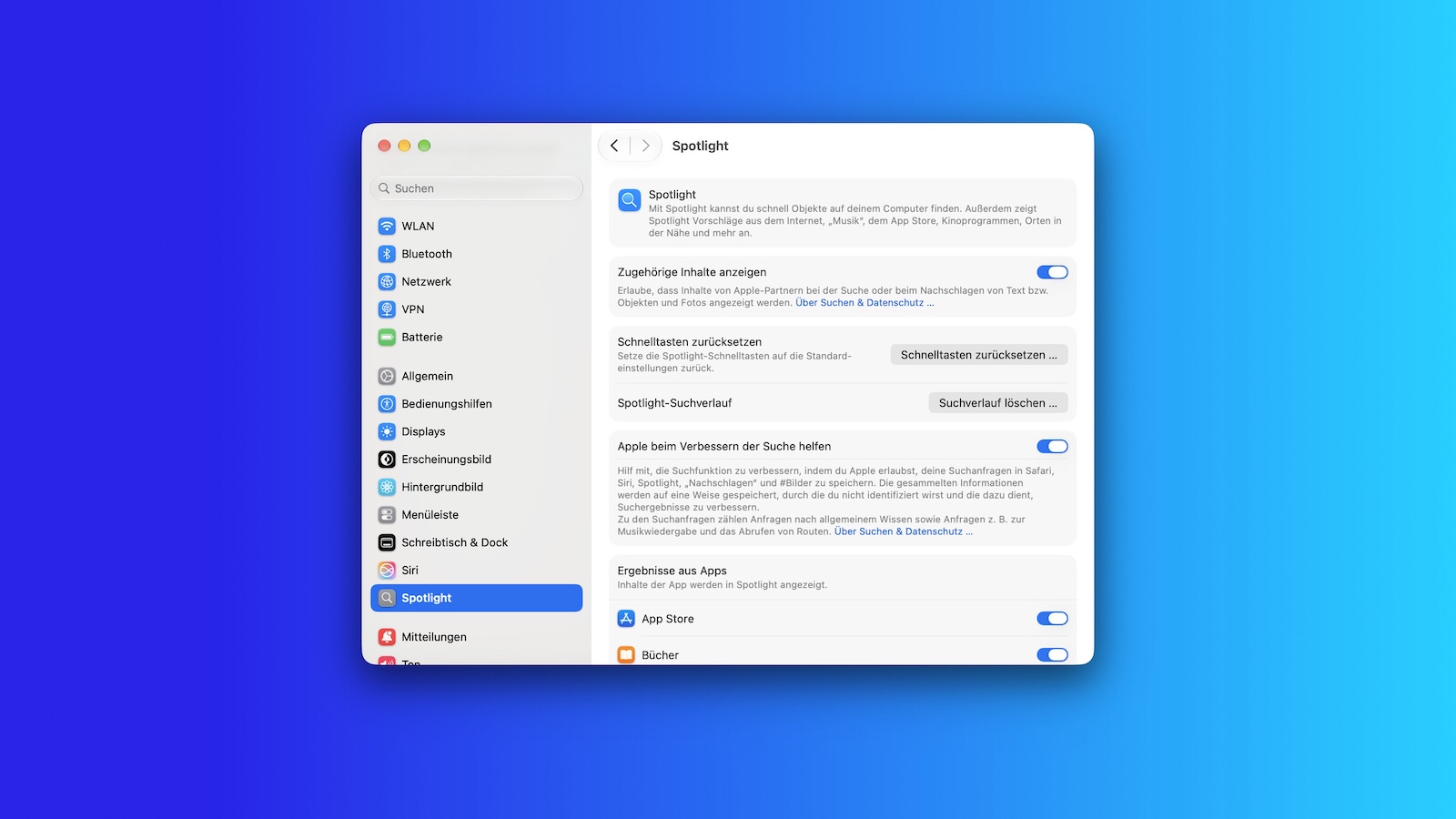
If the results remain incomplete even after completion, Apple recommends first installing the latest software updates and then checking the search settings: There you can specify which content types Spotlight considers. On a Mac, these options are located in System Preferences under "Spotlight" or "Siri & Spotlight".
For persistent issues, Apple describes a way to rebuild the index for a single volume or folder on a Mac. To do this, drag the item to the exclusion list in System Preferences under "Search Privacy" and remove it after a few seconds. Spotlight will then re-index the content. If this step results in an error due to insufficient permissions, the problem lies with the user account's ownership rights for individual items.
Why this explanation carries weight right now
The description itself is unremarkable – its value lies in the timing. In just a few weeks, millions of devices will be switching to the next operating system generation, and search is one of the areas Apple has invested most heavily in. We expect the indexing to be more noticeable after the upgrade than in previous generations because Spotlight and the Assistant will be accessing more of the same database. The groundwork laid in the July update points in the same direction.
In practical terms, this means: Start the update in the evening, leave the device plugged in and connected to Wi-Fi, and assess the search the next day, not in the first hour. Otherwise, if you encounter missing results immediately after installation, you'll be looking for a problem that doesn't exist.
Have you ever waited days for complete search results after the last major update – or did you never even notice the indexing? Let us know in the comments how long it took for you.
- How many external displays does your Mac support?
- Apple Silicon: How Much RAM Do You Really Need?
- MacBook power adapter: What wattage does your model need?
Frequently Asked Questions: Spotlight Indexing
Depending on the amount of data, this can take anywhere from hours to several days. After that, only small, incremental updates are performed, which are significantly faster.
Because the index is currently being rebuilt. Until it is finished, hit lists will remain incomplete – this is not a defect, but the ongoing process.
On a Mac, a progress indicator appears at the top of the Spotlight or Siri window. On other devices, the Settings app indicates that Search and Siri are being optimized. Mail also notifies you if its own indexing is not yet complete.
When the device is not in use, is plugged into a power source, and connected to the internet via Wi-Fi or Ethernet. The latter is necessary because some data, such as emails, needs to be loaded for indexing.
No. Apple explicitly describes it as a local and private index that is not shared with Apple or with its own other devices.
On a Mac, yes: Drag the volume or folder to the exclusion list in System Preferences under "Search Privacy" and remove it after a few seconds. Spotlight will then re-index the content.
Then the macOS user account lacks ownership rights to individual items in the selected volume or folder. These rights can be adjusted via the information for each item in Finder.





