This article may contain affiliate links. Learn more on our Partner Program page.
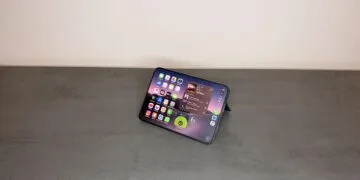
The iPhone 18 Pro Max's battery is so large that the device can no longer be shipped without modification. Before it can be sent for repair, traded in, or sold to a buyer, it must be discharged and its performance throttled via software. Apple has implemented a dedicated function for this in the settings, and it applies exclusively to this one model.
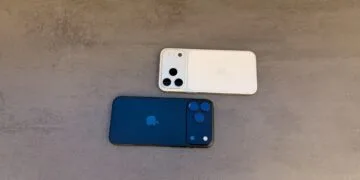
With the iPhone 18 Pro Max, Apple increased the battery capacity to over 20 watt-hours. This provides longer battery life but also entails shipping restrictions that, according to Apple, apply in most countries to devices with a single-cell battery above this limit. A support document published on September 17th regarding the shipping preparation of the iPhone 18 Pro Max describes how the company addresses this.
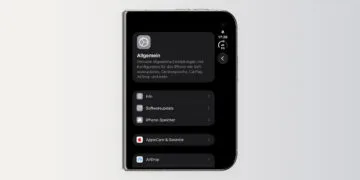
On our iPhone 18 Pro Max, the new menu item is called "Prepare for Shipping." The remaining specifications of the model can be found in the overview of all data and prices for the iPhone 18 Pro and Pro Max.
Key Facts at a Glance
- Only the iPhone 18 Pro Max is affected. No other iPhone has a single-cell battery with more than 20 watt-hours.
- New, unactivated devices are factory-set to a power consumption of less than 20 watt-hours via firmware and require no preparation.
- „"Prepare for Shipping" is located under Settings > General > Transfer/Reset iPhone. This function discharges the battery below a certain threshold and sets a charging limit.
- In the case of repair, exchange, or return, the charging limit remains at 80 percent for 14 days. This setting can be reversed at any time when selling or giving the device away.
- Anyone receiving a shipping kit from Apple should additionally discharge the battery to a maximum of 25 percent and switch off the iPhone.
Why only the large model is affected
The limit stems from air freight dangerous goods regulations. Lithium-ion cells installed in a device fall under the simplified Section II of Packaging Regulation 967 up to 20 watt-hours. Above that, Section I applies, requiring dangerous goods labeling of Class 9, as shown in the overview of ICAO regulations by the US Federal Aviation Administration (FAA). For multi-cell batteries, the threshold is 100 watt-hours – however, Apple explicitly links these regulations to single-cell batteries, i.e., to the cell limit.
This is resolved in two stages. From the moment of manufacturing, a battery firmware limits the capacity to under 20 watt-hours; only after activation does the iPhone unlock its full capacity. Therefore, a factory-sealed or unactivated device can be shipped without further steps. However, for each activated Pro Max, the "Prepare for Shipping" step is required.
Nothing needs to be done while traveling. Apple emphasizes that the battery is safe, even on airplanes; this step is solely for shipping purposes.
Where the function is located in the settings
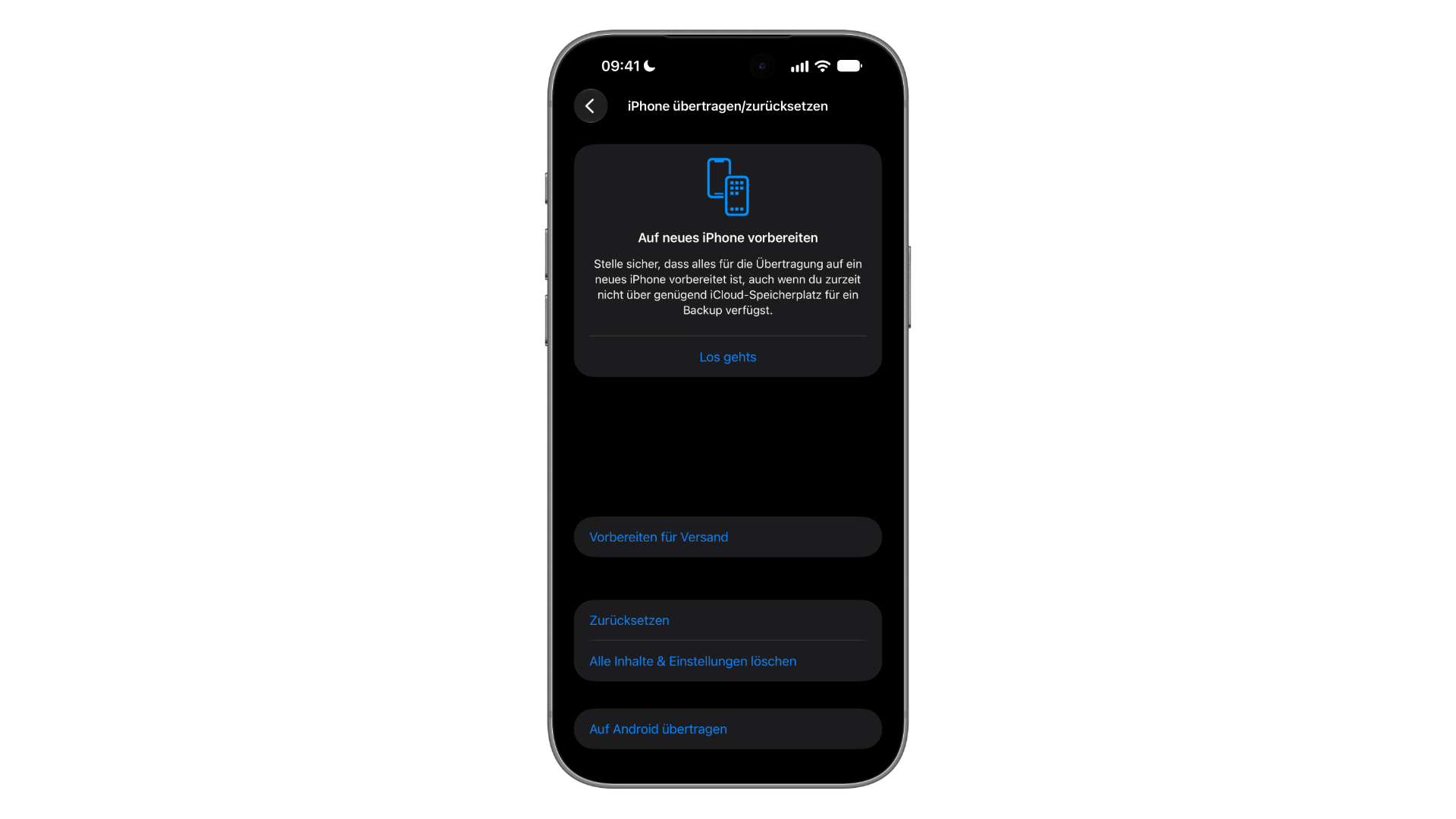
The path is Settings › General › Transfer/Reset iPhone › Prepare for Shipping. On our device, the entry appears as a separate block between "Prepare for New iPhone" and the options "Reset" and "Erase All Content and Settings".
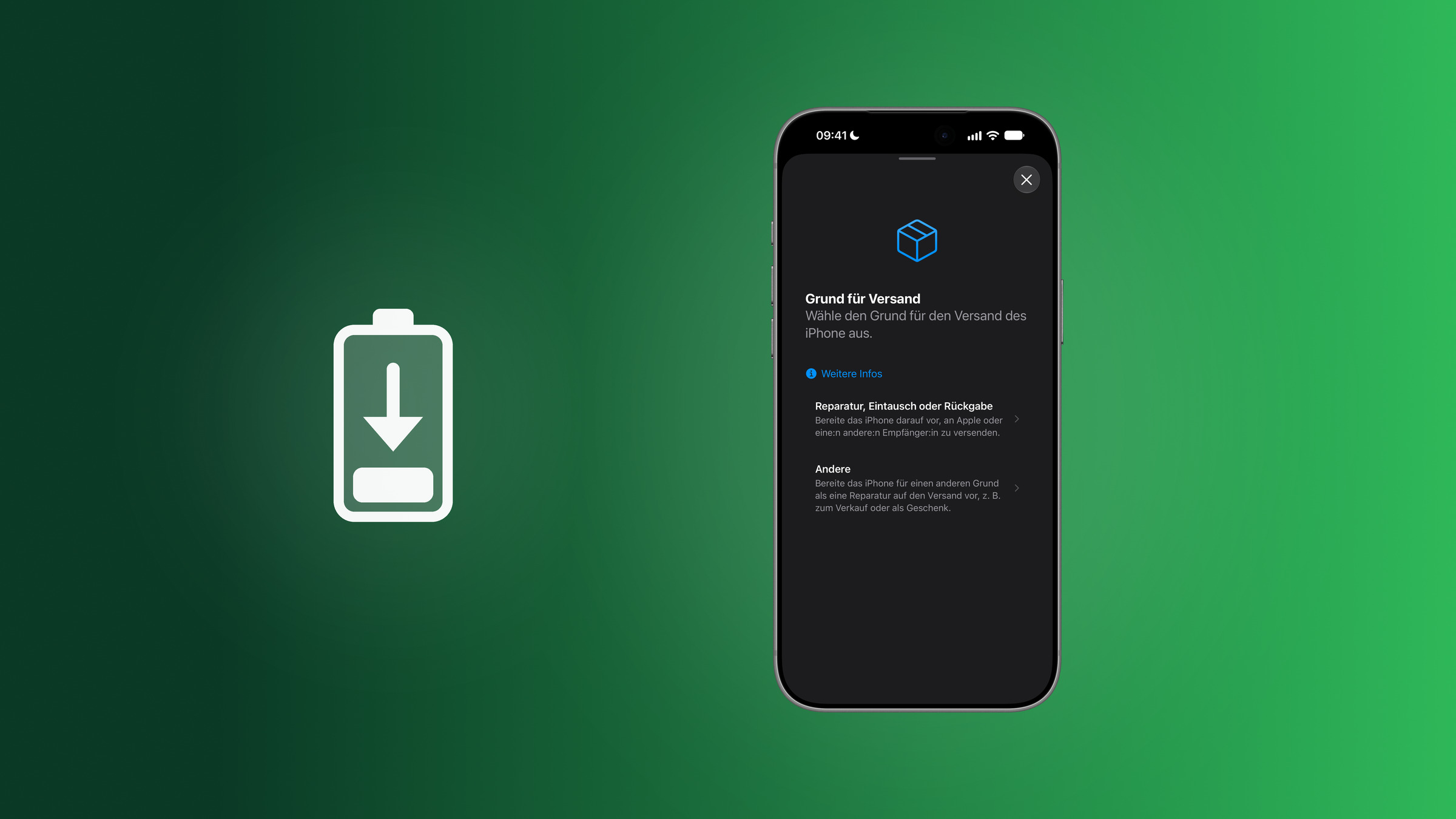
After tapping, the system asks for the "reason for shipping" and offers two options: "Repair, exchange, or return" and "Other," which, according to the description, could be for a sale or a gift. The reason you choose determines how long the spending limit remains in effect.
A Wi-Fi or cellular connection is required. Any charging cable should be disconnected beforehand; otherwise, the discharge process will take longer. If the display becomes unresponsive, Apple advises contacting support or the company to which the device is being returned.
Repair, exchange or return
This option applies to shipping to Apple, a retailer, or a network operator. Here's how it works:
- Disconnect the charging cable.
- Check with the recipient to see if any steps are required beforehand.
- Open Settings › General › Transfer/Reset iPhone › Prepare for Shipping and select "Repair, Exchange or Return".
- If prompted, enter your Apple account password. If the system asks whether to proceed without a recipient, this simply means that Apple does not know the recipient – the preparation process will continue regardless.
- Follow the instructions on the screen, including the decision of whether to erase the iPhone and sign out of the Apple account.
- Once the iPhone is reported as ready for shipment, pack it according to the recipient's specifications.
For trade-ins and returns, the activation lock must be removed. Apple recommends deleting it, but it's not mandatory; the most thorough way to do this is "Erase All Content and Settings".
With this setting, the system caps the charging limit at 80 percent for 14 days to ensure the battery remains below this threshold. Only after this period can the setting be deactivated. If the process fails or no confirmation appears, Apple advises against shipping the device, as it typically requires special packaging.
Sale or gift: the "Other" option
If the iPhone is being sold to a private individual, for example after a sale via classified ad or as a gift, "Other" is the correct choice. The steps are the same, just without consulting the recipient. However, erasing and signing out are still necessary when selling an iPhone, just like with any secure sale.
The difference lies in the return journey: Here, the preparation can be reversed at any time; there is no 14-day deadline.
| Repair, exchange or return | Other | |
|---|---|---|
| Typical occasion | Repair, exchange, return to Apple, retailer or network operator | Sale or gift to a private individual |
| Consultation with the recipient | Recommended in advance | – |
| Activation Lock | must be removed for exchange and return | – |
| Charging limit | 80 percent for 14 days | set, revocable at any time |
| Undo | after 14 days | at any time |
Unloading, status and return journey
How long the preparation takes depends on the battery level. According to Apple, it sometimes only takes a few minutes, but with a full battery it can take up to several hours. The iPhone may get warmer than usual during this process, but can be used normally during this time – unless it has already been erased.
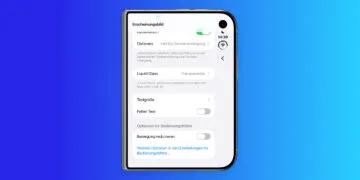
Once the process is complete, the Settings app displays a red indicator that the iPhone is ready to ship. For a wiped device, this information is displayed on the home screen behind the info button. Therefore, anyone receiving a used iPhone Pro Max can see whether the preparation is still active even before setting it up.
To undo this, open Transfer/Reset iPhone, tap the Shipping Ready entry, and reverse the shipping preparation. The charging limit itself can then be raised again in the Battery settings, just like charging limits since iOS 18.
When Apple sends a shipping kit
The German support pages for Apple's trade-in program and express replacement service now redirect Pro Max owners to their own instructions. The document for sending the iPhone 18 Pro Max to Apple specifies when the device can even be sent: The battery must be an original Apple part, there must be no signs of gas or unusual odor, and no visible damage, such as a casing bulged by a swollen battery.
A cracked display is not grounds for rejection as long as the crack does not expose the internal components of the device and the iPhone is not bent or dented. If any of these conditions are not met, the device should not be sent in; instead, Apple should refer the customer to Apple Support, an Apple Store, or an authorized service provider.
Anyone who has received a shipping kit from Apple should discharge the battery to no more than 25 percent and turn off the iPhone. Only the iPhone itself should go in the box; the accompanying documents should remain in their case, and the box should be sealed exclusively with the included adhesive tape.
One more step with every device change
This function requires careful planning. Because discharging a fully charged battery can take several hours, it shouldn't be started only when the courier arrives. It's fastest with an empty battery and the cable unplugged.
Equally important is choosing the right option. "Repair, exchange, or return" locks the device to 80 percent battery capacity for two weeks – those who choose this option and then decide to keep the iPhone will have to live with the throttled battery for that entire period. For selling to private individuals, "Other" is the appropriate option, as this setting can be reversed at any time.
If you plan to resell your Pro Max at some point, this step will be added to your usual routine of backing up, logging out, and deleting data. Especially with a device in this price range, it's worth going through this process before shipping it.
Shipping your iPhone 18 Pro Max – the most important points at a glance
Activated iPhone 18 Pro Max devices are discharged and throttled before shipping via Settings > General > Transfer/Reset iPhone > Prepare to Ship. For repairs, trade-ins, and returns, a 14-day charge limit of 80 percent applies; for sales and gifts, this preparation can be reversed at any time. Unused devices in their boxes and all other iPhone models are not affected.
Would you trade in your Pro Max at Apple next time you upgrade, or sell it privately and ship it – and does the waiting time for the battery to discharge fit into your workflow? Tell us in the comments how you handled your last device upgrade.
Frequently Asked Questions: Preparing iPhone 18 Pro Max for Shipping
The iPhone 18 Pro Max has a single-cell battery with a capacity of over 20 watt-hours. According to Apple, devices with such batteries are subject to additional shipping regulations in most countries. The "Prepare to Ship" function therefore discharges the battery below this limit and sets a charge limit to ensure it remains below this limit during transport.
The function is located under Settings > General > Transfer/Reset iPhone > Prepare for Shipping. The iPhone will then ask for the reason for shipping and offer "Repair, Exchange, or Return" as well as "Other." A Wi-Fi or cellular connection is required for this process.
No. By default, the battery firmware limits the capacity to under 20 watt-hours. The iPhone only unlocks its full capacity upon activation. Therefore, an unactivated device in its original packaging can be shipped without further steps.
No. According to Apple, this step is only necessary for the iPhone 18 Pro Max. No other iPhone has a single-cell battery with more than 20 watt-hours, not even the iPhone 18 Pro.
It depends on the battery level. According to Apple, it sometimes only takes a few minutes, but with a full battery it can take up to several hours. It's faster if the charging cable is disconnected beforehand. During discharge, the iPhone may get warmer than usual, but it remains usable as long as it hasn't been erased.
Yes, in the same menu under Transfer/Reset iPhone. If you selected "Other," for example, for a sale or gift, you can cancel the preparation at any time. For "Repair, Trade-In, or Return," the charge limit remains at 80 percent for 14 days; only after that can it be removed.
Yes. According to Apple, the battery is safe, even on airplanes. The shipping preparation is only intended for parcel delivery and is not necessary for travel.