

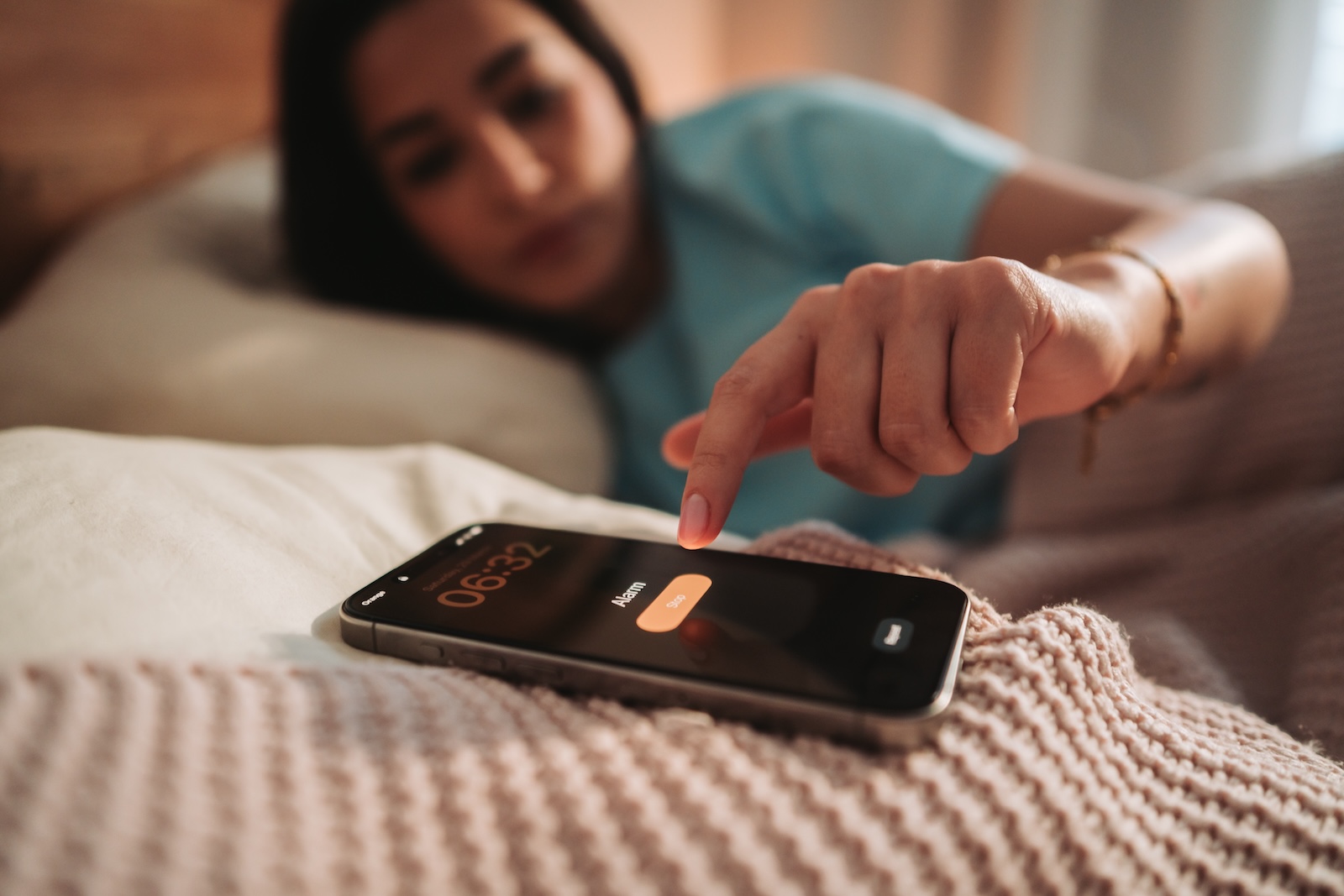
A quiet notification sound, but an alarm that reliably jolts you out of sleep — for years, those two didn't go together on the iPhone. iOS 27 finally separates these volumes from one another, and with a few taps you can set each type of sound individually.
For almost the entire history of the iPhone, ringtones, alarms, timers, and notifications were controlled by the same volume slider. Lowering the notification volume often inadvertently lowered the alarm volume as well—a conflict that could only be resolved through compromises. Until now, the volume control was simply a matter of... The alarm clock's tone could be adjusted together with the ringtone via "Sounds & Haptics".. With iOS 27, Apple introduces new control options for sounds and haptics that break this rigid link. Alarms, timers, and notification sounds can now be adjusted independently.
What's Changing with the Sounds
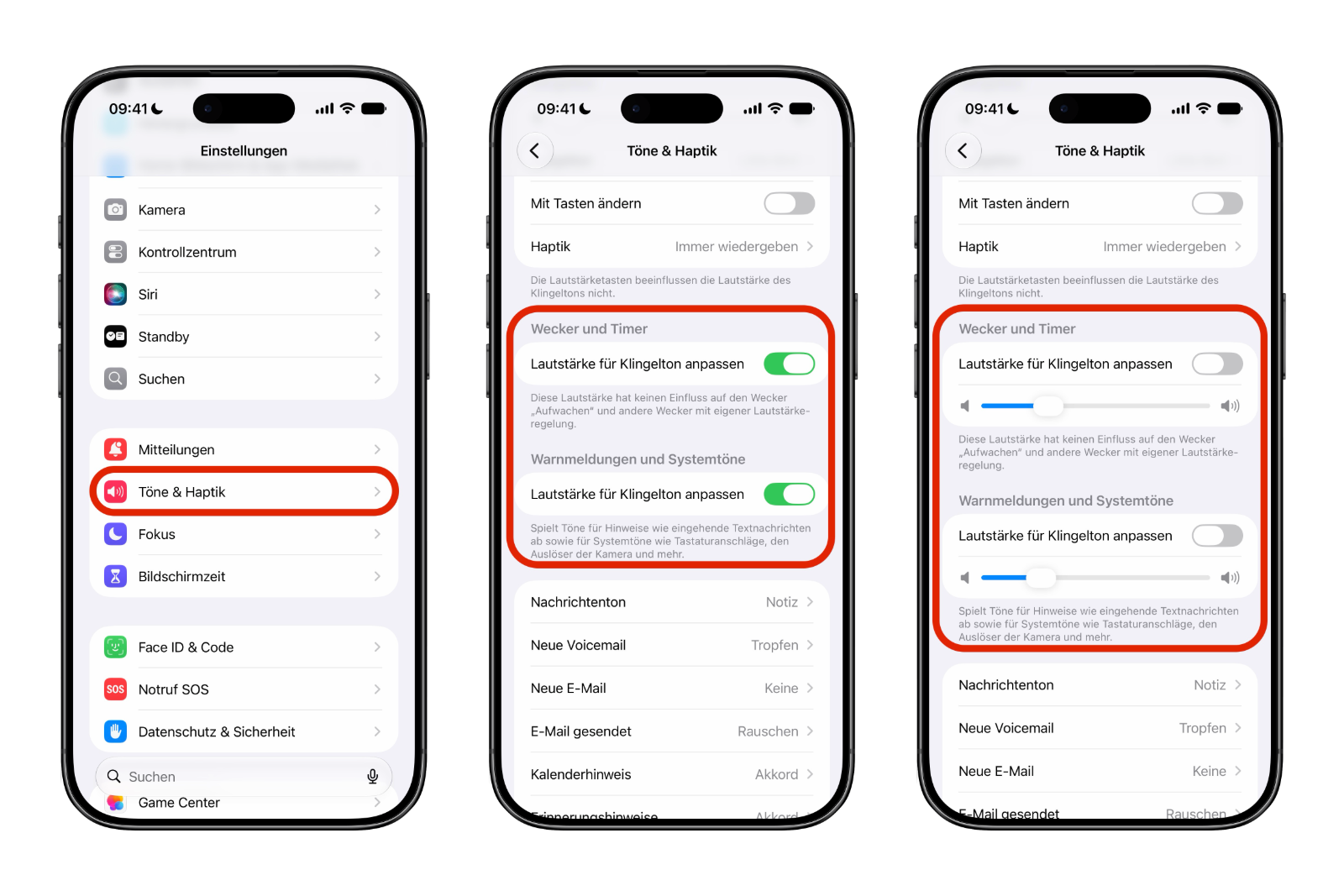
In iOS 27, the "Sounds & Haptics" section is divided into three separate parts: Ringtone, Alarm and Timer, and Alerts and System Sounds. This acknowledges that a morning alarm, a cake timer, and an incoming text message serve different purposes – and can therefore have different volume levels.
An everyday example: a kitchen timer may need to be audible from the next room while dinner is cooking. A keyboard click or the camera shutter sound, on the other hand, hardly needs the same volume. Instead of lumping all of this together, iOS 27 now treats these sounds separately.
Step by Step to Separate Volumes
The separation is hidden behind a toggle for each category. Here's how to enable it:
- Open Settings on your iPhone running iOS 27.
- Tap on „Sounds & Haptics”.
- Select „Alarm clock and timer” or „Alerts and system sounds”.
- Disable the "Take over ringtone volume" option.
- Set the now-unlocked slider to the volume you want.
- Repeat this for any other category you want to control independently.
Each category contains the option "Inherit ringtone volume." If this option remains enabled, the category will continue to be linked to the ringtone volume—just as before. Only disabling this option unlocks its own volume control. So, if you want everything to stay the same, simply leave the switch on and you won't notice the change.
Which Sounds Fall into Which Category
The assignment of these settings is worth a closer look to ensure the controls have the expected effect. "Notifications and system sounds" includes text notifications, keyboard clicks, the camera shutter sound, and other user interface sounds. The "Alarm and timer" setting, on the other hand, controls timer notifications and most alarm sounds.
There is, however, one important exception: the Wake Up alarm tied to Sleep Focus, as well as alarms with their own built-in volume controls, remain unaffected by the new settings. These continue to be managed separately via the Sleep or Bedtime settings — a note that iOS 27 points out in the interface itself.
The system isn't quite as fine-grained as it might sound, though: iOS 27 doesn't offer individual sliders for truly every sound. Apple still groups the sounds into broader categories rather than providing a separate slider for every app, every alarm, or every type of notification.
A Small Change with a Big Everyday Impact
At WWDC, almost everything revolved around Apple Intelligence and AI features, and separate volume sliders will hardly get the same attention. In everyday use, however, many iPhone users are likely to encounter them far more often than some headline feature. Anyone who relies on alarms, timers, medication reminders, and other recurring alerts will notice the added flexibility right away. Incidentally, you can also set a dedicated, fitting volume for the default notification sound, so the iPhone's soundscape can now be configured far more precisely than before.
Separate Volumes in iOS 27 — The Key Takeaways at a Glance
iOS 27 removes a limitation that has plagued iPhone sound settings for years. Under "Sounds & Haptics," ringtones, alarms, timers, notifications, and system sounds can now be adjusted separately, provided the "Inherit Ringtone Volume" option is disabled in the respective category. The wake-up alarm linked to sleep focus remains an exception and is still controlled via the bedtime settings. Users who want to combine quiet notifications with a loud alarm no longer have to compromise.
The best products for you: Our Amazon storefront offers a wide selection of accessories, including those for HomeKit. (Image: Shutterstock / Big Shot Theory)
- Create a Pass in iOS 27: How to Make Your Own Wallet Passes
- iOS 27, iPadOS 27 and macOS Golden Gate: These Apple devices are compatible
- How to install the iOS 27 Developer Beta: guide, risks and troubleshooting
- Setting Up Apple Family Sharing Securely: What Parents Need to Know
- iCloud Private Relay vs. VPN: What Actually Protects You?
- How to protect Apple devices from malware
- Configuration Profiles on the iPhone: When They Help, When They Become Dangerous
- HomePod Plays Music on Its Own: How to Stop Ghost Touches
- Selling Your iPhone Safely: How to Prepare Your Device the Right Way
- Using Apple Pay Safely: How the iPhone Protects Your Payments
- Data Leak Check on iPhone: How to Find Compromised Passwords
- Spotting a Hacked iPhone: Real Warning Signs, Common False Alarms and the Right Steps
- Advanced Data Protection for iCloud: How to Use Apple's Strongest Encryption Tier
- NameDrop on iPhone and Apple Watch: How to Use It Right
- Two-Factor Authentication for the Apple Account: Setup Guide, Options and Security Levels
- Using Passkeys on Apple Devices: How Passwordless Sign-In Works
- Activate and properly use Stolen Device Protection on iPhone
- Pegasus and Commercial Spyware on iPhone: What Users Really Need to Know
- Secure email usage on the iPhone
- AI makes your iPhone more secure – what that really means for you
- Apple Security Updates: How Apple protects your Devices
- Ransomware explained: Could my iPhone be affected?
- Identity theft: What to do if your Data has been stolen?
Frequently Asked Questions: Separate Volumes in iOS 27
Yes. iOS 27 separates the volume levels for ringtones, alarms/timers, notifications, and system sounds. Once you disable the "Inherit ringtone volume" option for a category, you'll get a separate volume control for it.
Under Settings → „Sounds & Haptics”. There, the sections Ringtone, Alarm and Timer, as well as Alerts and System Sounds are listed separately.
In "Sounds & Haptics", open the desired category and deactivate "Take over ringtone volume". A separate volume control will then appear, which you can adjust freely.
These include text notifications, keyboard clicks, the camera shutter sound, and other interface sounds. Alarms and timers, by contrast, have their own category.
No. The Wake Up alarm tied to Sleep Focus, as well as alarms with their own built-in volume controls, remain exempt and continue to be managed via the Bedtime settings.
Then everything remains as before. As long as "Take over ringtone volume" is activated, the respective category will continue to follow the ringtone volume.
No. iOS 27 groups the sounds into broader categories. The system doesn't offer individual sliders for every app, every alarm, or every type of notification.





