

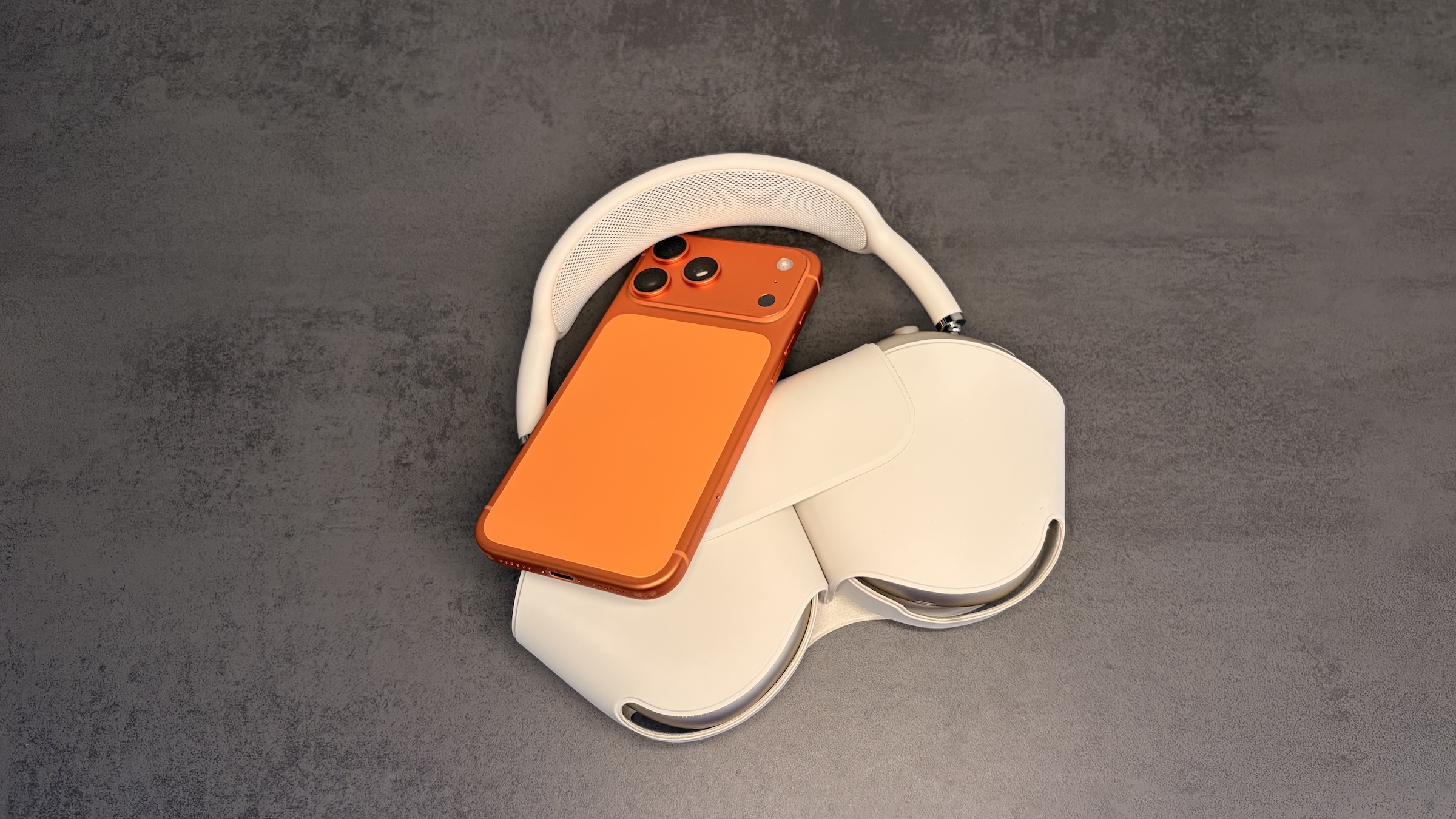
For years, AirPods users had to live with Apple's factory settings. With iOS 27, bass, mid, and treble can now be adjusted directly in the settings for the first time – for every app and every audio source. The prerequisites are compatible AirPods and the latest firmware.
Since September 14th, iOS 27 has been available for all iPhones from the iPhone 11 onwards. On the same day, Apple released a new firmware update for supported AirPods that unlocks the equalizer. It's not located in an app, but rather in the AirPods settings, and therefore affects music, podcasts, videos, and games alike.
Until now, there were primarily two workarounds: the equalizer in the music app, which only works with Apple Music, and the headphone adjustments in the accessibility settings. The new slider doesn't replace either of these, but it is the first specifically designed for AirPods.
Key Facts at a Glance
- The equalizer offers three bands for bass, midrange and treble and affects any sound source.
- Supported are AirPods with H2 chip: AirPods Pro 2, AirPods Pro 3, AirPods 4 and AirPods Max 2
- iOS 27, iPadOS 27 or macOS 27 Golden Gate and the latest AirPods firmware are required.
- The sound profile is stored in the AirPods and therefore also applies to iPad and Mac.
Which AirPods support the equalizer?
The equalizer requires Apple's H2 chip. Older models are excluded, including the first generation of AirPods Max.
| Model | Equalizer |
|---|---|
| AirPods Pro 2 (Lightning and USB-C) | Yes |
| AirPods Pro 3 | Yes |
| AirPods 4 (with and without active noise cancellation) | Yes |
| AirPods Max 2 | Yes |
| AirPods Max (1st generation) | no |
| AirPods Pro (1st generation), AirPods 2 and 3 | no |
This includes the AirPods Pro 3 and the AirPods Max 2 from the current AirPods range.
This is how the equalizer is set
The AirPods must be connected for the entry to appear at the top of the settings.
- Open the settings on your iPhone.
- Tap on your AirPods entry at the top.
- Select "Audio & Routing".
- Tap on "Equalizer".
- Select "Custom" and drag the points for depths, mids, and heights up or down.
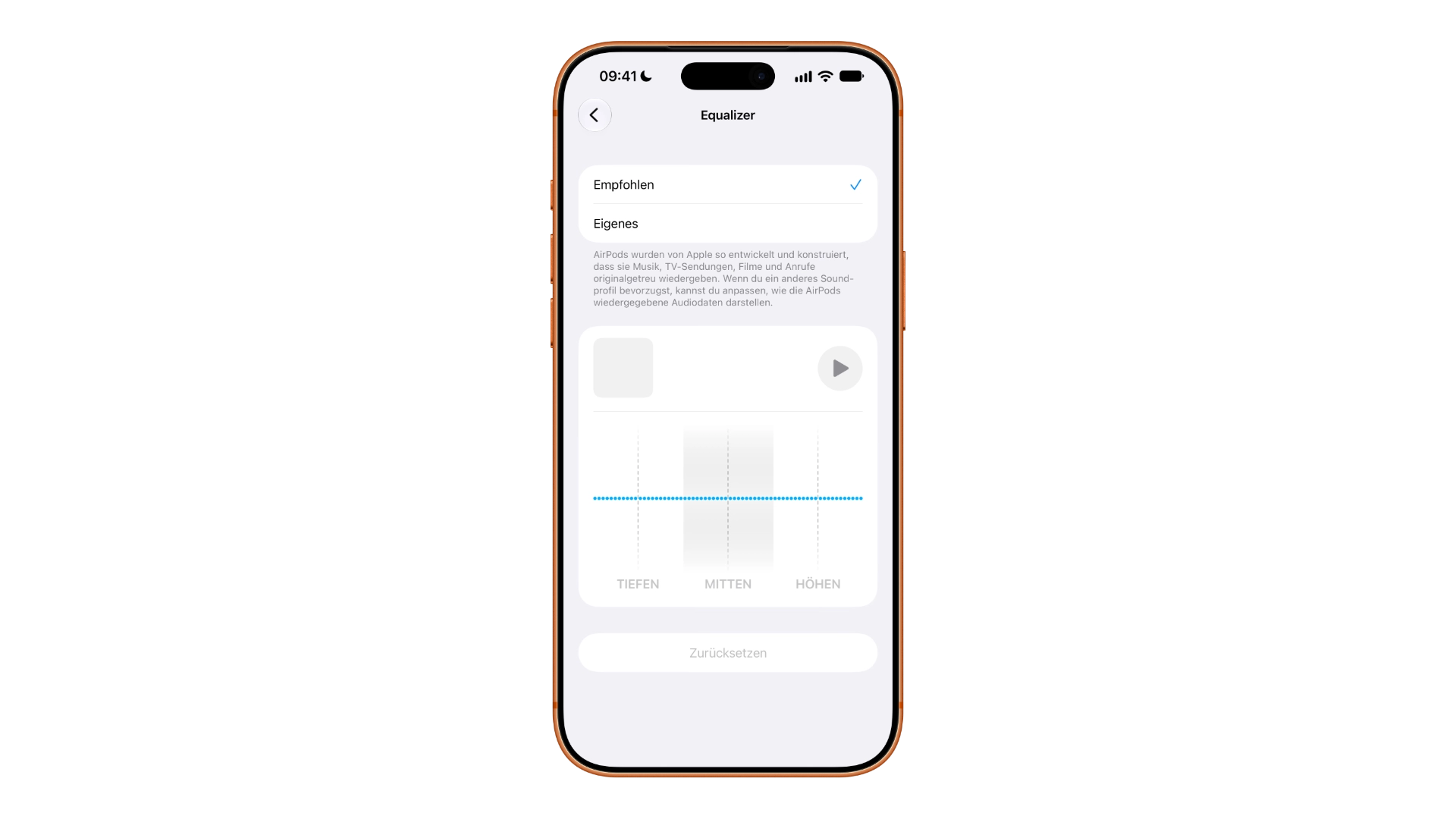
A playback control appears above the sliders, displaying the last played track. This allows you to immediately assess any changes while the track is playing. If you're not satisfied with the result, you can reset your settings using the "Reset" button below the sliders or select "Recommended" at the top, which is Apple's default setting.
If the equalizer is missing
If the "Equalizer" option isn't displayed, it's almost always due to the firmware. The version can be found under Settings → Bluetooth, accessible via the Info button next to the AirPods in the "About" section. There's no button to manually update the AirPods firmware – the update only happens automatically under certain conditions.
According to Apple's support document on AirPods firmware updates, new versions install automatically while the AirPods are charging and within Bluetooth range of an iPhone, iPad, or Mac connected to Wi-Fi. For in-ear models, the AirPods should remain in their closed charging case; AirPods Max should be connected to their charging cable. Apple recommends waiting at least 30 minutes. If the update doesn't work after that, Apple suggests resetting the AirPods and attempting the update again.
What the three controls change
A three-band equalizer roughly divides the frequency spectrum. The lows define the bass foundation – kick drum, bass lines, the thumping of electronic music. The mids carry vocals and most instruments; cutting them too much makes vocals sound hollow and distant. The highs control detail, cymbals, and sibilance.
For podcasts and audiobooks, a slight boost in the midrange is beneficial, as it makes speech sound more present. When listening to music in noisy environments, a boost in the bass is helpful. Boosting the treble improves clarity but risks introducing harsh sibilance. It's advisable to work in small increments and occasionally switch back to the default settings to hear the difference.
The difference to the equalizer of the music app
An EQ setting has existed in iOS for years. It can be found under Settings → Apps → Music → EQ and differs from the new slider in two ways.
| Music app equalizer | AirPods equalizer from iOS 27 onwards | |
|---|---|---|
| Attitude | fixed default settings | three freely movable straps |
| Effective for | only Apple Music | all apps and audio sources |
| Headphones | any | only AirPods with H2 chip |
| Saved | on the iPhone | in the AirPods |
For headphones from other manufacturers, only the old setting remains, and this applies exclusively to Apple Music.
The profile migrates to iPad and Mac with
Because the settings are stored in the AirPods and not on the iPhone, the same settings also apply to an iPad or Mac as soon as the earbuds are connected. You don't need to create a new profile. The only requirement is that the respective device is running iPadOS 27 or macOS 27 Golden Gate.
This is particularly practical when music on the computer and podcasts on the go are played through the same earbuds: The tuning is the same everywhere, without having to be replicated on each device.
Three controls are few – but still sufficient
With only three bands, Apple's equalizer falls significantly short of what finer-grained equalizers allow. Individual frequency ranges cannot be precisely adjusted, such as a bothersome resonance point in the upper midrange. However, the three-band configuration is sufficient for most common needs: more bass, more present vocals, and less harshness.
The bigger improvement lies elsewhere. Because the profile is stored in the AirPods and applies to every audio source, you no longer need to adjust anything for each app or device. That's the crucial difference compared to the equalizer in a music app.
AirPods equalizer – the most important points at a glance
| Detail | Info |
|---|---|
| Requirement | H2 chip in the AirPods, current firmware |
| Supported models | AirPods Pro 2, AirPods Pro 3, AirPods 4, AirPods Max 2 |
| Operating system | iOS 27, iPadOS 27, macOS 27 Golden Gate |
| Path | Settings → AirPods → Audio & Routing → Equalizer |
| Bands | Lows, mids, highs |
| Scope | all apps and sound sources |
| Across devices | Profile also applies to iPad and Mac |
Do you boost the bass on your AirPods, bring out the vocals – or stick with Apple's default settings? Let us know your three settings in the comments.
Frequently Asked Questions: AirPods Equalizer
Apple's H2 chip is required. This applies to AirPods Pro 2 in both connector variants, AirPods Pro 3, AirPods 4 with and without active noise cancellation, and AirPods Max 2. Older models are excluded, including the first generation of AirPods Max.
The most common problem is that the latest AirPods firmware is missing. It installs automatically when the AirPods are charging and within Bluetooth range of an iPhone with a Wi-Fi connection. The installed version is displayed under Settings → Bluetooth → Info button next to the AirPods.
Yes. The equalizer is connected to the AirPods rather than a single app and therefore applies to every audio output, whether music, video, podcast or game.
Three: bass, midrange, and treble. Individual frequency ranges cannot be specifically adjusted, but the three-part division is sufficient for common corrections to Apple's tuning.
No, it's tied to AirPods with the H2 chip. For other headphones, the EQ setting remains under Settings → Apps → Music, which uses fixed presets and only applies to Apple Music.
Yes. The profile is stored in the AirPods and therefore also applies to an iPad with iPadOS 27 or a Mac with macOS 27 Golden Gate, without needing to be recreated.
In the "Equalizer" menu, you can switch back from "Custom" to "Recommended" at any time, i.e., to Apple's standard tuning.





