
Apple limits bug bounty reports due to AI flood
Apple is limiting bug bounty reports: a cap plus a 30-day block. The trigger is a flood of AI-generated vulnerability reports.

macOS is Apple's operating system for the Mac and looks back on one of the longest platform histories in the Apple world – from Mac OS X in 2001 via OS X to today's macOS branding, in use since 2016. Every new major version is unveiled at WWDC in June and released in the fall; since 2025, the version numbers of all Apple operating systems are synchronized with the calendar year. macOS provides tools such as Spotlight, Mission Control, Stage Manager, Spaces, Quick Notes, Shortcuts, Time Machine, Apple Intelligence, and Continuity features like Handoff, Universal Clipboard, AirDrop, Universal Control, Sidecar and iPhone Mirroring. On Apple silicon Macs, iPhone and iPad apps also run natively within the system.
On apfelpatient.de, this tag delivers the full coverage around macOS: beta cycles for every new major version, detailed reports on all features and point updates, tips and tricks for system settings, workflows and hidden features, background on security updates and critical bug fixes, design analyses of new interfaces such as Liquid Glass, comparisons with Windows, and all rumors and reports about upcoming macOS versions.
Anyone wanting to use macOS purposefully, get the most out of their Mac or follow the evolution of the desktop platform has their central reference point right here.
Apple is limiting bug bounty reports: a cap plus a 30-day block. The trigger is a flood of AI-generated vulnerability reports.
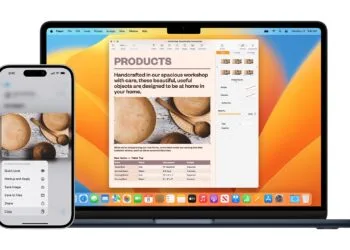
Apple is planning a shared clipboard for iPhones and Windows PCs. Microsoft has applied for it, but it's not expected to arrive until 2027 at the earliest.

Apple Passwords, 1Password or Bitwarden? This comparison shows features, prices and security for Apple users.

Adjusting Liquid Glass steplessly: Where the slider is located in iOS 27, what the three markers mean, and where the glass effect...

iOS 26.6 closes 78 security vulnerabilities on iPhone and iPad. What Apple has fixed and which patch is fully available in the EU...

iOS 26.6 is here: Apple is preparing the Spotlight index for iOS 27 and delivering security updates. What the update brings and...

iCloud in iOS 27: faster uploads, shared albums for Android and Windows, and new AI features from the 2TB plan onwards – an overview.

A hidden Siri interface in the macOS 27 beta suggests 13 voices. And it's located on the only EU platform with Siri...

Claude Code now directly controls Apple's iOS Simulator: Anthropic's desktop app builds, launches and tests iOS apps live in beta.

Apple has released the release candidate of iOS 26.6. The final version is expected to be released to everyone towards the end of July.
You are currently viewing a placeholder content from Facebook. To access the actual content, click the button below. Please note that doing so will share data with third-party providers.
More InformationYou are currently viewing a placeholder content from Instagram. To access the actual content, click the button below. Please note that doing so will share data with third-party providers.
More InformationYou are currently viewing a placeholder content from reCAPTCHA. To access the actual content, click the button below. Please note that doing so will share data with third-party providers.
More InformationYou are currently viewing a placeholder content from X. To access the actual content, click the button below. Please note that doing so will share data with third-party providers.
More Information