

With iOS 26.2, Apple has added a feature to the Reminders app that is likely to quickly become indispensable in everyday life. Reminders can now be set not only with a time, but also with a real alarm that functions like a clock. This addresses a frequent request from many users who previously found reminders easy to miss because they only appeared as silent notifications.
The iOS 26.2 update introduces a new way to schedule reminders and ensure no task is forgotten. Instead of relying solely on notifications, reminders can now be combined with an audible alarm. This makes appointments, to-dos, or important tasks stand out more. The integration of alarms transforms the Reminders app into a significantly more effective tool for everyday life.
New alarm function for reminders
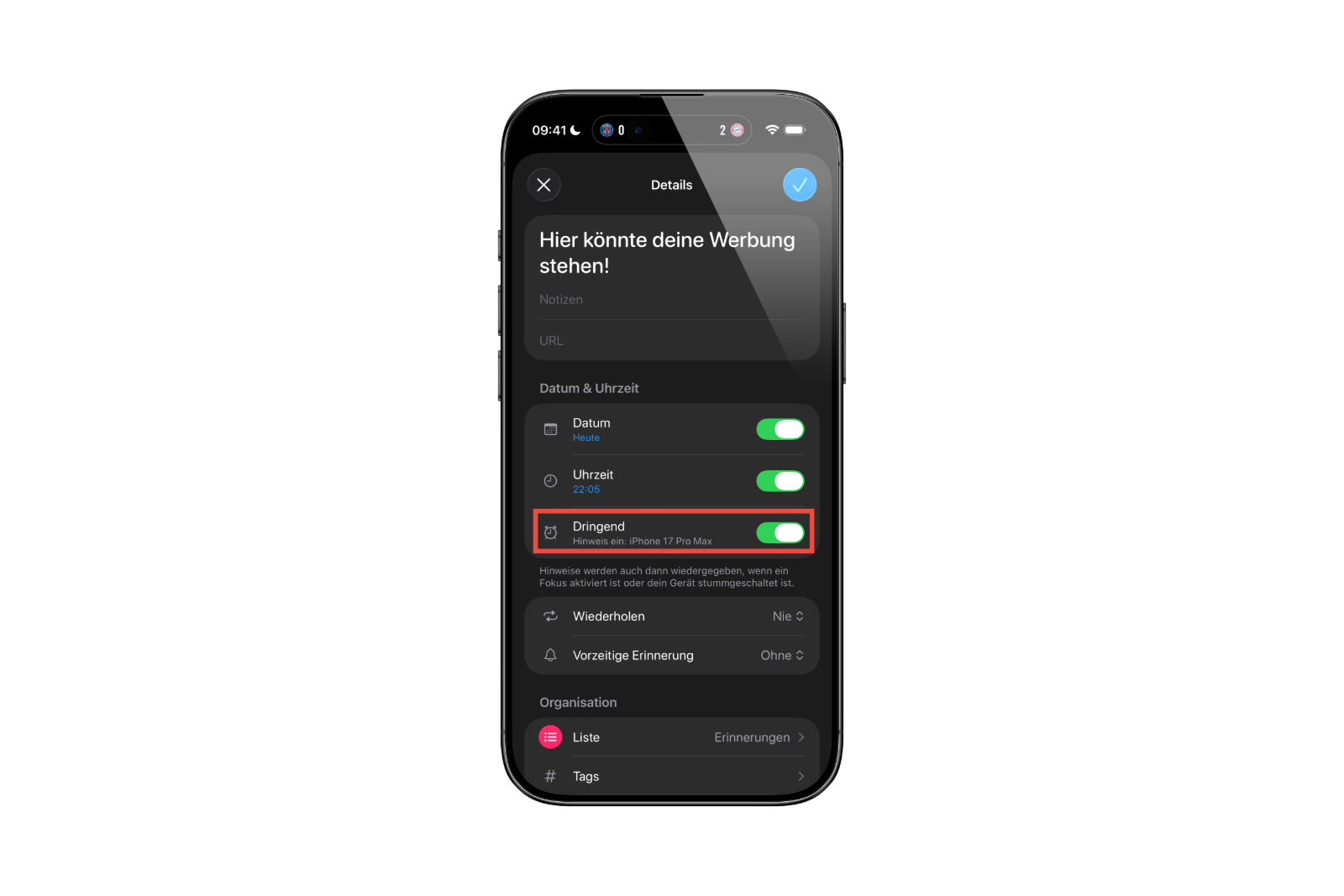
In iOS 26.2, an additional option is available when creating a new reminder. Once a time is set, the "Urgent" setting can be activated. This ensures that an alarm is triggered at the selected time – with sound and a notification on the lock screen. The alarm behaves similarly to a classic alarm clock and is therefore hard to miss. This makes the Reminders app a true alternative to the Clock app when it comes to time-sensitive tasks.
Linking to the watch app
Apple has also created a connection between the Reminders app and the Clock app. In iPhone settings, users can grant the Reminders app access to alarms. This allows alarms from the Clock app to be directly integrated into Reminders. Those who already use fixed wake-up times can link them to specific tasks. This creates a flexible system that better aligns personal routines and reminders.
Interaction during active reminder alarms
When a reminder alarm is triggered, a notification appears on the lock screen with two options: "Snooze" or "Swipe to stop." Snoozing starts a countdown indicating when the alarm will sound again. There's also a button to complete or postpone the reminder. Tapping "Complete reminder" opens the Reminders app, where another tap marks the task as done.
Adjustments in the settings
In the "Reminders" section of the Settings app, you can customize the behavior of the alarm function. The snooze function can be disabled there and replaced with a "Complete" button. This immediately marks a reminder as completed as soon as the alarm sounds. This is especially useful for recurring or short tasks that don't require further confirmation.
Visual differentiation of the alarms
Apple has also introduced a visual distinction between different alarm types. While traditional alarms will continue to appear in red in the Clock app, reminder alarms will be displayed in blue in iOS 26.2. This color separation helps users differentiate alarms at a glance – especially when multiple alarms are active.
iOS 26.2 puts an end to missed reminders
With iOS 26.2, Apple closes the gap between reminders and alarms. The new feature ensures that reminders are not only visible but also audible. Whether appointments, tasks, or personal routines – combining reminders with real alarm sounds makes everyday life more structured and reliable. With additional customization options and a clear visual separation between alarm types, the system becomes more user-friendly and flexible. iOS 26.2 demonstrates that Apple continues to work on small but effective improvements for everyday life. The best products for you: Our Amazon storefront offers a wide selection of accessories, including those for HomeKit. (Image: Apple)
- iOS 26.2: Liquid Glass slider brings new options
- iOS 26.2: New features make Apple Podcasts smarter
- watchOS 26.2 introduces a new scale for sleep assessment
- Live translation with AirPods: EU launch planned for December
- iOS 26.2 Beta released – Apple prepares next update
- WhatsApp is now officially available on the Apple Watch
- Apple postpones the end of the old HomeKit version to 2026.
- iOS 26.1 closes over 50 dangerous security vulnerabilities.
- iOS 26.1 now available: What's in the new update
- New intro for Apple TV: Finneas reveals details
- Apple launches App Store for the web
- Apple TV shows new intro with music by FINNEAS
- Apple launches creative Christmas project in London
- Apple confirms: No new Macs planned for 2025
- Apple stock: Wedbush raises price target to $320
- Apple stock: TD Cowen significantly raises price target to $325
- Apple stock: Evercore raises price target to $300
- Apple stock: JP Morgan raises price target to $305
- No chat monitoring: EU foregoes chat surveillance
- Apple in leak dispute: New details about Prosser and Ramacciotti
- WhatsApp is testing its own app for the Apple Watch
- Apple Q4 2025 Overview – Facts from the Conference Call
- Apple experiences sales boom: iPhone 17 exceeds expectations
- Apple struggles with tariffs: Billions in costs in the Christmas quarter
- Apple confirms: Redesigned Siri will be released in 2026





