


Apple has released the final version of iOS 26.1. After several weeks of testing, the update is now available for installation by all users worldwide. iPadOS 26.1, macOS 26.1 ("Tahoe"), watchOS 26.1, tvOS 26.1, and visionOS 26.1 were also released at the same time. As usual, the first major interim update focuses on fine-tuning, stability, and targeted feature improvements, but also brings some visible innovations that make everyday life more convenient.
With iOS 26, Apple laid the foundation for the new software generation in the fall—including Apple Intelligence, the new "Liquid Glass" design style, and revised system structures. iOS 26.1 continues this development and complements it with adjustments affecting design, usability, and security.
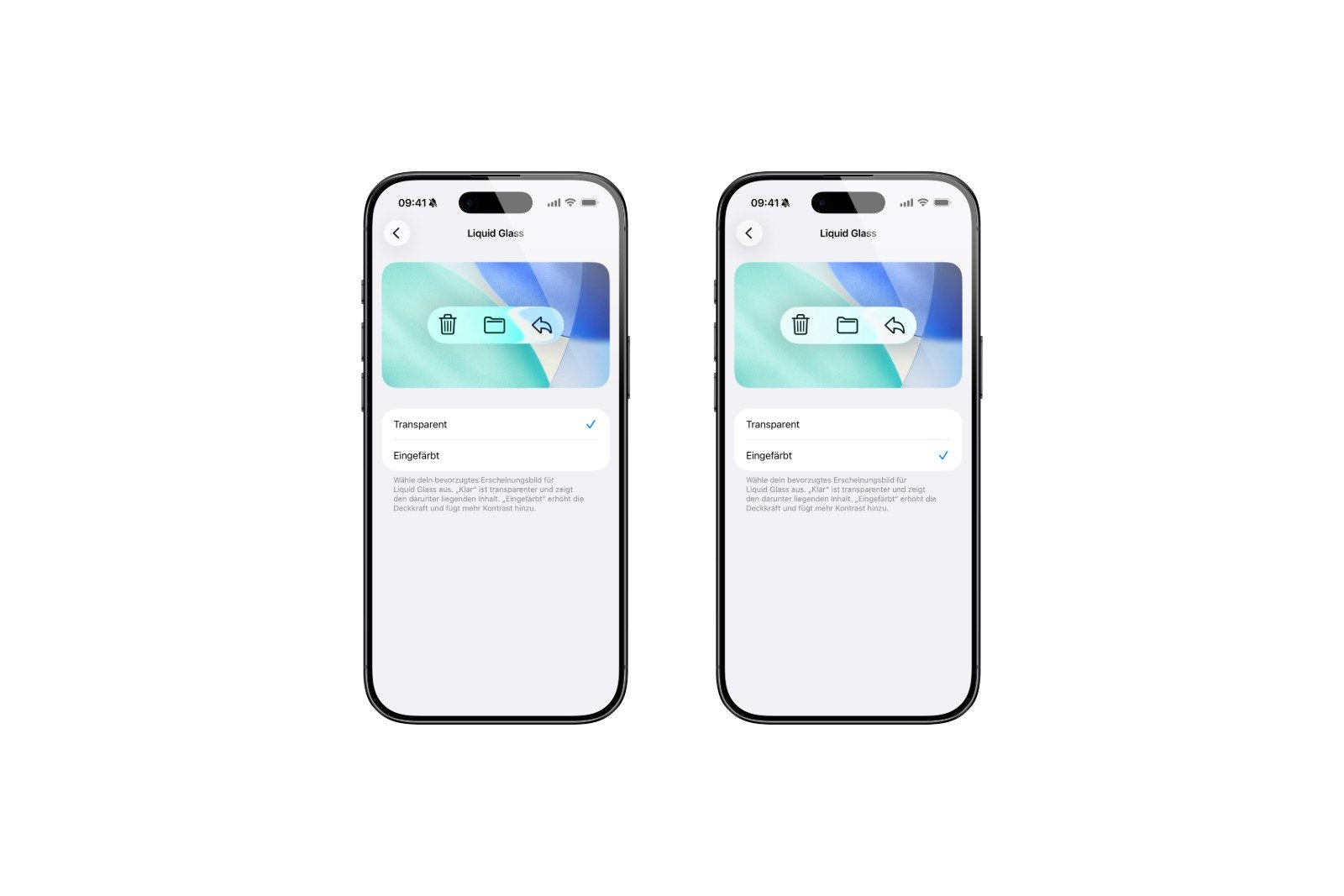
Transparency of Liquid Glass can be adjusted
One of the most striking changes concerns the design. The new Liquid Glass concept, which combines transparent surfaces and light reflections, has characterized the entire system since iOS 26. While many praised the fresh look, some found the display too bright or busy. With iOS 26.1, Apple is therefore introducing a new option for adjusting the transparency.
Under "Display & Brightness," you can choose between two options: "Clear," which maintains the previous maximum transparency, and "Tinted," which increases contrast and reduces transparency. This setting affects the entire system—from menus to notifications—and improves readability on light backgrounds. This is Apple's direct response to feedback from the beta phase and, for the first time, provides more control over the new design concept.
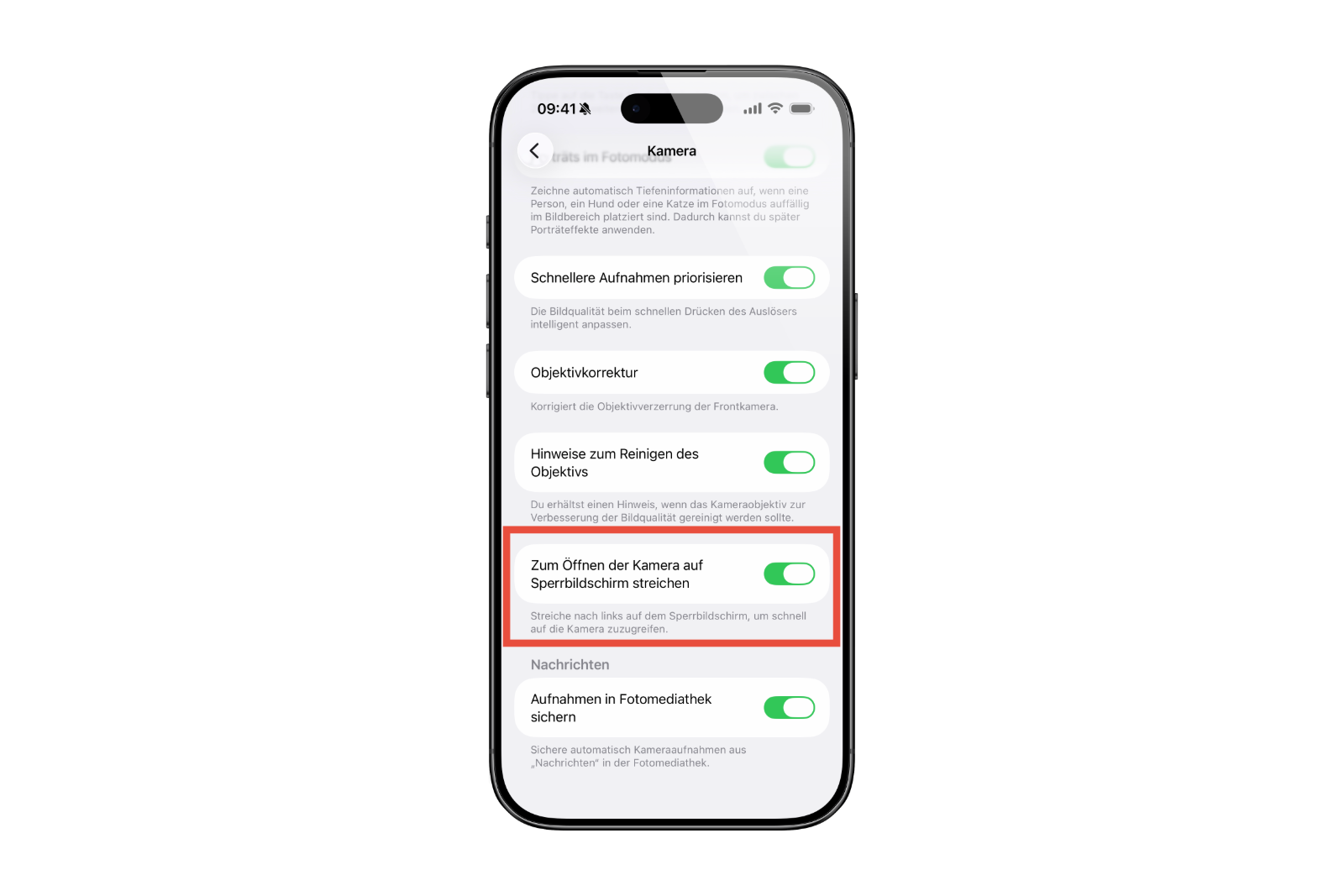
Camera swipe gesture can be disabled on the lock screen
Another change concerns the camera on the lock screen. For years, the camera has been launched by swiping left—convenient, but also prone to misuse. With iOS 26.1, there's now an option to specifically disable this gesture.
In the settings under "Camera," you'll find the new switch "Swipe on lock screen to open camera." If this feature is disabled, the camera will no longer launch by swiping, but will remain accessible via the app icon or the Control Center. This small tweak increases security and prevents unwanted camera activation, such as when the device is in your pocket or accidentally touched.
Haptic feedback can be controlled during calls
The Phone app has also received a new convenience feature. Previously, the iPhone would vibrate automatically when connecting or ending a call. With iOS 26.1, this haptic feedback can now be disabled.
In the sound settings, vibration during call setup and end can be disabled. This provides more flexibility for situations where discreet use is preferred without having to forgo other notifications.
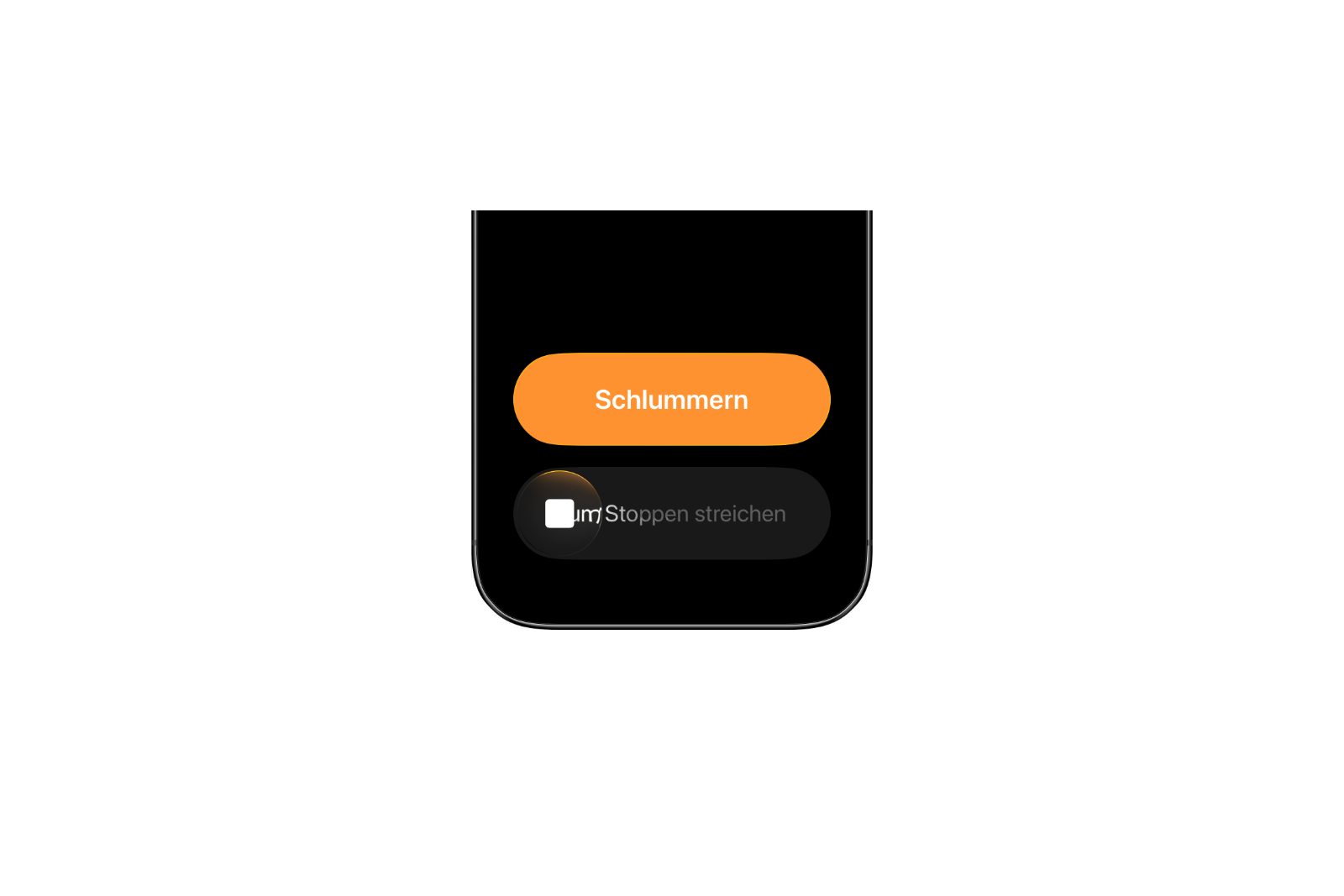
Revised alarm clock operation
Apple has redesigned the alarm controls in the Clock app. To prevent accidental snooze, a deliberate swipe is now required to dismiss an alarm. A simple tap now only activates the snooze function.
The new behavior ensures that alarms are controlled more precisely and can no longer be deactivated accidentally. The change also applies to the timer. It may seem small, but it has a noticeable effect in everyday life and demonstrates how Apple pays attention to detail even in routine functions.
Apple Intelligence receives visual adjustments
Apple Intelligence has been visually redesigned in Settings. Menu items and labels are now left-aligned, improving readability and visual consistency. Apple Intelligence remains a central element of the new software generation and will be available in additional languages and regions in the coming months.
iPadOS 26.1: Slide Over and microphone control
iPadOS 26.1 also brings visible innovations. Particularly striking is the return of Slide Over – a popular multitasking feature that allows apps to be placed as floating windows above other applications. Slide Over was initially removed with the new window system in iPadOS 26 and is now returning in a modified form.
The feature works seamlessly with the new multitasking model and can be activated via the green window button. There's also a new option to control the input gain of external microphones—useful for video recording, podcasts, or other audio applications.
Apple TV with new icon and new name
With iOS 26.1 and tvOS 26.1, Apple has also completed the rebranding of its streaming service. "Apple TV+" has become simply "Apple TV." The app icon has been redesigned and now appears more colorful and dynamic. Apple calls this a "vibrant new identity.".
The name change is intended to unify the Apple TV experience and position the app as a central platform for movies, series, live TV, and sports. The new icon reflects the company's current design and underscores the increasing importance of Apple TV in its media offerings.
Stability and performance
As is typical for a minor update, Apple places great emphasis on stability and performance in iOS 26.1. System performance has been further optimized, animations run smoothly, and battery life remains at the same level as the previous version. Behind the scenes, Apple has made minor adjustments to improve reliability, for example, in energy management or the startup behavior of certain apps.
iOS 26.1: A comprehensive update with noticeable improvements
iOS 26.1 doesn't bring any major changes, but it does include many useful details. The ability to control the transparency of Liquid Glass, the new camera option on the lock screen, customizable haptic feedback, and the redesigned alarm clock controls demonstrate that Apple is working specifically on everyday usability.
Complemented by design adjustments to Apple Intelligence, the comeback of Slide Over on the iPad and the new Apple TV icon, the result is an update that refines the user experience on all levels.
iOS 26.1 is now available for download worldwide and can be installed as usual via System Preferences under General > Software Update. It marks the conclusion of an intensive testing phase – and the beginning of the next round of development, in which Apple Intelligence and AI integration will be further expanded. The best products for you: Our Amazon Storefront offers a wide selection of accessories, including those for HomeKit. (Image: Shutterstock / Lelia Ledencova)
- Apple TV shows new intro with music by FINNEAS
- Apple launches creative Christmas project in London
- Apple confirms: No new Macs planned for 2025
- Apple stock: Wedbush raises price target to $320
- Apple stock: TD Cowen significantly raises price target to $325
- Apple stock: Evercore raises price target to $300
- Apple stock: JP Morgan raises price target to $305
- No chat monitoring: EU foregoes chat surveillance
- Apple in leak dispute: New details about Prosser and Ramacciotti
- WhatsApp is testing its own app for the Apple Watch
- Apple Q4 2025 Overview – Facts from the Conference Call
- Apple experiences sales boom: iPhone 17 exceeds expectations
- Apple struggles with tariffs: Billions in costs in the Christmas quarter
- Apple confirms: Redesigned Siri will be released in 2026
- Apple aims for record sales during the Christmas season
- Apple Q4 2025: Record revenue and strong profit growth
- China and the USA: No real peace in the trade dispute
- Bank of America raises price target for Apple to $320





