This article may contain affiliate links. Learn more on our Partner Program page.
With the Apple Watch Series 12 and Ultra 4, Apple is introducing a feature set that constantly listens to the surrounding environment. An eleven-page document now describes what happens to the sound, where it is processed, and at what point it disappears. The most interesting part isn't in the announcement, but in the fine print for the two features, which will launch later.
Audio Intelligence is the name of the new group of Apple Intelligence features that Apple introduced alongside its two new watches. It comprises four functions: noise detection, automatic music recognition via Shazam, Live Rewind, and Siri Recap. All four require the new S11 chip and therefore run exclusively on the Series 12 and the Apple Watch Ultra 4. Apple has disclosed the technical details in a privacy document for Audio Intelligence and an accompanying support document.
Key Facts at a Glance
- All four functions run through an isolated area within the S11 chip, which Apple calls the Secure Exclave. Neither watchOS nor apps, users, nor Apple itself can access the data within it.
- According to Apple, raw audio is never saved as a file – therefore, there is nothing that can be shared or released.
- Live Rewind emits an audible tone when triggered, even when the clock is muted. Siri Recap operates without an audible signal.
- Siri Recap requires a paired iPhone from the 16th generation onwards, because the chip there has to have the same isolated area.
- Live Rewind and Siri Recap will launch later this year as beta versions and initially only in English.
Four functions under one name
The four components differ significantly in how far the data leaves the wrist.
| Feature | What she does | Where processing takes place | What the device leaves |
|---|---|---|---|
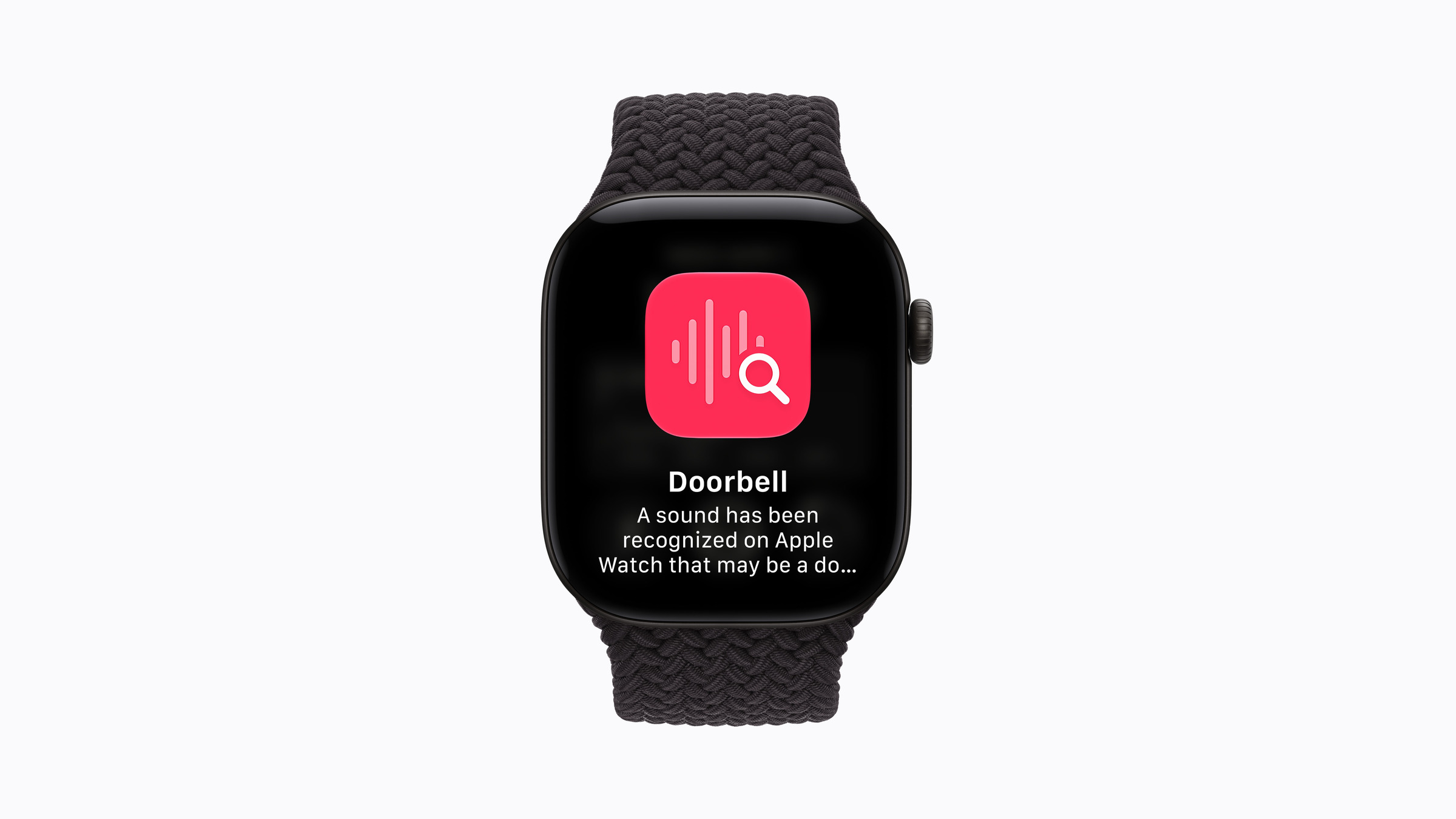
| Sound detection | Reports sirens, alarms, doorbells or baby cries | Exclusively on the Apple Watch | Nothing |
| Shazam | It recognizes playing music and displays the title and artist in the Smart Stack. | Apple Watch, external synchronization | An acoustic signature, not a sound. |
| Live Rewind | Displays the last 15 seconds of a conversation as text. | Apple Watch and paired iPhone | Nothing, as long as nothing goes to Siri |
| Siri Recap | Creates summaries of the day's conversations | Apple Watch, iPhone and Private Cloud Compute | Condensed text, no sound |
Regarding sound recognition, Apple explicitly emphasizes that it also works when the iPhone is not nearby. The company identifies people with hearing impairments as the target group.
What the isolated area in the chip does
The Secure Exclave is a hardware-isolated area within the S11 that processes sensor data independently of the rest of the system. Audio from the microphone is fed into a buffer there, which is continuously overwritten – old audio is replaced by new audio, and no recording is made.
For Siri Recap, a second such area is added on the iPhone. The watch and iPhone pair using an additional, acoustically verified method alongside the regular Bluetooth connection. This ensures that data from the watch's protected area can only be accessed by the protected area of that specific iPhone.
The pairing keys are tied to the device, expire after a certain period, and are changed regularly. If someone loses a watch or iPhone and deletes the device via "Find My," the pairing keys are immediately invalidated.
The path of a conversation to its summary
With Siri Recap, a small model on the S11 first checks whether anyone is speaking. It doesn't transcribe or record anything; it only recognizes the beginning of a conversation. Only then does the audio flow into the protected buffer.
From there, the encrypted audio is sent to the paired iPhone and immediately deleted from the watch. If the transfer fails because the iPhone is out of range, the watch tries again later – if no connection is established, the encryption keys expire and the encrypted audio is permanently deleted.
On the iPhone, local speech recognition converts the audio into text. A speech model on the device then condenses this text to less than half its original length, removing filler words and intonation cues while retaining the topics discussed. The raw audio is then deleted, and a security model removes any problematic terms.
Only this shortened text is encrypted and sent to Private Cloud Compute, where Apple's models generate the title, summary, and key points. Contextual data is also sent: current playback, calendar entries, general location information such as home, work, or school (including city and country), and categories like "supermarket" or "park." Precise locations and individual places are not included. Computing power for private cloud computing now comes partly from external data centers., This does not change the assurances regarding inaccessibility.
The completed summary appears in the Siri app and is automatically deleted after seven days unless you explicitly save it. Saved texts sync end-to-end encrypted via iCloud – provided two-factor authentication and a device passcode are enabled. For enhanced protection of other iCloud data, there is a separate setting called Enhanced Privacy.
Live Rewind works, Siri Recap doesn't
The most revealing difference between the two functions does not concern the technology, but the people in the room.
Live Rewind plays an audible tone through the watch's speaker when activated – even if the watch is muted or headphones are connected. This is accompanied by a full-screen animation and a microphone icon. The function is only activated by a double press of the Digital Crown, each time.
Siri Recap works without any audio signal. Apple explains this by saying that no raw audio is preserved, no verbatim transcript is created, and speakers cannot be identified – the result is a concise summary, comparable to notes someone writes after a conversation.
Both features are opt-in, can be activated in the Siri settings on the watch and in the Watch app, and can be deactivated at any time via the Control Center. For Siri Recap, you can also specify when and where it should be active – for example, only during working hours or never at night.
Which iPhones are even participating?
One detail in the document determines who can use Siri Recap at all. The protected area must also be present on the iPhone, and Apple lists the iPhone 16, iPhone 16 Pro, iPhone 17e, iPhone Air, and newer models as compatible.
Pairing a Series 12 with an older iPhone unlocks sound detection and Shazam, but not call summaries. The watch alone is not sufficient for this feature.
How much of that actually reaches this country
Shazam runs entirely on the watch and is language-independent. Apple also mentions a later launch this year for sound recognition in its German announcement. Live Rewind and Siri Recap will then be released as beta versions, initially in English – no release date for German has been given.
This means that the same applies to the two most prominent features as to Siri AI as a whole: Anyone who buys the watch on September 18th will not initially receive them. The other commitments Apple Intelligence makes regarding the handling of user data remain valid regardless.
Why paper comes before function
Apple is publishing the document at a time when two of the four described features haven't even been released yet. This is unusual and fitting: A watch that constantly listens for conversations raises questions before it's even on the market – and the answers are now documented in writing, instead of being provided later.
The strongest aspect isn't the encryption, but the architecture. If raw audio never leaves the chip's casing and no file is created, there's nothing that can be released on demand. Apple explicitly states this.
The other party's perspective remains open. With Live Rewind, Apple has considered this and included an audible cue that cannot be disabled. With Siri Recap, the technical assurance that only a brief summary remains completely replaces the audible cue. The person speaking to you will not be notified.
Three of the four functions come later
The two new watches will be available in stores from September 18th. Of the four functions, only Shazam will be included at launch. Sound recognition will follow later this year, as will Live Rewind and Siri Recap – the latter two in an English-language beta, precisely the features that prompted the eleven-page document in the first place.
Would you wear a watch that transcribes conversations without the other person noticing – or is that where you draw the line? Let us know in the comments where you draw it.