

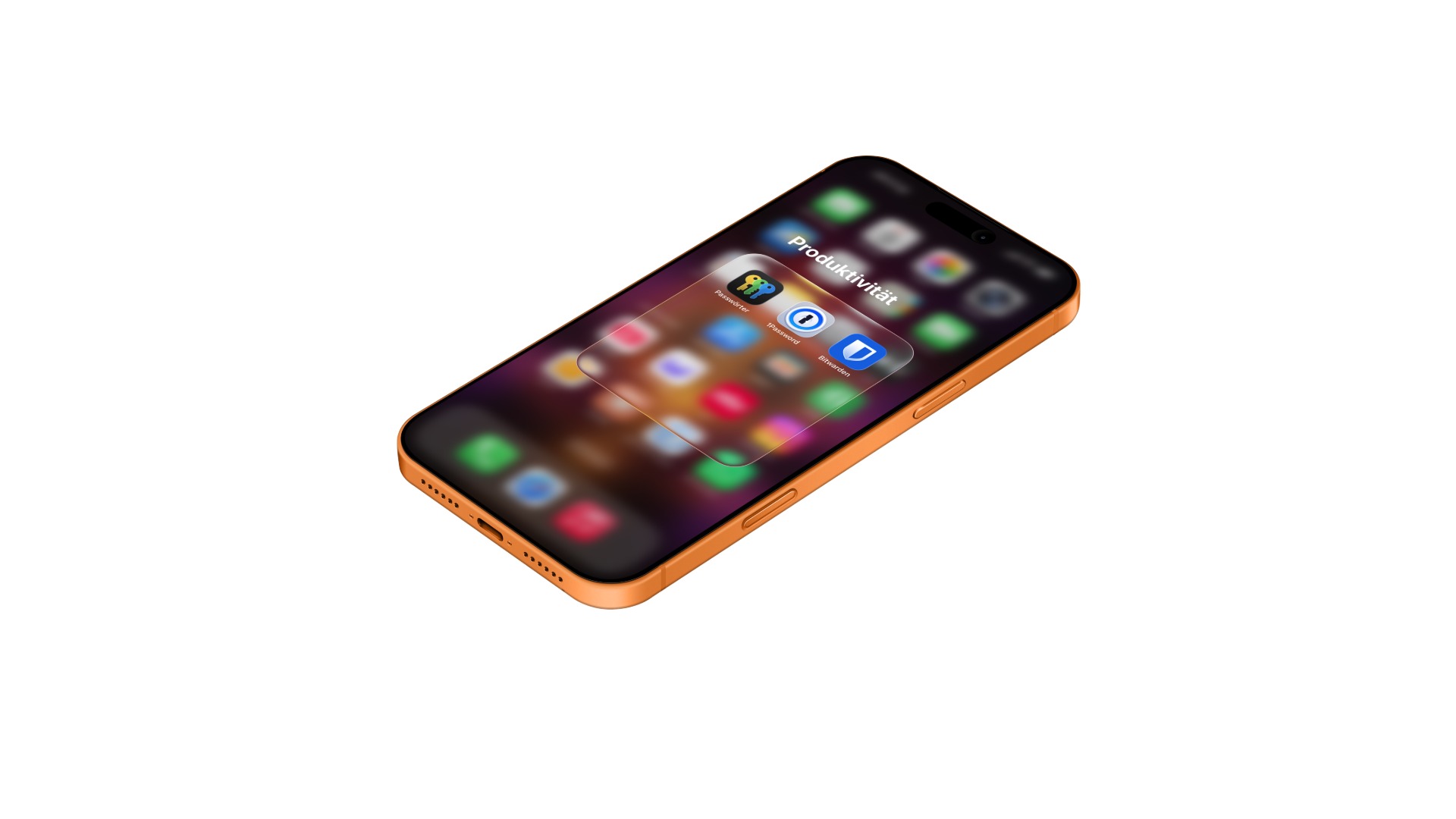
Since iOS 18, Apple has moved password management to a separate app. But is the free solution really sufficient – or is it worth switching to 1Password or Bitwarden? This comparison shows the differences in features, security, price, and platform support.
The question of the right password manager is more pressing than ever for Apple users. With iOS 18, Apple transformed the iCloud Keychain into a standalone passwords app – with its own interface, search function, security alerts, and more. Passkey support. What was previously hidden deep within the settings is now a fully-fledged application, whose functionality Apple has described in a own support overview documented.
At the same time, both major third-party providers significantly increased their prices in 2026. 1Password raised its prices for individual users in Europe by around 38 percent on March 27th. Bitwarden followed suit in January, nearly doubling its premium plan – the free plan, however, remains unchanged.
Many people are therefore asking themselves: Do I even need a third-party provider anymore? And if so, which one? This comparison provides the answer – based on the current features, prices, and platforms of all three services.
Key Facts at a Glance
- The Apple Passwords app is free, covers the core tasks, and is sufficient for households that only use Apple devices.
- 1Password costs €43.80 net per year and offers the most features; Bitwarden Premium costs US$19.80.
- Bitwarden Free is the only truly unlimited free plan on the market – unlimited passwords on unlimited devices
- In the EU, 1Password subscriptions expire upon renewal if the new price is not actively agreed to.
- Only Bitwarden allows operation on a private server, only 1Password offers travel mode and an Apple Watch app
What the three password managers have in common
Before we get to the differences: All three services meet the basic requirements of a modern password manager. They store passwords encrypted with the AES-256 standard, generate strong passwords on request, automatically fill in login data, and synchronize data across multiple devices.
All three support passkeys, which are considered a more secure alternative to traditional passwords. Apple and 1Password warn users in their basic versions about weak, reused, or compromised passwords. Bitwarden offers advanced security reports only in its paid premium plan.
The crucial differences lie elsewhere: in platform support, in the range of functions beyond passwords, in the price, and in the question of how much control one wants to have over their data.
Platforms and availability
The Apple Passwords app runs on iPhone, iPad, Mac, and Apple Vision Pro. Saved passwords can also be used on Windows PCs via the iCloud for Windows app and browser extensions for Chrome, Edge, and Firefox. There is no support for Android and Linux. Those who exclusively use Apple devices won't notice this limitation. However, those who frequently switch between Apple and Android or Linux will quickly encounter its limitations.
1Password offers native apps for macOS, iOS, Windows, Android, and Linux, as well as browser extensions for Chrome, Firefox, Edge, Opera, and Safari. This makes 1Password the most flexible of the three services when it comes to cross-platform work.
Bitwarden supports the same operating systems as 1Password – macOS, iOS, Windows, Android, and Linux – and goes even further with its browser extensions. In addition to the most common browsers, Vivaldi, Brave, and Tor are also supported. For technically savvy users, Bitwarden also offers a command-line interface (CLI) and the option to run the entire service on your own server (self-hosting).
Features in detail
Passwords and passkeys
All three services store passwords and passkeys and automatically fill them in for apps and websites. However, there are differences in password generation: Apple creates secure passwords but doesn't offer the option to customize their length, character types, or format. 1Password and Bitwarden allow you to adjust the password length and character set. 1Password can also generate passphrases and PINs. The guide to secure passwords explains what's important for password quality.
Two-factor authentication (2FA)
All three services can store and automatically fill in one-time passwords (TOTP) for two-factor authentication. In practice, this means you no longer need a separate authenticator app. However, Bitwarden only offers this feature in its paid premium plan. Apple and 1Password have it integrated into their basic versions.
Storage beyond passwords
This is where the biggest difference in functionality becomes apparent. The Apple Passwords app only stores login credentials, passkeys, Wi-Fi passwords, and 2FA codes. Apple manages credit card information separately in the Wallet app. Documents, notes, software licenses, or copies of identification documents cannot be stored in the Passwords app.
1Password stores not only passwords but also credit card information, bank details, ID documents, software licenses, address data, secure notes, and file attachments. Each entry can be extended with custom fields.
Bitwarden stores passwords, credit card information, identity data, and secure notes. The premium version allows file attachments of up to 5 GB to be attached to entries. If the premium subscription expires, previously uploaded attachments remain, but they can no longer be downloaded or added to.
Sharing passwords
The Apple Passwords app allows sharing via groups within the app. You can create groups for family, friends, or roommates and store selected passwords there. Prerequisite: All participants must use Apple devices with iOS 17 or later and be saved in your contacts.
1Password offers shared vaults and can also share passwords with people who don't have a 1Password account – via a time-limited link. This is especially useful for one-time sharing with people outside the Apple ecosystem.
Bitwarden allows sharing through so-called organizations. The free plan lets you share passwords with one other person. With Bitwarden Send, encrypted data can also be sent to non-users.
Security warnings
All three services check saved passwords for known vulnerabilities. Apple displays compromised and weak passwords in a dedicated section called "Security"—as the Data leak check on iPhone How to use it is quickly explained. 1Password calls its monitoring function "Watchtower" and also warns about unsafe websites and expiring credit cards. Bitwarden offers similar reports in its premium version and added password coaching and a browser phishing blocker in 2026. However, the latter doesn't replace vigilance – the typical warning signs of phishing This is something you should know regardless of your password manager.
Security and encryption
All three services encrypt data using the AES-256 standard – the same method used for government and military applications.
Apple encrypts data end-to-end via the iCloud Keychain. Decryption takes place exclusively on the user's own devices. According to Apple, it has no access to the stored passwords. Access is protected via Face ID, Touch ID, or the device passcode. There is no separate master password – password protection is tied to the device security.
In addition to AES-256 encryption, 1Password uses a 128-bit secret key that is stored only on the user's own devices. Even if an attacker gained access to the encrypted data on the servers, the vault could not be opened without this key. 1Password is regularly audited by independent security firms and has not experienced a single known security incident since its founding in 2005.
Bitwarden encrypts all data locally on the device before it is transmitted to the servers. The entire source code is open source and can be viewed by anyone. Bitwarden is regularly audited by independent companies such as Cure53. Bitwarden has also not experienced any known security incidents in its history. For users who do not want to store their data on external servers, Bitwarden offers a self-hosting option.
Price comparison
| Apple Passwords | 1Password | Bitwarden | |
|---|---|---|---|
| Free plan | Yes (completely) | No (14-day test) | Yes (unlimited passwords & devices) |
| Single user/year | 0 € | €43.80 net | 19.80 USD (~18 €) |
| Family plan/year | 0 € | €69.00 net (up to 5 users) | $47.88 (~€44, up to 6 users) |
| Requirement | Apple device with iOS 18+ / macOS Sequoia+ | No | No |
The prices for 1Password and Bitwarden have been in effect since spring 2026 and include annual billing.
Important for German customers: 1Password lists its Euro prices excluding taxes. With 19% VAT, the €43.80 becomes approximately €52 per year, and the €69.00 becomes approximately €82. Bitwarden bills in US dollars, so the actual amount also depends on the exchange rate and your card fees.
What EU customers need to know about 1Password
One detail of the price increase affects only customers in the European Union – and could, in some cases, cost them access to their own vault. While subscriptions in North America renew automatically at the new price, in the EU they simply expire upon the next renewal if the new price is not explicitly confirmed.
The background to this is European consumer law, which requires active consent for significant price changes. For 1Password, this is the legally sound implementation, but for users, it's a pitfall: those who miss the notification or are on vacation will find themselves without an active subscription after the renewal date. The saved data is not lost, but the functionality is limited.
Users of 1Password should therefore keep track of when their subscription is due to renew and not simply delete the price adjustment email. This EU regulation does not apply in Switzerland – there, subscription renewals are handled the same as in other non-EU countries.
Bitwarden takes a different approach: Subscriptions are renewed as usual, and some existing customers receive a one-time loyalty discount of 25 percent upon their first renewal at the new price.
Comparison table: Features at a glance
| Feature | Apple Passwords | 1Password | Bitwarden |
|---|---|---|---|
| Passwords & Passkeys | ✓ | ✓ | ✓ |
| AutoFill (Apps & Browsers) | ✓ | ✓ | ✓ |
| Password generator (customizable) | Restricted | Fully customizable | Fully customizable |
| 2FA codes (TOTP) | ✓ | ✓ | Premium only |
| Save credit cards | Via Wallet app | ✓ | ✓ |
| Documents & Notes | ✗ | ✓ | ✓ (Premium) |
| File attachments | ✗ | ✓ (1 GB) | ✓ (5 GB, Premium) |
| Security warnings | ✓ | ✓ (Watchtower) | ✓ (Premium) |
| Share with non-users | ✗ | ✓ (Link with expiry date) | ✓ (Bitwarden Send) |
| Platforms | Apple + Windows | All (including Linux) | All (including Linux) |
| Open Source | ✗ | Partially | Complete |
| Self-hosting | ✗ | ✗ | ✓ |
| Encryption | AES-256 | AES-256 + Secret Key | AES-256 |
| Independent audits | ✗ | ✓ | ✓ |
| Apple Watch App | ✗ | ✓ | ✗ |
| Travel mode | ✗ | ✓ | ✗ |
Which service is suitable for whom?
Apple Passwords: The obvious choice for Apple-only users
For those who exclusively use iPhones, iPads, and Macs and don't need to share passwords with Android or Linux users, the Apple Passwords app offers a solid solution. The app is free, deeply integrated into the operating system, and reliably performs the core tasks of a password manager. Seamless integration with Face ID and Touch ID, autofill in Safari and other apps, and Wi-Fi password management simplify everyday tasks.
The limitations only become apparent when you want to manage more than just login credentials – for example, credit cards in one central location, software licenses, copies of ID documents, or secure notes. Some security experts also view the lack of a separate master password critically: anyone who knows the device code has access to all passwords.
1Password: The premium solution for the highest demands
1Password is aimed at users who want to do more than just manage passwords and work across multiple platforms. In addition to login credentials, the service also stores documents, credit cards, ID cards, and much more. Features like Watchtower, Travel Mode, and the Apple Watch app set 1Password apart from the competition.
At €43.80 net per year, the price is the highest in the comparison – and has been a point of discussion since the increase in March 2026. However, for users who utilize the full range of features and work on multiple operating systems, 1Password still offers the most comprehensive feature set.
Bitwarden: The flexible alternative with open-source transparency
Bitwarden combines a robust free plan with open-source transparency. Even without paying, you get unlimited passwords on unlimited devices – including Passkey support and basic security features. The premium version, for around €18 per year, adds 2FA codes, file attachments, enhanced security reports, and the new phishing blocker.
Bitwarden is the right choice for users who value transparency and don't want to be tied to a closed ecosystem. The option for self-hosting is a unique selling point that no other service in this comparison offers. The user interface is functional, but less elegant than that of 1Password or Apple.
Password manager comparison – Apfelpatient's recommendation
For those who live exclusively within the Apple ecosystem and don't need advanced features, the free Apple Passwords app is a good choice. It performs core tasks securely and conveniently and has been a serious solution since iOS 18.
Those who want more – the ability to store documents, use passwords across platforms, and access advanced security features – face the choice between 1Password and Bitwarden. However, after the price increases in 2026, the gap between the two has widened considerably: Bitwarden Premium costs less than half the price of a 1Password single subscription, even after doubling its own price in January. 1Password, on the other hand, offers the most comprehensive feature set and the best user interface.
Regardless of the choice, any password manager is better than none. Anyone still using the same password for multiple services or saving passwords in their browser shouldn't postpone switching any longer. Apple's Passwords app makes getting started easier than ever – and for those needing more features, 1Password and Bitwarden are two proven alternatives. (Image: Apfelpatient)
- iPhone Air or iPhone 17 Pro? All the differences compared
- MacBook Air M5: 13 vs. 15 inch – Which size is worth it?
- MacBook Pro M5: 14 vs. 16 inch – Which is worth it?
Frequently Asked Questions: Password Manager Comparison
Yes, for most users in the Apple ecosystem, the app offers sufficient security. It encrypts all data end-to-end via the iCloud Keychain using AES-256. The limitation: Access is tied to the device passcode, not a separate master password. Sharing the device passcode with someone else also grants them access to all saved passwords.
Yes, but only via a Mac. The Apple Passwords app in macOS Sequoia supports importing via CSV files. Most password managers offer an export function to this format. Importing from an iPhone or iPad is currently not possible.
Limited functionality. Saved passwords can be used on Windows PCs via the iCloud for Windows app and a Chrome extension. However, the experience is not as seamless as on Apple devices. The Apple Passwords app is not available on Android or Linux.
1Password invests in a particularly refined user interface, exclusive features like Travel Mode and Watchtower, and comprehensive customer support. Bitwarden, as an open-source project, relies on community support and a leaner cost structure. Both services offer a high level of security.
Bitwarden's basic plan is permanently free and not a time-limited trial. It includes unlimited passwords on unlimited devices, Passkey support, autofill, and synchronization across all platforms. Some features, such as built-in 2FA codes, file attachments, and advanced security reports, require the premium plan for $19.80 per year.
Passkeys are a modern alternative to passwords. They are based on a cryptographic key pair: a public key is held by the service, while the private key remains on the user's device. Login is via Face ID or Touch ID – without a password. All three services in this comparison support passkeys.
Apple Passwords is free and allows group sharing, but requires all family members to use Apple devices. 1Password offers a family plan for up to five users with separate vaults and extensive sharing features. Bitwarden's family plan allows up to six users and is less expensive than 1Password. Which plan is right for you depends on whether all family members are in the Apple ecosystem and how many advanced features you need.





