

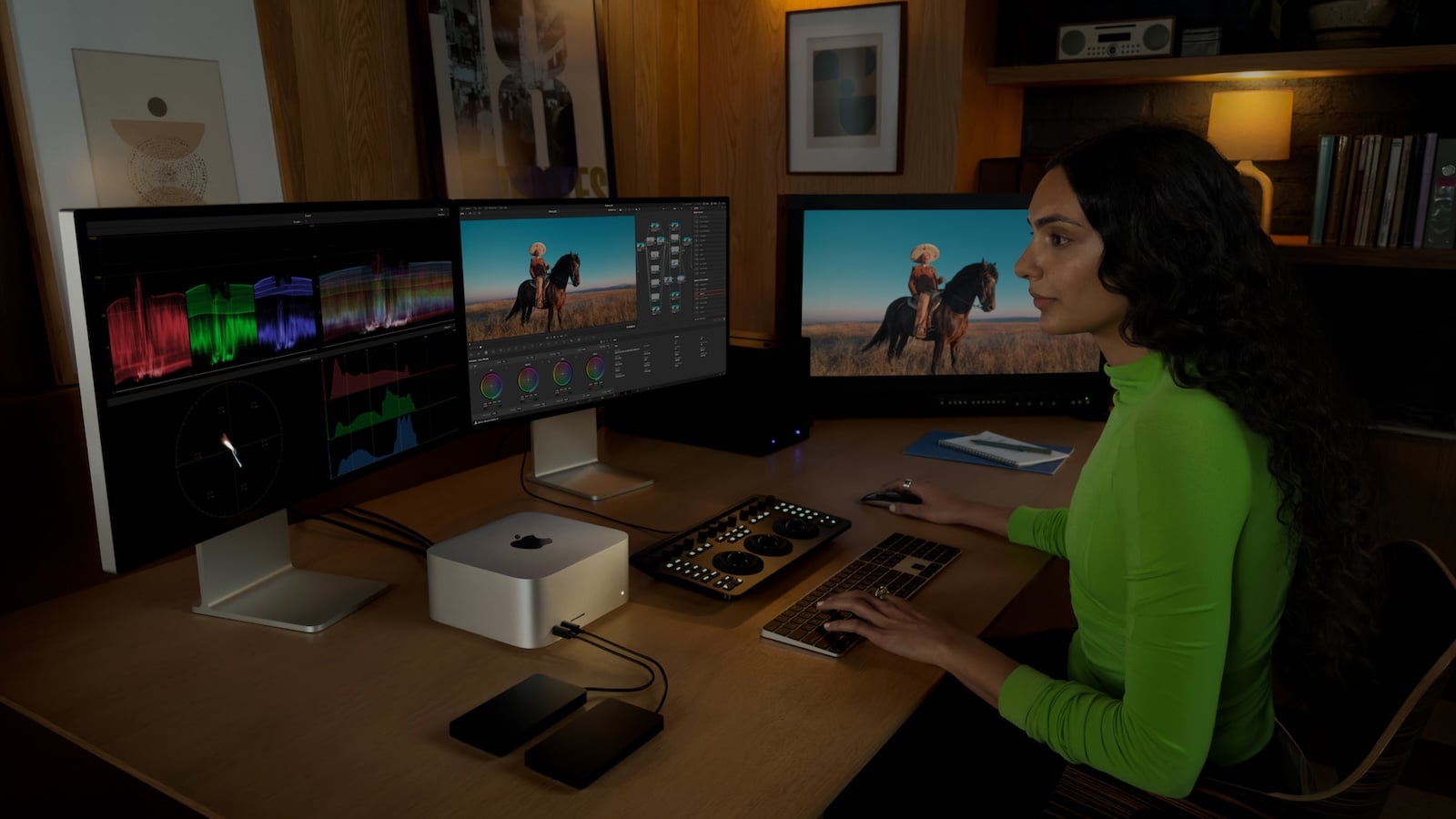
Apple offers three desktop Macs to suit different needs: the Mac mini as a compact entry-level model, the iMac as an all-in-one with an integrated display, and the Mac Studio as a high-performance machine for professionals. All support Apple Intelligence and run macOS, but differ significantly in chip, performance, ports, display, and price. This buyer's guide shows which desktop Mac is right for whom.
The desktop Mac lineup is currently more diverse than ever before. The Mac mini, with its M4 chip, offers astonishing performance in the smallest form factor and has also become the preferred machine for local AI models. The iMac combines a 24-inch 4.5K display with speakers, camera, and input devices in a sleek all-in-one package. And the Mac Studio, with its M4 Max or M3 Ultra, delivers the computing power that professionals in video, 3D, and science need. Understanding the differences saves money—or allows you to invest specifically in the performance that matters most in everyday use.
All three desktop Macs are available in the Apple Store Germany:
Mac mini (October 2024):
- M4, 256 GB: 949 Euro
- M4, 512 GB: 1,169 euros
- M4 Pro: from €1,899
iMac (October 2024):
- M4 (2 ports): from €1,799
- M4 (4 ports): from €1,999
Mac Studio (March 2025):
- M4 Max: from €2,999
- M3 Ultra: from €6,299
These prices have fluctuated significantly in recent months. Apple raised prices for Macs, iPads, and other products on June 25th, and the desktop line was hit harder than the notebooks: The iMac increased by €250 to €300, the Mac mini with M4 Pro by €200, the Mac Studio with M4 Max by €700, and the M3 Ultra configuration by €1,500 – a 31 percent increase. In the case of the Mac mini, Apple initially removed the 256GB variant from its lineup entirely in the spring and has since reintroduced it at a considerably higher price. The reason lies in the memory market: DRAM prices rose by 98 percent in the first quarter of 2026, driven by the demand from AI data centers.
There's a price difference of over €5,000 between the cheapest Mac mini and the Mac Studio with M3 Ultra. The three models are aimed at completely different target groups.
Concept and form factor
Mac mini
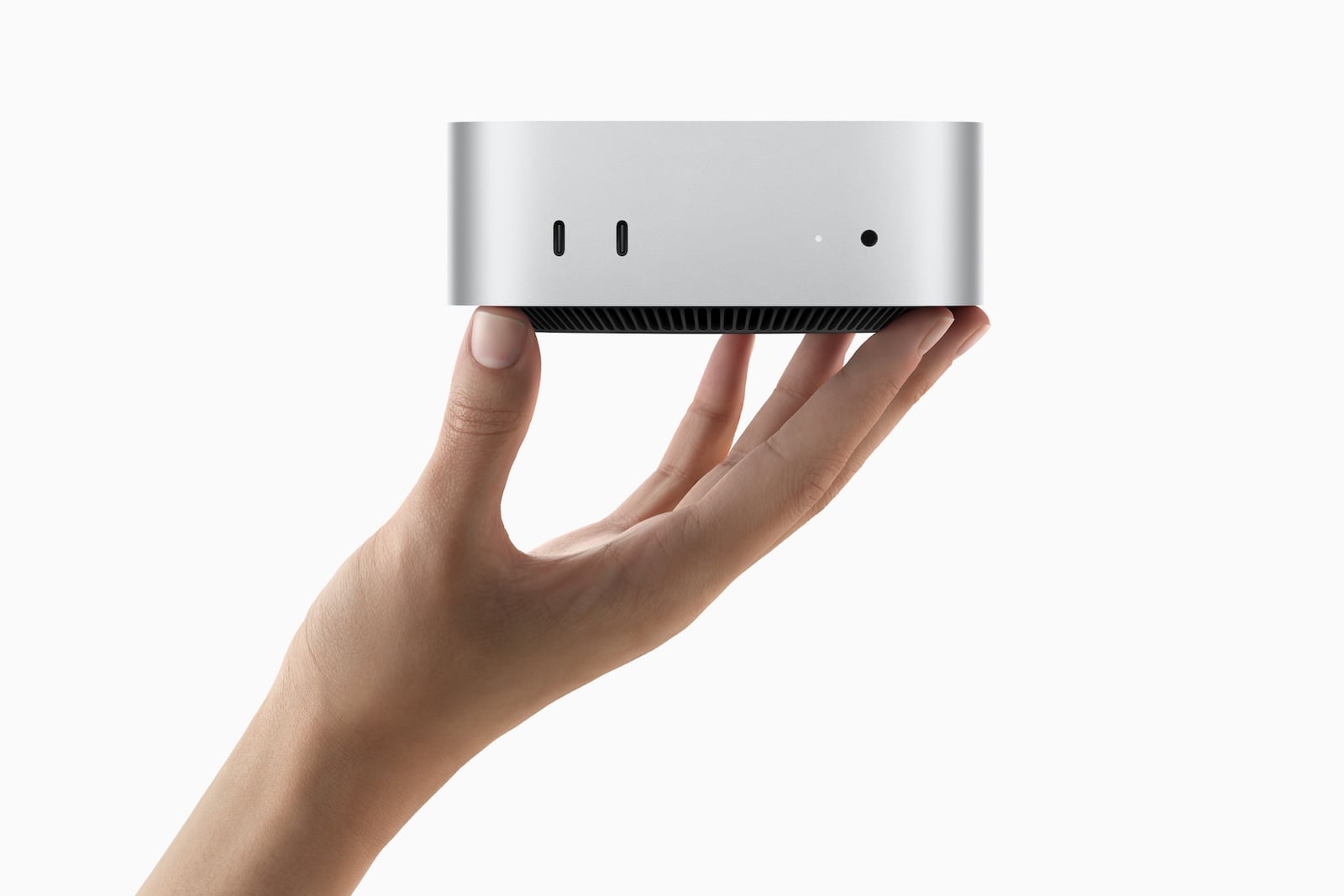
The Mac mini is a standalone computer without a display, keyboard, or mouse. Measuring just 12.7 x 12.7 x 5.0 cm and weighing as little as 0.67 kg, it's by far the most compact desktop Mac. This means maximum flexibility: use your own monitor, keyboard, and mouse. Those who already own peripherals or prefer a specific monitor can save significantly.
iMac
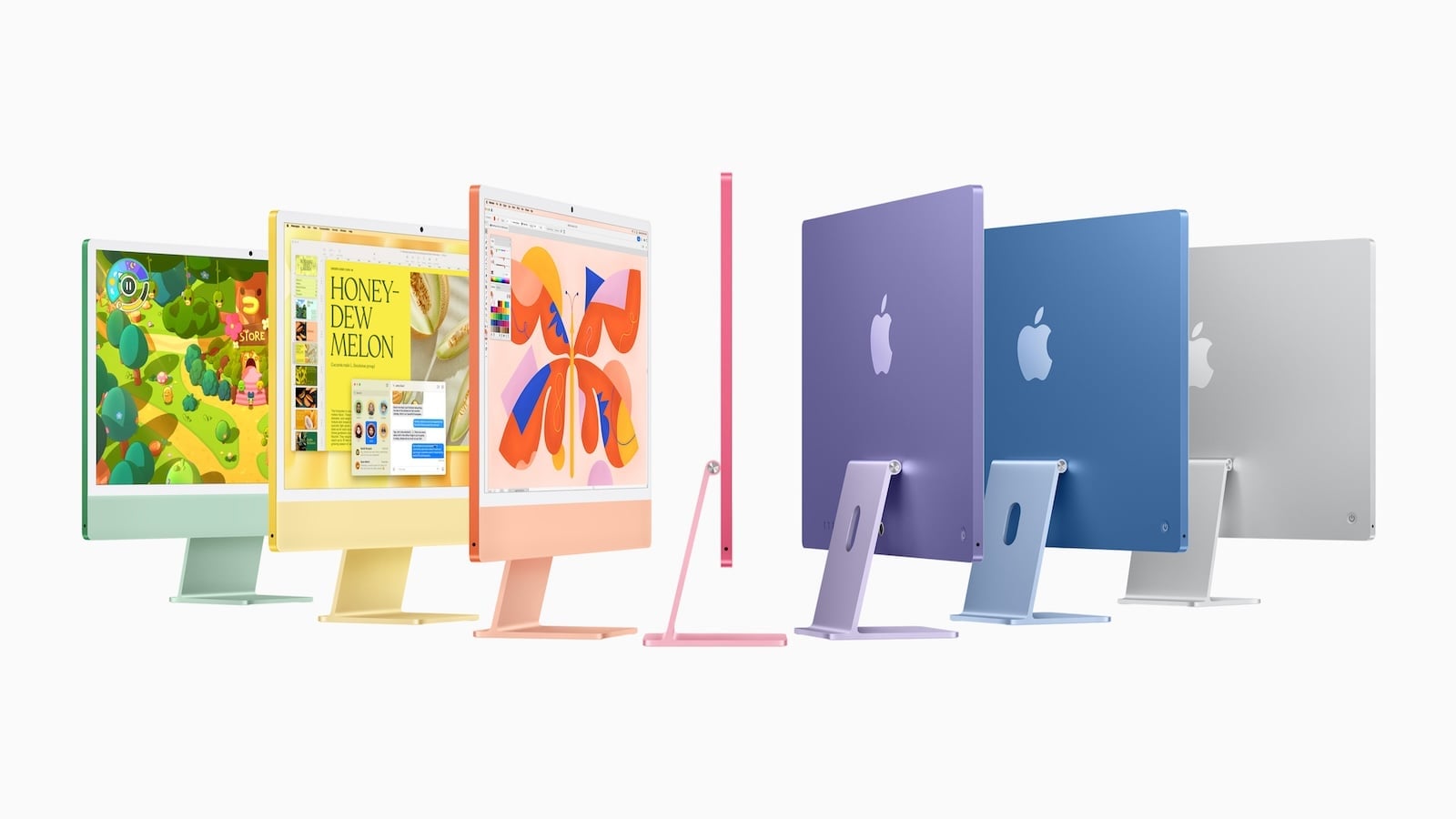
The iMac is Apple's all-in-one: a 24-inch 4.5K display, Hi-Fi speakers, a 12 MP camera, microphones, Magic Keyboard, and Magic Mouse – all in an 11.5 mm thin enclosure. Unpack, plug in, and get started. No cable clutter, no separate monitor. Ideal for anyone who appreciates a tidy desk.
Mac Studio
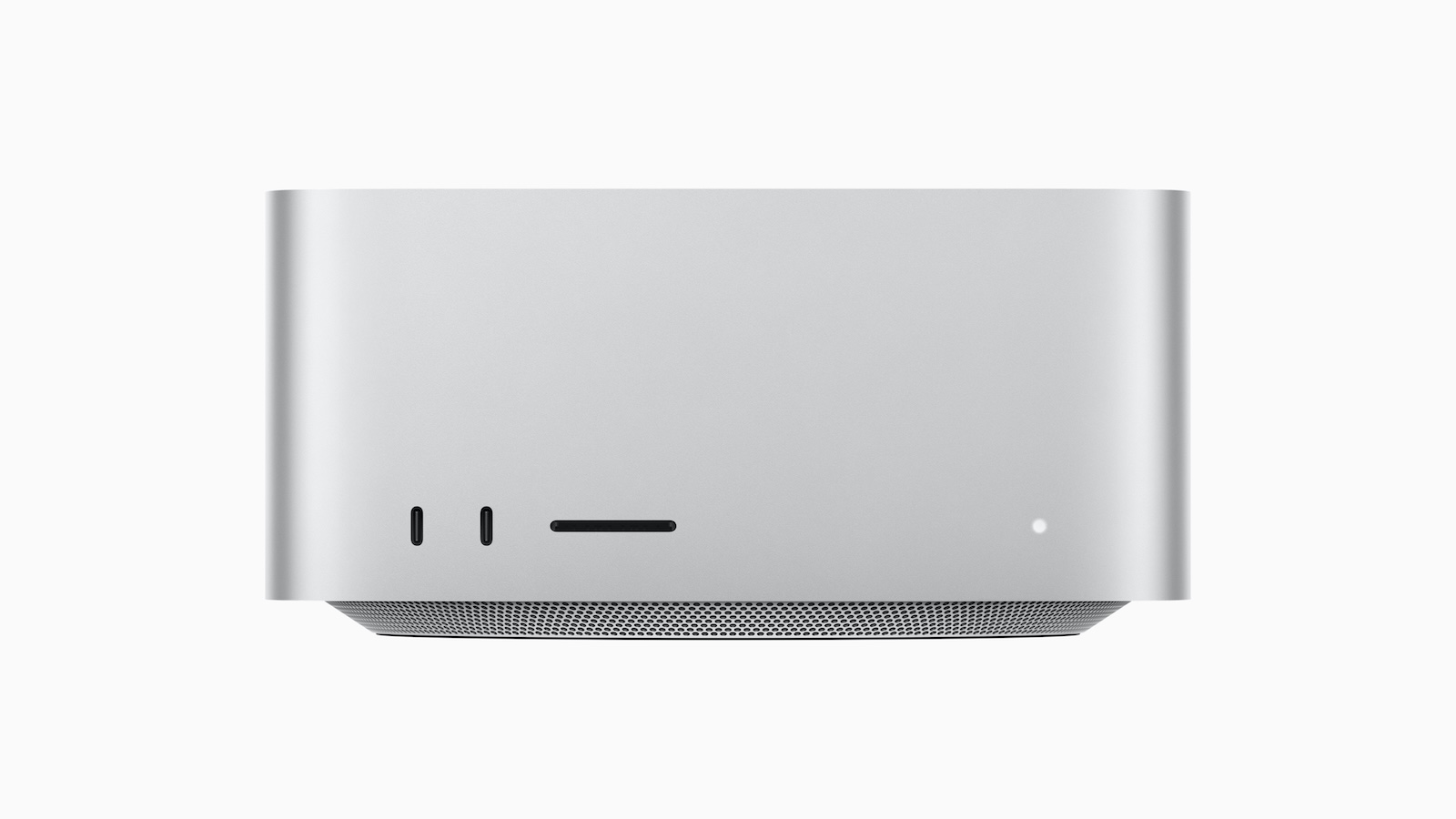
The Mac Studio is a compact workstation without a display. It's larger than the Mac mini (19.7 x 19.7 x 9.5 cm), but offers significantly more powerful chips (M4 Max and M3 Ultra), more ports, and active cooling for sustained heavy use. It's aimed at professionals who need maximum performance in a desktop form factor.
Chip and Performance
| Model | Chip | CPU | GPU | Neural Engine | Memory bandwidth |
|---|---|---|---|---|---|
| Mac mini | M4 | 10-Core (4P + 6E) | 10-Core | 16-Core | 120 GB/s |
| Mac mini | M4 Pro | 12-Core (8P + 4E) | 16-Core | 16-Core | 273 GB/s |
| iMac (2 ports) | M4 | 8-Core (4P + 4E) | 8-Core | 16-Core | 120 GB/s |
| iMac (4 ports) | M4 | 10-Core (4P + 6E) | 10-Core | 16-Core | 120 GB/s |
| Mac Studio | M4 Max | 14-Core (10P + 4E) | 32-core | 16-Core | 410 GB/s |
| Mac Studio | M3 Ultra | 28-Core (20P + 8E) | 60-Core | 32-core | 819 GB/s |
The Mac mini with M4 and the 4-port iMac have the same chip – the 10-core CPU and 10-core GPU deliver identical performance. The 2-port iMac has a scaled-down 8-core version of the M4 with fewer CPU and GPU cores.
The Mac mini with M4 Pro jumps into a different performance class: 12-core CPU, 16-core GPU, and more than double the memory bandwidth (273 vs. 120 GB/s). A 14-core CPU with a 20-core GPU is even available as an option.
The Mac Studio is in a league of its own. The M4 Max offers a 32-core GPU and 410 GB/s of memory bandwidth, while the M3 Ultra doubles that to a 60-core GPU and 819 GB/s. In addition, the M4 Max features two video encoding engines, and the M3 Ultra boasts four – crucial for professional video production.
Performance summary: For everyday tasks, the M4 in the Mac mini and iMac is sufficient. Those needing more power for creative work should opt for the Mac mini with the M4 Pro. Professional video, 3D, and AI workflows require the Mac Studio with the M4 Max or M3 Ultra.
RAM and Storage Space
| Model | RAM (Base) | RAM (max.) | Memory (Basic) | Storage (max.) |
|---|---|---|---|---|
| Mac mini M4 | 16 GB | 32 GB | 256 GB | 2 TB |
| Mac mini M4 Pro | 24 GB | 64 GB | 512 GB | 8 TB |
| iMac (2 ports) | 16 GB | 24 GB | 256 GB | 1 TB |
| iMac (4 ports) | 16 GB | 32 GB | 256 GB | 2 TB |
| Mac Studio M4 Max | 36 GB | 64 GB | 512 GB | 8 TB |
| Mac Studio M3 Ultra | 96 GB | 96 GB | 1 TB | 16 TB |
The Mac Studio has seen the most significant changes – and not for the better. Apple has gradually reduced the RAM options: First, the 512GB upgrade for the M3 Ultra was dropped, then the last remaining upgrade option disappeared. The M3 Ultra is now only available with 96GB, and the M4 Max tops out at 64GB instead of the previous 128GB. Anyone hoping for ample RAM for local AI models in the Mac Studio simply won't get it anymore.
The dual-port iMac is the most limited: a maximum of 24 GB of RAM and 1 TB of storage. This is sufficient for everyday tasks, but reaches its limits with more demanding workflows.
The Mac mini with M4 Pro offers up to 64 GB of RAM and 8 TB of storage – putting it on par with the significantly more expensive Mac Studio M4 Max in terms of memory. Which application profiles will actually run smoothly with 16, 32, or 64 GB can be estimated before configuring the system by consulting the RAM recommendations for Apple Silicon – and since the price premiums have increased, taking a closer look is more worthwhile than ever.
Display
This is where the biggest conceptual difference lies.
iMac: Integrated 24-inch 4.5K Display
- 4,480 x 2,520 pixels at 218 ppi
- 500 nits brightness
- P3 Wide Color, True Tone
- 1 billion colors
- Optional: Nanotextured glass (4-connection model only)
- 12 MP Center Stage Camera integrated
- Hi-Fi 6-speaker system with woofers
The iMac display is excellent for everyday use, photo editing, and creative work. The camera and speakers are integrated – no additional accessories are needed.
Mac mini and Mac Studio: Dedicated Monitor required
Neither the Mac mini nor the Mac Studio has a display, camera, or built-in speakers (only a simple integrated speaker for system sounds). Users wishing to use these devices will need a separate monitor, a webcam, and external speakers or headphones.
Apple offers the Studio Display (starting at €1,699) and the Studio Display XDR (starting at €3,099) as compatible monitors. Both were unaffected by the June price increase. The stand option is worth noting: the entry-level prices are for the VESA mount or the tilt-only stand – a height-adjustable stand costs an additional €400 for both the Studio Display and the XDR. Which of the two models is more worthwhile depends primarily on whether HDR and the higher refresh rate are needed – a direct comparison of both models will address this question in detail. Of course, monitors from other manufacturers also work via Thunderbolt, USB-C, or HDMI.
Display Conclusion: The iMac is the simplest solution – everything in one device. The Mac mini and Mac Studio, on the other hand, offer the freedom to choose any monitor. Anyone who doesn't already own a monitor should factor the cost into their purchasing decision.
Ports and Connectivity
| Feature | Mac mini M4 | Mac mini M4 Pro | iMac (2 ports) | iMac (4 ports) | Mac Studio |
|---|---|---|---|---|---|
| Thunderbolt (rear) | 3x TB4 | 3x TB5 | 2x TB4 | 4x TB4 | 4x TB5 |
| USB-C (front) | 2x USB 3 | 2x USB 3 | – | – | 2x USB-C* |
| USB-A | – | – | – | – | 2x USB 3 |
| HDMI | Yes | Yes | – | – | Yes |
| SDXC | – | – | – | – | Yes |
| Ethernet | Gigabit (opt. 10 Gbit) | Gigabit (opt. 10 Gbit) | Optional | Gigabit | 10 Gbit |
| 3.5 mm jack | Yes | Yes | Yes | Yes | Yes |
| Wi-Fi | WLAN 6E | WLAN 6E | WLAN 6E | WLAN 6E | WLAN 6E |
| Bluetooth | 5.3 | 5.3 | 5.3 | 5.3 | 5.3 |
| External Displays (max.) | 3 | 3 | 1 | 2 | 5 (M4 Max) / 8 (M3 Ultra) |
*Mac Studio M4 Max: 2x USB-C (USB 3), Mac Studio M3 Ultra: 2x Thunderbolt 5 on the front.
The Mac Studio has by far the most ports: Thunderbolt 5, HDMI, USB-A, SDXC card slot, and 10 Gigabit Ethernet – all standard. Users who connect a lot of peripherals won't experience any limitations with the Studio.
The Mac mini offers a solid selection of ports, including HDMI and three Thunderbolt ports (TB4 on the M4, TB5 on the M4 Pro), plus two USB-C ports on the front. The HDMI port is convenient for connecting a monitor without an adapter. The M4 Pro's Thunderbolt 5 ports achieve speeds of up to 120 Gbps, three times that of Thunderbolt 4.
The iMac lacks an HDMI port and an SDXC slot. The 2-port model is the most limited, with only two Thunderbolt 4 ports and support for only one external display. The 4-port model offers four Thunderbolt 4 ports and support for up to two external displays. The significant differences in monitor limitations between the Mac models quickly become apparent when setting up a multi-monitor setup.
Conclusion on connections: Anyone who regularly uses external monitors, cameras, or memory cards will clearly benefit from the Mac Studio. The Mac mini, with its HDMI and three Thunderbolt ports, covers most setups, while the iMac is the most limited.
Audio and Camera
| Feature | Mac mini | iMac | Mac Studio |
|---|---|---|---|
| Speakers | Integrated speaker (system sounds) | Hi-Fi 6 speakers with woofers | Integrated speaker (system sounds) |
| Microphones | – | 3 in studio quality with beamforming | – |
| Camera | – | 12 MP Center Stage | – |
| Headphone jack | Yes (high impedance) | Yes (high impedance) | Yes (high impedance) |
The iMac has by far the best integrated audio and camera system. Its Hi-Fi 6-speaker system with subwoofers sounds better than most external speakers in the same price range. It also features three studio-quality microphones and a 12MP camera with Center Stage – ideal for video calls.
The Mac mini and Mac Studio only have a basic speaker for system sounds. External speakers, headphones, and a webcam are required for music, movies, or video calls.
Scope of delivery
| Feature | Mac mini | iMac | Mac Studio |
|---|---|---|---|
| Display | No | 24″ 4.5K Retina | No |
| Keyboard | No | Magic Keyboard (Touch ID with 4 ports) | No |
| Mouse/Trackpad | No | Magic Mouse | No |
| Power supply/cable | Power cable | 143W power supply + power cable | Power cable |
| Camera | No | 12 MP Center Stage | No |
The iMac is the only model that comes ready to use right out of the box – with display, keyboard, mouse, and camera. The Mac mini and Mac Studio require separate peripherals, which means additional costs: A Magic Keyboard with Touch ID costs €199, a Magic Mouse €85, and an external monitor costs between €200 and €3,500 or more, depending on the model.
Which model is right for whom?
Mac mini M4 (from €949) – the right choice if:
- Looking for a compact desktop Mac
- Monitor, keyboard and mouse are already available
- The M4's performance is sufficient for everyday use, office work, software development, and light creative work.
- The smallest desired form factor is (12.7 x 12.7 cm)
- Flexibility in monitor selection is appreciated
Mac mini M4 Pro (from €1,899) – the right choice if:
- More power is needed for video editing, 3D rendering or music production.
- Thunderbolt 5 is desired for fast external storage and peripherals.
- Up to 64 GB of RAM and 8 TB of storage are required.
- Looking for a powerful desktop without a display tie-in
iMac M4 (from €1,799) – the right choice if:
- A ready-to-use all-in-one desktop with display, keyboard and mouse is desired.
- The integrated 24-inch 4.5K display, the speakers, and the camera are appreciated.
- A tidy desk without tangled cables is a priority.
- The Mac is mainly used for office work, image editing, streaming, and creative work.
- The seven color options are appealing
Mac Studio M4 Max (from €2,999) – the right choice if:
- Professional creative work is carried out using video, 3D or music production.
- More ports are needed than on the Mac mini M4 Pro
- Thunderbolt 5 is required on all rear ports.
- Up to five external displays can be connected simultaneously.
- SDXC card slot and USB-A ports are needed in everyday work.
Mac Studio M3 Ultra (from €6,299) – the right choice if:
- Maximum desktop performance without needing a Mac Pro
- The 60-core GPU and 819 GB/s memory bandwidth are needed for extreme workflows.
- 8K video production, machine learning, or scientific data processing are carried out.
- Up to eight external displays can be connected simultaneously.
If you can wait to buy, it's worth taking a look at the upcoming generation: A Mac Studio with M5 Ultra is expected later this year, and updates are also coming for Mac mini and iMac.
All differences at a glance
| Feature | Mac mini M4 | Mac mini M4 Pro | iMac (2 ports) | iMac (4 ports) | Mac Studio M4 Max | Mac Studio M3 Ultra |
|---|---|---|---|---|---|---|
| Price from | 949 € | 1.899 € | 1.799 € | 1.999 € | 2.999 € | 6.299 € |
| Chip | M4 | M4 Pro | M4 (8-Core) | M4 (10-Core) | M4 Max | M3 Ultra |
| CPU | 10-Core | 12/14-Core | 8-Core | 10-Core | 14/16-Core | 28/32-core |
| GPU | 10-Core | 16/20-Core | 8-Core | 10-Core | 32/40-Core | 60/80-Core |
| RAM (Base) | 16 GB | 24 GB | 16 GB | 16 GB | 36 GB | 96 GB |
| RAM (max.) | 32 GB | 64 GB | 24 GB | 32 GB | 64 GB | 96 GB |
| Memory (Basic) | 256 GB | 512 GB | 256 GB | 256 GB | 512 GB | 1 TB |
| Storage (max.) | 2 TB | 8 TB | 1 TB | 2 TB | 8 TB | 16 TB |
| Display | – | – | 24″ 4.5K | 24″ 4.5K | – | – |
| Thunderbolt | 3x TB4 | 3x TB5 | 2x TB4 | 4x TB4 | 4x TB5 | 6x TB5 |
| HDMI | Yes | Yes | – | – | Yes | Yes |
| USB-A | – | – | – | – | 2x | 2x |
| SDXC | – | – | – | – | Yes | Yes |
| Ethernet | Gigabit | Gigabit | Optional | Gigabit | 10 Gbit | 10 Gbit |
| External Displays | 3 | 3 | 1 | 2 | 5 | 8 |
| Wi-Fi | 6E | 6E | 6E | 6E | 6E | 6E |
| Speakers | Simply | Simply | Hi-Fi 6-LS | Hi-Fi 6-LS | Simply | Simply |
| Camera | – | – | 12 MP | 12 MP | – | – |
| Keyboard/Mouse | – | – | Including. | Including. | – | – |
| Weight | 0.67 kg | 0.73 kg | 4.42 kg | 4.44 kg | 2.74 kg | 3.64 kg |
| Apple Intelligence | Yes | Yes | Yes | Yes | Yes | Yes |
Which desktop Mac is worth buying?
The Mac mini with M4 remains the best entry point into the desktop Mac world, even if it now comes at a higher price: the initial price of €699 has increased to €949. Its performance is still perfectly adequate for everyday tasks, office work, and light creative work, and those who already own a monitor and peripherals will save considerably compared to the iMac.
The iMac is the perfect choice for anyone who wants a clutter-free desk and a ready-to-use package. The integrated 4.5K display, speakers, and camera eliminate the need for separate accessories. Starting at €1,999, the 4-port model offers significantly more flexibility than the 2-port model, thanks to its 10-core CPU/GPU, four Thunderbolt ports, and optional nano-texture glass.
The Mac mini with the M4 Pro has become more attractive thanks to the recent price adjustments – relatively speaking. It costs €1,899 and, with up to 64 GB of RAM, now offers the same maximum memory capacity as the Mac Studio M4 Max, which costs €1,100 more. For those who don't need additional ports or a 40-core GPU, the mini offers significantly better value.
The Mac Studio is aimed at professionals who need maximum performance and the most ports. However, expandability is no longer the compelling argument it once was: the M4 Max tops out at 64 GB of RAM, while the M3 Ultra is fixed at 96 GB. Starting at €2,999, the M4 Max remains the sensible choice for video editors and 3D artists. The M3 Ultra, starting at €6,299, is now only justified by its GPU performance, memory bandwidth, and multi-display setups – no longer by its massive RAM. (Image: Apple)
- MacBook Air vs. MacBook Pro 2026: Which is worth it?
- Apple TV in August 2026: All the highlights at a glance
- MacBook Air vs. Neo: Is the extra cost worth it?
- iOS 27: All the new features in Phone and FaceTime
- Apple Security Camera: All the rumors at a glance
- Apple HomePad: All the rumors at a glance
- New Apple TV 4K: All the rumors about the update with Siri AI
- HomePod 3 & HomePod mini 2: All the rumors at a glance
- MacBook Neo 2: All the rumors at a glance
Frequently Asked Questions: Mac Buying Guide
The Mac mini is a compact computer without a display, keyboard, or mouse—ideal if you already own peripherals. The iMac is an all-in-one with an integrated 24-inch 4.5K display, speakers, camera, keyboard, and mouse. The Mac Studio is a powerful workstation without a display for professional workflows, featuring an M4 Max or M3 Ultra chip.
Yes. The Mac mini has no display, no camera, and no full-fledged speakers. Monitor, keyboard, and mouse must be purchased separately. However, it offers maximum flexibility in monitor choice and, at €949, is the most affordable entry into the desktop Mac world.
The 2-port model (starting at €1,799) has an 8-core CPU and GPU, up to 24 GB of RAM, up to 1 TB of storage, and supports only one external display. The 4-port model (starting at €1,999) has a 10-core CPU and GPU, up to 32 GB of RAM, up to 2 TB of storage, four Thunderbolt 4 ports, standard Ethernet and Touch ID, and optional nanotexture glass.
The Mac Studio is worthwhile for professionals who need more GPU performance (32 to 80 cores versus 16 to 20), more ports (Thunderbolt 5 on all rear ports, USB-A, SDXC), and support for more external displays (up to 8 versus 3). This advantage no longer exists when it comes to RAM: The Mac Studio M4 Max now tops out at 64 GB, the same as the Mac mini M4 Pro, but costs €1,100 more. For most demanding creative tasks, the Mac mini M4 Pro is sufficient.
No. Neither device has a built-in camera. For video calls, an external webcam is required, or you can use the Continuity Camera feature, which uses the iPhone as a webcam. Only the iMac has a built-in 12MP camera with Center Stage.
The Mac mini with M4 processor costs €949 – provided you already own a monitor and peripherals. If you need to buy everything new, the iMac, starting at €1,799, offers a more complete package. For demanding users, the Mac mini with M4 Pro, starting at €1,899, offers the best balance of performance and price.
Apple hadn't yet unveiled the M4 Ultra at the time of the Mac Studio release in March 2025. Nevertheless, the M3 Ultra still offers tremendous performance with up to a 32-core CPU and 80-core GPU, as well as 819 GB/s of memory bandwidth. However, its RAM is now limited to 96 GB – Apple has removed the previous upgrade options up to 512 GB.





