

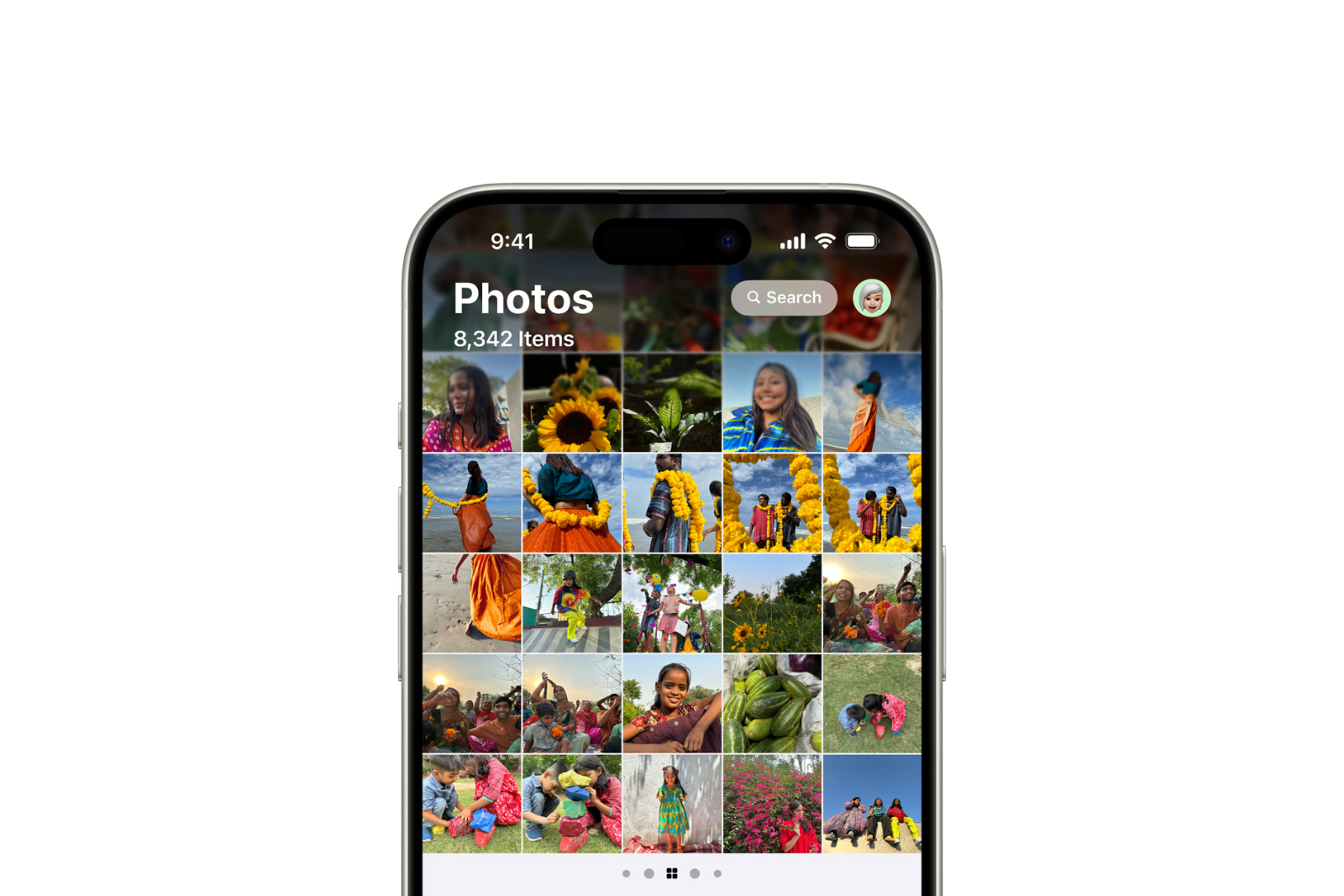
The release of iOS 18 is approaching, bringing significant changes to the Photos app. In this article, you'll learn all about what's new, how you can adapt, and what benefits the new structure offers. Read on to be well prepared and take full advantage of iOS 18.
A few years ago, the iPhone was young enough that Apple could make major changes to how iOS worked without attracting much criticism. Today, the iPhone is a mature product with billions of users, so any change to iOS attracts more attention and even criticism. Change is difficult, especially when it affects apps used by almost all iPhone owners. That's why the new Photos app in iOS 18 is under close scrutiny.
Important changes in the Photos app of iOS 18
With iOS 18, Apple completely revamped and restructured the basic layout and navigation of the Photos app. Previously, you could navigate Photos using a tab bar at the bottom of the screen. That bar, which contained buttons like Library, For You, Albums, and Search, is gone in iOS 18. Instead, Photos now displays all of your content on a single screen. Similar to the Journal app that launched last year, you'll find all of your Photos navigation on a single screen that you scroll through to find all of your content.
adapting to changes
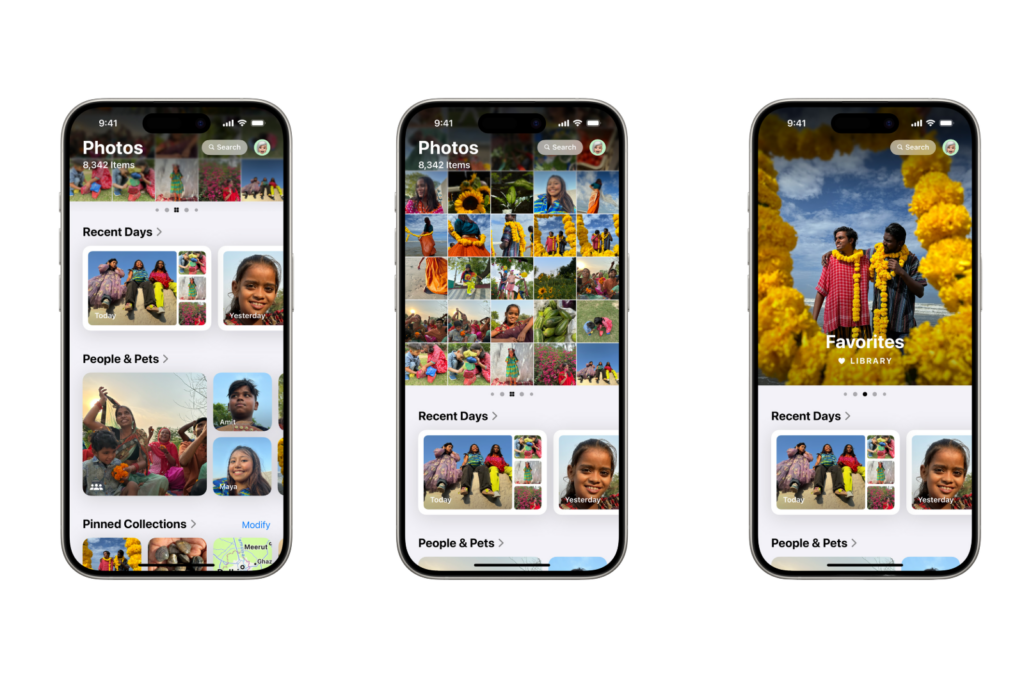
Photos is an app that so many people use every day and has been around for as long as the iPhone has been around. A redesign like this is a big deal. It could leave users shocked and confused when they open the new Photos app this fall. The app is essentially made up of two areas: a top carousel and a bottom area that houses a variety of customizable collections of content. The carousel at the top is where you can access your entire photo library. It's also where you'll find other areas you can swipe through, like your Favorites album.
Customize your photo experience
A very useful feature of iOS 18 is the ability to customize exactly which collections of content appear at the bottom of the app's interface and in what order. Photos puts together a number of collections by default, but if you scroll to the bottom of the app, you'll find a customize button. From here, you can enable or disable the following collections and change their order:
- last days
- People & Pets
- Pinned collections
- retrospectives
- Travel
- albums
- Shared Albums
- Recommended Photos
- media types
- Others
- background image suggestions
Another important customization tool is the main photos panel, which sits at the top of the app. In the past, I've used my Recent album much more than the All Photos view in the library. With iOS 18, these two are merged into a single photo library at the top of the app, but if you pull down, you can customize the view to sort by the most recently added photos rather than the default Date Taken option. You can also filter what types of photos and videos are shown here and update the view settings.
New layout and adjustments: How to use the Photos app in iOS 18
iOS 18 gives the Photos app a new direction, which can mean a change for users. However, the new customization options and simplified navigation also offer many advantages. Get ready to embrace these changes and make your photo experience even better. With these tips and tricks, you are well prepared for the new Photos app and can get the most out of iOS 18. Are you looking for new accessories? Then take a look in our Amazon Storefront - there you will find numerous products from leading providers, also for HomeKit and Co.! (Image: Apple)
- Apple Account: Everything you need to know about renaming your Apple ID in iOS 18
- iOS 18: Schedule and automatically send messages
- Lock and hide apps with iOS 18: Here's how
- iOS 18: How to change app colors and themes
- iOS 18: Customizing the Control Center made easy
- iOS 18: Hide app labels on the home screen





