


The noise cancellation in the AirPods Pro is the number one reason for buying them for many people – but the ANC feature has two modes: active and transparent noise cancellation.
The AirPods Pro are likely to be one of the most popular Christmas gifts this year. That's why we would now like to take a closer look at the number one top feature - the ANC feature. Apple describes the noise cancellation as follows:
The active noise cancellation of the AirPods Pro uses two microphones that continuously collect sound and, in combination with advanced software, the sound experience is constantly adapted to the individual ear and headphones. This removes background noise to provide a unique, high-quality sound experience with the best possible noise cancellation, allowing the user to concentrate on what they are listening to - whether it is their favorite song or a phone conversation. The first microphone is directed outwards and detects external noise to analyze ambient noise. The AirPods Pro then create an equivalent anti-noise that suppresses background noise before it reaches the listener's ear. A second inward-facing microphone listens towards the ear and the AirPods Pro suppresses the residual noise detected by the microphone. The noise cancellation continuously adjusts the sound signal 200 times per second.
Apple
But what does the community say about it? The answer is quite simple - Apple has not exaggerated. Even if the price of 279 euros is not well received by every fan, the AirPods Pro perform very well in various tests. If you want to stay in the Apple ecosystem and have headphones with noise cancellation, you should definitely go for the AirPods Pro. But now let's get to the question of how the feature is controlled.
How to control the noise cancellation of the AirPods Pro
Another difference between the AirPods Pro and AirPods 1 and 2 is the controls. While the AirPods 1 and 2 respond to a double tap, the user of the AirPods Pro actually has to press the force sensor on the stem with two fingers. Important: The pressing is always done with two fingers. A long press allows you to switch between active or transparent noise cancellation, while a single, double and triple press controls the sound.
Three ways to control noise cancellation on AirPods Pro
There are a total of three options for controlling noise cancellation. It can also be switched off completely and as an additional function, Apple offers each user the option of individually adjusting the force sensor.
Option 1 - Force sensor: The classic way to switch between active and transparent noise cancellation is the AirPods Pro themselves. As described above, press and hold the stem of one of the two plugs until you hear a sound.
Option 2 - Control Center: If you don't want to use the force sensor, you can also control noise cancellation via the iPhone Control Center. Note: The Control Center is opened on all devices with Face ID, i.e. iPhone X or newer and iPad Pro 2018 or newer, by simply pulling down with your finger from the top right corner of the screen. On older devices, the Control Center is opened by swiping up from the bottom edge of the screen - the whole thing can be done at any time from the home screen or an app. So as soon as you have opened the Control Center as described, hold down the volume indicator - a new indicator should now pop up. Here you can choose between active and transparent noise cancellation or turn the whole thing off.
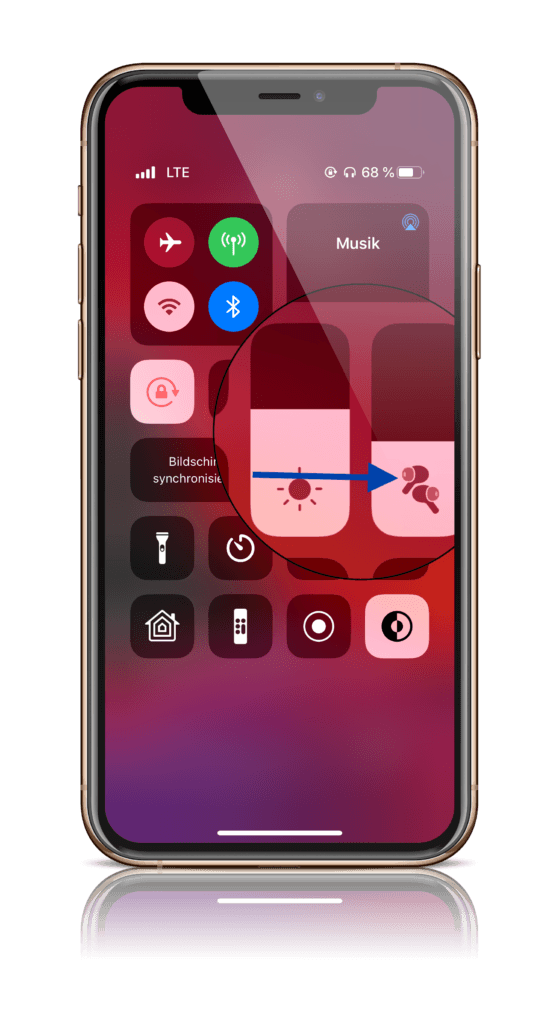
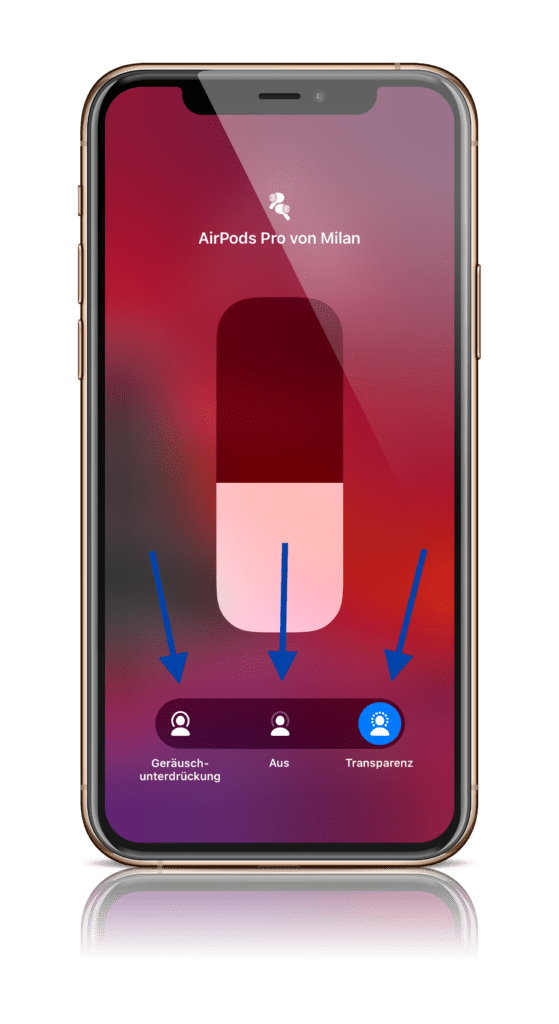
Option 3 – Bluetooth Settings: The third way is via the Bluetooth settings of the respective device. To do this, open the iOS settings and navigate to the "Bluetooth" menu. Now tap the small round "i" to the right of "AirPods Pro." Here you can configure the noise control and make other changes such as the name, force sensor commands, and more.
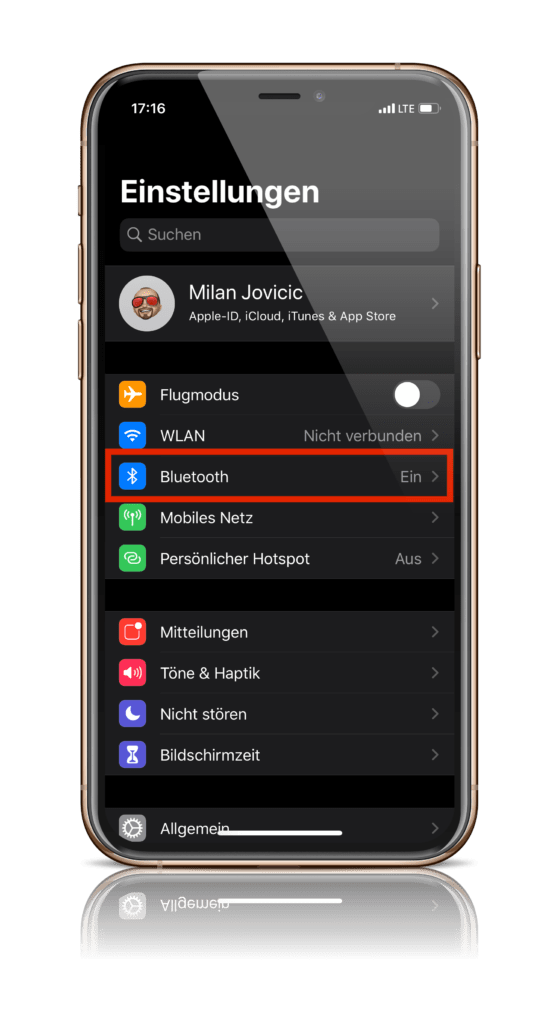
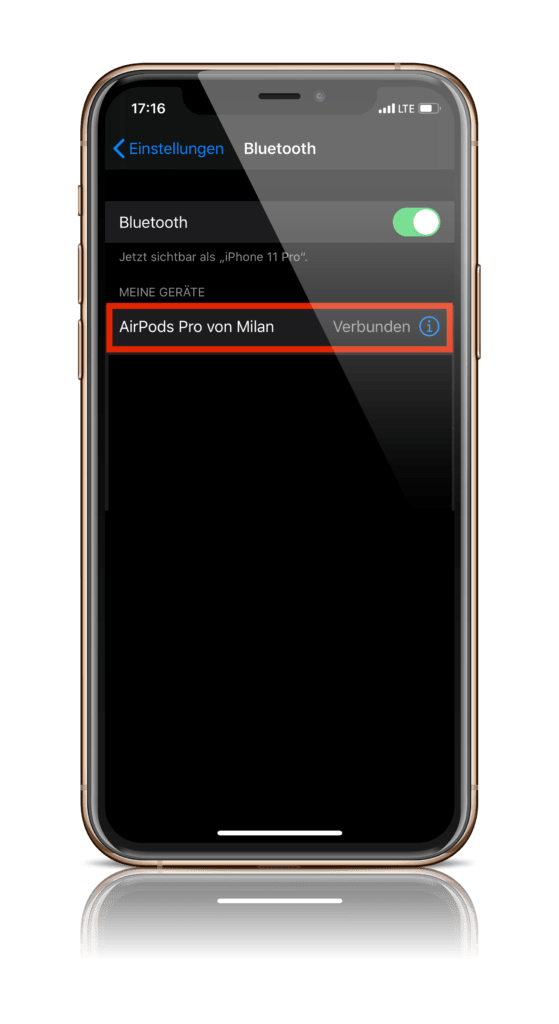
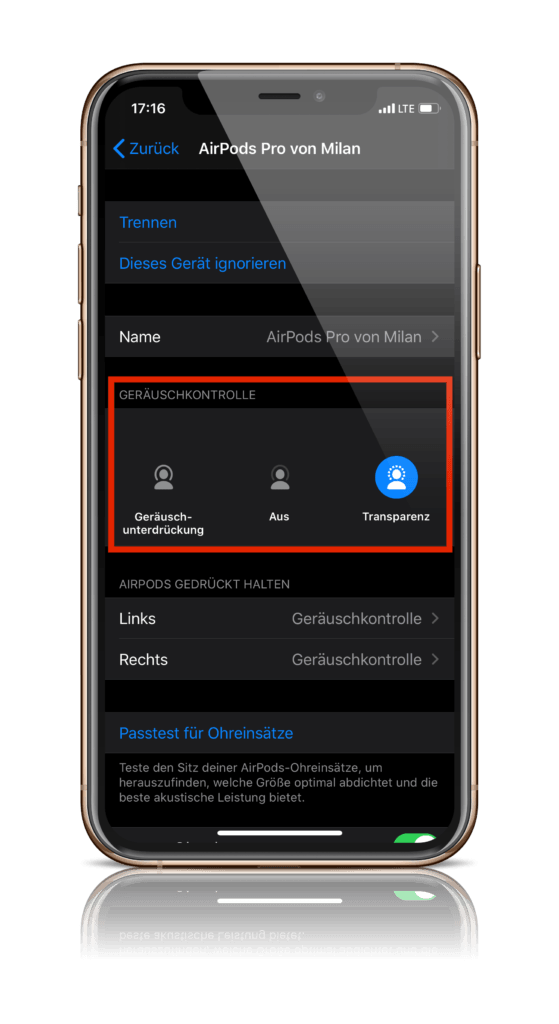
Force sensor adjustments and noise control with just one AirPod
But that's not all. Apple allows users to adjust the force sensor for press speed and hold duration. Want to enable noise control even when you only have one pair of AirPods Pro buds in your ear? No problem – here's how. Open your device's iOS settings and navigate to the "Accessibility" menu. Under the "Physical & Motor" category, you'll find "AirPods."
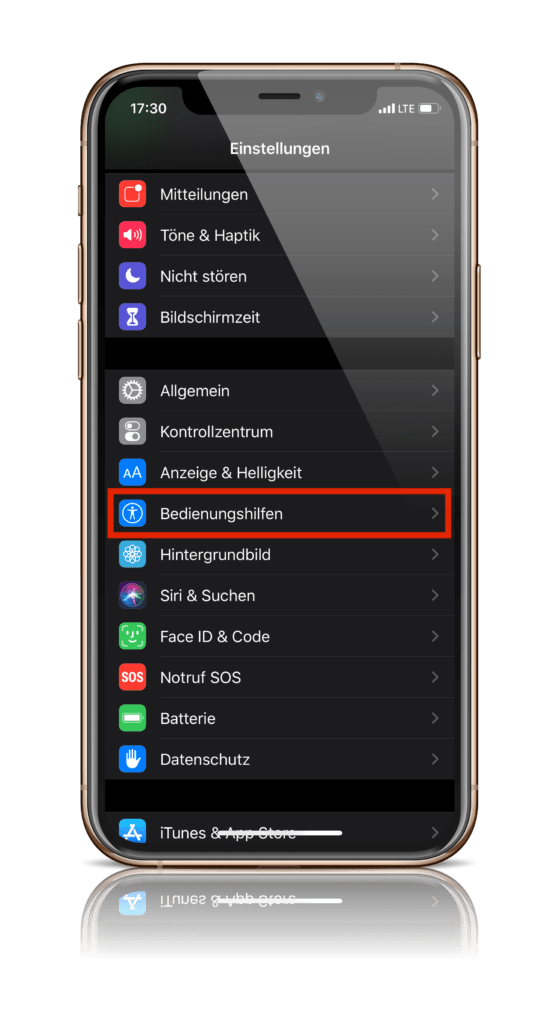
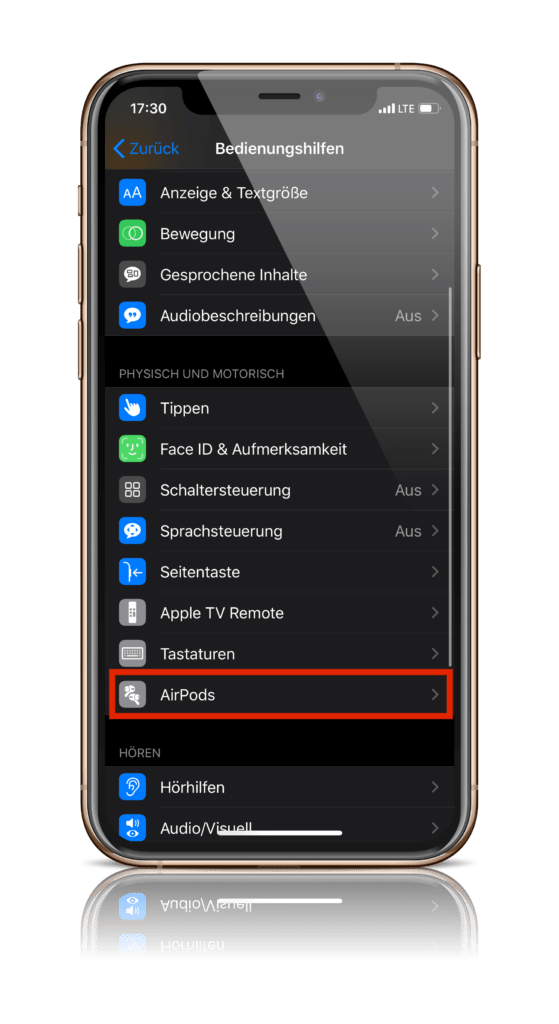
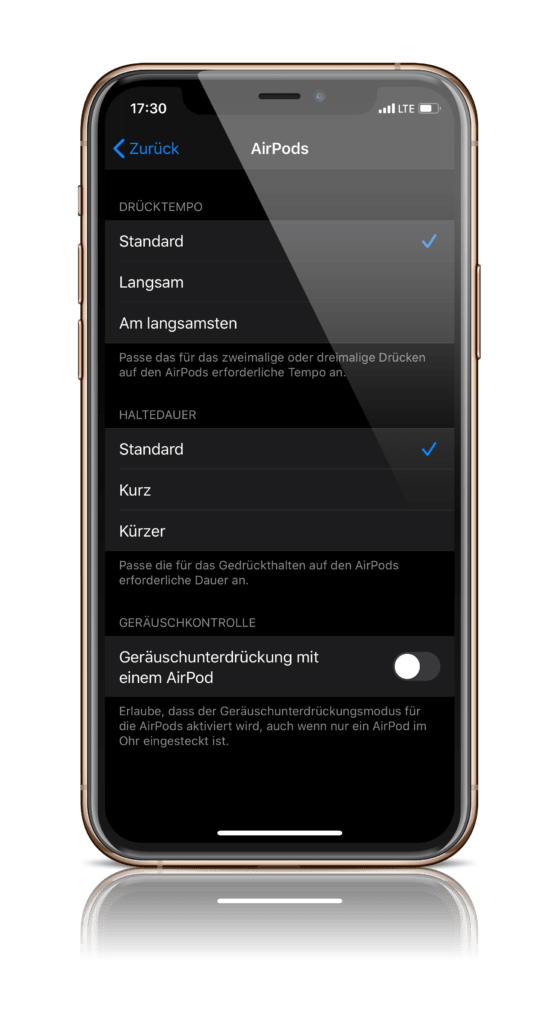
Here, you can choose between "Standard, Slow, and Slowest" under Press Speed. For Hold Duration, you have the options "Standard, Short, and Shorter." If you want to use noise cancellation with just one earbud, you'll need to enable "Noise Cancellation with One AirPod" further down. Don't have AirPods yet? Then check out our Apfelpatient Amazon Shop over. (Photo by hadrian / Bigstockphoto)





