
This article may contain affiliate links. Learn more on our Partner Program page.
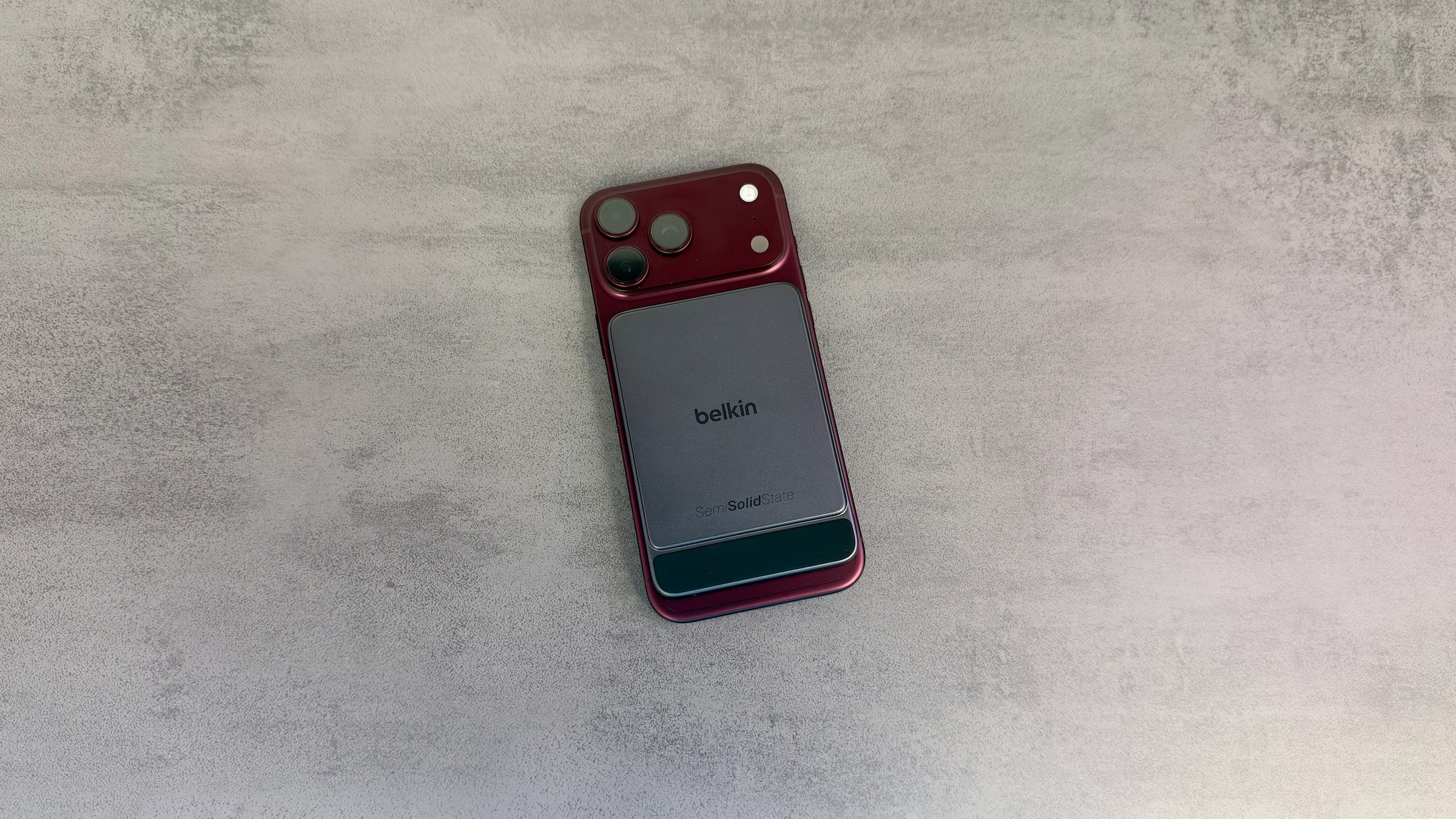
Above all, a magnetic power bank has to do one thing: stay attached to the iPhone without constantly making itself noticed. Belkin's UltraCharge Pro 5K relies on a slim metal housing and a semi-solid battery cell to do just that. I tested it on the iPhone 18 Pro Max, briefly on the iPhone Duo as well, and compared it with Apple's own MagSafe batteries.
The UltraCharge Pro Slim Magnetic Power Bank 5K with BoostSolid Cell, to give it its full name, charges iPhones wirelessly via Qi2 at up to 15 watts and via USB-C. At CES 2026, Belkin showed a new generation of Qi2 charging accessories, including several magnetic power banks. The magnetic 3-in-1 charging station I have already tested also comes from the same UltraCharge Pro line. The UltraCharge Pro 5K joins them as a slim model and brings a cell that Belkin calls BoostSolid. It has a semi-solid design and, according to the manufacturer, should last up to three times longer than conventional cells with liquid electrolyte.
The capacity is 5,000 mAh, and Belkin charges 64.99 euros for it. I used my review unit on and off over several days, mainly on the iPhone 18 Pro Max. I was less interested in lab figures than in how the power bank holds up on the iPhone in everyday use.
Key Takeaways
- At around 8 millimetres and 123 grams, the power bank adds hardly any bulk to the iPhone.
- On the iPhone 18 Pro Max, a full charge delivered around 50 percentage points in my test.
- The metal housing stays pleasantly cool, and the silicone surface keeps it from slipping on the iPhone.
- Pass-through charging works, but wireless output then drops to a maximum of 7.5 watts.
- Its weaknesses are the rough LED indicator and the capacity, which only covers a top-up on the Pro Max.
Slim format, cool metal
The packaging sets the tone right away: simple and practical, with everything protected and neatly in its place. Alongside the power bank, the box contains a 60-centimetre braided USB-C cable and a quick start guide, but no power adapter. By my own measurement, it comes in at 10.3 × 7.2 centimetres with a thickness of around 8 millimetres, and the kitchen scale shows 123 grams.
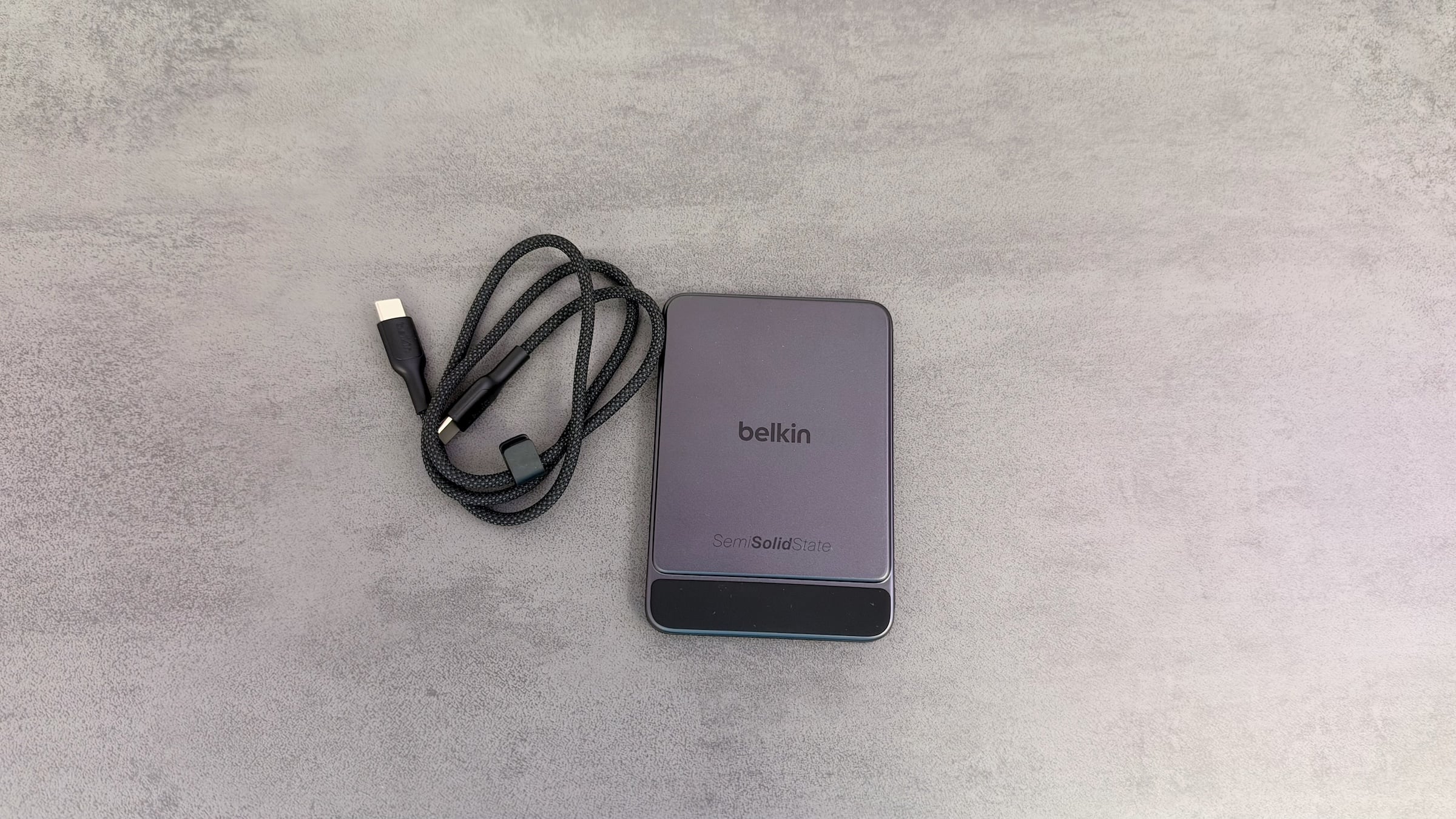
More important than these figures, though, is how it feels on the device. The power bank is so slim that it doesn't look like an extra block on the iPhone. At first glance, the housing looks angular, but a second look reveals that all the edges are neatly rounded, and in the hand you feel it immediately: nothing digs in.
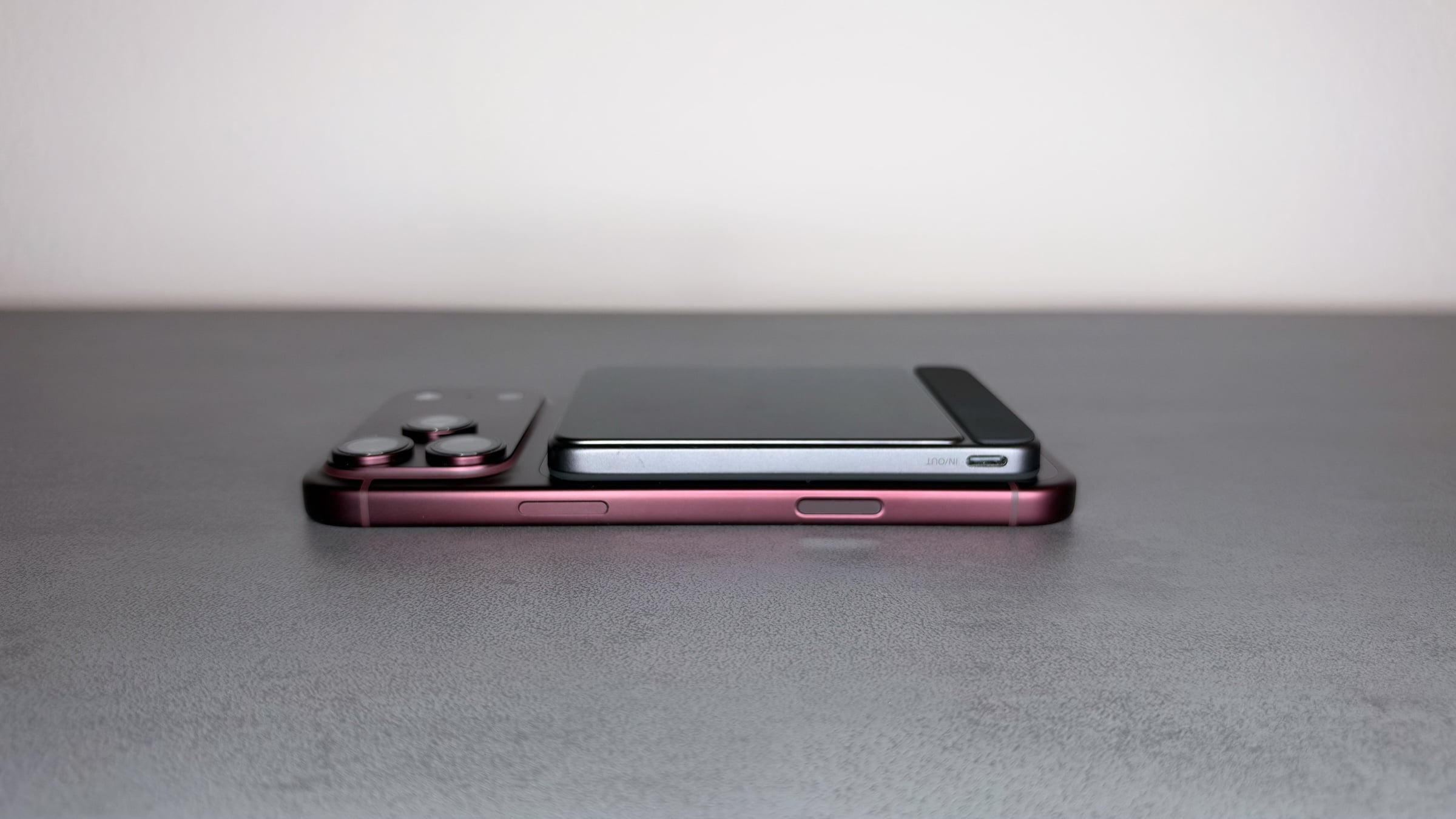
The materials play a part in this too. The outside is made of metal and feels cool and high-quality, while a silicone surface on the back provides grip. After the first few days of use, there are no visible scratches.
It is precisely this combination that sets the Belkin power bank apart from Apple's own solutions. I have used both Apple's first MagSafe Battery Pack and the later battery for the iPhone Air, and both sit nicely in the hand thanks to their soft curves. The first battery's housing, however, is made of plastic, and I always missed the cooling metal surface that Belkin offers.
Grip on the iPhone 18 Pro Max and iPhone Duo
Attaching it shows how strong the magnet is. Without a case, the power bank sits securely on the iPhone 18 Pro Max, and the silicone surface also stops it from slipping. With a MagSafe case such as the cases from Nomad, it holds just as reliably.
What matters is that the case actually supports MagSafe. If it lacks the magnet ring, there is no magnetic hold, and the power bank can't be used reliably. In a trouser pocket, on the other hand, it barely makes a difference, as the already large Pro Max does more to shape how it feels to carry.
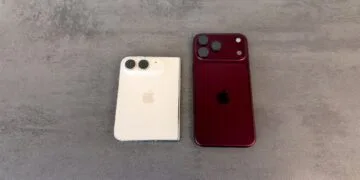
A special case is the iPhone Duo, which Belkin doesn't list among the compatible devices. Even so, the power bank sticks to the folded Duo and charges it as soon as it sits on the MagSafe area. The combination doesn't look great, though, because it protrudes a little at the bottom.
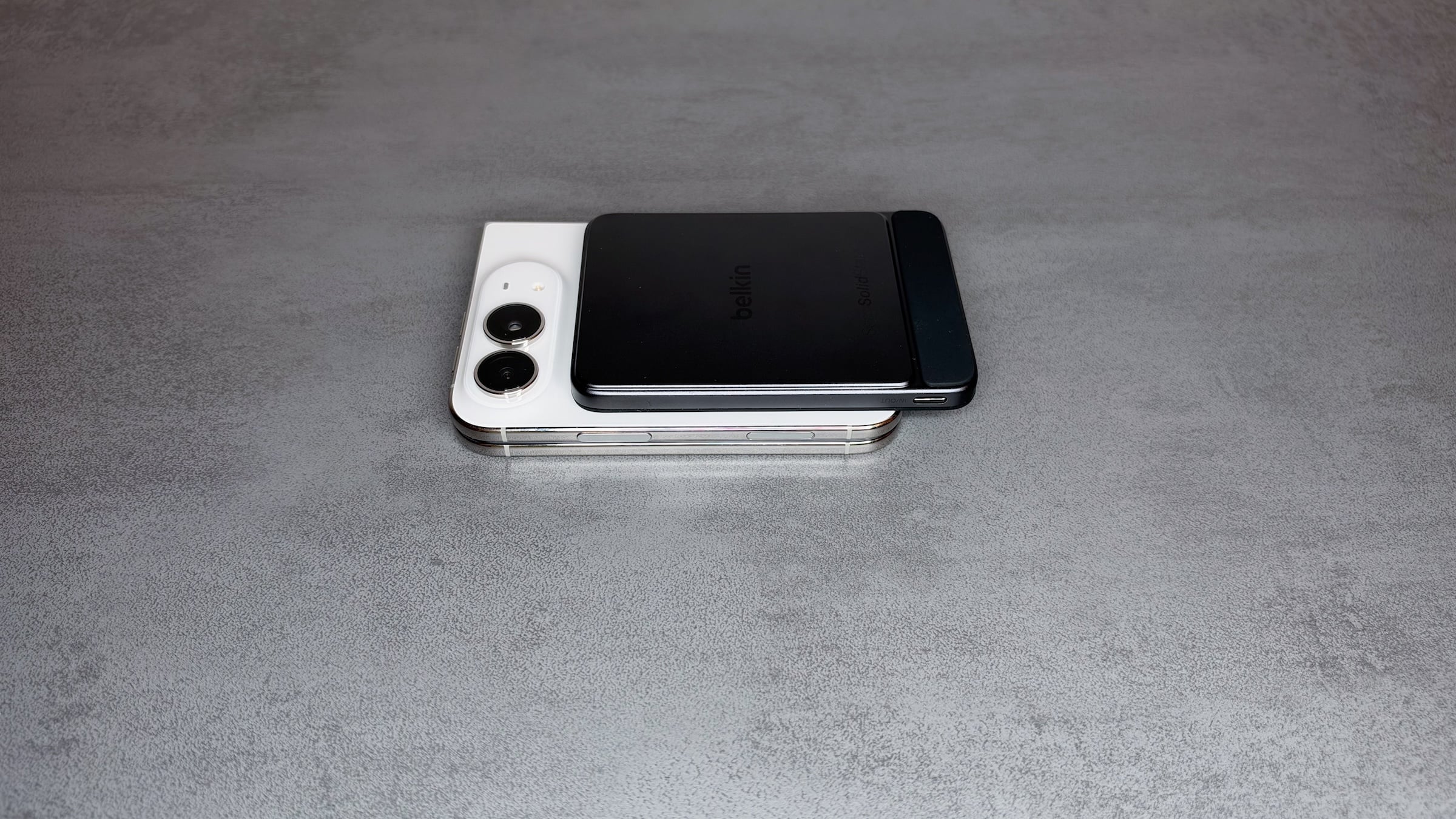
If you only use a Duo, you are therefore better served by charging accessories that suit its design. For a quick top-up with a friend's power bank, though, it does the job.
How much the power bank recharges
On the iPhone 18 Pro Max, a full power bank wirelessly recharged around 50 percentage points in my test. The iPhone wasn't lying idle during that time; I was writing messages, for example. For a 5,000 mAh cell, that is a useful reserve, even if it isn't a second full battery charge. How much actually reaches the iPhone in the end, however, depends heavily on how it is used while charging.
The power bank achieves its best result when the iPhone stays unused while charging. Games or other demanding apps use extra energy and generate heat, making charging slower and less efficient. That was already true of earlier MagSafe power banks, and it applies here in exactly the same way.
On the iPhone 18 Pro, with its smaller battery, the same amount of energy translates into a higher percentage. I haven't measured it, but I expect around 60 to 70 percentage points.
Wireless or via USB-C
Using a cable is faster. Via USB-C, the iPhone can charge at up to 20 watts, compared with a maximum of 15 watts wirelessly. According to Belkin's support page for the power bank, the 22.5 watts Belkin advertises for the port apply to a different fast-charging standard that iPhones don't use.
Heat also comes into play with wireless charging. The iPhone and power bank get warm, and if the temperature rises too high, the system throttles the speed; according to Belkin, two chips monitor the temperature. In everyday use, however, the cable matters less than the figures suggest. Anyone who buys a magnetic power bank usually wants to snap it on and go, without a cable.
Recharging, pass-through charging and two devices
Where the cable really is needed, on the other hand, is for recharging the power bank itself. It takes in up to 20 watts via USB-C. I didn't time the exact charging duration, but with a Power Delivery adapter of 20 watts or more, I'd expect around one and a half to two hours.
When the power bank is plugged in, it continues to charge the iPhone wirelessly, though at a maximum of 7.5 watts. According to Belkin, the connected device charges first, followed by the power bank itself. This worked reliably in my test, so the iPhone and power bank charge from a single power adapter.
Conversely, the power bank can also charge two devices at once, one wirelessly and one via USB-C. The power is then split into 5 watts wirelessly and 12 watts via the cable, which isn't very efficient for two iPhones. For accessories, however, it is a practical option, for example with an AirPods case on the charging surface and a second device on the cable.
I connected AirPods via USB-C as a test, and it worked without any problems. An Apple Watch, by contrast, only charges with its own charging cable connected to the USB-C port. The power bank's charge level is shown by four LEDs, each representing roughly a quarter. It doesn't appear in the iOS Batteries widget, unlike Apple's first MagSafe Battery Pack.
Compared with Apple's MagSafe batteries
Beyond the feel and the indicator, the Belkin power bank differs from Apple's solutions mainly in speed and compatibility.
| Model | Wireless on the go | Compatible with |
|---|---|---|
| Apple MagSafe Battery Pack (2021) | up to 7.5 W | iPhones with MagSafe |
| Apple iPhone Air MagSafe Battery | up to 12 W | iPhone Air only |
| Belkin UltraCharge Pro 5K | up to 15 W | iPhones with MagSafe, Qi2 devices |
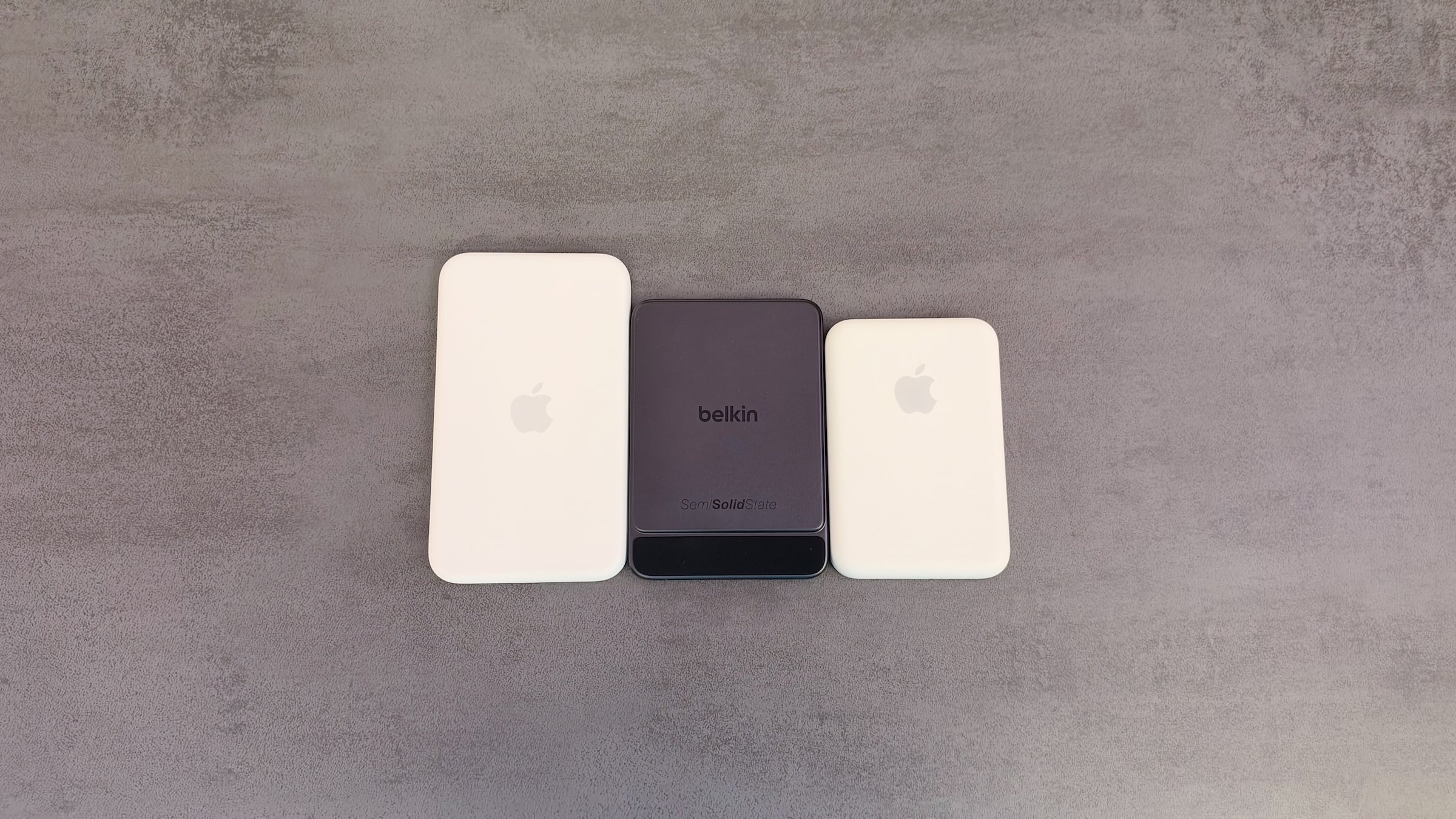
Apple's battery for the iPhone Air is designed exclusively for that model, and the first MagSafe Battery Pack is no longer sold. The Belkin power bank, by contrast, charges any iPhone with MagSafe, even if Belkin's list doesn't name every model.
On top of that comes heat. The metal housing has a noticeably cooling effect, and in my everyday use the Belkin power bank didn't get uncomfortably warm as quickly as some older solutions. That doesn't replace a lab test, but the difference is noticeable in daily use.
Technical specifications
| Feature | Specification |
|---|---|
| Capacity | 5,000 mAh, BoostSolid cell (semi-solid) |
| Wireless | up to 15 W (Qi2) |
| USB-C output | up to 22.5 W, up to 20 W on the iPhone |
| USB-C input | up to 20 W |
| Pass-through charging | wireless up to 7.5 W |
| Two devices at once | 5W wireless and 12W via USB-C |
| Charge indicator | four LEDs |
| In the box | Power bank, braided USB-C cable (0.6 m), quick start guide |
| Dimensions (measured) | 10.3 × 7.2 cm, approximately 8 mm thick |
| Weight (measured) | 123 g |
| Warranty | 2 years, connected equipment protection up to €2,000 |
| Price | 64.99 euros |
Who the UltraCharge Pro 5K is for
The power bank doesn't come entirely without compromises. The four LEDs only give a rough indication of the charge level, and I would prefer an exact percentage. The capacity weighs more heavily: for a Pro Max, 5,000 mAh is a top-up rather than a second full battery charge. Then there are the speed limits, with a maximum of 15 watts wirelessly and just 7.5 watts during pass-through charging.
Its strength, on the other hand, lies in its format. The power bank is slim enough to stay on the iPhone in everyday use and can be snapped on without a cable whenever the battery needs a little support. What convinced me most in my test was this simple handling.
That's why it suits an iPhone 17 Pro or iPhone 18 Pro best, as the same reserve makes a bigger percentage difference with their smaller batteries. On the Pro Max, it works just as reliably, but remains a reserve for in between. If you need several full charges or large reserves for long trips, a bigger power bank with more capacity is the better choice. The UltraCharge Pro 5K is available on Amazon.
Is a slim power bank with half a charge enough for your iPhone, or would you rather put up with a thicker model for more reserve? Tell us in the comments which size makes it into your pocket.