

apple patient
  • Home
  • News
  • Rumors
  • Tips & Tricks
  • Reviews
  • Insights
No Result
View All Result
  • iPhone 18
  • iPhone 18 Pro
  • iPhone Duo
  • Apple Watch Series 12
  • Apple Watch Ultra 4
  • AirPods 5
  • iOS 27
  • iPadOS 27
  • macOS
  • MacBook Neo
  • iPhone 17e
  • AirTags
  • iOS 26
  • iPhone 17
  • MacBook Pro
  • iPadOS
  • iMac
  • Mac mini
  • HomePod
  • Apple TV
  • iPad Pro
  • iPhone Air
  • Apple Vision Pro
  • iPhone 16
  • AirPods 4
  • Apple Watch Ultra
  • HomePod Mini
  • MacBook Air
  • iPad
  • AirPods Max
  • AirPods Pro 3
  • Apple Watch Series 3
  • Mac Studio
  • Studio Display
  • iPad Air
  • iPad mini
  • watchOS 27
  • Apple CarPlay
  • Apple Pay
  • watchOS 26
  • Home
  • News
  • Rumors
  • Tips & Tricks
  • Reviews
  • Insights
No Result
View All Result
apple patient
No Result
View All Result
  • iPhone 18
  • iPhone 18 Pro
  • iPhone Duo
  • Apple Watch Series 12
  • Apple Watch Ultra 4
  • AirPods 5
  • iOS 27
  • iPadOS 27
  • macOS
  • MacBook Neo
  • iPhone 17e
  • AirTags
  • iOS 26
  • iPhone 17
  • MacBook Pro
  • iPadOS
  • iMac
  • Mac mini
  • HomePod
  • Apple TV
  • iPad Pro
  • iPhone Air
  • Apple Vision Pro
  • iPhone 16
  • AirPods 4
  • Apple Watch Ultra
  • HomePod Mini
  • MacBook Air
  • iPad
  • AirPods Max
  • AirPods Pro 3
  • Apple Watch Series 3
  • Mac Studio
  • Studio Display
  • iPad Air
  • iPad mini
  • watchOS 27
  • Apple CarPlay
  • Apple Pay
  • watchOS 26

iOS 26.3: Second test for Apple's background security

Milan Jovicic by Milan Jovicic
January 8, 2026 - 10:05 PM CET
in Apple News
0
iOS 26.3 Background Security Improvements

Image: Apfelpatient

WhatsAppFacebookEmail
Threads

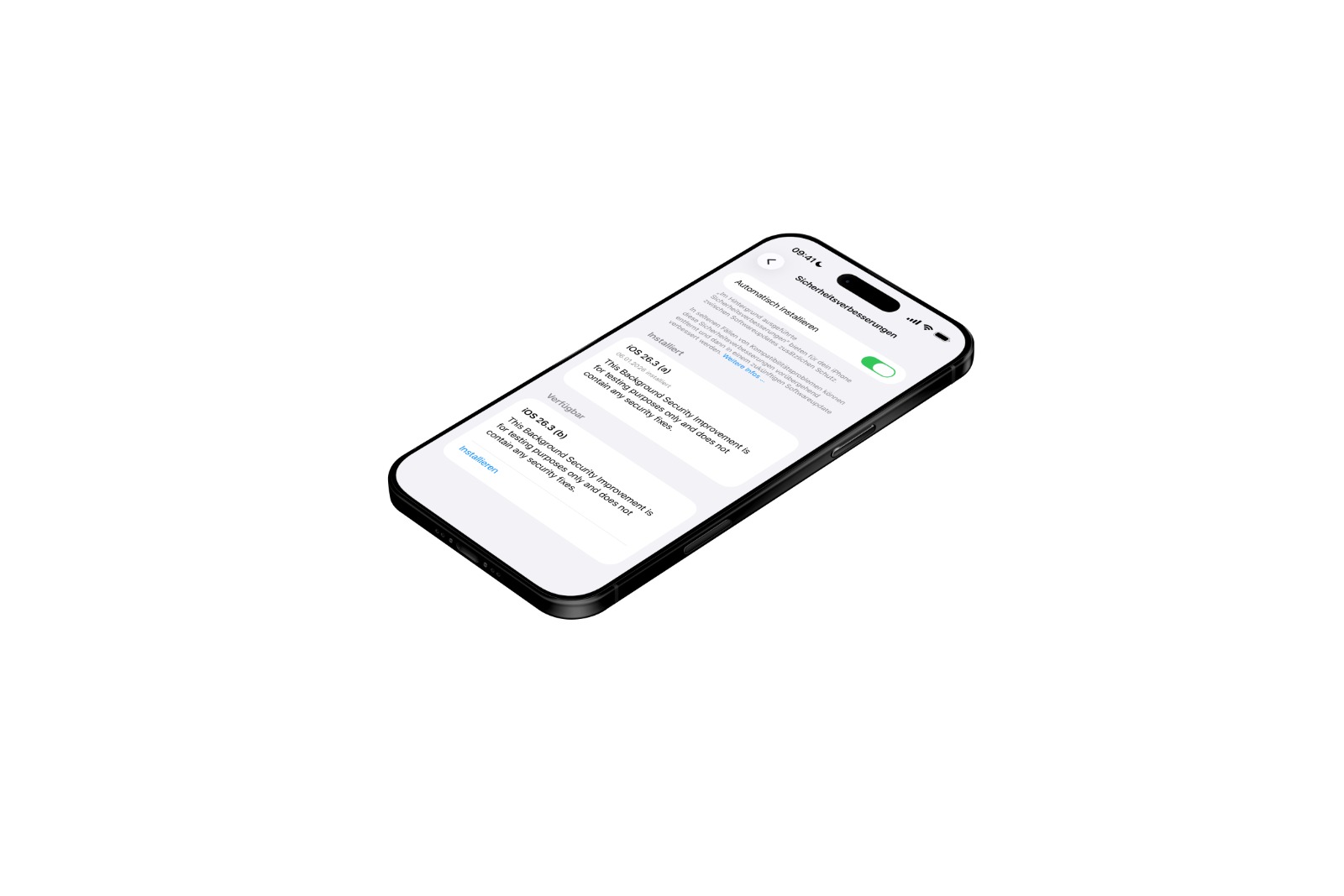
With iOS 26.3, Apple continues its testing of background security updates. The feature itself isn't new, but it's being further developed and tested again under real-world conditions. The goal is to close security vulnerabilities more quickly without having to wait for traditional system updates. In addition to iOS 26.3, iPadOS 26.3 and macOS Tahoe 26.3 are also part of this current testing phase.

Apple has long pursued a more flexible approach to deploying security measures. While major version updates remain important, they aren't always the fastest way to address acute risks. Background security enhancements aim to close precisely this gap. This technique is being tested again in iOS 26.3, this time with a second update released in quick succession.

Background security improvements in iOS 26.3

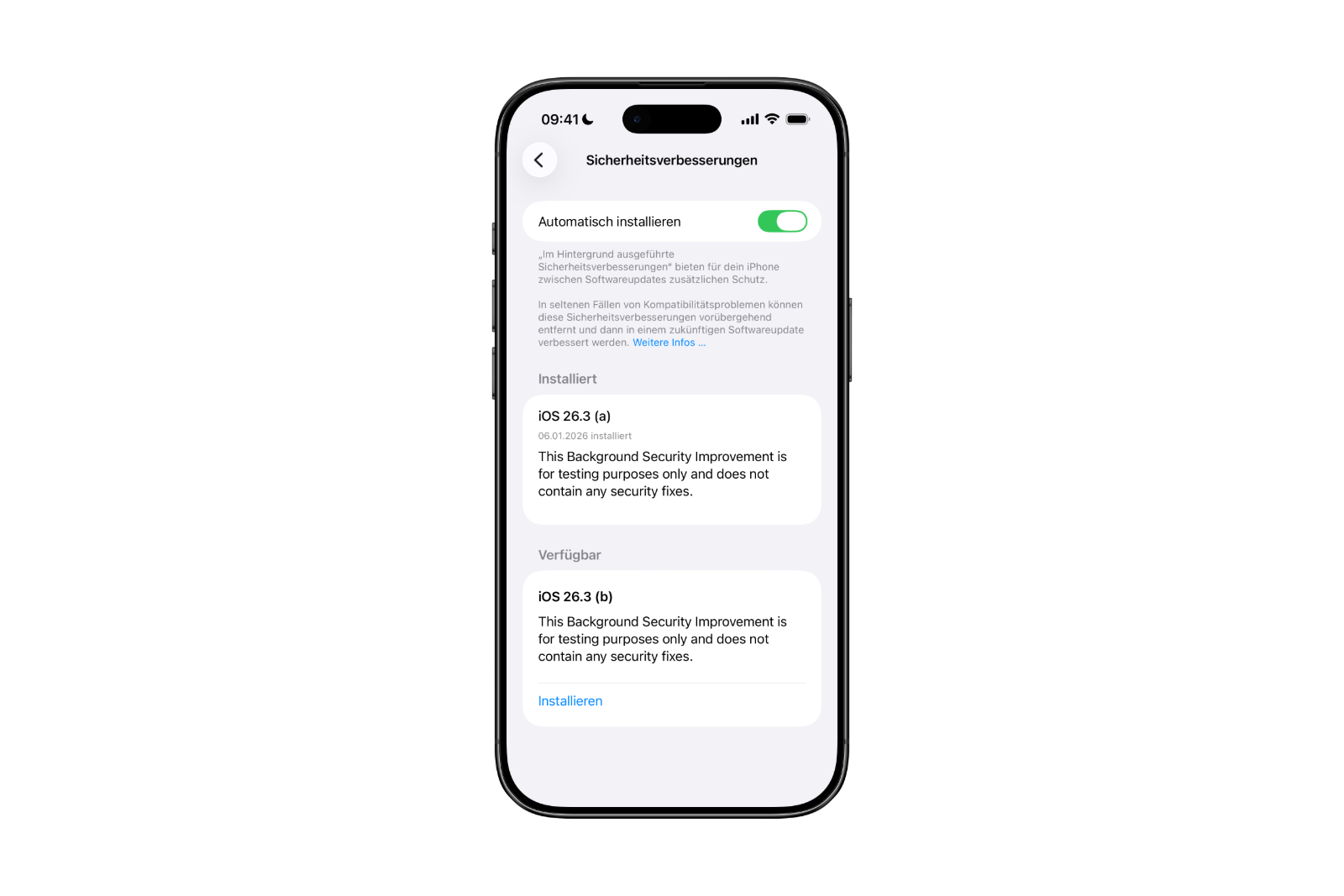
Apple introduced background security improvements with iOS 26.1, iPadOS 26.1, and macOS Tahoe 26.1. iOS 26.3 is now running a further test, aimed at developers and public beta testers. Following an initial test earlier this week, a second update is now available.

According to Apple, these background updates provide additional security measures between regular software updates. The focus is on core components such as Safari, WebKit, and other system libraries. This is intended to close security vulnerabilities more quickly without requiring a full operating system update.

Installation and automatic deployment

Background security improvements are installed via the "Settings" app. Go to "Privacy and security" and then to "Background security improvements." Available updates can be manually installed using the "Install" option.

If the "Install automatically" setting is enabled, the system will handle this step automatically. In this case, background security improvements will be installed automatically as soon as they are available. Manual confirmation is then not necessary.

Those who choose not to use this installation method will receive the corresponding security updates later via a regular software update. Apple thus ensures that no security measure is permanently omitted.
iOS 26.3 Background Security Improvements
Image: Apfelpatient

Moving away from Rapid Security Response

Prior to background security improvements, Apple relied on the so-called Rapid Security Response. This feature was introduced with iOS 16, but was rarely used. Furthermore, in 2023, a bug occurred that caused some websites to display incorrectly after a Rapid Security Response update.

These experiences have contributed to Apple's decision to gradually phase out Rapid Security Response. Background security enhancements are intended to take over this role in the long term, operating more reliably and discreetly.

Potential problems and Apple's handling of them

Apple points out that background security updates can, in rare cases, cause compatibility issues. Should this occur, these updates can be temporarily removed. The affected security improvements will then be addressed and re-released via a later software update.

This allows Apple to retain control over potential side effects without compromising safety. Problems should be identified, corrected, and permanently resolved.

iOS 26.3 and Apple's long-term security strategy

iOS 26.3 demonstrates Apple's continued strong commitment to flexible security solutions. Retesting of background security enhancements underscores the company's ambition to deliver protection faster and less dependent on major system updates. Despite potential compatibility issues in rare cases, the approach remains clearly focused on stability and security. This development suggests that this type of update will play a permanent role in the Apple ecosystem going forward. The best products for you: Our Amazon storefront offers a wide selection of accessories, including those for HomeKit. (Image: Apfelpatient)

  • John Ternus is once again being considered as the next CEO of Apple
  • AirPods of the future: Apple is researching smart gesture logic
  • Apple wins antitrust lawsuit and patent dispute against AliveCor
  • Apple under pressure: India insists on possible billion-dollar fine
  • Blood glucose monitoring with the Apple Watch is getting closer
  • Chase will become the new issuer of the Apple Card
  • Apple TV dominates Actor Awards with comedy hit The Studio
  • OpenAI launches ChatGPT Health with Apple Health integration
  • WhatsApp introduces new features for organized group chats
  • iOS 26.3 tests background security updates in the system
  • Apple 2026: Are higher prices for Macs and iPhones imminent?
  • iPhone Fold is getting closer: CES provides strong clues
  • Apple makes Macs and iPads significantly faster on 5 GHz Wi-Fi
  • Apple Vision Pro makes NBA games immersive for the first time
  • Apple TV wins seven awards at Critics' Choice Awards
  • iPhone exports from India reach the 50 billion mark
  • Belkin showcases powerful Qi2.2 charging solutions at CES 2026
  • Apple Vision Pro is not a flop, it's just misrated
  • Clicks Power Keyboard: New MagSafe keyboard in detail
  • Punkt. MC03: A smartphone that consistently protects data
  • Clicks Communicator: Communication instead of smartphone stress
  • Apple is focusing on new Fitness+ programs and challenges
  • Apple updates vintage list for Macs, iPhones and more
  • Apple Fitness+ officially announces big plans for 2026
  • Apple raises $3 million to fight AIDS

Make Apfelpatient a preferred source One click – and you'll see us more often on Google
Was this article helpful?
YesNo
Tags: iOS 26.3iPadOSiPadOS 26.3macOSmacOS 26.3
SendShareSend
Share

Our Amazon Storefront

A handpicked selection of products for iPhone, Mac and more – sorted by topic and updated regularly.

Shop Now

This post contains affiliate links (including Amazon). We earn a small commission on qualifying purchases – at no extra cost to you. Learn more on our Partner Program page.

Previous Post

John Ternus is once again being considered as the next CEO of Apple

Next Post

Apple announces date and details for its 2026 annual shareholders meeting

Milan Jovicic

Milan Jovicic

Milan founded Apfelpatient in 2016 and has been responsible for all editorial content since 2018 — news, rumors, guides, and product reviews. Apple devices here are not test units on loan for two weeks but everyday tools: from the iPhone through MacBook Pro, MacBook Air, and iMac to the Apple Vision Pro, at least one device from nearly every product category is in daily use, many of them replaced annually. Every menu path in a guide is verified on the device before it is published.

Related posts

watchOS 27.2: Code reveals new screenshot preview

by Milan Jovicic
September 24, 2026 - 8:36 p.m. CEST
Apple Watch Ultra with an orange band showing the app view, the device getting the new screenshot preview in watchOS 27.2

watchOS 27.2 includes a new screenshot interface for the Apple Watch: preview, share, and delete, just like on the iPhone. It's currently inactive.

Read moreDetails

Apple TV: Peanuts classics free again for Christmas

by Milan Jovicic
September 24, 2026 - 6:43 p.m. CEST
Charlie Brown holding a small Christmas tree under a starry sky in the snow, a scene from A Charlie Brown Christmas, free again on Apple TV

Three classic Peanuts cartoons are back on Apple TV for the holidays, no subscription required. Plus, there are new specials featuring Snoopy and the Fraggle Rocks.

Read moreDetails

The Wanted Man: Hugh Laurie on Apple TV from January

by Milan Jovicic
September 24, 2026 - 6:19 p.m. CEST
Hugh Laurie as crime boss Felix Carmichael in an evening scene from The Wanted Man on Apple TV

The Wanted Man premieres on January 6, 2027 on Apple TV. Hugh Laurie plays a crime boss who wants to escape – the finale is in February.

Read moreDetails

Apple and Qualcomm extend patent license from 2027

by Milan Jovicic
September 24, 2026 - 6:04 p.m. CEST
Back of an iPhone 18 Pro Max in a burgundy case on a grey surface, covered by the renewed Apple Qualcomm patent license

Apple and Qualcomm are extending their patent license from April 2027. Why this has nothing to do with the modem change and affects Germany.

Read moreDetails

iPhone 18 Pro: Update to prevent Face ID restarts is coming

by Milan Jovicic
September 24, 2026 - 1:13 p.m. CEST
iPhone showing the General settings with Software Update, where the fix for the Face ID reboots on iPhone 18 Pro will arrive

Apple has confirmed an update to fix the restarts after failed Face ID recognition on the iPhone 18 Pro and Pro Max. An exchange is not worthwhile.

Read moreDetails
Load More

Categories

  • Apple Insights
  • Apple Rumors
  • Apple News
  • Apple Tips & Tricks
  • iPhone news, rumors and tips
  • Mac and MacBook News
  • Reviews

About APFELPATIENT

APFELPATIENT brings you the latest Apple news, product updates, guides, reviews and tips across the entire Apple ecosystem — from the iPhone to the Mac to the Apple Vision Pro. From the first rumors to confirmed news: researched responsibly.

Follow Apfelpatient

Facebook Instagram YouTube Threads Threads

Company

  • About Apfelpatient
  • Contact
  • Author Profiles

Community

  • Netiquette
  • Push Notifications
  • RSS feed

Legal

  • Legal Notice
  • Privacy Policy
  • Terms of Use
  • Cookie Settings
  • Affiliate Program

Resources

  • Sitemap

© 2026 Apfelpatient. All rights reserved.

No Result
View All Result
  • Home
  • News
  • Rumors
  • Tips & Tricks
  • Reviews
  • Insights

© 2026 Apfelpatient. All rights reserved. Page Directory

Change language to Deutsch



