



© 2026 Apfelpatient. All rights reserved.

Apple Tips & Tricks
Every new version of iOS, iPadOS, macOS, and watchOS adds features – and hides many of them so well that even long-time Apple users miss them. On top of that come everyday problems: backups failing, AirDrop refusing to work, Wi-Fi passwords disappearing.
This is where step-by-step guides for exactly those moments live: from setting up a new iPhone to transferring data to uncovering hidden features in iOS and macOS. Every guide is verified against the current version – so the steps are correct when you actually need them.
Topics range from basics for newcomers to specialized features for power users: setting up iCloud properly, pairing an Apple Watch with an iPhone, using Focus modes effectively, resetting old devices for resale. When problems come up, the solution isn't just shown – it's also explained why something goes wrong, so the same issue can be solved independently next time.
macOS 26: Automatically connect iPhone hotspot
macOS 26 brings a new hotspot feature: Your Mac automatically connects to your iPhone when no Wi-Fi is available.
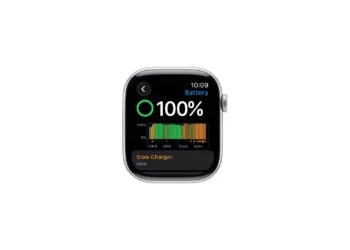
Read moreDetailswatchOS 26: Why the Apple Watch sometimes charges slowly
watchOS 26 alerts you to slow charging. Find out how your cable, charger, and temperature can improve charging speed.
Read moreDetailsiOS 26: Reduce transparency for more clarity
Apple is using Liquid Glass in iOS 26. Learn how the Reduce Transparency feature brings back the look of iOS 18...
Read moreDetailsFind and adjust the camera flash in iOS 26 – here's how
iOS 26 brings a new design and relocates the camera flash. Learn where to find it and how to control it...
Read moreDetailsiOS 26 makes Adaptive Power the norm on the iPhone 17 series
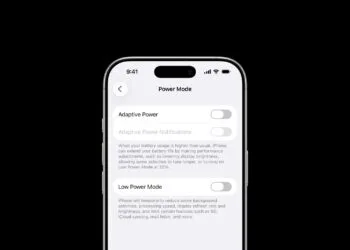
iOS 26 introduces Adaptive Power: iPhones save battery more intelligently than ever before. All the info on the feature and the...
Read moreDetailsiOS 26 Tip: Unlock iPhone with Apple Vision Pro
With iOS 26, the iPhone gets smarter: Unlock with Apple Vision Pro, even in the middle of immersive experiences. Learn all about it here...
Read moreDetailsiOS 26: The most important tips for setup and use
iOS 26 is here: With a fresh design, new features, and more control. Here's a look at the 10 most important setup steps.
Read moreDetailsiOS 26: Impact on battery life after the update
After updating to iOS 26, battery life drops temporarily. Apple explains the reasons and shows why installing...
Read moreDetailsHere's how to create your own flashback movies directly from photos.
Learn how to easily create and customize throwback movies on iPhone with iOS 18.1 or later—with...
Read moreDetailsSharing audio across two pairs of AirPods: How it works
Here's how to share audio on your iPhone or iPad with two pairs of AirPods. Quick setup, perfect for music, movies, and travel.
Read moreDetails