

apple patient
  • Home
  • News
  • Rumors
  • Tips & Tricks
  • Reviews
  • Insights
No Result
View All Result
  • iPhone 18
  • iPhone 18 Pro
  • iPhone Duo
  • Apple Watch Series 12
  • Apple Watch Ultra 4
  • AirPods 5
  • iOS 27
  • iPadOS 27
  • macOS
  • MacBook Neo
  • iPhone 17e
  • AirTags
  • iOS 26
  • iPhone 17
  • MacBook Pro
  • iPadOS
  • iMac
  • Mac mini
  • HomePod
  • Apple TV
  • iPad Pro
  • iPhone Air
  • Apple Vision Pro
  • iPhone 16
  • AirPods 4
  • Apple Watch Ultra
  • HomePod Mini
  • MacBook Air
  • iPad
  • AirPods Max
  • AirPods Pro 3
  • Apple Watch Series 3
  • Mac Studio
  • Studio Display
  • iPad Air
  • iPad mini
  • watchOS 27
  • Apple CarPlay
  • Apple Pay
  • watchOS 26
  • Home
  • News
  • Rumors
  • Tips & Tricks
  • Reviews
  • Insights
No Result
View All Result
apple patient
No Result
View All Result
  • iPhone 18
  • iPhone 18 Pro
  • iPhone Duo
  • Apple Watch Series 12
  • Apple Watch Ultra 4
  • AirPods 5
  • iOS 27
  • iPadOS 27
  • macOS
  • MacBook Neo
  • iPhone 17e
  • AirTags
  • iOS 26
  • iPhone 17
  • MacBook Pro
  • iPadOS
  • iMac
  • Mac mini
  • HomePod
  • Apple TV
  • iPad Pro
  • iPhone Air
  • Apple Vision Pro
  • iPhone 16
  • AirPods 4
  • Apple Watch Ultra
  • HomePod Mini
  • MacBook Air
  • iPad
  • AirPods Max
  • AirPods Pro 3
  • Apple Watch Series 3
  • Mac Studio
  • Studio Display
  • iPad Air
  • iPad mini
  • watchOS 27
  • Apple CarPlay
  • Apple Pay
  • watchOS 26

How are the AirPods Pro different from the AirPods?

Milan Jovicic by Milan Jovicic
October 29, 2019 - 12:31 CET
in Apple Tips & Tricks
0
Image: Apple

Image: Apple

WhatsAppFacebookEmail
Threads

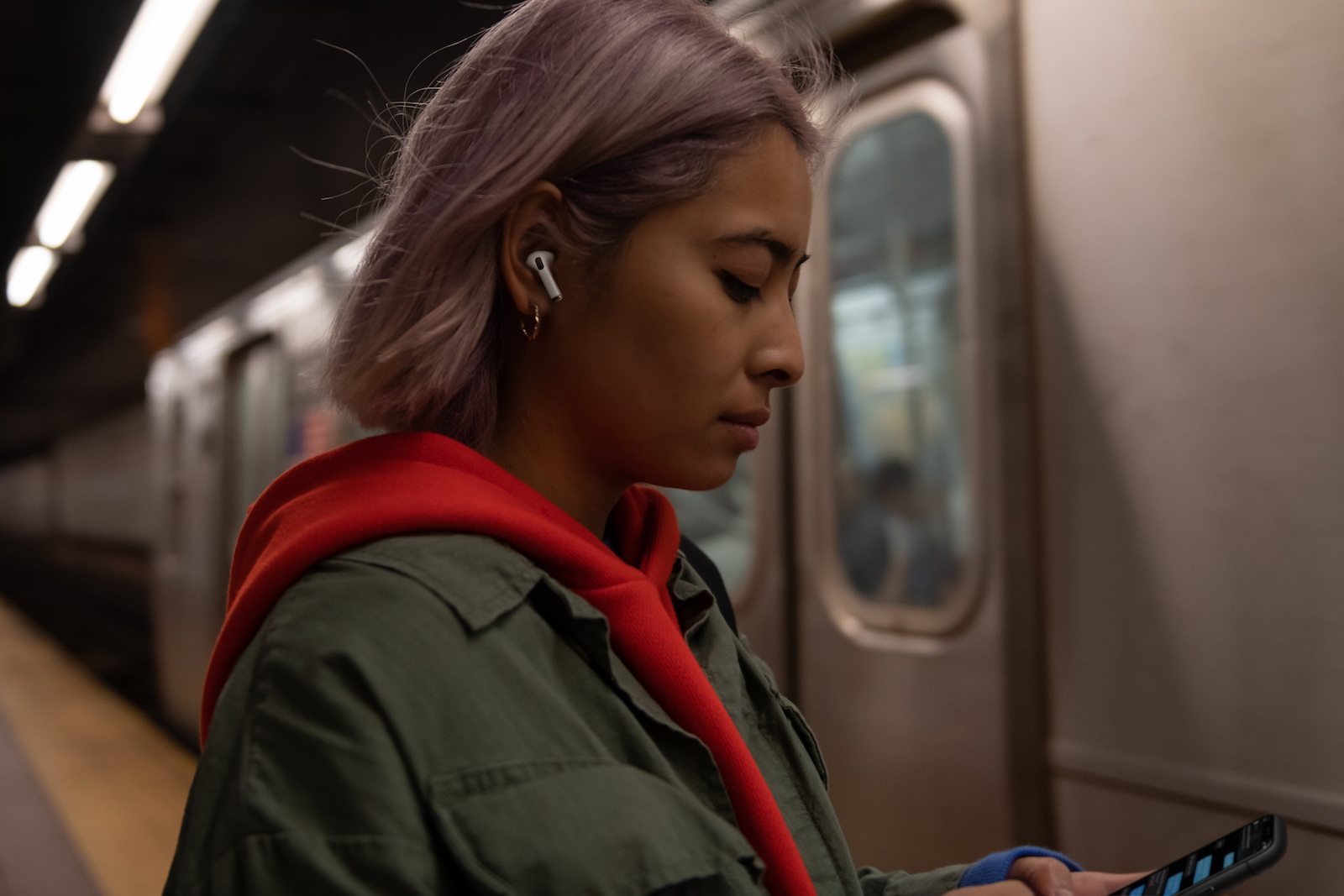
Apple recently introduced the new third-generation AirPods. But how do the new AirPods Pro differ from the "regular" ones? Here's an overview.

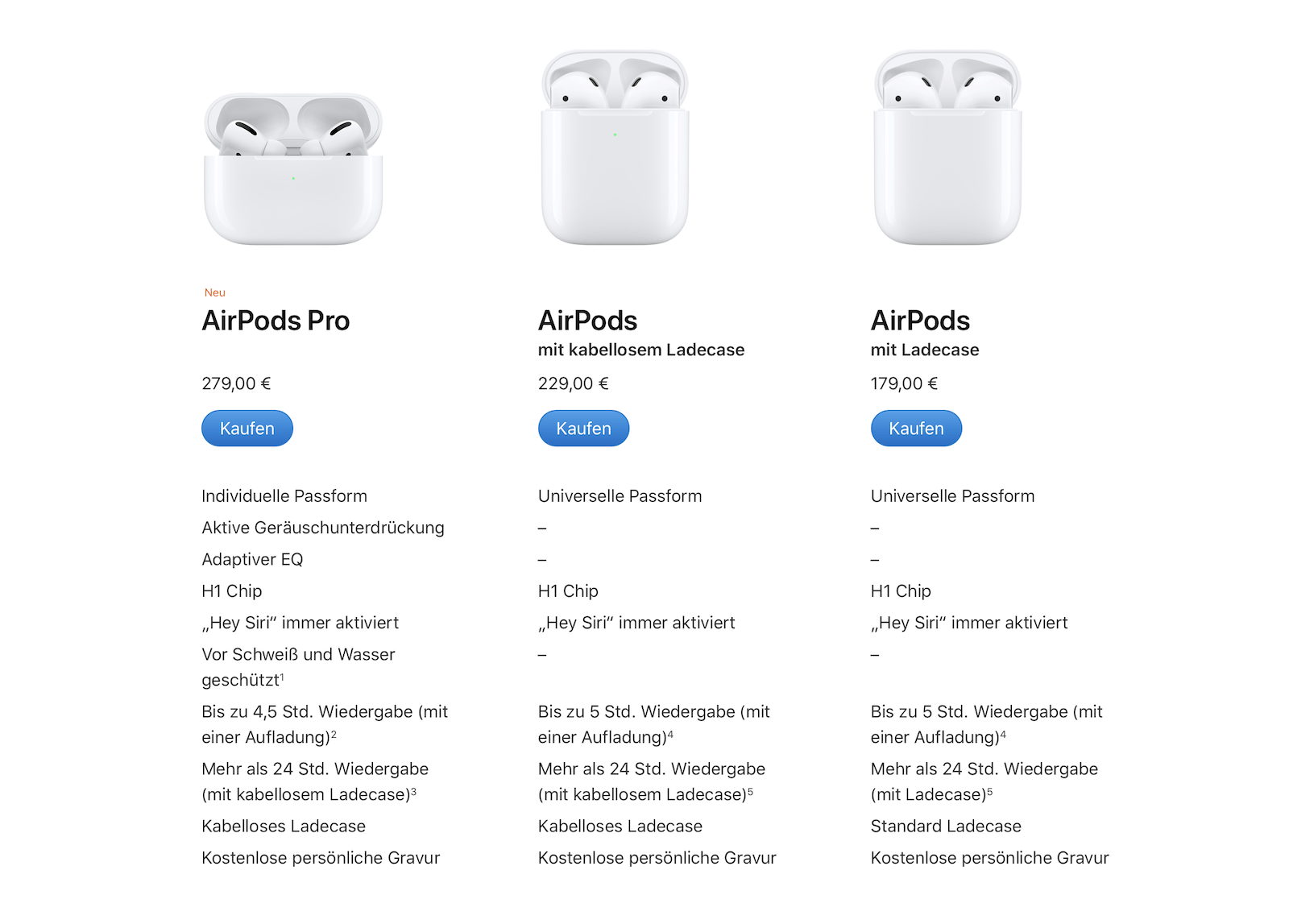
There have been plenty of rumors about new AirPods – in the end, the only question was “when.” Now it’s officially. But many people still don't know all the differences to the previous generations. The biggest innovation is clearly the new in-ear design. This has enabled the long-awaited noise cancellation function. The new ANC feature appears in two different modes. Users can choose between active noise cancellation and transparency mode. The latter allows users to perceive sounds in their surroundings even when music is playing. Apple describes the feature as follows:

Active Noise Cancellation on AirPods Pro uses two microphones combined with advanced software to continuously adjust to the individual fit of the ear and earbud. This removes background noise to provide a uniquely customized, high-quality noise-cancelling experience that allows a user to focus on what they're listening to - whether it's a favorite song or a phone call.

In addition to noise cancellation, the new Pro earbuds have an adaptive equalizer. This means that it automatically adjusts the low and mid frequencies to the shape of the respective ear. The AirPods Pro therefore offer an individual listening experience. They are also sweat and water resistant, but not suitable for water sports - please note.

This is what the AirPods Pro and regular AirPods have in common

Of course, there are also similarities. For example, both have the same H1 chip – this enables both versions to use the popular “Hey Siri” feature. This is an advantage that the first generation of AirPods does not offer. Apple promises a total battery life of 24 hours for the charging case. However, there is a small but subtle difference. While the second generation can provide around 5 hours of playback on a single charge, the AirPods Pro only manage 4.5 hours according to the data sheet. However, this small difference is due to the ANC feature. Apple notes in the footer that with noise cancellation deactivated, the battery life of the Pro version could also be around 5 hours.

The controls, size and weight in comparison

Another new feature is the pressure sensor. While the AirPods 1 and 2 can only process single and double taps, the AirPods Pro's controls include single, double, and triple taps. There's also a "press and hold" option to switch between active and transparent noise cancellation. Due to the new design, the AirPods Pro are slightly shorter than their predecessors, but also slightly deeper and wider. In terms of weight, the AirPods Pro are slightly heavier at 5.4 grams each, compared to the AirPods 1 and 2, which weigh around 4 grams.

Help – my ears are too big! Will the AirPods Pro fit me?

However, many users ask themselves a particularly important question: "Will the AirPods Pro fit me?" Those who had problems with the regular AirPods shouldn't fear the same with the Pro version. The AirPods Pro use a rubber earpiece. These are available in three different sizes. This means the AirPods Pro should fit every ear—small, large, or anything in between.

Prices and Features

Finally, we would like to clarify the prices and the contents, because there is a remarkable surprise here. While the second generation AirPods are delivered with a normal charging case or optionally with a Qi-enabled charging case, the AirPods Pro are only available with a Qi-enabled charging case. But now comes the highlight. The AirPods Pro are not delivered with a simple USB-A to Lightning cable. Apple includes a USB-C to Lightning cable with the new plugs. Finally, of course, we also want to clarify the question of price. The AirPods Pro cost around 279 euros, while the AirPods 2 are available for 229 euros or 179 euros. With the latter, the set can be ordered with either a Qi-enabled charging case or the normal charging case. Do you want new headphones? Then take a look at our Amazon Storefront over – there we have all the current AirPods as well as Beats Models summarized for you. (Image: Apple)
Screenshot: Apfelpatient
Make Apfelpatient a preferred source One click – and you'll see us more often on Google
Was this article helpful?
YesNo
Tags: AirPodsAirPods Pro
SendShare58Send
Share

Our Amazon Storefront

A handpicked selection of products for iPhone, Mac and more – sorted by topic and updated regularly.

Shop Now

This post contains affiliate links (including Amazon). We earn a small commission on qualifying purchases – at no extra cost to you. Learn more on our Partner Program page.

Previous Post

Knock Out – iOS 13.2 paralyzes HomePod

Next Post

iOS 13.2 – Apple updates support document for HomePod

Milan Jovicic

Milan Jovicic

Milan founded Apfelpatient in 2016 and has been responsible for all editorial content since 2018 — news, rumors, guides, and product reviews. Apple devices here are not test units on loan for two weeks but everyday tools: from the iPhone through MacBook Pro, MacBook Air, and iMac to the Apple Vision Pro, at least one device from nearly every product category is in daily use, many of them replaced annually. Every menu path in a guide is verified on the device before it is published.

Related posts

Create a Pass in iOS 27: How to Make Your Own Wallet Passes

by Milan Jovicic
September 26, 2026 - 11:39 CEST
Create a Pass in iOS 27: selection of the Custom, Membership and Event card templates in the Wallet app

Create a Pass in iOS 27 lets you add your own passes to Wallet. Here's how it works step by step - even without the camera scan.

Read moreDetails

Setting up iPhone Handoff: Here's how it works in iOS 27

by Milan Jovicic
September 24, 2026 - 5:50 p.m. CEST
iPhone showing the Set Up eSIM screen with the option to use the number on two iPhones selected, the first step to set up iPhone Handoff

Setting up iPhone Handoff under iOS 27: Requirements, costs at Telekom and why logging out only works via the provider.

Read moreDetails

How to Turn On Advanced Data Protection for iCloud

by Milan Jovicic
September 20, 2026 - 03:27 CEST
Advanced Data Protection for iCloud: iPhone showing the Advanced Data Protection settings page with the list of protected data and the Turn On option, next to a padlock

Advanced Data Protection for iCloud: 25 categories with end-to-end encryption. How to turn it on and secure your recovery options.

Read moreDetails

Selling Your iPhone Safely: How to Prepare Your Device the Right Way

by Milan Jovicic
September 19, 2026 - 9:04 p.m. CEST
Selling an iPhone safely: two iPhones lying face down on a grey surface, one orange and one black

Sell your iPhone safely: Backup, deregistration, activation lock and reset in the correct order – plus shipping step for the 18 Pro Max.

Read moreDetails

iPhone 18 Pro: Setting up Pro video storage for ProRes

by Milan Jovicic
September 19, 2026 - 7:56 p.m. CEST
Pro Video Storage on iPhone 18 Pro: iPhone showing the Configure Pro Video Storage dial at 150 GB and about 26 minutes of ProRes 4K 30 fps, next to a drive with a checkmark

No Pro Video storage, no ProRes: Here's how to reserve storage for video recordings on the iPhone 18 Pro and free it up again when needed.

Read moreDetails
Load More

Categories

  • Apple Insights
  • Apple Rumors
  • Apple News
  • Apple Tips & Tricks
  • iPhone news, rumors and tips
  • Mac and MacBook News
  • Reviews

About APFELPATIENT

APFELPATIENT brings you the latest Apple news, product updates, guides, reviews and tips across the entire Apple ecosystem — from the iPhone to the Mac to the Apple Vision Pro. From the first rumors to confirmed news: researched responsibly.

Follow Apfelpatient

Facebook Instagram YouTube Threads Threads

Company

  • About Apfelpatient
  • Contact
  • Author Profiles

Community

  • Netiquette
  • Push Notifications
  • RSS feed

Legal

  • Legal Notice
  • Privacy Policy
  • Terms of Use
  • Cookie Settings
  • Affiliate Program

Resources

  • Sitemap

© 2026 Apfelpatient. All rights reserved.

No Result
View All Result
  • Home
  • News
  • Rumors
  • Tips & Tricks
  • Reviews
  • Insights

© 2026 Apfelpatient. All rights reserved. Page Directory

Change language to Deutsch




