

apple patient
  • Home
  • News
  • Rumors
  • Tips & Tricks
  • Reviews
  • Insights
No Result
View All Result
  • iPhone 18
  • iOS 27
  • iPadOS 27
  • macOS
  • MacBook Neo
  • iPhone 17e
  • AirTags
  • iOS 26
  • iPhone 17
  • MacBook Pro
  • iPadOS
  • iMac
  • Mac mini
  • HomePod
  • Apple TV
  • iPad Pro
  • iPhone Air
  • Apple Vision Pro
  • iPhone 16
  • AirPods 4
  • Apple Watch Ultra
  • HomePod Mini
  • MacBook Air
  • iPad
  • AirPods Max
  • AirPods Pro 3
  • Apple Watch Series 3
  • Mac Studio
  • Studio Display
  • iPad Air
  • iPad mini
  • watchOS 27
  • Apple CarPlay
  • Apple Pay
  • watchOS 26
  • Home
  • News
  • Rumors
  • Tips & Tricks
  • Reviews
  • Insights
No Result
View All Result
apple patient
No Result
View All Result

“Unlock with Apple Watch”: Apple explains new feature

Milan Jovicic by Milan Jovicic
27. April 2021 - 21:00 CEST
in Apple Tips & Tricks
0
Unlock with Apple Watch

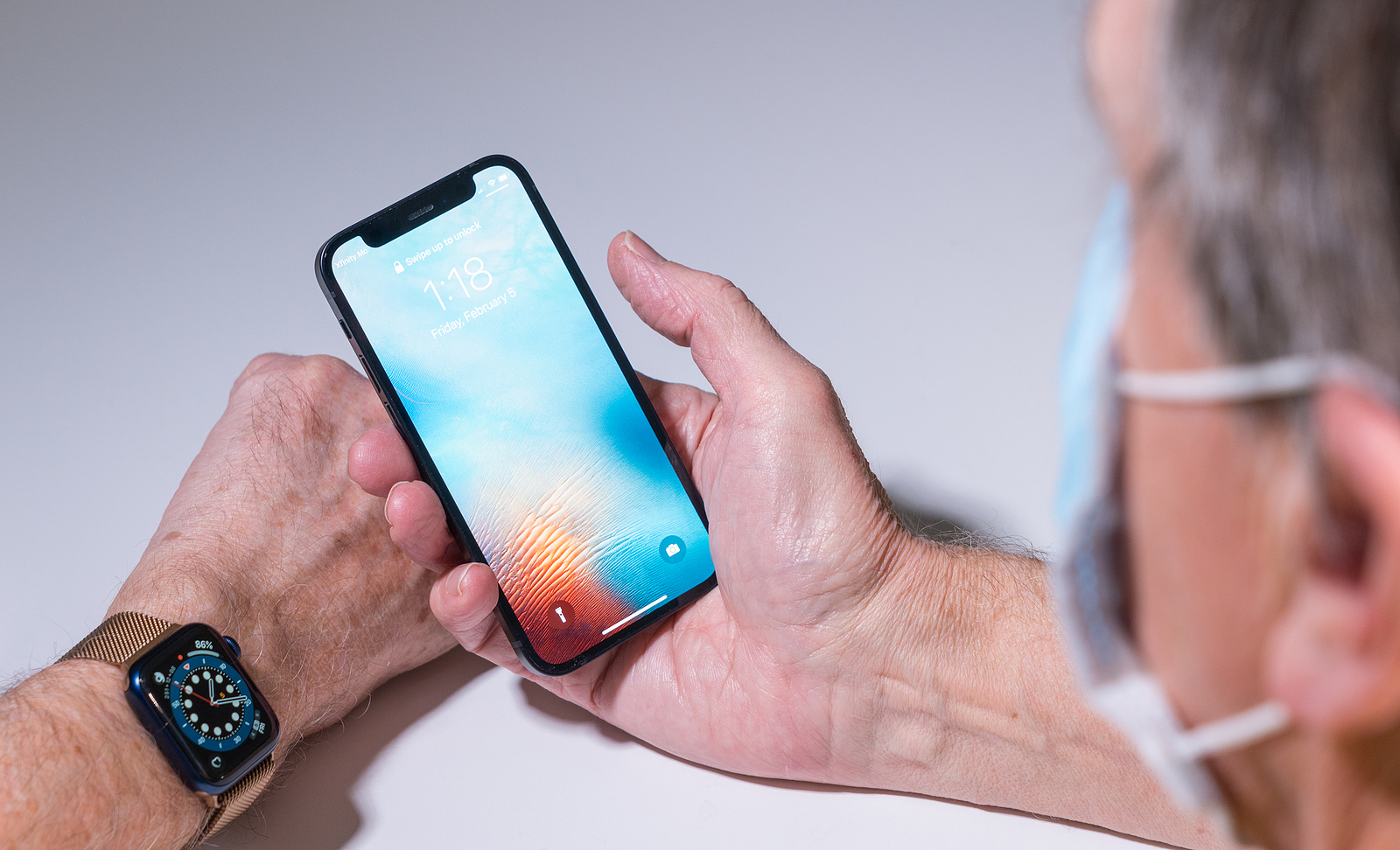
Morgantown, WV - February 5, 2021: Apple iPhone and watch use face recognition to open phone even when wearing a face mask

WhatsAppFacebookEmail
Threads

In iOS 14.5 and watchOS 7.4, Apple introduced a feature that would allow mask wearers to unlock their iPhones with a paired and authenticated Apple Watch, eliminating the need to constantly enter a passcode. Now the company wants to provide clarity.

Apple now has a support document published, which describes how the Unlock with Apple Watch feature works and what requirements must be met for it to work. Apple says that the Apple Watch unlock process does not use Face ID to recognize and authenticate users, so the same facial scanning that allows Face ID to unlock your phone does not occur here.

“Unlock with Apple Watch” must be explicitly activated

There are a number of specific requirements that allow the Apple Watch to authenticate your identity to unlock an iPhone. You need an iPhone X or later with iOS 14.5 or later and an Apple Watch Series 3 or later with watchOS 7.4 or later, which must be paired together. Both Wifi and Bluetooth must be enabled for communication between the iPhone and Apple Watch, and the Apple Watch must have a passcode. Wrist detection must also be enabled. In addition, unlocking with the Apple Watch must be explicitly turned on for it to work. Users can find the feature under Settings -> Face ID & Passcode.

iOS 14.5 & watchOS 7.4: Function has proximity requirement
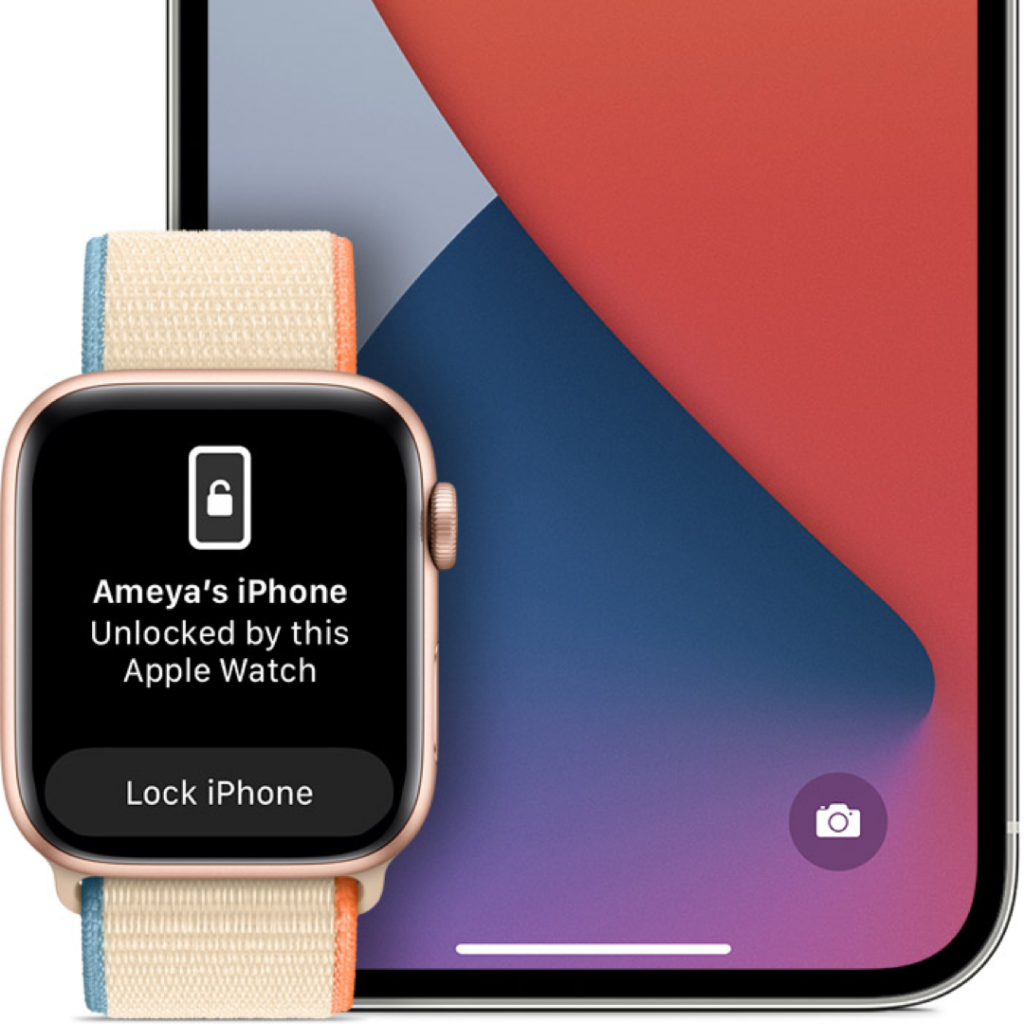
Unlock with Apple Watch
Image: Apple

In order for the Apple Watch to authenticate your identity, the watch must be on your wrist and unlocked. You must also wear a mask that covers both your mouth and nose, presumably to signal the iPhone to use the secondary unlock method instead of Face ID. To unlock the iPhone with the Apple Watch, you must wake your iPhone by lifting it or tapping the screen and then glancing at the device. The requirement to look at the iPhone is intended to prevent the feature from working if you are not near your iPhone. Although it is not mentioned by Apple, there definitely seems to be a proximity requirement as well, as it will signal you when you are not close enough to the phone.

“Unlock with Apple Watch” should be used with caution

Unlock with Apple Watch is a feature that can theoretically allow another person to unlock your iPhone if they are near you, have your iPhone, and are wearing a mask. Therefore, enabling it should be done with caution. If other people have access to your device and you are concerned about security, you may want to avoid it. Additionally, it should be mentioned that Unlock with Apple Watch only works to unlock the iPhone. It does not verify identity for use with Apple Pay, keychain passwords, or password-protected apps that require either Face ID or your lock code. Although not as secure as Face ID, Unlock with Apple Watch is a convenient option for those who are tired of having to enter a password on their devices while wearing a mask. Still, use the feature wisely. (Photo by BackyardProductions / Bigstockphoto)

  • iOS 14.5: How to recalibrate the battery on iPhone 11 models
Make Apfelpatient a preferred source One click – and you'll see us more often on Google
Was this article helpful?
YesNo
Tags: iOSiOS 14.5watchOSwatchOS 7.4
SendShareSend
Share

Our Amazon Storefront

A handpicked selection of products for iPhone, Mac and more – sorted by topic and updated regularly.

Shop Now

This post contains affiliate links (including Amazon). We earn a small commission on qualifying purchases – at no extra cost to you. Learn more on our Partner Program page.

Previous Post

iOS 14.5: How to share lyrics and song clips in Apple Music

Next Post

iOS 14.5 app tracking: Apple explains grayed out switch

Milan Jovicic

Milan Jovicic

Milan founded Apfelpatient in 2016 and has been responsible for all editorial content since 2018 — news, rumors, guides, and product reviews. Apple devices here are not test units on loan for two weeks but everyday tools: from the iPhone through MacBook Pro, MacBook Air, and iMac to the Apple Vision Pro, at least one device from nearly every product category is in daily use, many of them replaced annually. Every menu path in a guide is verified on the device before it is published.

Ted Lasso standing beside a coach in the empty AFC Richmond stadium while Apple has yet to decide on Ted Lasso season 5

Ted Lasso Season 5: Apple still sees plenty of stories

August 12, 2026 - 10:11 PM CEST
Concept design of the iPhone Ultra in its unfolded state with a large inner display

iPhone Ultra (iPhone Fold): All rumors and facts at a glance

August 12, 2026 - 9:32 PM CEST
Five iPhone models in different colors side by side, one from the front showing the Dynamic Island, which is expected to be smaller on the iPhone 18.

iPhone 18: All the rumors at a glance

August 12, 2026 - 9:24 PM CEST

About APFELPATIENT

APFELPATIENT brings you the latest Apple news, product updates, guides, reviews and tips across the entire Apple ecosystem — from the iPhone to the Mac to the Apple Vision Pro. From the first rumors to confirmed news: researched responsibly.

Follow Apfelpatient

Facebook Instagram YouTube Threads Threads

Company

  • About Apfelpatient
  • Contact
  • Author Profiles

Community

  • Netiquette
  • Push Notifications
  • RSS feed

Legal

  • Legal Notice
  • Privacy Policy
  • Terms of Use
  • Cookie Settings
  • Affiliate Program

Resources

  • Sitemap

© 2026 Apfelpatient. All rights reserved.

No Result
View All Result
  • Home
  • News
  • Rumors
  • Tips & Tricks
  • Reviews
  • Insights

© 2026 Apfelpatient. All rights reserved. Page Directory

Change language to Deutsch



