

apple patient
  • Home
  • News
  • Rumors
  • Tips & Tricks
  • Reviews
  • Insights
No Result
View All Result
  • iPhone 18
  • iPhone 18 Pro
  • iPhone Duo
  • Apple Watch Series 12
  • Apple Watch Ultra 4
  • AirPods 5
  • iOS 27
  • iPadOS 27
  • macOS
  • MacBook Neo
  • iPhone 17e
  • AirTags
  • iOS 26
  • iPhone 17
  • MacBook Pro
  • iPadOS
  • iMac
  • Mac mini
  • HomePod
  • Apple TV
  • iPad Pro
  • iPhone Air
  • Apple Vision Pro
  • iPhone 16
  • AirPods 4
  • Apple Watch Ultra
  • HomePod Mini
  • MacBook Air
  • iPad
  • AirPods Max
  • AirPods Pro 3
  • Apple Watch Series 3
  • Mac Studio
  • Studio Display
  • iPad Air
  • iPad mini
  • watchOS 27
  • Apple CarPlay
  • Apple Pay
  • watchOS 26
  • Home
  • News
  • Rumors
  • Tips & Tricks
  • Reviews
  • Insights
No Result
View All Result
apple patient
No Result
View All Result
  • iPhone 18
  • iPhone 18 Pro
  • iPhone Duo
  • Apple Watch Series 12
  • Apple Watch Ultra 4
  • AirPods 5
  • iOS 27
  • iPadOS 27
  • macOS
  • MacBook Neo
  • iPhone 17e
  • AirTags
  • iOS 26
  • iPhone 17
  • MacBook Pro
  • iPadOS
  • iMac
  • Mac mini
  • HomePod
  • Apple TV
  • iPad Pro
  • iPhone Air
  • Apple Vision Pro
  • iPhone 16
  • AirPods 4
  • Apple Watch Ultra
  • HomePod Mini
  • MacBook Air
  • iPad
  • AirPods Max
  • AirPods Pro 3
  • Apple Watch Series 3
  • Mac Studio
  • Studio Display
  • iPad Air
  • iPad mini
  • watchOS 27
  • Apple CarPlay
  • Apple Pay
  • watchOS 26

Siri: The difference between HomePod mini & HomePod

Milan Jovicic by Milan Jovicic
October 18, 2020 - 6:04 PM CEST
in Apple Tips & Tricks
0
HomePod mini

Image: Apple

WhatsAppFacebookEmail
Threads

Apple unveiled the brand-new HomePod mini at its "Hi, Speed" event. The Siri speaker features a new design and many useful features. But how does it differ from the classic model?

In addition to the iPhone 12, Apple has introduced a completely new version of its own smart speaker. The brand new HomePod mini comes in a new spherical design and, like the classic version, is available in black and white. While the normal model costs around 320.70 euros, the mini version is already available for 96.50 euros.

HomePod mini & HomePod in comparison

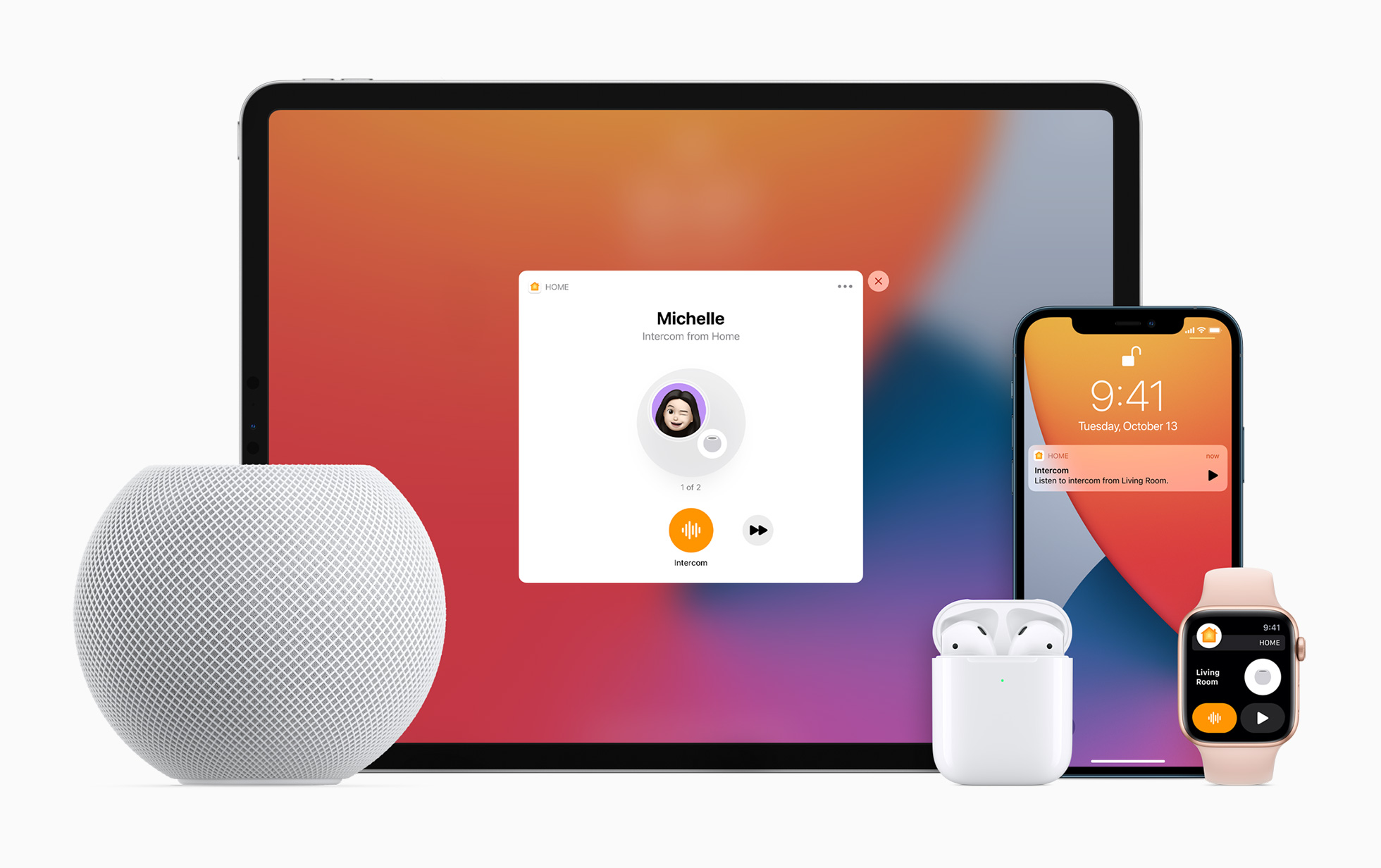
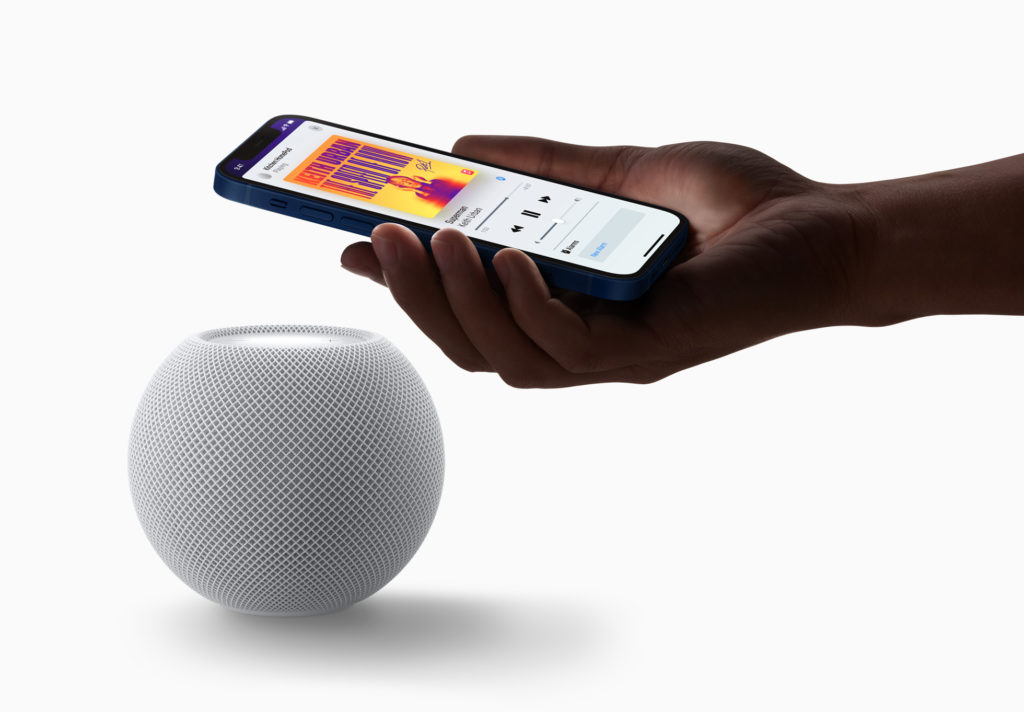
The new Siri speaker basically has almost all the functions that the classic model offers. The touch surface also remains the same. However, there are also improvements. Unlike the normal HomePod, the mini version has Apple's U1 chip. This component improves the Handoff feature enormously. In addition, users near the device are shown personal listening suggestions. The prerequisite for this is an iPhone with a U1 chip. Apple itself explained the whole thing as follows:

It's great that the new Intercom feature is available on both the new HomePod mini and the existing HomePod. Most of the other key features of the original HomePod are included in the mini, such as multi-room audio, stereo pair support, Smart Home Hub, 360-degree audio, far-field microphones for Siri support, computer audio, and more.
HomePod mini
Image: Apple

These are the technical differences

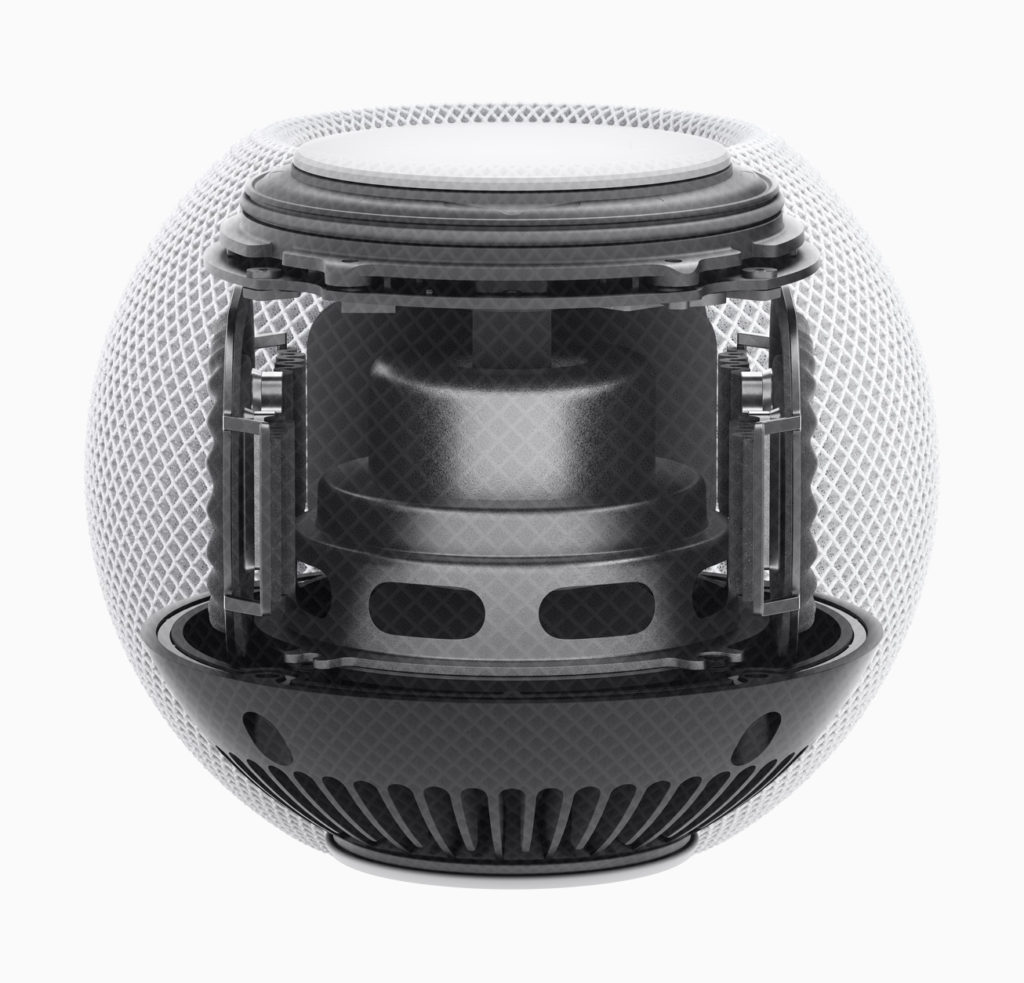
But there are also fundamental differences that are important to some users. According to Apple, the new "Home Theater with Apple TV 4K" feature is only supported by the classic HomePod. The reason for this could be the surround sound function, which the mini model lacks. There are also some differences in the area of audio technology. The large Apple speaker has a high-excursion woofer with a special amplifier and a ring of seven tweeters, each equipped with its own amplifier. The HomePod mini, on the other hand, relies on a full-range driver and two passive woofers for powerful bass and clear high frequencies.

Small speaker, big sound
HomePod mini
Image: Apple

While the classic model has six microphones for the Siri feature, the HomePod mini only has four. The latter should not influence your purchase decision, however. Although the mini model certainly cannot keep up with the classic model, it can be assumed that the HomePod mini will still have significantly better sound than competing products such as Amazon's Echo Dot. Apple itself describes the whole thing as follows:

Packed with innovations, HomePod mini delivers unexpectedly big sound for a speaker of its size. At just 3.3 inches tall, it takes up almost no space but fills the entire room with rich, 360-degree sound that sounds amazing from every angle.

Siri Speaker: The Size Difference

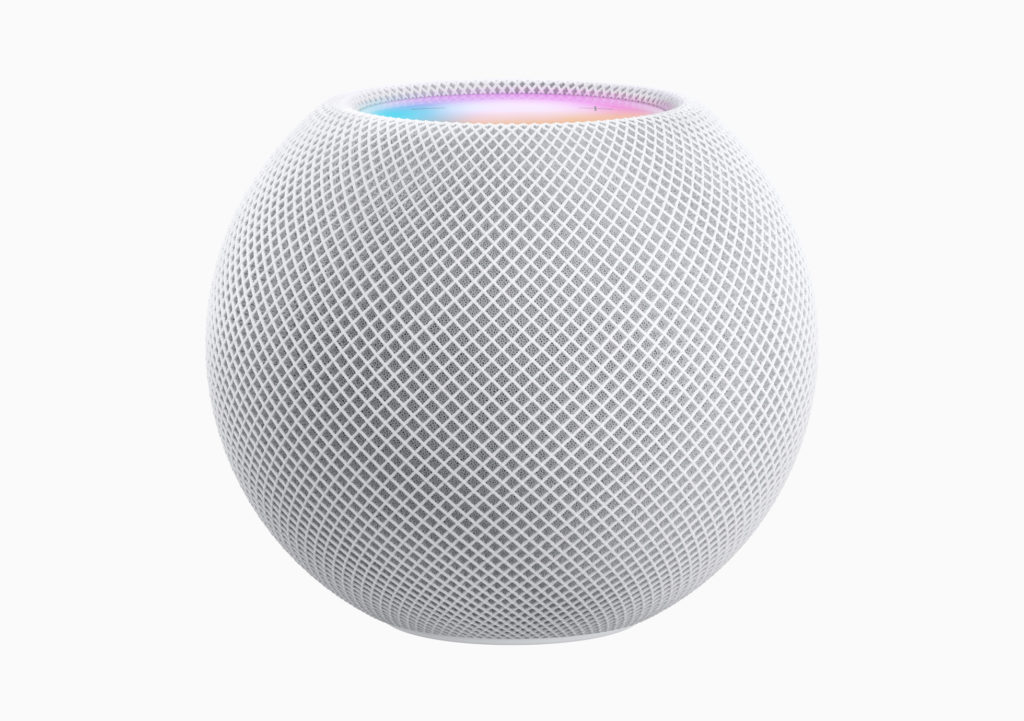
The new Siri speaker uses Apple's S5 processor, which was already installed in the Apple Watch Series 5 and SE. The classic model, on the other hand, is powered by Apple's A8 chip. But how small is the HomePod mini compared to the classic model? The small Siri speaker is 84.3 mm high, 97.9 mm wide and weighs around 345 g.
HomePod mini
Image: Apple

The classic device, on the other hand, is 172 mm high, 142 mm wide and weighs a whopping 2.5 kg. There should therefore be no space problems. By the way - while the classic HomePod has a connected cable with a power adapter, the mini model is delivered with a connected USB-C cable. However, Apple includes the 20W charger with the device.
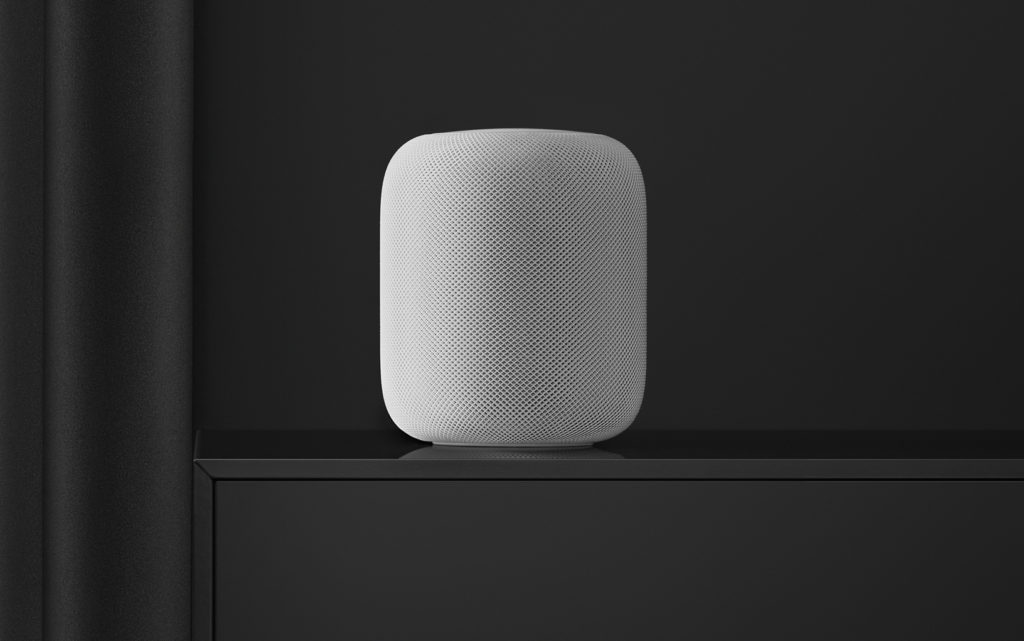
HomePod
Image: Apple

Can I pair the HomePod mini with the HomePod?

As already known, both versions of Apple's speakers support the stereo pair feature. However, the HomePod mini and HomePod cannot be used as a stereo pair. This means that anyone who wants to use Apple's smart speakers as a stereo pair needs two devices of the same version. But be careful - this does not mean that both versions of Apple's speakers do not work together. Of course, users can listen to music on both devices - even the brand new intercom function is of course supported across devices. Overall, many Apple fans will be happy about the brand new and significantly cheaper device. It should appeal to those who are price-conscious but at the same time want to stay in Apple's ecosystem. The device can be purchased for 96.50 euros from November 6th in Australia, Canada, France, Germany, Hong Kong, India, Japan, Spain, Great Britain and the USA. pre-ordered Delivery will begin on November 16th.


  • HomePod: How to start ambient sounds
Make Apfelpatient a preferred source One click – and you'll see us more often on Google
Was this article helpful?
YesNo
Tags: HomePodHomePod Mini
SendShareSend
Share

Our Amazon Storefront

A handpicked selection of products for iPhone, Mac and more – sorted by topic and updated regularly.

Shop Now

This post contains affiliate links (including Amazon). We earn a small commission on qualifying purchases – at no extra cost to you. Learn more on our Partner Program page.

Previous Post

iPhone 12: Apple ships first MagSafe chargers

Next Post

Apple TV+: Trial phase extended free of charge

Milan Jovicic

Milan Jovicic

Milan founded Apfelpatient in 2016 and has been responsible for all editorial content since 2018 — news, rumors, guides, and product reviews. Apple devices here are not test units on loan for two weeks but everyday tools: from the iPhone through MacBook Pro, MacBook Air, and iMac to the Apple Vision Pro, at least one device from nearly every product category is in daily use, many of them replaced annually. Every menu path in a guide is verified on the device before it is published.

Related posts

Create a Pass in iOS 27: How to Make Your Own Wallet Passes

by Milan Jovicic
September 26, 2026 - 11:39 CEST
Create a Pass in iOS 27: selection of the Custom, Membership and Event card templates in the Wallet app

Create a Pass in iOS 27 lets you add your own passes to Wallet. Here's how it works step by step - even without the camera scan.

Read moreDetails

Setting up iPhone Handoff: Here's how it works in iOS 27

by Milan Jovicic
September 24, 2026 - 5:50 p.m. CEST
iPhone showing the Set Up eSIM screen with the option to use the number on two iPhones selected, the first step to set up iPhone Handoff

Setting up iPhone Handoff under iOS 27: Requirements, costs at Telekom and why logging out only works via the provider.

Read moreDetails

How to Turn On Advanced Data Protection for iCloud

by Milan Jovicic
September 20, 2026 - 03:27 CEST
Advanced Data Protection for iCloud: iPhone showing the Advanced Data Protection settings page with the list of protected data and the Turn On option, next to a padlock

Advanced Data Protection for iCloud: 25 categories with end-to-end encryption. How to turn it on and secure your recovery options.

Read moreDetails

Selling Your iPhone Safely: How to Prepare Your Device the Right Way

by Milan Jovicic
September 19, 2026 - 9:04 p.m. CEST
Selling an iPhone safely: two iPhones lying face down on a grey surface, one orange and one black

Sell your iPhone safely: Backup, deregistration, activation lock and reset in the correct order – plus shipping step for the 18 Pro Max.

Read moreDetails

iPhone 18 Pro: Setting up Pro video storage for ProRes

by Milan Jovicic
September 19, 2026 - 7:56 p.m. CEST
Pro Video Storage on iPhone 18 Pro: iPhone showing the Configure Pro Video Storage dial at 150 GB and about 26 minutes of ProRes 4K 30 fps, next to a drive with a checkmark

No Pro Video storage, no ProRes: Here's how to reserve storage for video recordings on the iPhone 18 Pro and free it up again when needed.

Read moreDetails
Load More

Categories

  • Apple Insights
  • Apple Rumors
  • Apple News
  • Apple Tips & Tricks
  • iPhone news, rumors and tips
  • Mac and MacBook News
  • Reviews

About APFELPATIENT

APFELPATIENT brings you the latest Apple news, product updates, guides, reviews and tips across the entire Apple ecosystem — from the iPhone to the Mac to the Apple Vision Pro. From the first rumors to confirmed news: researched responsibly.

Follow Apfelpatient

Facebook Instagram YouTube Threads Threads

Company

  • About Apfelpatient
  • Contact
  • Author Profiles

Community

  • Netiquette
  • Push Notifications
  • RSS feed

Legal

  • Legal Notice
  • Privacy Policy
  • Terms of Use
  • Cookie Settings
  • Affiliate Program

Resources

  • Sitemap

© 2026 Apfelpatient. All rights reserved.

No Result
View All Result
  • Home
  • News
  • Rumors
  • Tips & Tricks
  • Reviews
  • Insights

© 2026 Apfelpatient. All rights reserved. Page Directory

Change language to Deutsch


