

apple patient
  • Home
  • News
  • Rumors
  • Tips & Tricks
  • Reviews
  • Insights
No Result
View All Result
  • iPhone 18
  • iOS 27
  • iPadOS 27
  • macOS
  • MacBook Neo
  • iPhone 17e
  • AirTags
  • iOS 26
  • iPhone 17
  • MacBook Pro
  • iPadOS
  • iMac
  • Mac mini
  • HomePod
  • Apple TV
  • iPad Pro
  • iPhone Air
  • Apple Vision Pro
  • iPhone 16
  • AirPods 4
  • Apple Watch Ultra
  • HomePod Mini
  • MacBook Air
  • iPad
  • AirPods Max
  • AirPods Pro 3
  • Apple Watch Series 3
  • Mac Studio
  • Studio Display
  • iPad Air
  • iPad mini
  • watchOS 27
  • Apple CarPlay
  • Apple Pay
  • watchOS 26
  • Home
  • News
  • Rumors
  • Tips & Tricks
  • Reviews
  • Insights
No Result
View All Result
apple patient
No Result
View All Result

How to Reset AirPods Max: A Comprehensive Guide

Milan Jovicic by Milan Jovicic
15. April 2024 - 19:53 CEST
in Apple Tips & Tricks
0
AirPods Max restart reset Apple

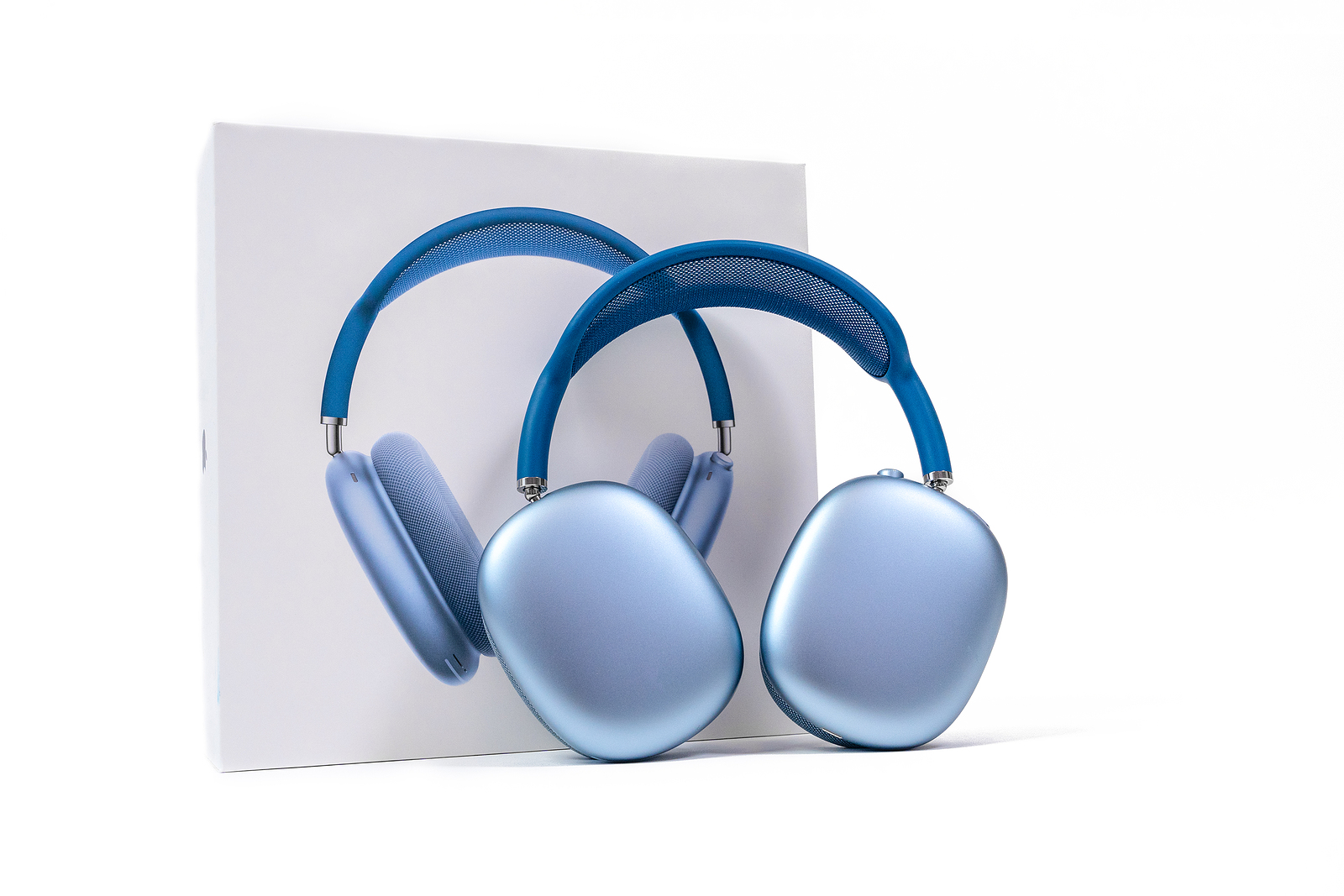
Rostov, Russia - April 04, 2022: Apple AirPods Max of space blue color They stood next to the original box. The concept of minimalism. Stylish, technological accessory. Innovative gadget

WhatsAppFacebookEmail
Threads

In today's fast-paced world of technology, it can often happen that our devices don't work as they should. The AirPods Max, Apple's highly acclaimed over-ear headphones, are no exception. Below we'll show you how to easily restart or factory reset your AirPods Max if you're running into any difficulties.

AirPods Max offer an impressive combination of high-quality sound, active noise cancellation, and a seamless ecosystem experience. But like any high-tech device, they can occasionally cause issues that require a restart or a complete reset. Before following these steps, make sure your headphones have enough charge to complete the reset process.

Step-by-step: Restart AirPods Max

Restarting your AirPods Max can solve many minor issues without losing all your settings. Here's what you need to do:

  • Charging: Make sure your AirPods Max have been charging for at least a few minutes before attempting to restart them.
  • To restart: Press and hold the Sound Control button and the Digital Crown at the same time. Keep holding both buttons until the LED indicator flashes yellow.

reset to factory settings

If a simple restart doesn't solve your problem, it may be time to consider a more complete reset. Here are the steps to factory reset your AirPods Max:

  • Charging: Make sure your headphones are sufficiently charged.
  • Restore factory settings: Press and hold the Noise Control button and the Digital Crown at the same time for 15 seconds. Watch the LED indicator: It will flash yellow and then white, indicating that the headphones have been reset to factory settings.

After resetting

After resetting your AirPods Max, you can pair them again with your iOS or iPadOS device. If you've inherited the headphones from someone else, make sure you've unlinked them from the previous owner's Apple ID. This is crucial to ensure you have full access to all features.

Resetting the AirPods Max: Quick and Easy

Resetting your AirPods Max can help you enjoy the best listening experience again. Whether you need to fix minor bugs or reset the headphones to their factory settings, the steps above will help you repair your AirPods Max quickly and effectively. With these tips, you'll ensure a trouble-free, high-quality audio experience with your Apple AirPods Max. Looking for new accessories? Then check out our Amazon Storefront – there you'll find numerous products from leading manufacturers, including products for HomeKit and others! (Photo by Masarik / Bigstockphoto)


  • Unlocking the SIM on the iPhone: also possible without a restart
Make Apfelpatient a preferred source One click – and you'll see us more often on Google
Was this article helpful?
YesNo
Tags: AirPodsAirPods Max
SendShareSend
Share

Our Amazon Storefront

A handpicked selection of products for iPhone, Mac and more – sorted by topic and updated regularly.

Shop Now

This post contains affiliate links (including Amazon). We earn a small commission on qualifying purchases – at no extra cost to you. Learn more on our Partner Program page.

Previous Post

Rumor: iPhone 16 Pro aims to reduce lens reflections

Next Post

Spotify plans 'Music Pro' subscription: What's behind the rumor?

Milan Jovicic

Milan Jovicic

Milan founded Apfelpatient in 2016 and has been responsible for all editorial content since 2018 — news, rumors, guides, and product reviews. Apple devices here are not test units on loan for two weeks but everyday tools: from the iPhone through MacBook Pro, MacBook Air, and iMac to the Apple Vision Pro, at least one device from nearly every product category is in daily use, many of them replaced annually. Every menu path in a guide is verified on the device before it is published.

Customers crowding an Apple Store as the US smartphone market lost five percent in sales during the second quarter

US smartphone market shrinks, iPhone 18 expected to be more expensive

August 12, 2026 - 23:47 CEST
Ted Lasso standing beside a coach in the empty AFC Richmond stadium while Apple has yet to decide on Ted Lasso season 5

Ted Lasso Season 5: Apple still sees plenty of stories

August 12, 2026 - 10:11 PM CEST
Concept design of the iPhone Ultra in its unfolded state with a large inner display

iPhone Ultra (iPhone Fold): All rumors and facts at a glance

August 12, 2026 - 9:32 PM CEST

About APFELPATIENT

APFELPATIENT brings you the latest Apple news, product updates, guides, reviews and tips across the entire Apple ecosystem — from the iPhone to the Mac to the Apple Vision Pro. From the first rumors to confirmed news: researched responsibly.

Follow Apfelpatient

Facebook Instagram YouTube Threads Threads

Company

  • About Apfelpatient
  • Contact
  • Author Profiles

Community

  • Netiquette
  • Push Notifications
  • RSS feed

Legal

  • Legal Notice
  • Privacy Policy
  • Terms of Use
  • Cookie Settings
  • Affiliate Program

Resources

  • Sitemap

© 2026 Apfelpatient. All rights reserved.

No Result
View All Result
  • Home
  • News
  • Rumors
  • Tips & Tricks
  • Reviews
  • Insights

© 2026 Apfelpatient. All rights reserved. Page Directory

Change language to Deutsch


